A bit of help for a beginner please!
-
Hi guys
I'm new to the forum so please forgive me if this is in the wrong place!
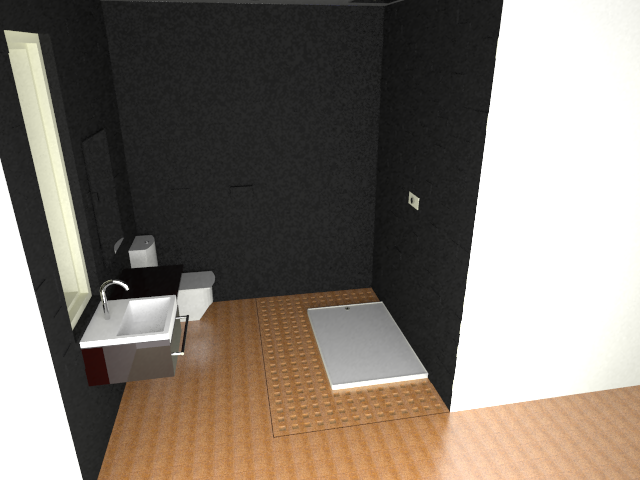
I've been using Sketch up 6 along with VRAY since around January this year. I'm not using it professionally yet but would like to do so.I'm having trouble rendering indoor scenes, namely dark areas. I've attached a prime example.
I've seen some of the work you guys have been posting and its all very impressive, something I would love to try and emulate!As you can see by the picture, it's not that great. The dark back wall is supposed to be a tile wall, each tile staggered by 3 - 5mm. It has no material assigned, just the colour chosen in sketch up.
The render clearly doesn't show this and for the life of me, I have no idea how to remove that dappled / pixilated look.
If someone could help and give me pointers / basic settings info on how to improve this scene I'd really appreciate it!
Also, the wooden floor looks terrible. Any tips on creating a decent wood floor that doesn't repeat too many times!?
Thanks everyone for reading!
-
Have you applied the material to the faces or onto groups/components?
btw - what version number of VfSU do you use?
-
@thomthom said:
Have you applied the material to the faces or onto groups/components?
btw - what version number of VfSU do you use?
Sorry, I forgot to add the version - 01.05.30.
The toilet and washbasin are separate groups that I applied materials to. The wall at the back has just had the materials applied to the faces.
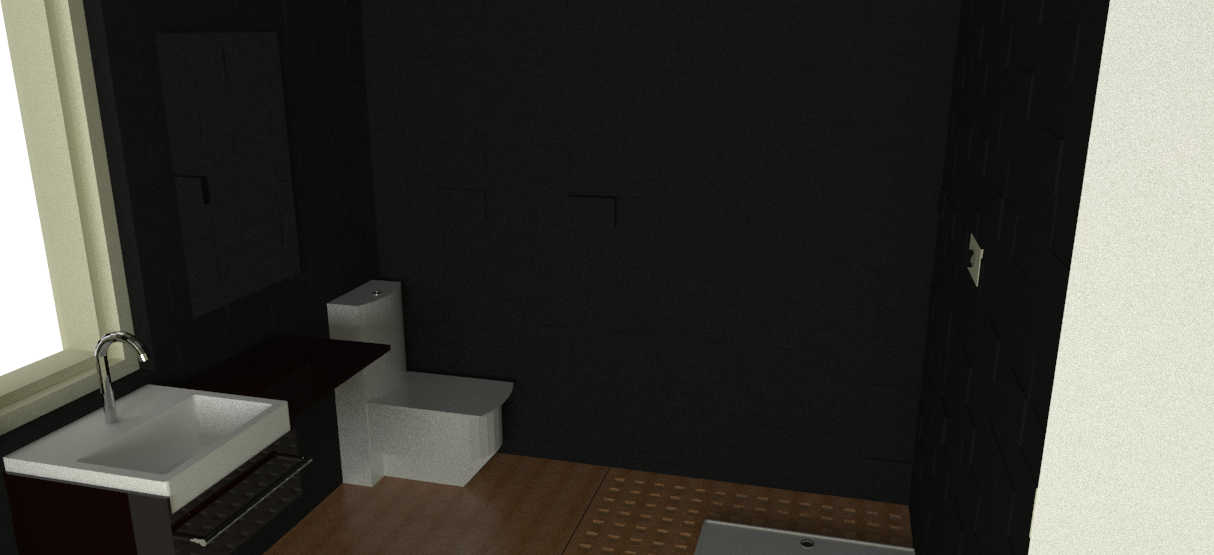
I downloaded a interior visopt I found in one of the forums and it looks slightly better, still not great. as you can see by the attachment.
Thanks
-
That is it - VfSU up until 1.48.xx did not render textures applied onto Groups/Components correctly.
When you use older versions you need to apply the materials onto the faces directly.Also - the older versions experienced significant slowdown when you applied materials (even plain colour) onto groups/components.
-
@thomthom said:
That is it - VfSU up until 1.48.xx did not render textures applied onto Groups/Components correctly.
When you use older versions you need to apply the materials onto the faces directly.Also - the older versions experienced significant slowdown when you applied materials (even plain colour) onto groups/components.
OK
So the answer is to only apply materials to faces NOT in groups? Will that help with making the back wall show up in more detail?Thanks
-
When you apply textured material on groups/components, VfSU prior to 1.44 will render the textures as 1x1" in size. When you apply them to faces they will render in correct size.
-
@thomthom said:
When you apply textured material on groups/components, VfSU prior to 1.44 will render the textures as 1x1" in size. When you apply them to faces they will render in correct size.
Thanks. Thats something I will keep in mind.
Any tips to make the image appear alot sharper? -
Sharper? Not sure sure what you mean here.

-
@thomthom said:
Sharper? Not sure sure what you mean here.
It may be hard to tell from the posted pictures what I mean. It's ok. I think my main problem was the lack of light in the scene. I've added some more light and it's brightened that backwall up.
Thanks

Hello! It looks like you're interested in this conversation, but you don't have an account yet.
Getting fed up of having to scroll through the same posts each visit? When you register for an account, you'll always come back to exactly where you were before, and choose to be notified of new replies (either via email, or push notification). You'll also be able to save bookmarks and upvote posts to show your appreciation to other community members.
With your input, this post could be even better 💗
Register Login


Advertisement