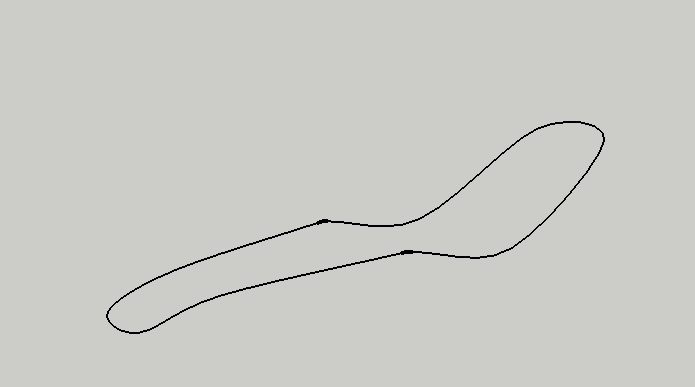
How do i make this outline into a face that i can 3d?
-
Im just trying to design a lounge bed for a college project and iv tried lots of different ways with different tools. Eventually i made this outline and then used the skin tool to give it a face and used the joint push/pull to try make it 3d but then the underside has no face, i only want it 3d with about 40mm height. So im stuck again
 and i would be really thankfull of any wee tips from anyone
kara
this is an image of my outline i made
-
Thankyou so much for your help
 again
again
iv struggled with this for so many hours
i will get to work with your stepskara
-
Find ExtrudeEdgesByRails [or the whole EEby... tools zipped].
I'd make it in two mirrored halves as it looks symmetrical.
Use 'weld.rb' to make part of the outline a single 'curve'.
Repeat for the rest of the outline.
Now you have two curves that can become 'rails'.
Draw a third curve (perhaps a very flat arc) to for a profile.
Use EEbyRails picking them as prompted [repeat pick on profile unless you want it to end slightly differently in which case make another curve/melding-profile... It should make a mesh of the surface. Then process it as needed - here's a visual clue... I know it's not the same shape but I did it as quick example for you...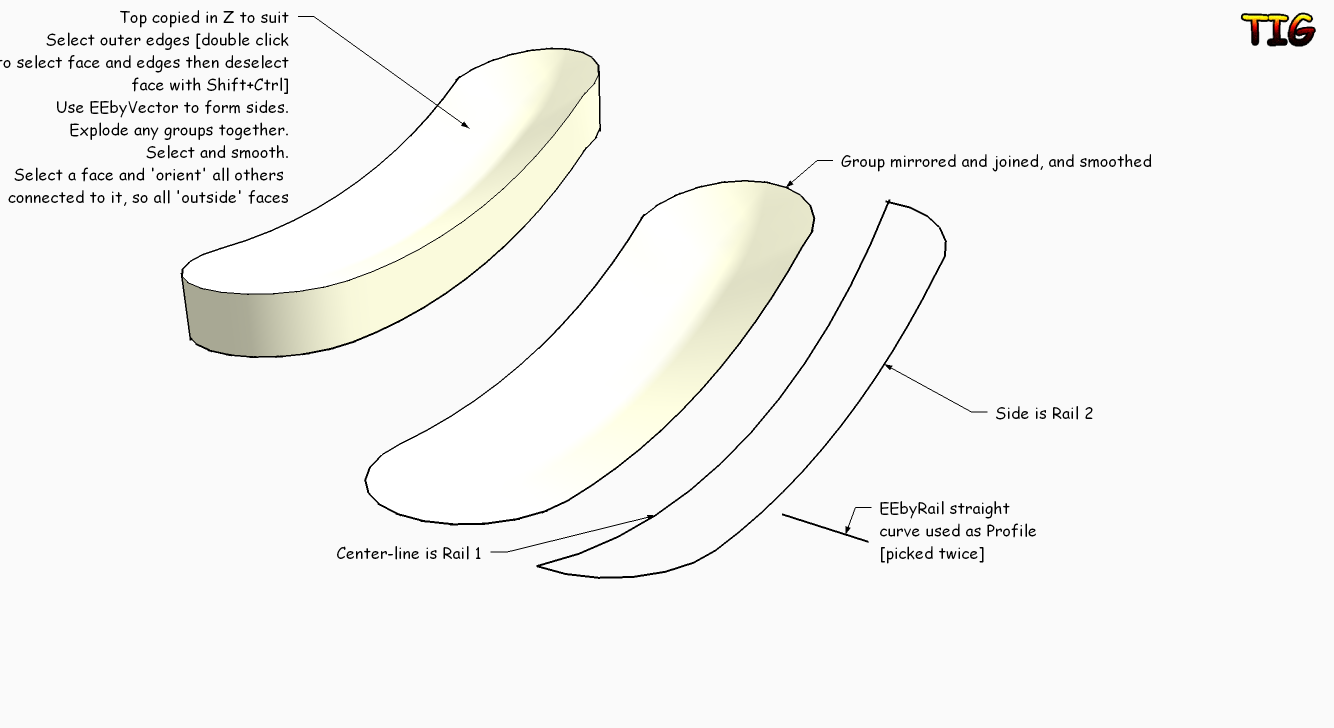

Hello! It looks like you're interested in this conversation, but you don't have an account yet.
Getting fed up of having to scroll through the same posts each visit? When you register for an account, you'll always come back to exactly where you were before, and choose to be notified of new replies (either via email, or push notification). You'll also be able to save bookmarks and upvote posts to show your appreciation to other community members.
With your input, this post could be even better 💗
Register Login


Advertisement