Display Only The Shadows [TUTORIAL]
-
hi there.
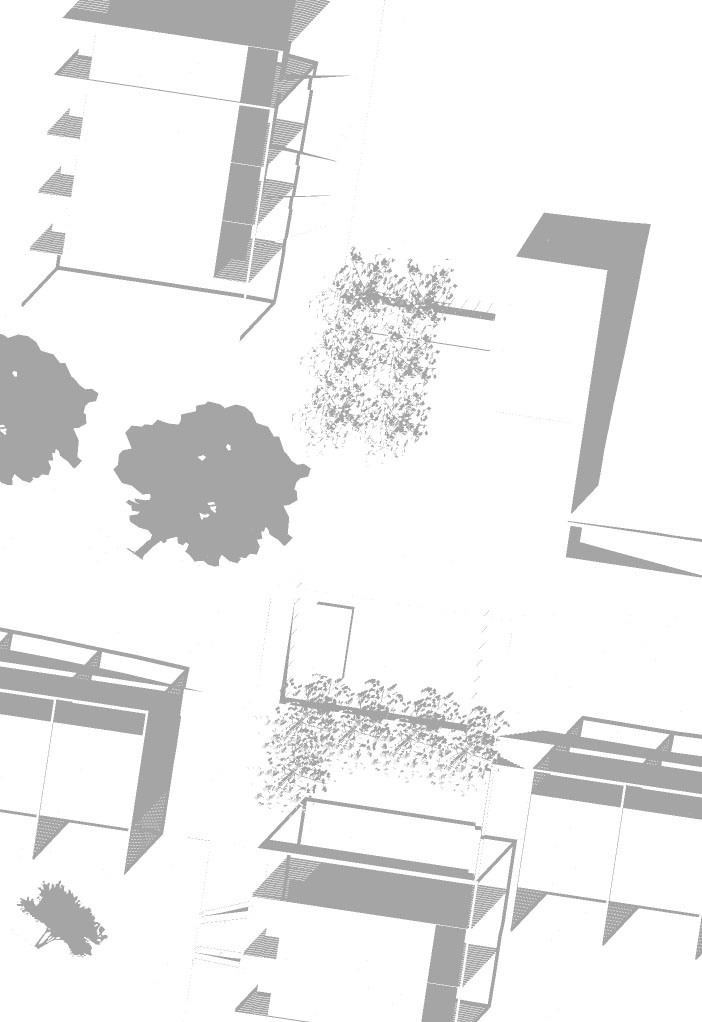
i recently encountered a proplem and can't find a solution, maybe anyone here could help me? what i want to do:create a groundplan of a residential area, parallel projection, camera straight from above - i want to use my sketchup model to only export the shadows, which i could easily use in photoshop to make my plan (drawn in autocad) look better - i turned "display edges off", i changed the render style to "hidden lines" and within sketchup everything looks fine, i just see the shadows and everything else is displayed white - but as soon as i save the whole thing as a 2d-Picture (jpg) - i get the edges back
 does anyone know a solution to this??
i appreciate your help,
thanks in advance
cheers!
-
Hi Yatu,
Please, have alook at thispost of Chris Fullmer if you can find anything helpful in there:
http://forums.sketchucation.com/viewtopic.php?p=214056#p214056 -
thanks for your awesomely fast help guys
!!! -
Not the thanks are interesting but if it helped! So did you succeed?
-
@yatu said:
hi there.
i recently encountered a proplem and can't find a solution, maybe anyone here could help me? what i want to do:
create a groundplan of a residential area, parallel projection, camera straight from above - i want to use my sketchup model to only export the shadows, which i could easily use in photoshop to make my plan (drawn in autocad) look better - i turned "display edges off", i changed the render style to "hidden lines" and within sketchup everything looks fine, i just see the shadows and everything else is displayed white - but as soon as i save the whole thing as a 2d-Picture (jpg) - i get the edges back does anyone know a solution to this??
i appreciate your help,
thanks in advance
cheers!It's a known problem as Chris's post linked above - edges show up on export even when set not to display...
Sometimes pure white edges won't work either - so make a Style that has the edges colored as near to white as you can get and still get the result you want - pure white might turn black - so try 252,252,252 etc.
It should then export with the edges 'whited out'...

-
it worked like a charm!!
-
OK, thanks!

-
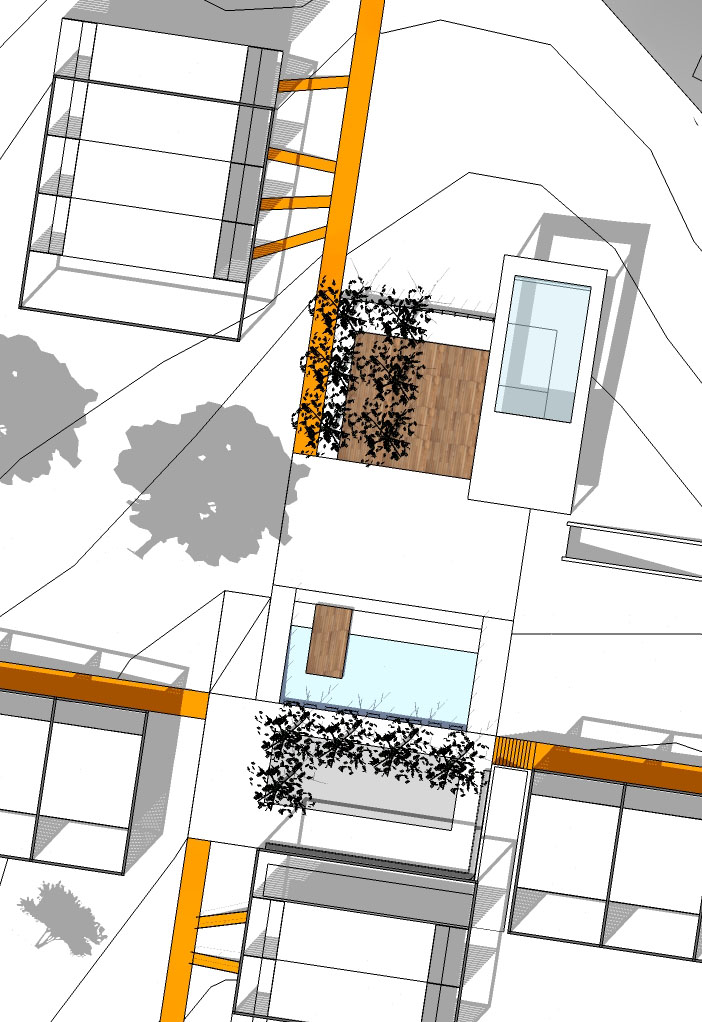
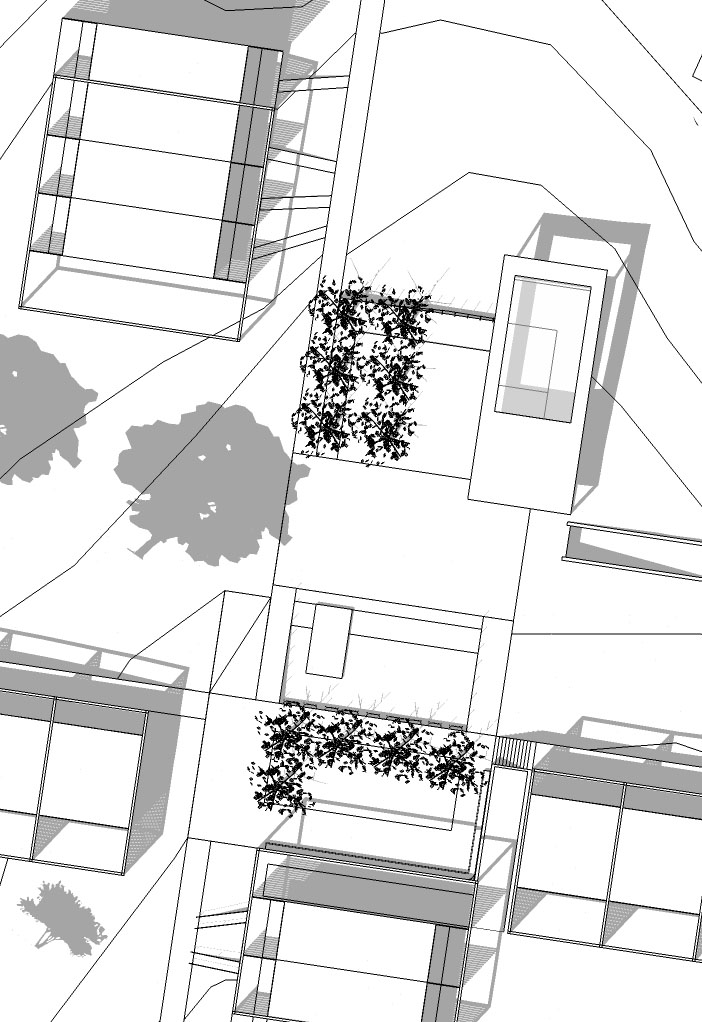
I was curious to see how things worked out for Yatu. he sent me the attached pics showing the work-flow and end image which he then was able to use for his project.
Mike



Hello! It looks like you're interested in this conversation, but you don't have an account yet.
Getting fed up of having to scroll through the same posts each visit? When you register for an account, you'll always come back to exactly where you were before, and choose to be notified of new replies (either via email, or push notification). You'll also be able to save bookmarks and upvote posts to show your appreciation to other community members.
With your input, this post could be even better 💗
Register Login


Advertisement