sketchucation logo sketchucation
    • Login
    Oops, your profile's looking a bit empty! To help us tailor your experience, please fill in key details like your SketchUp version, skill level, operating system, and more. Update and save your info on your profile page today!
    โš ๏ธ Important | Libfredo 15.6a introduces important bugfixes for Fredo's Extensions Update

    How to put a small image on a bottle

    Scheduled Pinned Locked Moved SketchUp Discussions
    sketchup
    14 Posts 5 Posters 3.3k Views 5 Watching
    Loading More Posts
    • Oldest to Newest
    • Newest to Oldest
    • Most Votes
    Reply
    • Reply as topic
    Log in to reply
    This topic has been deleted. Only users with topic management privileges can see it.
    • P Offline
      PRSS
      last edited by

      Thank you Remus for the quick reply. But this doesn't help in this case.

      with best regards
      PRSS

      1 Reply Last reply Reply Quote 0
      • GaieusG Offline
        Gaieus
        last edited by

        Then here is another solution.

        Labeling a wine bottle.jpg


        Go through the scenes

        Gai...

        1 Reply Last reply Reply Quote 0
        • soloS Offline
          solo
          last edited by

          easy label


          easy label.skp

          http://www.solos-art.com

          If you see a toilet in your dreams do not use it.

          1 Reply Last reply Reply Quote 0
          • GaieusG Offline
            Gaieus
            last edited by

            Neee, Pete, that's "lazy" label! ๐Ÿ˜„

            Gai...

            1 Reply Last reply Reply Quote 0
            • soloS Offline
              solo
              last edited by

              admittedly it is ... but wine does that to me.

              http://www.solos-art.com

              If you see a toilet in your dreams do not use it.

              1 Reply Last reply Reply Quote 0
              • V Offline
                Voder Vocoder
                last edited by

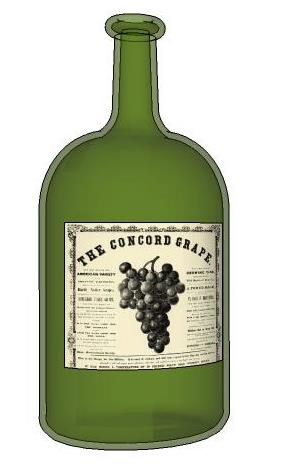
                Using a projected image can result in undesirable distortion, so here's another method that wraps the image instead of projecting it.

                ~Voder


                alfred.skp

                1 Reply Last reply Reply Quote 0
                • GaieusG Offline
                  Gaieus
                  last edited by

                  True, it can distort on the sides and it's especially noticeable if you want to cover a considerable amount of the curve.

                  I used the same "segment length count" for an example in an old forum topic - see the file here.

                  Gai...

                  1 Reply Last reply Reply Quote 0
                  • V Offline
                    Voder Vocoder
                    last edited by

                    That's pretty nice, Gaieus. What the heck is it?

                    ~V

                    1 Reply Last reply Reply Quote 0
                    • GaieusG Offline
                      Gaieus
                      last edited by

                      Nothing special - just the illustration of this wrapping technique; how you can do it without cropping the image (too big image size) or tiling it (too small image size).

                      That was still for a discussion over the Help Groups and the "text" was provided in the post.

                      Gai...

                      1 Reply Last reply Reply Quote 0
                      • P Offline
                        PRSS
                        last edited by

                        Hello everybody!

                        Thank you Gaieus, Solo and Voder. I am overwhelmed by the replies.
                        These have been very helpful to me. I did not quite understand Solo's
                        method. And Voder has said about unsmoothing the line. How do you
                        do that?

                        Thanks once again
                        PRSS

                        1 Reply Last reply Reply Quote 0
                        • V Offline
                          Voder Vocoder
                          last edited by

                          @prss said:

                          Voder has said about unsmoothing the line. How do you do that?

                          Unsmooth (or unhide) = Ctrl-Shift-Eraser. You can also just select the smoothed line and move the slider on the Smooth/Soften dialog all the way to the left. You'll want to display hidden geometry while you do this so you can see what you're doing.

                          ~Voder

                          1 Reply Last reply Reply Quote 0
                          • P Offline
                            PRSS
                            last edited by

                            Thank you very much Voder

                            With best regards
                            PRSS

                            1 Reply Last reply Reply Quote 0
                            • 1 / 1
                            • First post
                              Last post
                            Buy SketchPlus
                            Buy SUbD
                            Buy WrapR
                            Buy eBook
                            Buy Modelur
                            Buy Vertex Tools
                            Buy SketchCuisine
                            Buy FormFonts

                            Advertisement