sketchucation logo sketchucation
    • Login
    1. Home
    2. the.pjt
    3. Posts
    Oops, your profile's looking a bit empty! To help us tailor your experience, please fill in key details like your SketchUp version, skill level, operating system, and more. Update and save your info on your profile page today!
    🔌 Smart Spline | Fluid way to handle splines for furniture design and complex structures. Download
    T
    Offline
    • Profile
    • Following 0
    • Followers 0
    • Topics 13
    • Posts 207
    • Groups 1

    Posts

    Recent Best Controversial
    • RE: رندرهای خوب

      یکی از زیبا ترین رندر از طبیعت و گل و گیاه که با تئا رندر انجام شده ...
      http://forums.sketchucation.com/viewtopic.php?f=81&t=47613

      این هم کاری بسیار زیبا با نور پردازی مناسب .. جزیات خوب و متریال پردازی فوق العاده ... نشیمن سفید
      http://forums.sketchucation.com/viewtopic.php?f=81&t=47631

      posted in فارسی
      T
      the.pjt
    • RE: Latest Sketchup release doesn't support extension rbz files

      what's wrong ?
      it's oK for me ( in the last release of SU with its new application icon )
      rbz.jpg

      update : OH sorry ... i didn't see the MAC .... sorry ... 😉

      posted in Plugins
      T
      the.pjt
    • RE: A residential - commercial building

      😄 😄 😄 ..... yeh ... I use toolbars as a picture frame 😄 ...

      posted in Gallery
      T
      the.pjt
    • RE: NPR Kingston Building Render

      I really like your NPRs .. great work ,, like alwase 😛

      .. They're much better than real paintings , because they could easily be backed up and copied 😄

      posted in Gallery
      T
      the.pjt
    • RE: White Living

      awsome texturing with perfect textures .. .... specially the reflection maps .. and this awsome render ...... pibuz

      posted in Gallery
      T
      the.pjt
    • RE: Some of my works

      really nice works ....
      specially the si-fi ones
      😉

      posted in Gallery
      T
      the.pjt
    • RE: Hillside sunset

      wow 😲

      these renders are better than photos !!!!!

      posted in Gallery
      T
      the.pjt
    • RE: Alien Head_2

      .... realy nice human model ...

      zbrush meets SU ... 😄 ..

      posted in Gallery
      T
      the.pjt
    • RE: Rosedale

      Yeh John ... your modeling , and specially texturing is also perfect ...

      posted in Gallery
      T
      the.pjt
    • RE: A residential - commercial building

      thanks a lot for your appreciates ... 😉

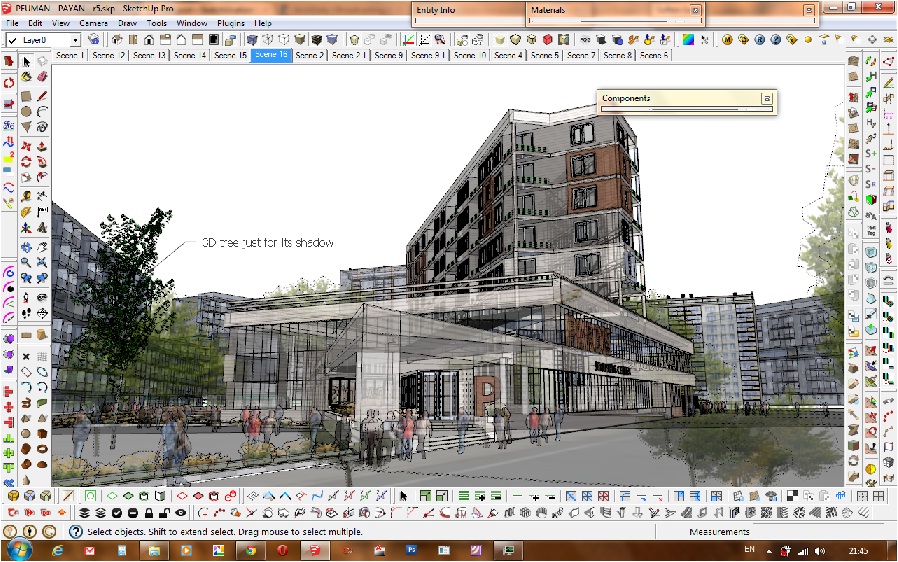
      theses trees are images that turned into 2D components ... 😄 ... and some 3D tree s in the backgroung for shadows ..
      shrubs are also 2D ... after render I had cloned them for having more shrubs and flowers ..( like john's metod 😉 )
      I also edited the component and rotated the trees in the bird eye render .. there were some photoshop editting in bird's eye .. just see the raw vray output ...

      and there are some building models downloaded from 3Dwarehouse .... and reflection ..
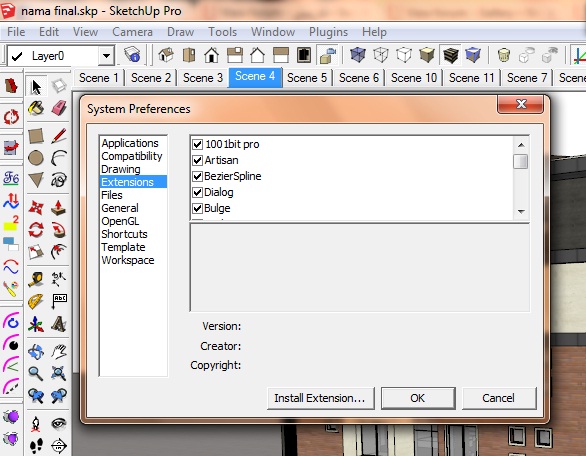
      alll humans are 2D rotating components .... ( I prefer to add them in the model then in the PS state , because of their reflections ) ... and as you see there were a little problem in the
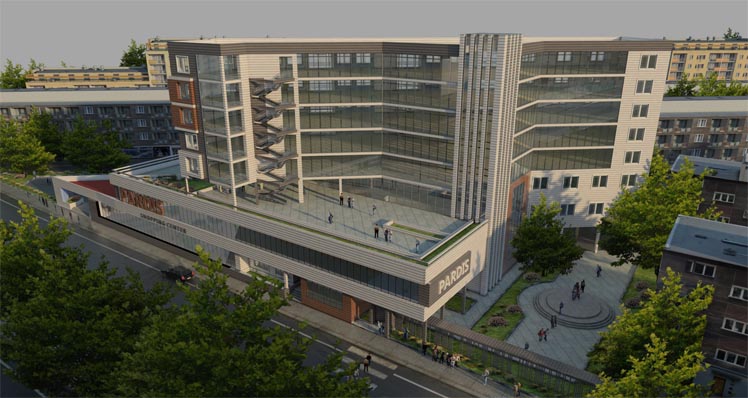
      the pure render out put of bird eye's view

      I have also enables some additional render channels ( reflection , GI , etc. ) for post prossings ... as you can see here the reflection of windows was not good enoght .. so I have increased it by the ref.channel in the PS ...
      much better than rerendering .. 😄
      posted in Gallery
      T
      the.pjt
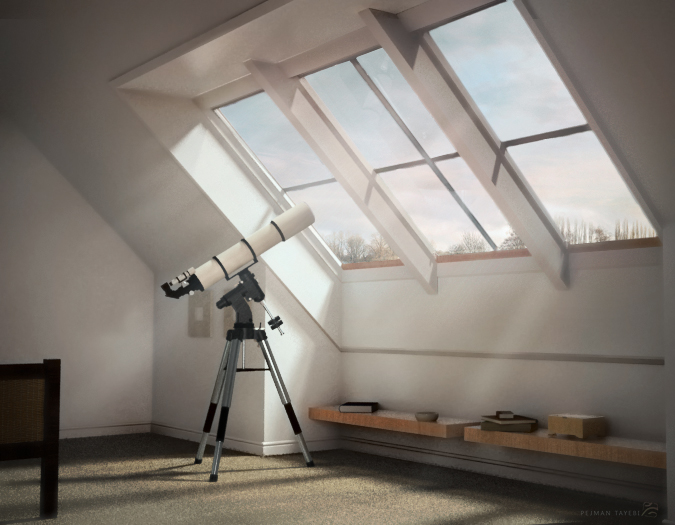
    • RE: Sample Model for Rendering - Loft w Telescope

      😄 ... he he he .... yes you are right .... maybe there are putting observatory of that street light not stars .. 😄


      ...and now they can put observatory on clouds 😉
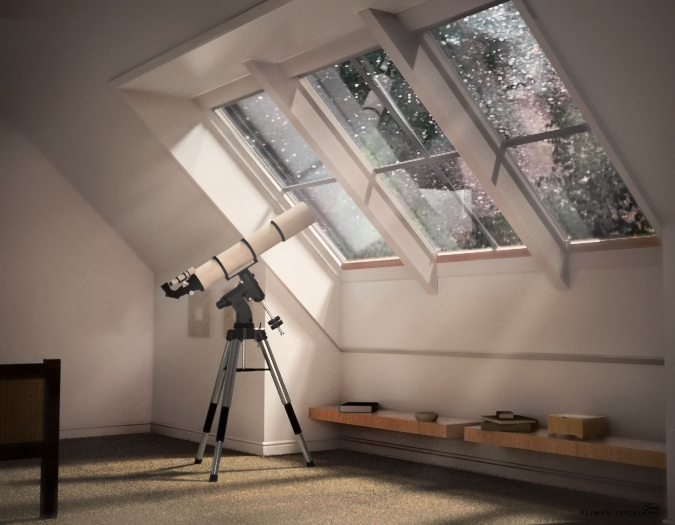
      it's not a new render .. I have changed background Image IN PS .. and also lightening and colors of entire picture have boon optimized for this new BG ...

      final day.jpg

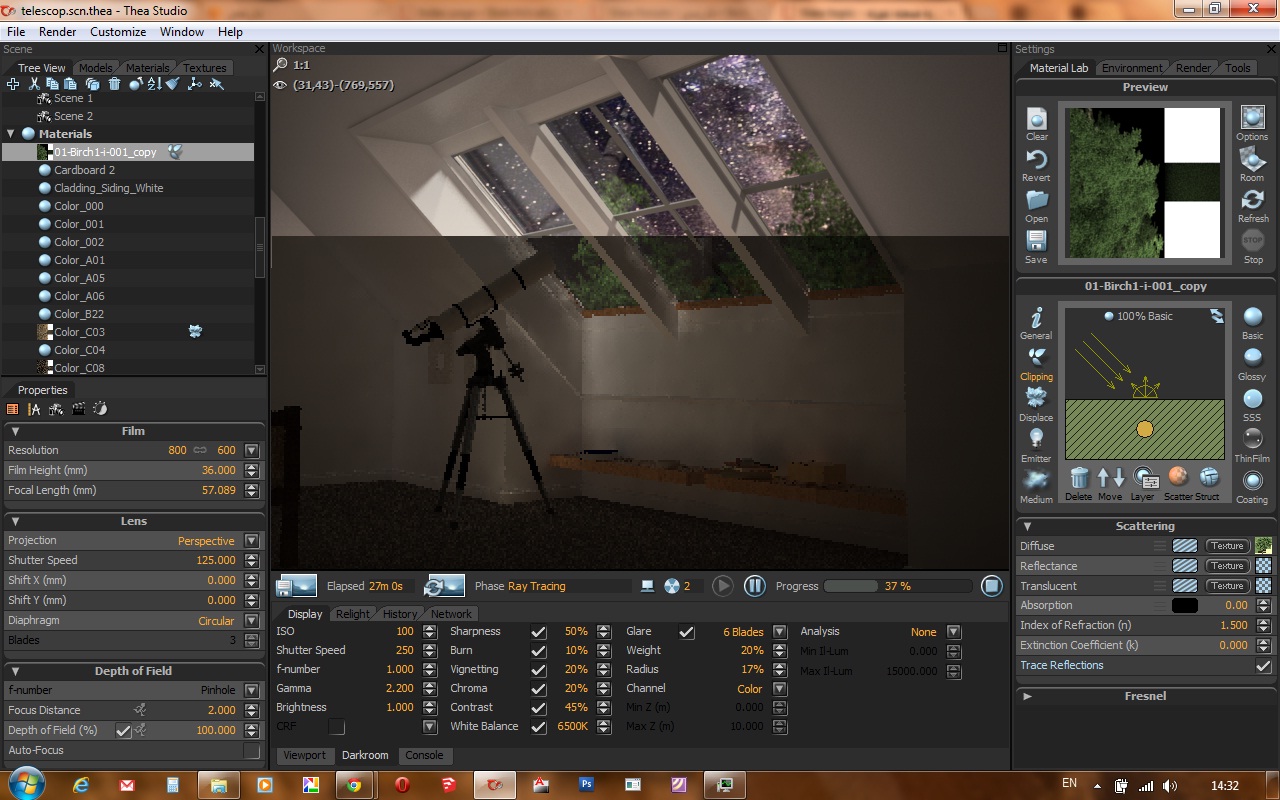
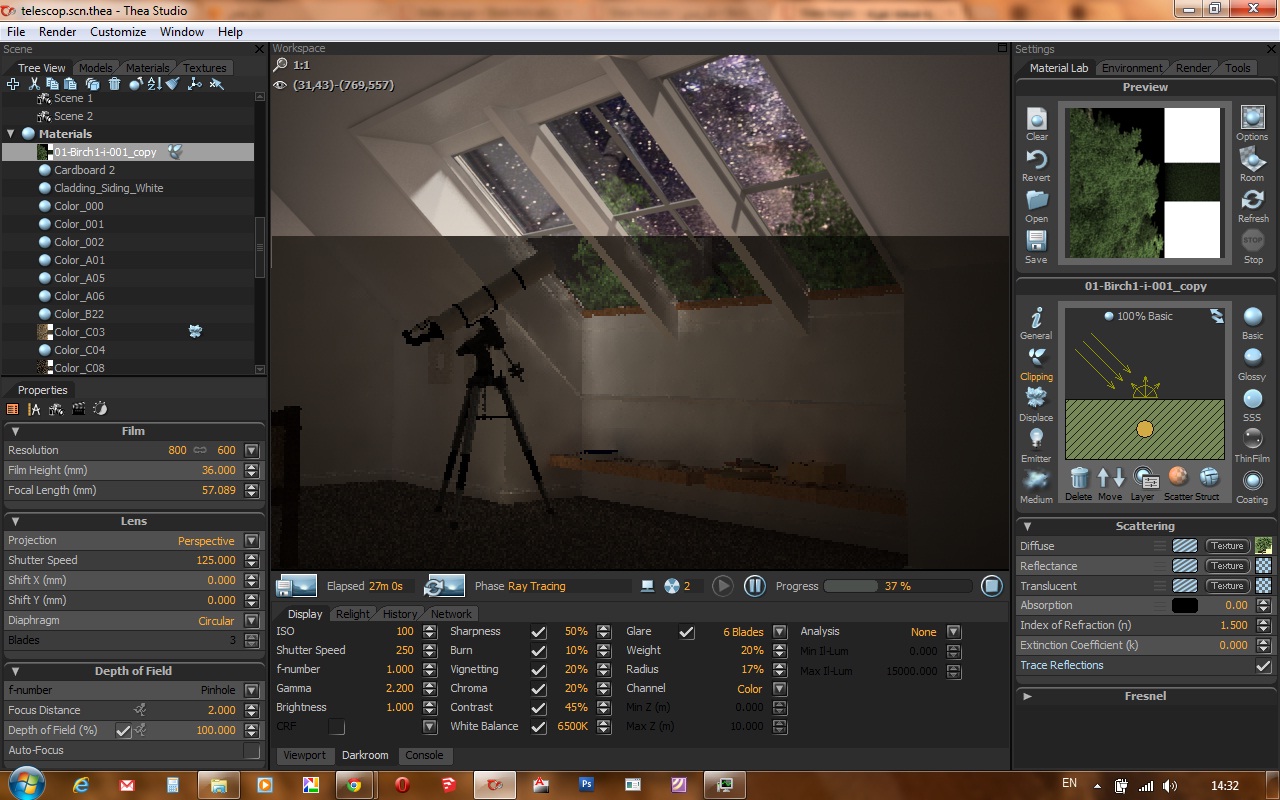
      and .. there is also a behind scene screenshot ...
      I don't now why they are using this telescope .. because it's possible to see the galaxy and far away stars just by eyes ... he he ... just fun ... 😄

      Untitled.jpg

      posted in Gallery
      T
      the.pjt
    • RE: Harmondsworth Barn

      wow ..... very impressive work ... 👍

      posted in Gallery
      T
      the.pjt
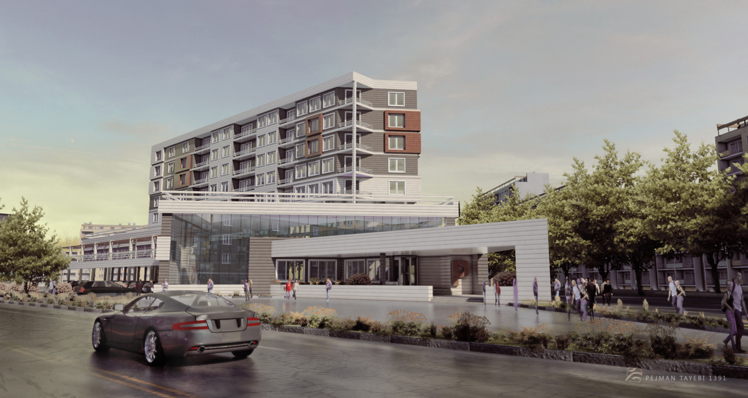
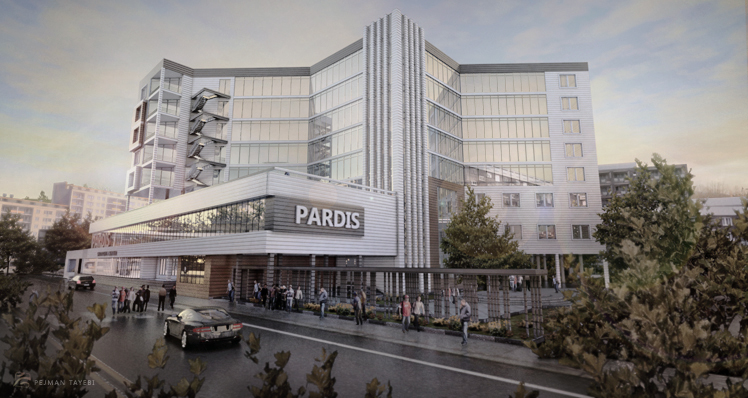
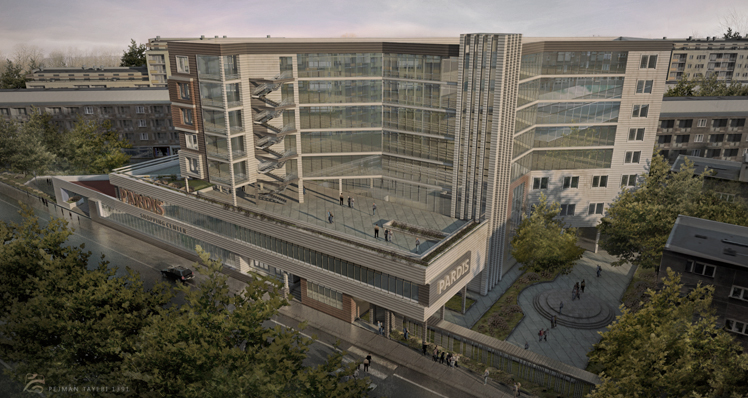
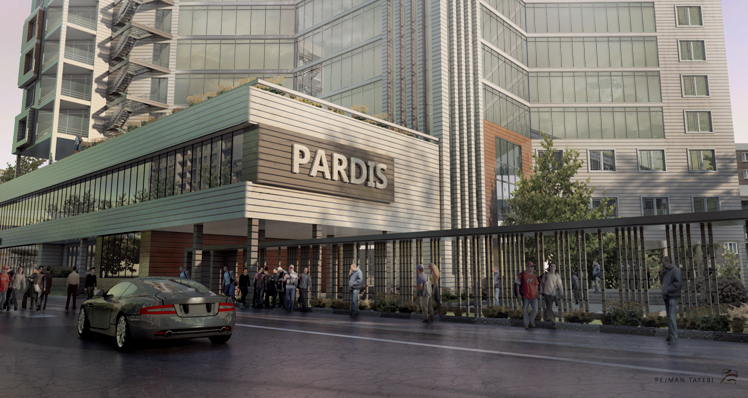
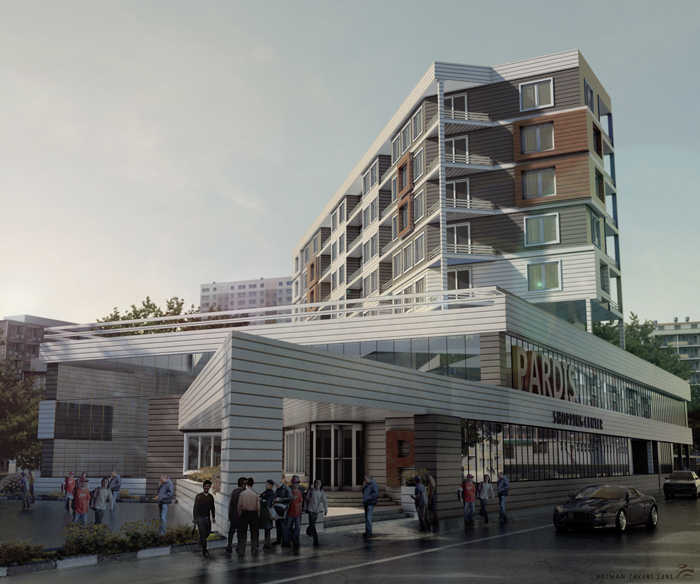
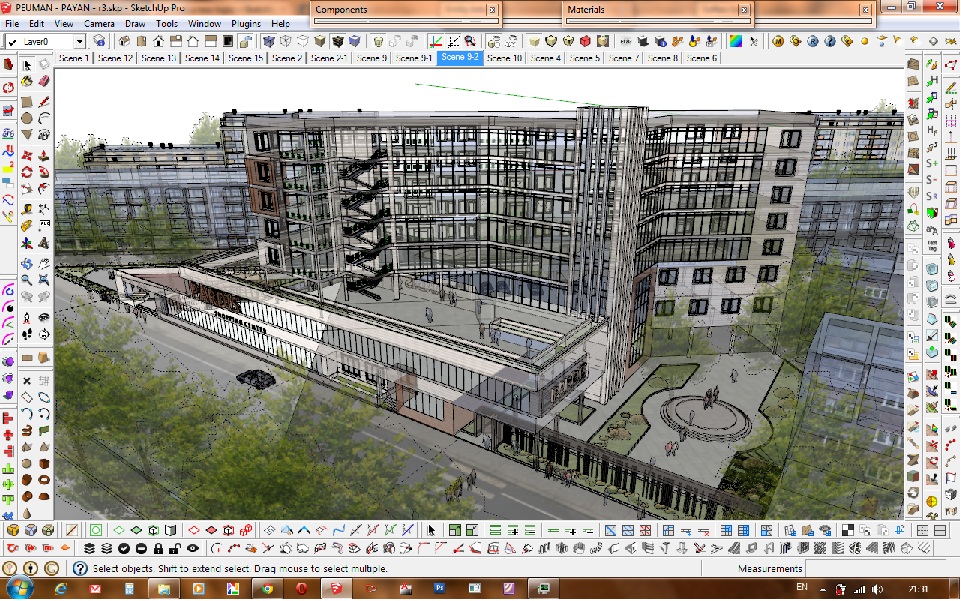
    • A residential - commercial building

      my recent work ... a student Final project
      modeled by my friend ( the student 😉 ) .. model detail , street ,etc by me ..
      rendered by V-ray .. Post process by PS ... each size 2048x1090 .. except the last one .. average render time of each image about 2 ~ 3 hours ... street cracks by PS
      😉

      r1 copy copy.jpg
      r2 copy copy.jpg
      r3 copy copy.jpg
      r4 copy copy.jpg
      r5 copy copy.jpg


      screenshot.jpg
      screenshot 2.jpg

      posted in Gallery
      T
      the.pjt
    • RE: Rosedale

      wow thank a lot many times John for sharing your valuble knowledge .... thanks

      So .. it was More photoshop and less modeling ... very nice 2D elements .. and color was matched perfectly ... ☀

      posted in Gallery
      T
      the.pjt
    • RE: Sample Model for Rendering - Loft w Telescope

      hello every body ..... this is my try
      rendered with TheaRender ... with Unbisided Algorithm ..
      and some Post processing in Photoshop ... include adding ray of light
      😉


      final copy.jpg

      posted in Gallery
      T
      the.pjt
    • RE: مسابقه رندر از یه صحنه نمونه

      یه غلظ املایی کوچولو بود ... زیاد مهم نیست
      😄 تصویر 🤣 از این غلط ها زیاد پیش میاد


      راستی ، رندر منم از این صحنه الان تو تنوره ...

      همیشه با خودم میگفتم این مسابقات برای چیه آخه .. اگر آدم وقت بگذاره .. بیخوده و غیره

      اما انصافا اگر این مسابیه نبود هیچ وقت برای یاد گیری تئا رندر وقت نمیکردم ... اکثر کار ها دقیقه نوده و ریسک اینکه با یک نرم افزار جدید کار کنی وجود ندارد
      Untitled.jpg

      آپدیت » رندرش تمام شد و در این سایت پست گردید
      http://forums.sketchucation.com/viewtopic.php?f=81&t=47626&p=428157#p428157
      😉

      posted in فارسی
      T
      the.pjt
    • RE: Rosedale

      much more than perfect ... how do you made the Shrubs ? are they just a rotating component or 3D model ?

      Good luck Joun

      posted in Gallery
      T
      the.pjt
    • RE: Lumionموتور رندر

      ورژن 2.5 آلتیمت را گیر آوردم ...

      دانلود کنید .... 👎
      http://download.lumion3d.com/Lumion2_5/Lumion2_5_Download.exe

      حجمش هم زیاده .. 3 گیگ ... برنامه کامل با کلی آبجکت و درخت
      که مستقیما از خود سایت لومیون دانلود میشه

      برای پیچیپیچی ش هم که دیگه خودتون واردید
      😄

      posted in فارسی
      T
      the.pjt
    • RE: V-RAY آموزش

      معمولا با یکی از این تنظیم ها شروع میکنیم ....و بعد بر اساس صحنه مون بهینه سازی انجام میدهیم .... برای همین چیزی به نام تنظیم دایمی وجود نداره ....
      لاقل خودم که اینجوریم ... بقیه رو نمیدونم
      ....
      دوربین و آسمان و ابعاد رندر و کانال های خروجی ... که 100 درصد همواره عوض میشوند
      البته الان که دیفالت ویری واقعا ستینگ خوبی داره .... تو ویری های سری قبلی ، دیفالت بسیار بدی وجود داشت .. یادش به خیر چقدر اذیت میکرد
      هم چنین بسته به صحنه رندر از موتور های متفاوت استفاده میکنیم .. که خودم به شخصه برای شروع معمولا از همین فایل ها رو لاود میکنیم ... اکثر مواقع موتور لابک کش با ایریدینس مپ هستش .... اما موتور "مونت کارلو" هم بعضا استفاده میشه که نتیجه هاش سریع ولی کمی نویزی هستش ....
      میزان سابدیواید ها هم بسته به اینکه چقدر کیفیت بخوایم تغییر میکنه
      اگر موتور هامون لایت-کش و ایریدینس مپ بود هم حتما سابدیواید لایت کش رو کم میکنم ... دیفالت 800 هست که میگذارم رو 200 ... خیلی خیلی رم کمتر و در نتیجه پلیگانها و آبجکت های بیشتری رو میشه داشتش ... کیفیت نهایی هم اونقدرا نمیاد پایین
      هم چنین تعداد ریفلکشن های متوالی هم که از قسمت "جنرال" تنظیم میشه میتونید کم کنید .. البته وقتی دو تا آینه رو به روی هم باشند ، و مقدارش 5 باشه ، تصویری که توی پنجمین مرحله انعکاس هستش سیاه میشه !!!! دیگه بینهایت نمیشه
      😉
      بــــاری ..... دیگه جون تایپ کردن ندارن ... تو راهنماش کلی آموزش راجع بهش هست
      .... آموزشش این جزیات مثنوی هفتاد من کاغذ هستش
      http://www.vray.com/vray_for_sketchup/manual/index.shtml
      ....
      همه ما از همین راهنما رندرینگ رو شروع کردیم
      🤓


      دیگه همین دیگه ..... باید چند سال تمرین و تمرین کنید تا کم کم یاد بگیرین ... هیچ تنضیم پیش فرض ی نداریم ... البته
      در بحث متریالها و تکسپرینگ همشه نمونه های آماده بسیار عالی وجود دارند ...
      از سایت های زیادی میشه متریال های انواع موتور رندر ها رو گیر آرود و از تکسچر هاشون و بامپ مپ و غیره هاشون متریال خوب ساخت
      در ضمن کلی متریال خوب هم تو نت برای همین وی ری با فرمت مخصوص خودش هست که در پست های قبلی معرفی کرده اند دوستان ....

      اما راجه به شیشه ...
      تو هین جا هم کلی آموزش تصویری هستش ... و هم چنین کلی فیلم آموزشی تو نت ....
      برای شیشه پنجره باید ریفلکشن بدید و برای شیشه بلوری هم باید هم ریفلکشن و هم ریفلکشن را داد
      اما
      , آقا اینقدر خودتو خسته نکن ... برو
      این مجموعه رو دانلود کن و از متریالهای شیشه اش استفاده کن
      http://www.vray.com/free_vray_tools/vismat_material_collection/vismat_material_collection.zip
      و تنضیماتش رو از همونجا یاد بگیر !!!!!!
      😄


      🎉
      راستی : خواهشن اگر این مطلب براتون مفید بود و سوالی چیزی بود ... پست نزنید بابت تشکر کردن .. اگر خواستید ،پست قبلیو آپدیت کنید ...
      برای جلوگیری از آشفتگی فروم و راحت تر دنبال شدن مطالب
      راستی ؛ تو پست های قبلی ، اگر نقل قول های من رو هم حذف کردید .. که دیگه خیلی خوب میشه
      😉

      posted in فارسی
      T
      the.pjt
    • RE: V-RAY آموزش

      آهان .... تازه فمیدم ... خوب میگفتید ستینگ
      براتون چند تا رو میگذارم ....
      به زودی ... توی همین پست هم میگذارم ... با ادیت کردن

      ادیت : بفرمایید ... این یک سری تنضیمات پیش فرض خودم
      Options.zip

      اینم یکسری تنضیمات دیگه که تو اینترنت سرچ کردم
      Here are some Vray Render Setting Vismaps that I have found around internet :

      http://freakshare.com/files/jmd5rcry/RENDER-SETTINGS.rar.html
      http://www.filefactory.com/file/c3c61c7/n/RENDER_SETTINGS.zip

      انشا الله که لینک ها سالم باشند
      😉


      برای پنجره اما :
      اول از همه باید ترنسپرنسی و شفافیت داشته باشه که توی همون اسکچاپ هم میتونید
      بدید .... یا اینکه توی قسمت
      diffuse
      شفافیت رو بدید ... رنگ های سیاه و سفید برای وی ری حکم ماکسیمم و مینیمم شفافیت را دارد و خاکستری هم رنگ میانه است

      سپس روی متریال کلیک راست و سپس
      add layer > reflection
      حالا در پنل ریفلکشن( که ایجاد شده )در اولین قسمت
      را میزنیم M کلید
      در پنجره جدید که باز میشود
      در قسمت سمت راست
      texfrencel
      را انتخاب میکنیم
      حالا در قسمت چپ همین پنجره ۴ قسمت وجود دارد ... گزینه سومی
      ior
      تعیین کننده میزان انعکاس شیشیه است
      ۲.۶ عددی است که من میگذارم
      ok ,, ok ....
      همین ... کار تمام است

      posted in فارسی
      T
      the.pjt
    • 1
    • 2
    • 3
    • 4
    • 5
    • 10
    • 11
    • 2 / 11