Green Toaster's Car Sketches
-
. . . I'm taking a hiatus from this thread. After seeing ely862me's cars & others, I realize I'm stuck and I'm not making any significant progress - I'm not getting where I eventually want to be.
Of course, I'm certainly not giving up - I'm going to figure out how to create the really cool stuff - just takes some folks longer than others, I guess.
We all need a good kick in the pants every once in a while - I got mine. Ouch!

-
Hey GT! Did you end up buying the book "How to Draw Cars Like a Pro"? It was a MonsterZero recommendation, so I went out and bought it!
IT'S AWESOME! Get it! I think it will give you some really good inspiration!
Model well!!
Cheers,
- CraigD -
people i told u for me (and i don t know why but i like it) is verry simple (almost),all concepts that i have are mine(except the concept e002 wich is a modified bugatti veyron) and is no import and are build up in sketchup i can t make a tutorial because i make them in different and manny ways depends from what i start
-
@unknownuser said:
Hey GT! Did you end up buying the book "How to Draw Cars Like a Pro"? It was a MonsterZero recommendation, so I went out and bought it!
Yes! I got it from Amazon and yes, I like the book, it's very good - inspirational.@unknownuser said:
You can't just stop now...?
Ha! I'll post again - I just want to have something new - something fresh & different to offer. I'm a bit frustrated getting to the next level - for me, with my limited skills and "dang-near-zero" creativity, it's quite challenging getting there.This journey began a few days ago as I started poking around the menus and there are several tools I've never used - perhaps that's obvious from my cars. I also realize - as others have mentioned - there are other s/w programs out there that are probably better suited for drawing amorphic shapes like body parts for cars. I'd still like to find out how far I can go with SU - looks like there will be lots of enjoyment as I continue.
@unknownuser said:
most important is to watch the wireframes to see how are done
for having good proportions u can use temporary the position of the weels of a desired form of car
This is great advice - thanks, I'll investigate this more and try it - I'm sure this will be useful - will help me figure this stuff out. -
Well - here's one point where I'm "stuck". The attached file contains a wireframe for a body part - like a hood, for example. I have no clue how to turn this into a nice, good looking surface. When I use the From Contours tool the surface ends up with weird, pointed areas that I don't understand. I'm sure someone could take this handful of curves and turn it into something "beautiful" - but how?
Thanks a whole bunch,
GT
-
. . . here's almost an exact same wireframe model with a surface added using Concepts Unlimited . . . I have no idea how to do this with SU. :clueless:
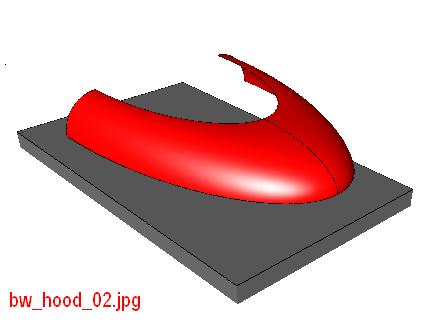
-
Thanks for the suggestion - I tried it but it's substantially different from the original wireframe model and the model I did using another program which has a flat surface on top with variable radius tangent arcs or conics bordering a perimeter of different sized ellipses.
I can keep working with it - I'm not used to modeling this way - with these tools. This is not a complaint, but just an observation that it looks like I'm going to have to (1) learn what SU can do, then (2) model what I want rather than modeling with a limited understanding of how to get the job done.
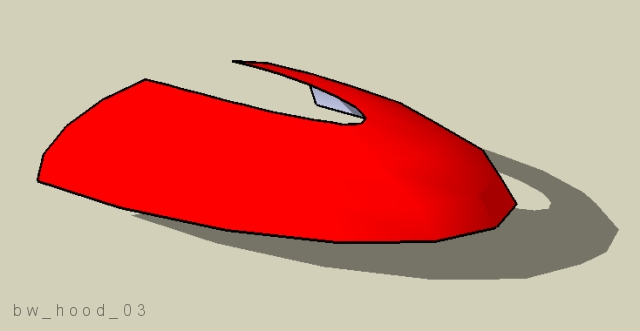
-
A quick tip GT, that you probably already know... but when you select the Circle tool, you can type in the VCB (Value Control Box) and hit Enter, to add a higher number of edges that make up the circumference of the circle. This will give you a smoother curve to work with in your geometry.
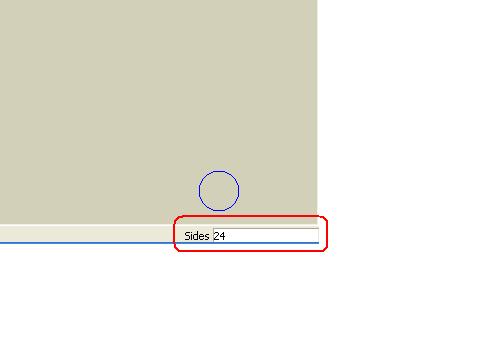
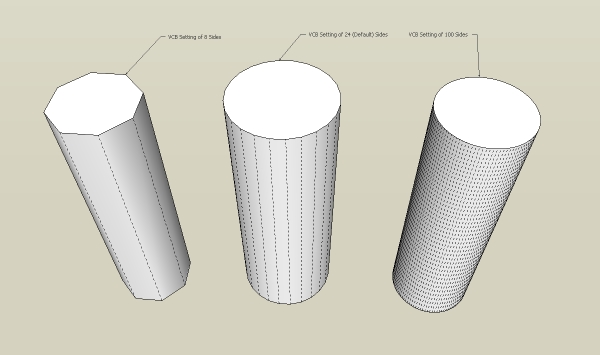
Cheers,
- CraigD -
Thanks Craig - when I begin some serious modeling I'll work with changing that value. I've tried it before and it works great - like when I intersected two stretched spheres and removed material - higher number = smoother edges at trim line = higher regeneration time.
BTW - I used to ride SV-650, CBR900RR, GSF-400, Ducati 900SS, plus 38 others. After my last two crashes I gave it up completely. I'll always want another bike. (snif)
Brad
-
@unknownuser said:
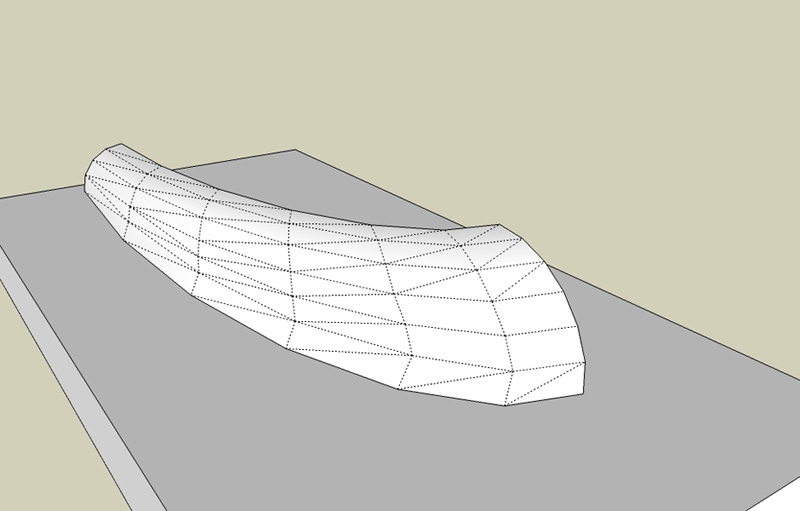
depending how much wire u want to use u can make different qualityes, here a use medium quality
So, did you use the Sandbox --> From Contours tool, or what? I don't remember seeing a means of adjusting the quality - is this done before the surface is created - when the arcs were created?Sorry to be so clueless - thanks for the help.
-
i didn t use the sandbox i use the hand
i alway do this i fit them with hand the sanbox isn t precise
i said medium quality because i wasn t use too many lines how do u expect to sandbox made a nice hood i use sandbox only for two lines two arches or something like that(i was using sandbox for the windows of my concept cars) -
depending how much wire u want to use u can make different qualityes, here i use medium quality
![bw_hood_wireframe_01[5].jpg](/uploads/imported_attachments/IarL_bw_hood_wireframe_015.jpg)
-
Sorry, but I still don't understand how you get your surfaces in there and they render so smooth - looks like you converted the one I started with - I feel like I'm the dragon inside the shell - almost strong enough to break out of the egg and fly.
-
i didn t coverted i make it again,for makeing a desired surface u must have enough wire to fill exactly that form what u wish to do so u make a bigger arch on the bottom then one smaller then another smaller then another smaller when u gonna fit the wires is gonna be a nice rounded form smoth it and is gonna be exactly how u want to be
-
Okay - thank you, I'll try it - I think I (finally) understand how you did it.
I'll post my experiment on Friday.
Thanks again,
Brad
-
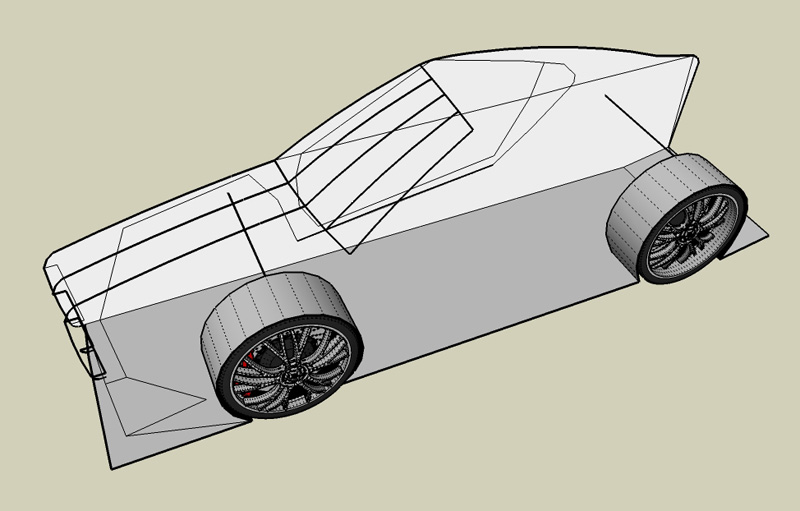
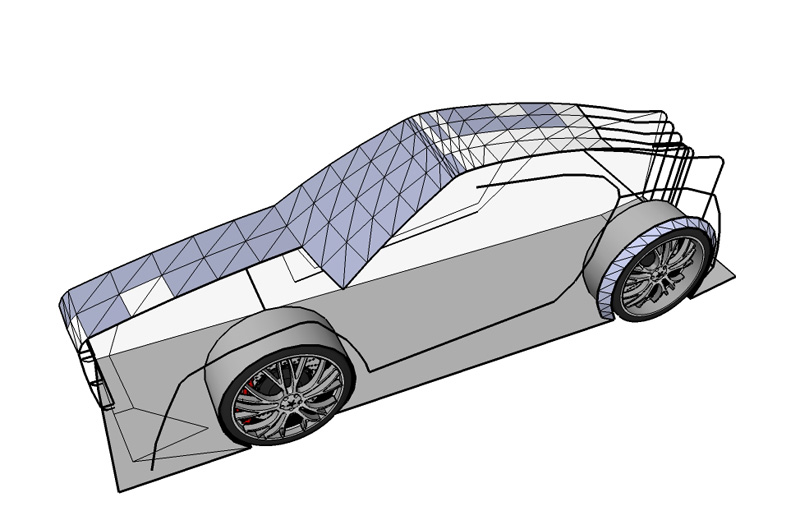
here is a little part from my new concept car, as i was talking u must make the wires after that fit them of cource u must have in mind the desifn of the car else u can t do a car, right? the position of the weels is taken from another concept of mine and i modified a litlle the lenght
-
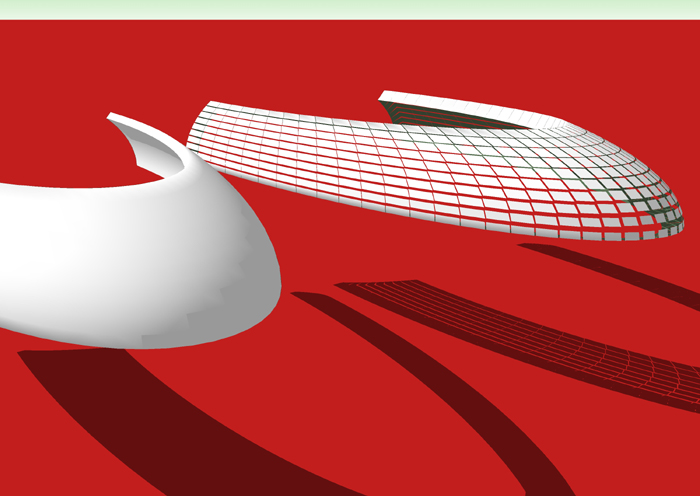
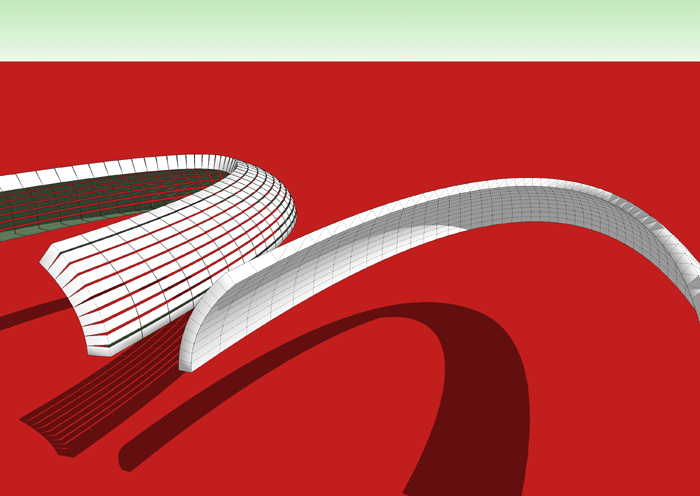
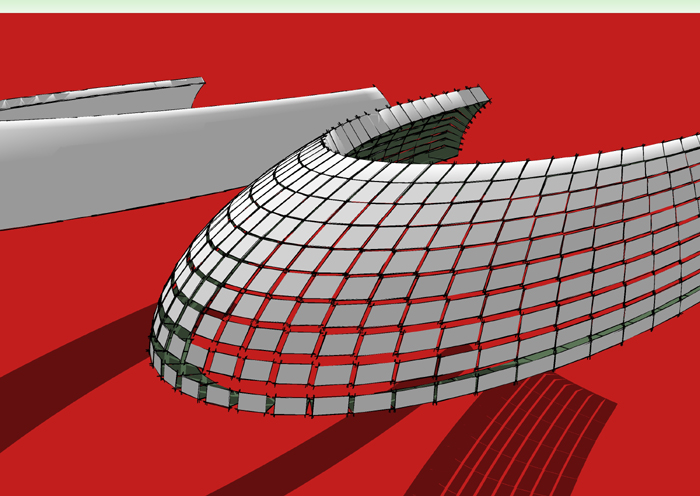
Using Bruce's method (a bit higher poly) and playing with This Script I generated these.

-
%(#000080)[Thanks all! I was able to figure out what I call "bubble shaping" where the sphere is squished, cut, & so forth (see my "bubble" car on or near the first page of this thread) but thanks very much modelhead for sharing that with everyone - a great techinque.
--||-- --||-- --||-- --||-- --||--
ely862me, that's really nice you posted those images and included some explanation. I've never modeled anything before using that technique although today I tried without much success.
@unknownuser said:
There is no doubt that stiching a model together is most accurate but not many of us have that kind of time luxury.
Yes, this looks like a time consuming approach - I'm used to other tools, but I'm not an expert with the cool looking stuff: surfaces! I've been using Pro/E for years and my surfacing capabilities aren't well developed. I'm looking forward to getting this technique down.@unknownuser said:
u must make the wires after that fit them of cource u must have in mind the desifn of the car else u can t do a car, right?
I'm not very confident I can figure out how to "see" the model first - your words are very true and I believe some people have a natural ability to do this sort of thing where some do not. I clearly am in the latter category. I can "chop & chisel" flat surfaces all day - easy - but creating those beautiful smooth amorphic surfaces - wow, very impressive. Your images and words are very helpful & encouraging. I'm going to try again with something simple later tonight.--||-- --||-- --||-- --||-- --||--
Boofredlay, that's a very nice script but I'm not sure how I could use it yet - thanks for posting it and showing the very nice examples.
Happy Sketching,
Brad]
-
Brad, the script is excellent for creating a thickness of an odd shape. Look at the solid one of the two shapes. This could prove very useful in making many car components FWIW.
Cheers. -
Boofredlay, thanks, I'll play with it.
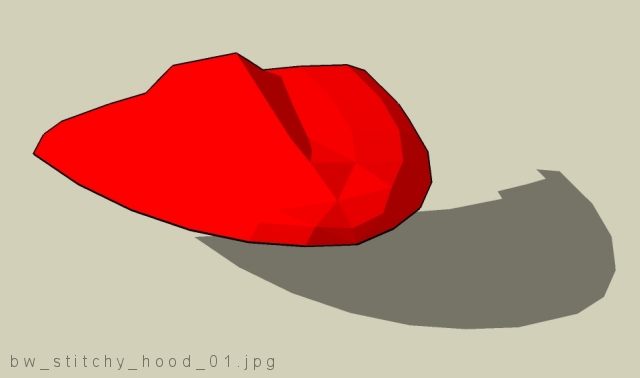
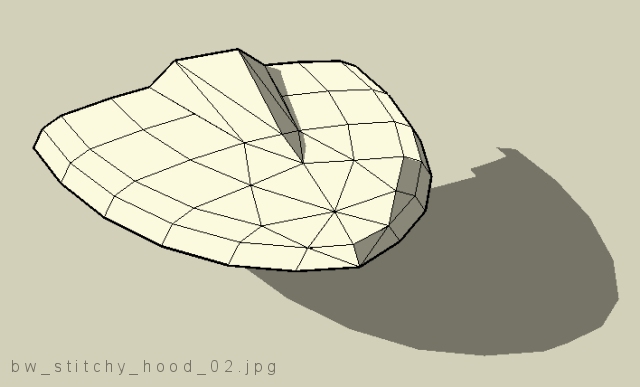
Here is my first "real" attempt at stitching (is that what I'm doing?).
I can see how this is going to be lots of fun - a few questions:
[1] --> Does it look like I may be on the right track?
[2, 3, & 4] --> I have SketchUp Pro - doesn't it have high quality rendering built in? How do I take my very rough hood and make it "nice" and smooth? Do I just add more triangles?
Thanks,
Brad


Hello! It looks like you're interested in this conversation, but you don't have an account yet.
Getting fed up of having to scroll through the same posts each visit? When you register for an account, you'll always come back to exactly where you were before, and choose to be notified of new replies (either via email, or push notification). You'll also be able to save bookmarks and upvote posts to show your appreciation to other community members.
With your input, this post could be even better 💗
Register Login


Advertisement