[BETA] Furniture Tools — Cabinet & Parts Designer for SketchUp
-
Hi everyone,
As a furniture maker and workshop owner, I’ve often felt that standard 3D modeling tools force us to think in raw geometry rather than actual cabinet components. To solve this, I developed Furniture Tools — a dedicated plugin built specifically for craftsmen and small woodworking shops.
Core Concept: Design the way you build.
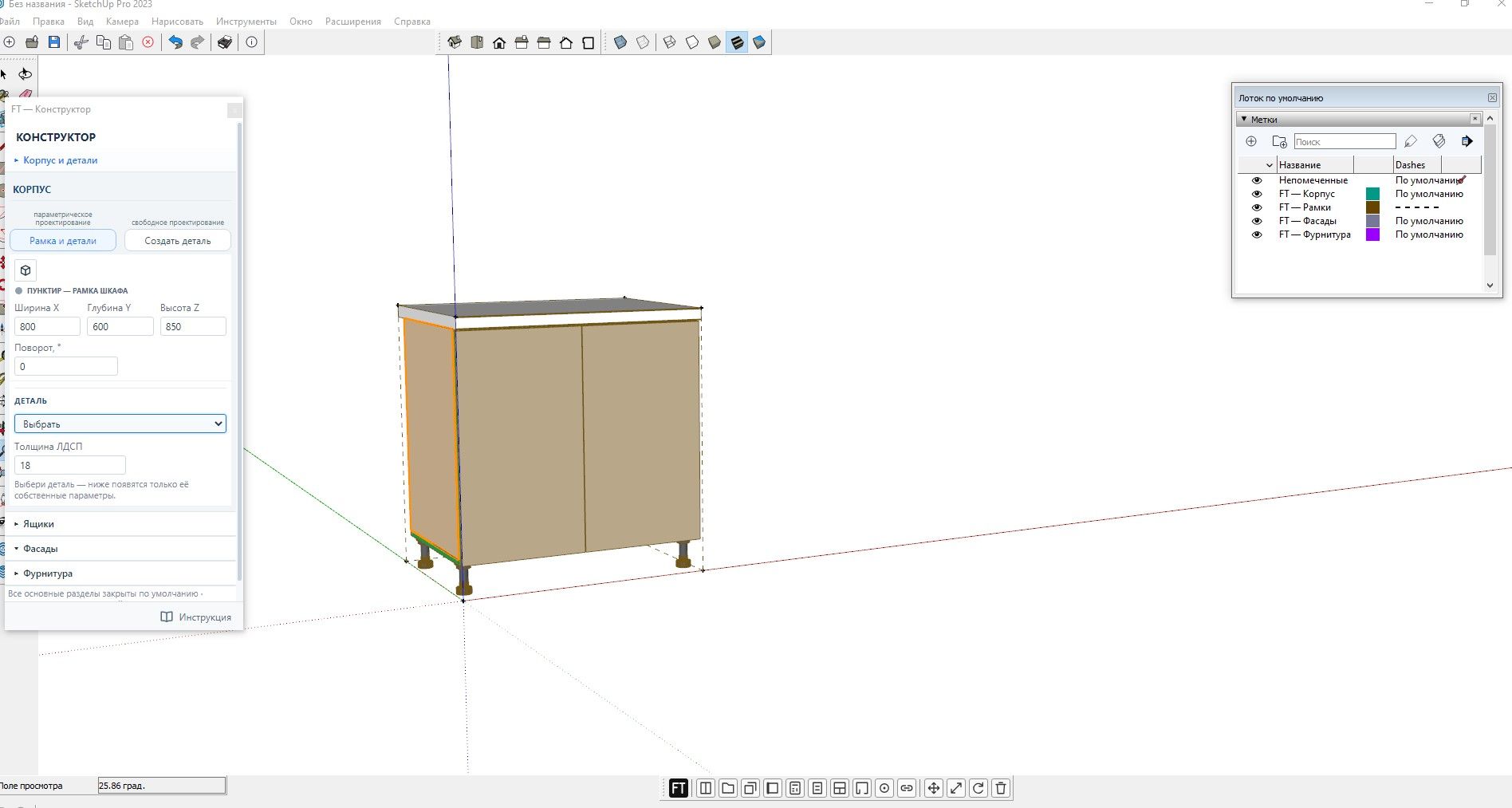
Every cabinet or carcass created with the plugin instantly recognizes its underlying panels, fronts, edge banding, hardware, and specifications.Key Features in Version 1.0.0-Beta:
Cabinet & Carcass Constructor: Build custom modules with accurate panel thicknesses in seconds.
Panels & Façades: Includes support for Gola handleless profiles, doors, and filler panels.
Drawers & Hardware: Automatic depth binding and built-in hardware markers for accurate hinge/boring placement.
Edge Banding & Materials: Assign materials (EGGER, Kronospan, Cleaf, or custom) and edges directly per part; banding flows into cut lists.
Nesting Layout & Reports: Built-in part calculation, sheet nesting/cutting layout, and 1-click export to Excel.
Room Context Tools: Easily draw walls and openings to plan built-ins in context.
Multilingual UI: Available in English, Russian, German, French, and Spanish.
How to participate in Beta Testing:
Download the attached .rbz file (or grab it from the link below).
Install it via Extension Manager in SketchUp (SketchUp 2023 – 2026 supported on Windows & macOS).
Open the Furniture Tools panel from the Extensions menu and try building a module or layout
Download:
FurnitureTools_1.70.94-beta_EW.rbz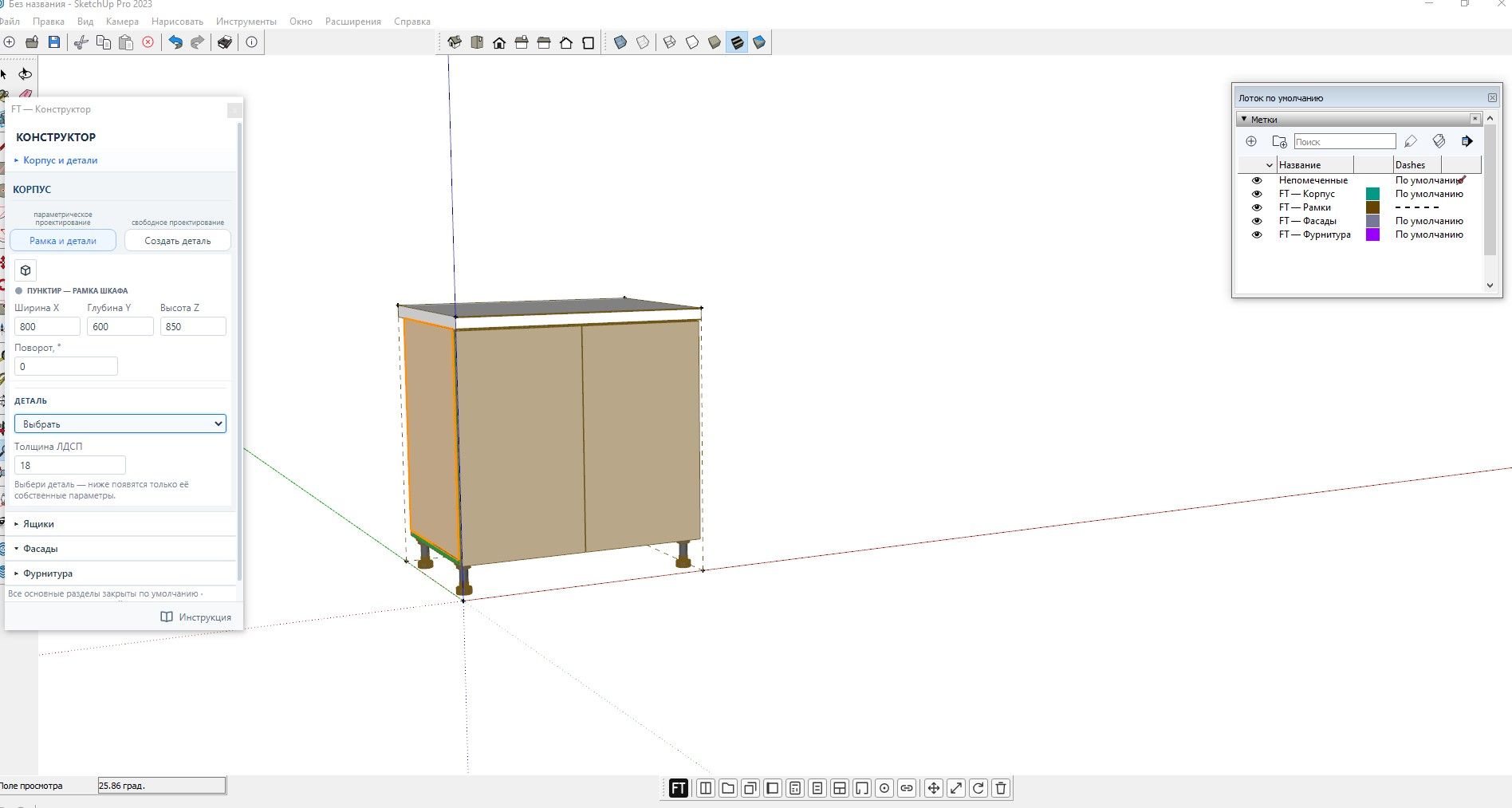
-
Большое спасибо за поддержку и положительные оценки проекта! Хочу сразу отметить, что плагин ещё находится в разработке и выложен на данном этапе специально для тестирования и сбора обратной связи. Основной костяк уже работает — параметрическая сборка, умная расстановка крепежа по размерам детали и объединение длинных элементов (столешницы, цоколи, профили Gola) уже функционируют, а сейчас мы дорабатываем точную присадку и экспорт под ЧПУ.Буду очень рад любым отзывам, идеям, замечаниям и тестам от коллег-мебельщиков. Если столкнетесь с багами или захотите предложить улучшение логики — пишите, давайте дорабатывать инструмент вместе!
Many thanks for the support and positive feedback on the project! I’d like to point out right away that the plugin is still under development; it has been released at this stage specifically for testing and gathering feedback. The core functionality is already in place—parametric assembly, smart fastener placement based on part dimensions, and the merging of long elements (countertops, plinths, Gola profiles) are all working—and we are currently refining precise drilling/machining data and CNC export capabilities. I would greatly appreciate any feedback, ideas, comments, or test results from fellow furniture makers. If you encounter bugs or want to suggest improvements to the logic, please get in touch—let’s refine this tool together!
-
If you don't make the effort to translate your extension into English, it will be difficult to give you any feedback. Unless there's an option to change the language?
-
Thank you for the feedback!
We have already implemented multi-language support. If you go to the plugin settings via the FT button at the top center of the instruction section, scroll down to the bottom, and select Language, you can switch it to English.
Currently, the instruction manual itself is still in Russian, but the entire user interface, menus, and specifications will switch to English. We are working on translating the manual as well!
-
thanks
-
Thank you! We really appreciate your feedback and interest.
Localization was one of the first things we wanted to get right so that users from all over the world could test the plugin comfortably without language barriers. We are continuously improving it and will make sure the documentation gets translated soon as well.
Thanks again for helping make the tool better!
-
Please send us a translated version in .rbz format before asking us to test your plugin; I don't read Cyrillic, and even with your guidance, it’s too difficult.
Besides, there are already plenty of paid furniture-making extensions on the market, and even those tend to be too standardized. In my line of work—dealing with decorators, spatial designers, and interior architects—the reality is that every client asks for highly unique designs. We’re lucky if they stick to a well-known furniture brand’s full catalog, as we can simply find the specific models. As for kitchen design, there are already many excellent paid plugins available—for those who prefer that sort of thing.Create a free extension; you’ll live longer.
-
Thank you for sharing such valuable insights! You’ve hit the exact nail on the head regarding custom interiors.
That is precisely why we built this tool: standard pre-made catalogues and rigid plugins fail when working with interior designers and decorators who demand 100% custom, non-standard solutions. Our goal was to create a flexible framework that adapts to unique projects rather than forcing the designer into strict standard boxes.
Regarding the .rbz file and language: we completely understand your point. We are currently finalizing the package with the full English localization built directly into the installable .rbz so you won't need to struggle with Cyrillic or manual settings. We will share the ready-to-test English .rbz package here very soon.
Thank you again for your perspective — it helps steer the project in the right direction!
-
I hope the fact that I lost all my toolbar settings in SketchUp after installing your extension is just a coincidence.
-
Update: Thank you everyone for your patience! We figured out what happened with the toolbar layout. It turned out to be a quirk with a testing template where default SketchUp toolbars were pre-hidden, rather than the plugin actually overwriting personal workspaces. We are making sure the final release handles workspace states cleanly so there are no surprises. Thanks for keeping us sharp!
-
Hi everyone,
I'd like to take a step back and clarify how we hope this early build is viewed.
Please keep in mind that this is not a full, finished commercial extension yet. It's an early prototype designed primarily to showcase a specific workflow and design approach for custom furniture.
At this stage, our main goal is not to sell a polished product, but to gather your feedback on the core philosophy and speed of assembly: are we solving the right problems, and is this the right direction for custom workshops?
We would love to hear your thoughts on whether this concept resonates with your workflow!

Hello! It looks like you're interested in this conversation, but you don't have an account yet.
Getting fed up of having to scroll through the same posts each visit? When you register for an account, you'll always come back to exactly where you were before, and choose to be notified of new replies (either via email, or push notification). You'll also be able to save bookmarks and upvote posts to show your appreciation to other community members.
With your input, this post could be even better 💗
Register Login


Advertisement