Modlumi - Easy 3D modelling



-
We can have models from the free Solidworks spirit ! Purrametric (File STL linked Bottom post)
https://purrametric.deepmagic.de/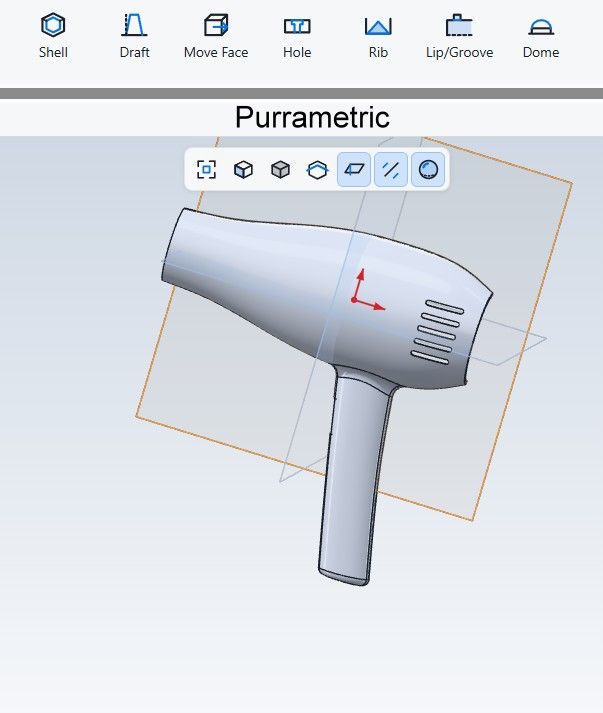
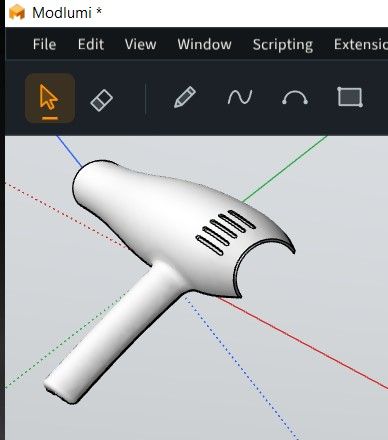
Gemini

File STL
chaud4.zip -
@ntxdave
Maybe like this
Draw a guide line then move it to the rectangular surface
Draw the first "violet" Arc (snap equal corner distance) from the intersection guide line to the top
Draw the left arc
Draw second arc on the right frorm the intersection Guide Line to the top with Double Click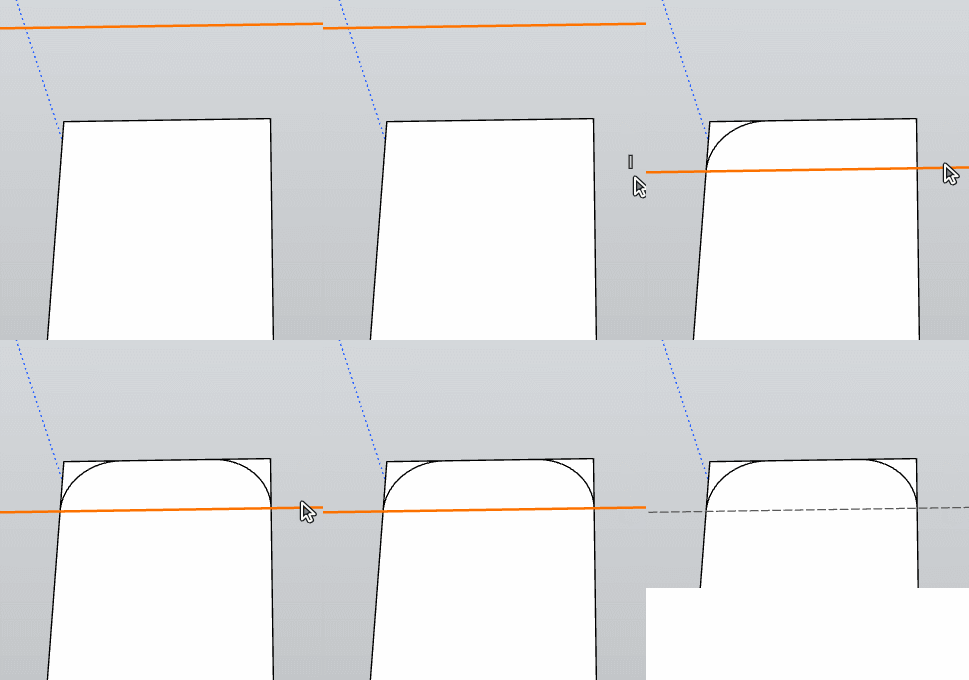
Thanks @pilou, after doing some messing around I got things to work. I only drew guides in one corner. As it turns out, it seems that the real key was to make sure that I could draw a tangent arc on one corner. Then I went to each of the other 3 corners and double clicked and it added the corner like I had created.
I did learn that you must make sure that when you go to the other corners you make sure the cursor is exactly on the corner for each of the other corners. If you are a little off the double click, will not apply the corner.
I then went a step further. Once I had all 4 corners of the rectangle had been rounded, I used the eraser to delete the guidelines and the edges of the rectangle I no loner needed/wanted.
Next, I went a step further. as you will see in the images below, I then used the Offset tool to create an interior that also had rounded corners.
Here are the images:
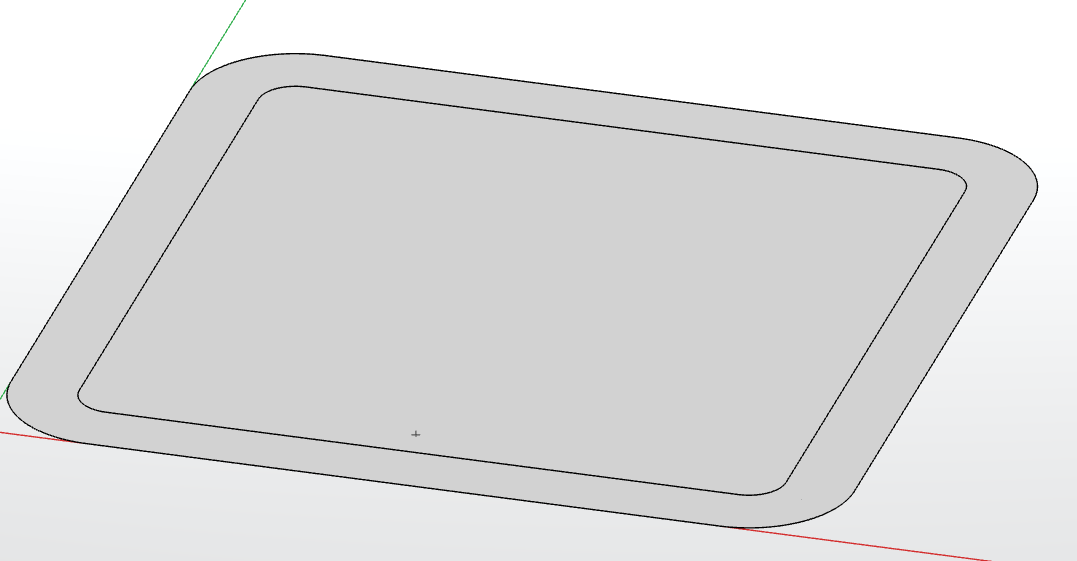
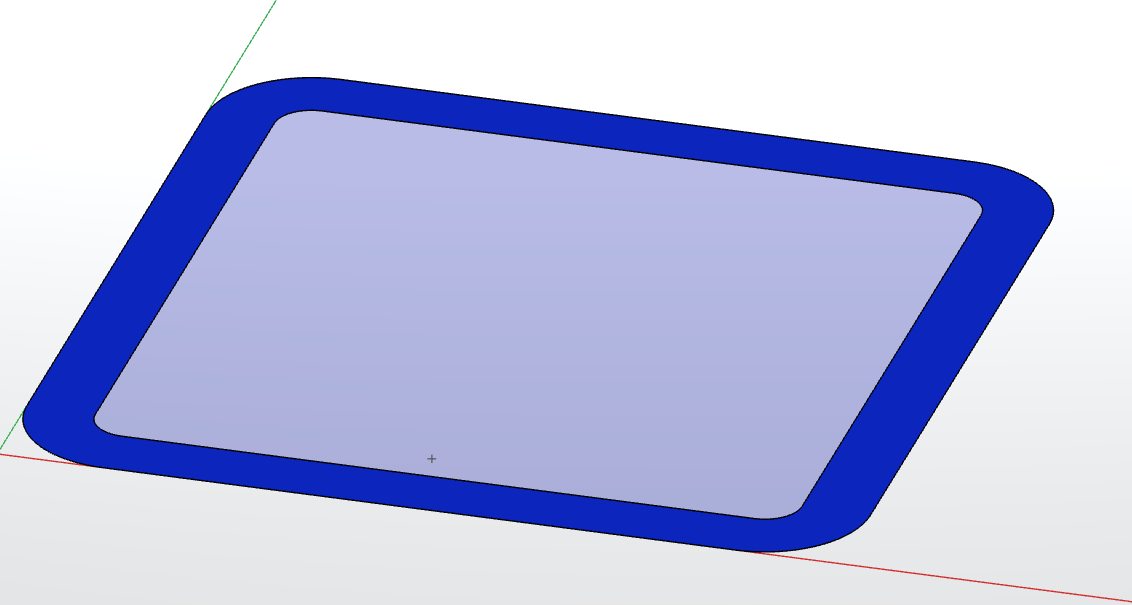
So, IMO this is a neat step forward. However, I did learn something else in the process. If I tried to enter a distance for the offset, it made the interior object have square corners instead of matching the exterior corners. But then again, maybe I did something wrong.

Bottom line is Thanks ThomasCX for making these things work. I also wanted to say that I really like the way the guidelines work/look now.
-
@ntxdave
I am not sure to have found the trick of the exact double click for make the previous Arc / Fillet / Bevel at the second corner!
I am waiting the Cruncher video resolve!@pixelcruncher
the multiple Curves , Lines Extrude is a dream ! Bravo!
Next request will be of course the same for the surfaces! ( closed Rectangles, Polys surfaces etc...)But a little thing : will be very fine if the selections at the end of the first Pull are also "at the end of the surfaces" ready for a new Pull! etc... (truelly very useful so big request) !

PS Extrude along a direction is alo requested of course!Big priority!
Because now we have only vertical Pull!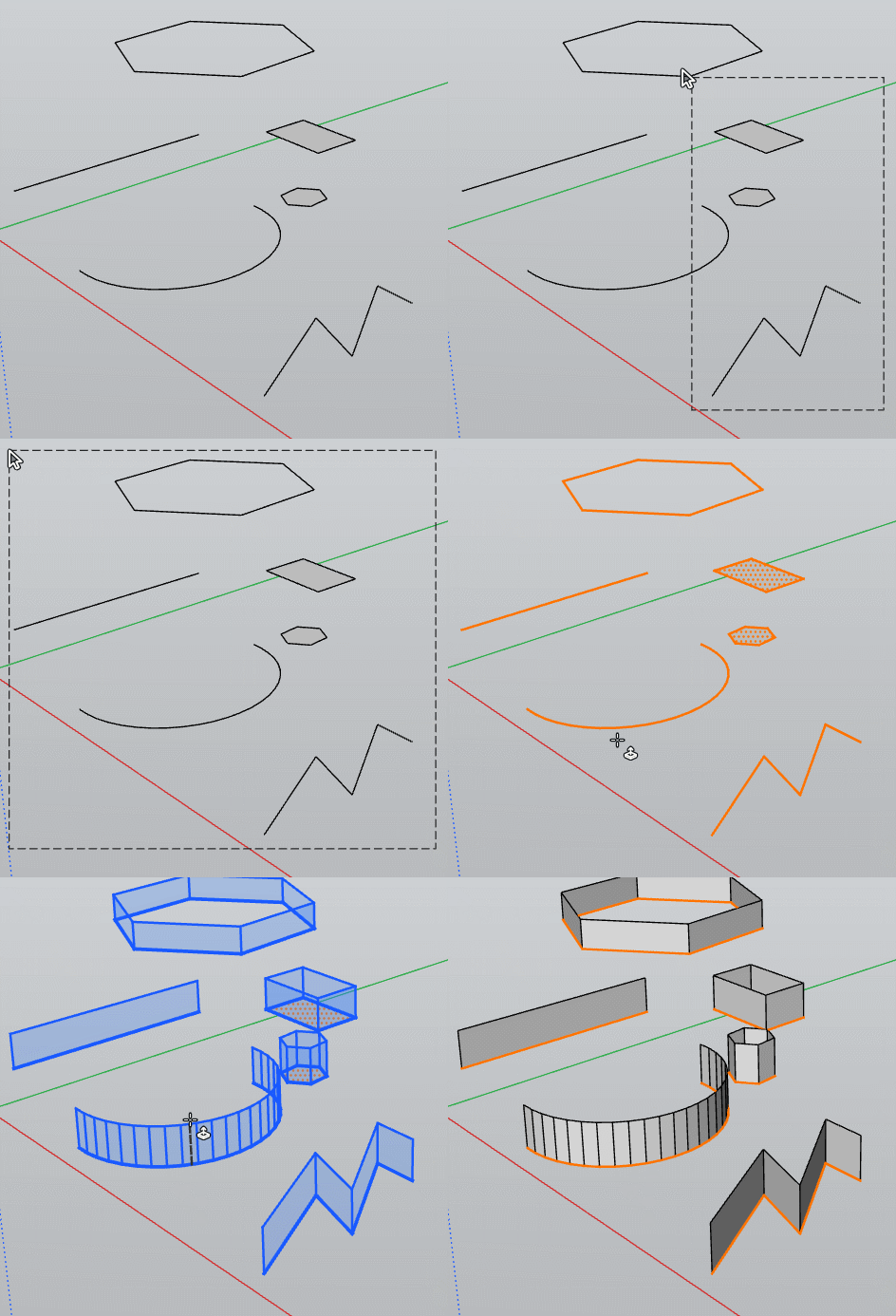
Frenchy Pilou
Is beautiful that please without concept!
My Little site :) -
@pilou Nice example sir!
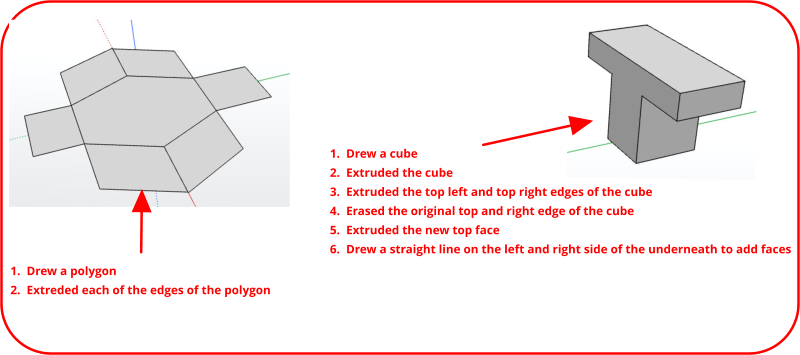
Now here is something that I tried based on your example. Hope it gives others' ideas.
-
@ntxdave
First example ( polygon) is mixing 2 different "Extrude"
Perpendicular Extrude( "Normal" ) not yet existing : we have only vertical extrude for the moment!Joined extrude along a direction
Both must requested!Second example
Maybe in this particular case better to Use 3D Text with the good font!Frenchy Pilou
Is beautiful that please without concept!
My Little site :) -
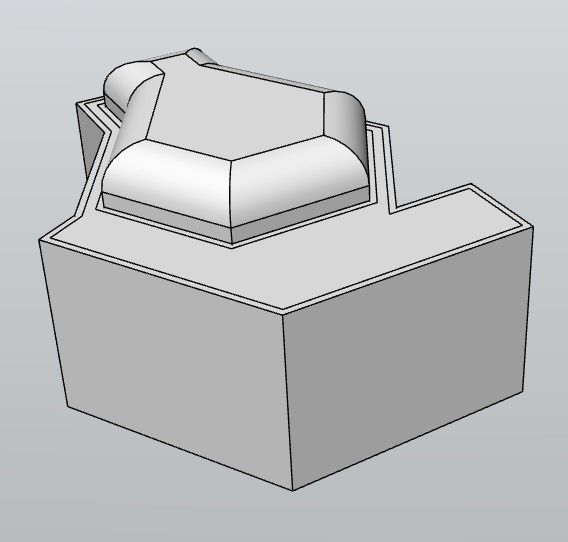
For see how Ai makes interpretation!

-
@ntxdave
First example ( polygon) is mixing 2 different "Extrude"
Perpendicular Extrude( "Normal" ) not yet existing : we have only vertical extrude for the moment!I did do the Extrude horizontal by clicking the line and then using the arrow keys (in this case the left arrow) to then extrude.
@pilou said:
Joined extrude along a direction
Both must requested!Second example
Maybe in this particular case better to Use 3D Text with the good font!
I understand your comment, but I did the same as the polygon, I selected the line on the left side of the top of the cube, clicked the left arrow, and then extruded the line. Once I had done that for both sides of the top of the cube, I then deleted the lines from the cube. At that point I had a face that went the full width of the cube plus the extruded area. Yes, it came out looking like the letter T but that was not the point. Once I had done these extrusions, the left and right and left side of the cube below the extruded area above, I then had to draw a line to create a face on the two sides of the cube below.I guess this was not a great example of how you could use the extrude tool to generate a new shape. At least I should not have let it wind up as a letter. That was not what I was trying to show.
I do appreciate your feedback though. I thought I was demonstrating that there actually is a way to extrude in the horizontal direction.
-
Modlumi 0.24 is out
Download it for Windows from https://modlumi.com/download/latest/windows, or open the browser version at https://modlumi.com/app/. If you already run 0.23 on Windows, it will offer you the update. The Mac build of 0.24 will follow later.
New features
-
Extrude several faces at once. @pilou, you asked for "the same for the surfaces" right after extruding edges, so here it is: select faces, then click one of them with Extrude, and they all move by the same distance in one undo step. Faces that share an edge move together as one surface, so a selected floor and wall thicken into one solid. Press Alt to move each face along its own direction instead.
-
Get unsaved changes back after a crash. While you have unsaved changes, the desktop app keeps a copy of them every two minutes. If Modlumi closes unexpectedly, it offers to restore that copy the next time it starts. File → Save Recovery Files turns this off. https://modlumi.com/docs/user-guide/files/#recover-unsaved-changes
-
Zoom to the selection. View → Zoom Selection, also in the right-click menu, frames only what is selected, so you can get close to one part of a large model. https://modlumi.com/docs/user-guide/navigating/#zoom-extents
Improvements
-
Standard views frame the whole model. View → Standard Views now turns the camera and then fits the model in the view, as Zoom Extents does, so it no longer ends up off screen. Thanks @pilou! https://modlumi.com/docs/user-guide/navigating/#standard-views-and-parallel-projection
-
Offset keeps arcs and curves. @ntxdave, your offset rounded rectangle now gets true arcs around the same centers, and a click selects a whole rounded corner. If you offset inward by the corner's radius or more, the corner comes to a point, which may be the square corners you saw when typing a distance. https://modlumi.com/docs/user-guide/shaping/#offset
-
Send your model with a bug report. @ntxdave, you asked for this twice: Attach model file in Help → Report a Bug or Send Feedback... now also sends the Modlumi project you opened or, on the desktop, last saved, so I can reproduce the problem.
Fixes
-
Double-click a face to repeat an Arc fillet. @ntxdave and @pilou, you no longer need to hit the corner exactly: after a fillet that snapped Tangent to Both Edges, double-click anywhere on the face and Modlumi rounds its nearest corner with the same radius. Thanks for sticking with it!
-
Copies no longer fill door and window openings. Copying a strip up with Move and Ctrl to make a header over a door used to cover the opening below with faces.
-
Extrude starts over after an extrusion it can't make, instead of reporting an error on the next click and adding your typed digits to the old distance.
-
Offset says when nothing changed, and the next distance you type replaces the old one.
Full release notes: https://modlumi.com/docs/release-notes/
Thanks for the reports. Keep them coming!
-
-
@pixelcruncher
Your multiple Extrude works as expected! Bravo!
But selection stay on the ground!
We must all reselect for a new Extrude!
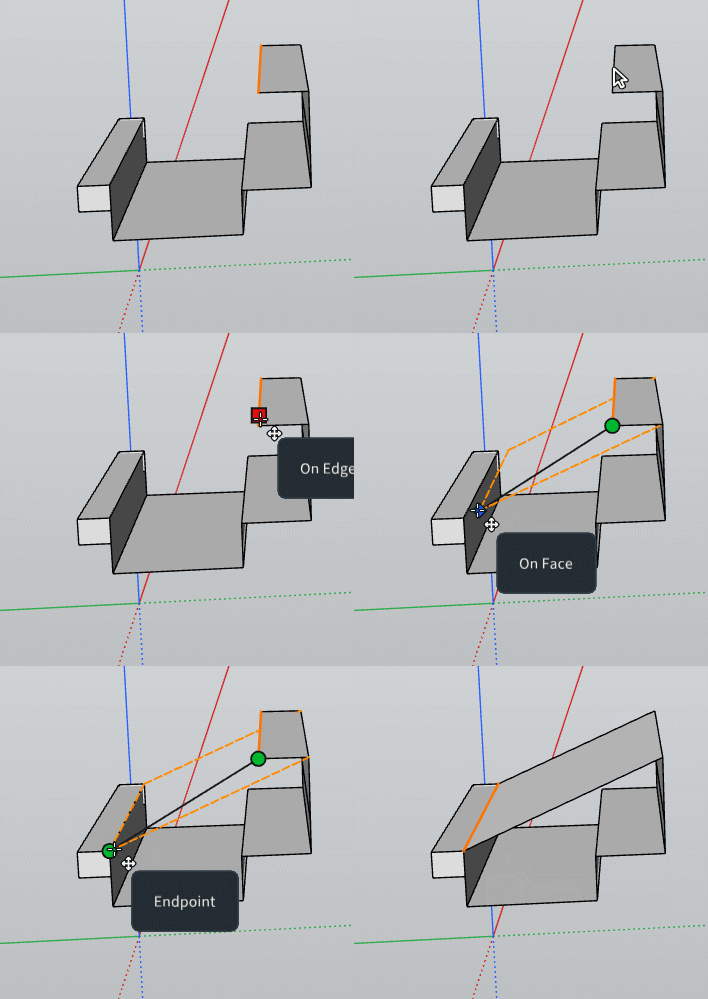
And no possibility to make an extrude along a direction given by the next mouse click,
other than the arrows keys! Big request!
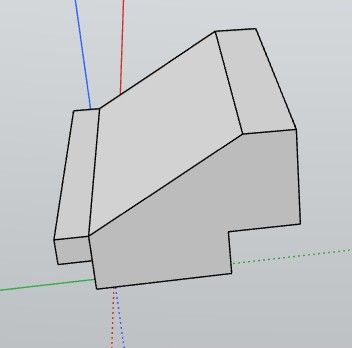
For these (arrow keys) does it possible to show a protractor or other for show where goes the Extrude?Extrude with direction is something like this but here the top Roof is losted!
Because it's just a Move and not an Extrude By direction!
I want this of course!

-
I just tried the rounded corners again and yes I did not have to click on the corner. I just clicked in the area and it worked fine. Bravo!!!
-
@pixelcruncher
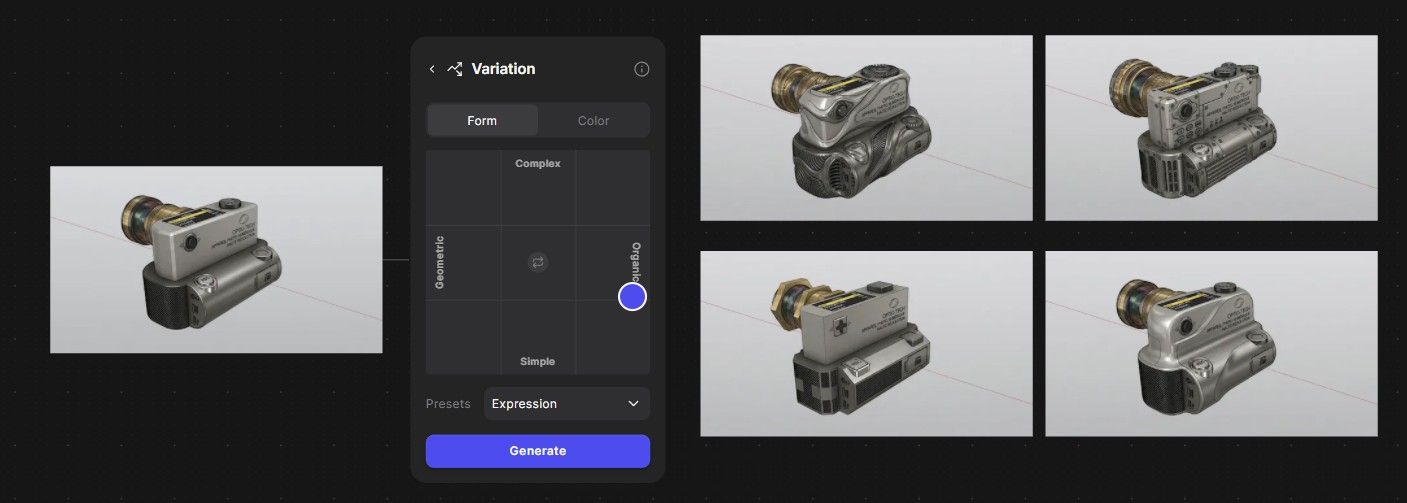
Yep your Double Click is perfect! Excellent!Here ModLumi inside The Free Vizcom
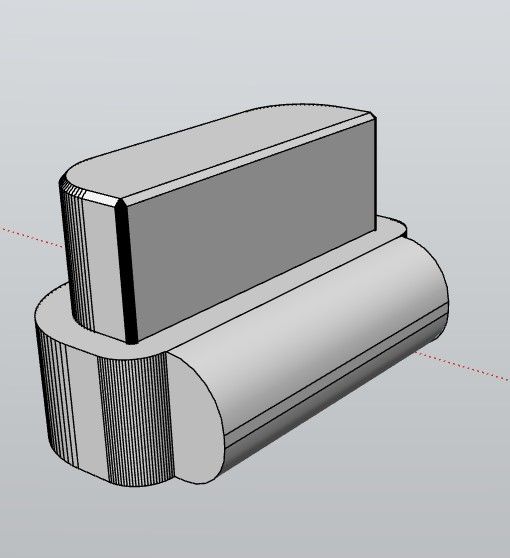
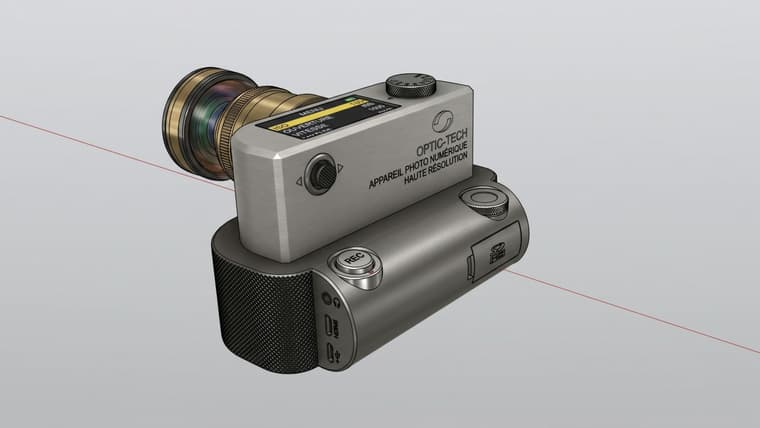
Etc...
-
@pilou Some of your models blow my mind. I wish I had that kind of talent. Maybe I am getting to old for this stuff
-
@ntxdave
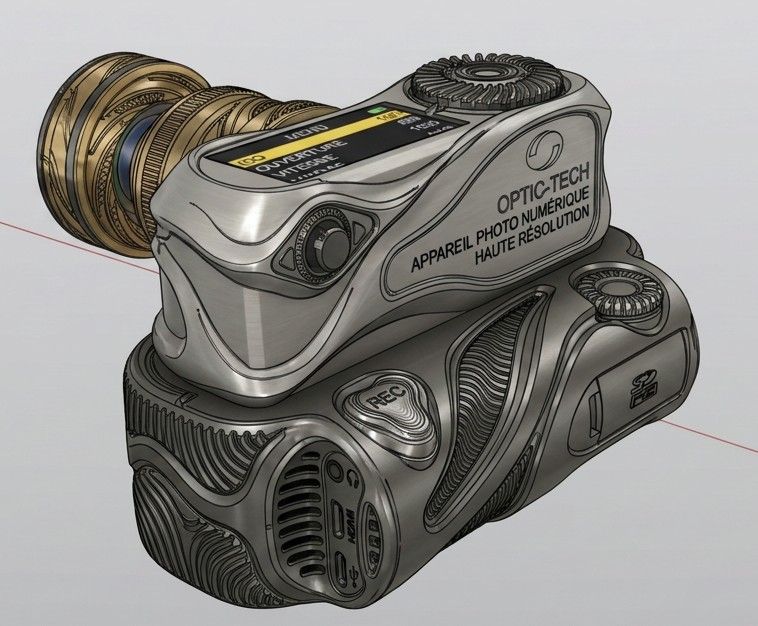
No It's a game 's boy! Anybody can make the same! (I am many over 70 !
Talent has nothing to do here! Just pleasure to play!
It's just Ai and 3 clicks! Try Vizcom, for me it's the more fun! 95% of it's functions are free !
https://app.vizcom.com/
-
I have never used AI so I would not know what/how to do it!,,
BTW: 70 is way back in my memory.



Hello! It looks like you're interested in this conversation, but you don't have an account yet.
Getting fed up of having to scroll through the same posts each visit? When you register for an account, you'll always come back to exactly where you were before, and choose to be notified of new replies (either via email, or push notification). You'll also be able to save bookmarks and upvote posts to show your appreciation to other community members.
With your input, this post could be even better 💗
Register Login


Advertisement