sketchucation logo sketchucation
    • Login
    Oops, your profile's looking a bit empty! To help us tailor your experience, please fill in key details like your SketchUp version, skill level, operating system, and more. Update and save your info on your profile page today!
    πŸ”Œ Smart Spline | Fluid way to handle splines for furniture design and complex structures. Download

    Understanding Spacers and spans ProfileBuilder 4

    Scheduled Pinned Locked Moved Extensions & Applications Discussions
    5 Posts 2 Posters 34 Views 2 Watching
    Loading More Posts
    • Oldest to Newest
    • Newest to Oldest
    • Most Votes
    Reply
    • Reply as topic
    Log in to reply
    This topic has been deleted. Only users with topic management privileges can see it.
    • Epix3DE Offline
      Epix3D
      last edited by Epix3D

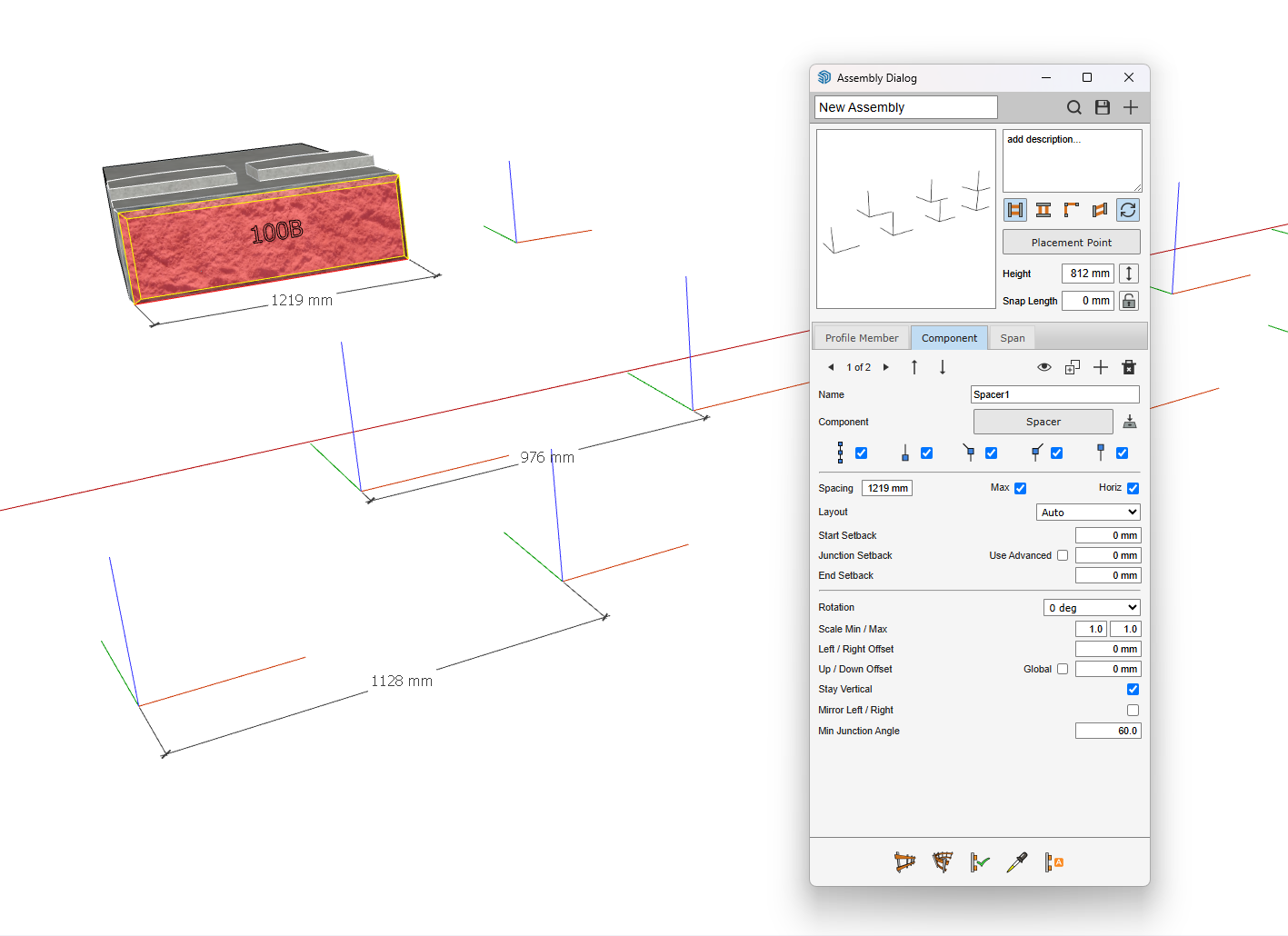
      SpanComponents.skp Trying to understand spacers in ProfileBuilder 4.
      Why are the measures wrong ? What am I missing?
      Spacers.png

      1 Reply Last reply Reply Quote 0
      • Rich O BrienR Offline
        Rich O Brien Moderator
        last edited by

        Did you try toggling off the Place Component at End? For both 'stacks'

        Download the free D'oh Book for SketchUp πŸ“–

        Epix3DE 1 Reply Last reply Reply Quote 0
        • Epix3DE Offline
          Epix3D @Rich O Brien
          last edited by

          @Rich-O-Brien
          Thank you for your suggestion , -but it did not help..
          SpanComponents.skp
          Find the file attached

          1 Reply Last reply Reply Quote 0
          • Rich O BrienR Offline
            Rich O Brien Moderator
            last edited by

            I presume you want a block placed at 1219mm intervals with no overlaps. Along with the top row getting offset by half?
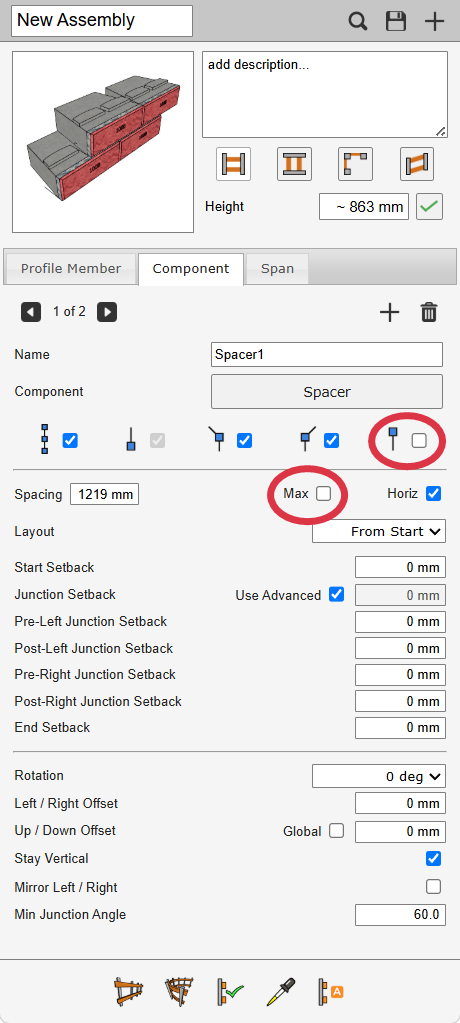
            image.png

            If so uncheck Max and uncheck At End on both component rows. That stops blocks overlapping .

            Download the free D'oh Book for SketchUp πŸ“–

            Epix3DE 1 Reply Last reply 😊 Reply Quote 0
            • Epix3DE Offline
              Epix3D @Rich O Brien
              last edited by

              @Rich-O-Brien
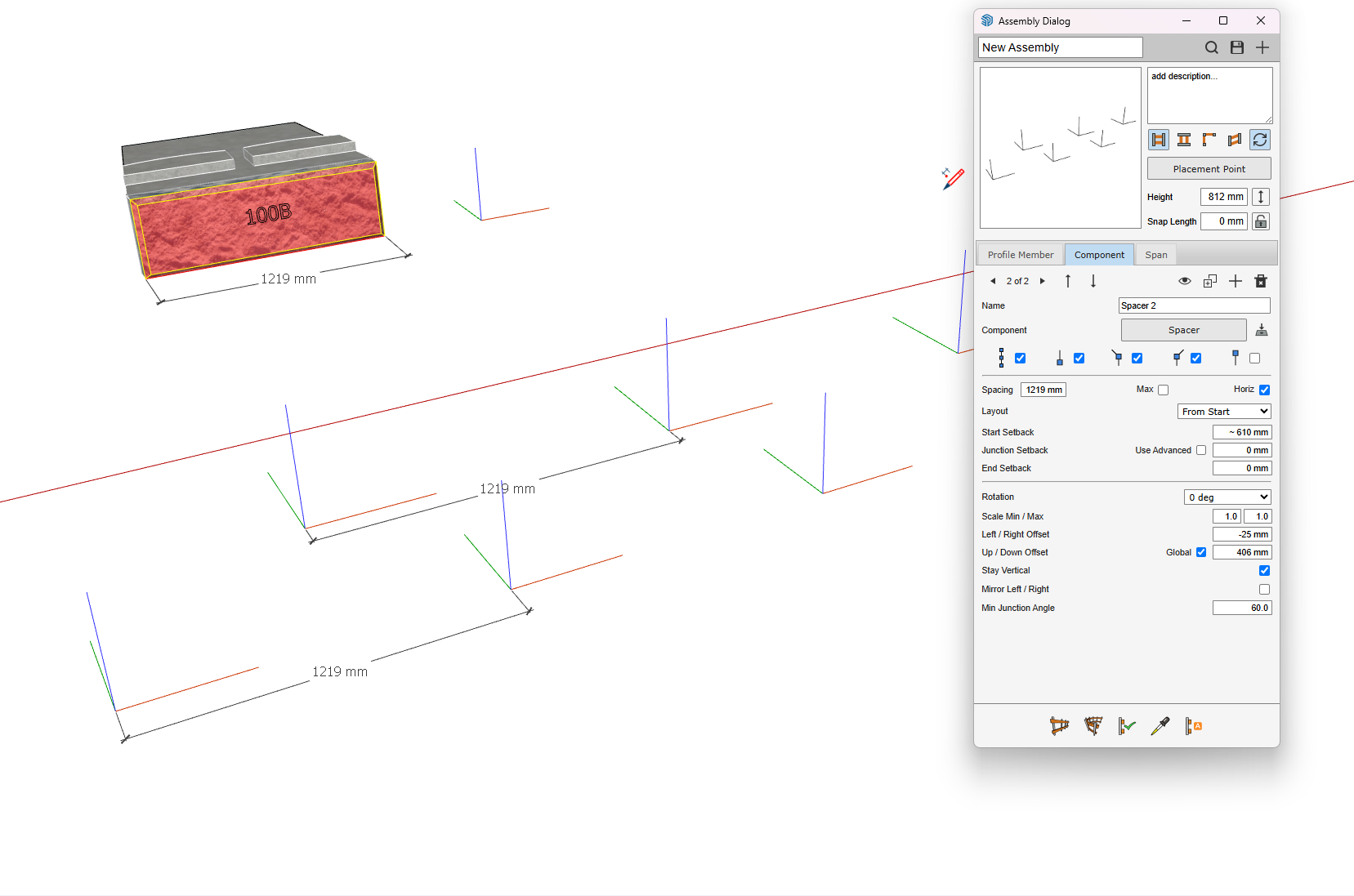
              Thank you Brian. Second course was offset. Had to remove and reset start setback (half stone)for it + Layout from start to change ; )
              Again, -thank you for sorting out.
              SpacersSolved.png

              1 Reply Last reply Reply Quote 1
              • 1 / 1
              • First post
                Last post
              Buy SketchPlus
              Buy SUbD
              Buy WrapR
              Buy eBook
              Buy Modelur
              Buy Vertex Tools
              Buy SketchCuisine
              Buy FormFonts

              Advertisement

