sketchucation logo sketchucation
    • Login
    Oops, your profile's looking a bit empty! To help us tailor your experience, please fill in key details like your SketchUp version, skill level, operating system, and more. Update and save your info on your profile page today!
    ⚠️ Update | Sketchucation Tools 5.0.8 released with licensing improvements and bugfixes Download

    Fredo Lord of Toolbars no longer working

    Scheduled Pinned Locked Moved Extensions & Applications Discussions
    26 Posts 7 Posters 2.5k Views 7 Watching
    Loading More Posts
    • Oldest to Newest
    • Newest to Oldest
    • Most Votes
    Reply
    • Reply as topic
    Log in to reply
    This topic has been deleted. Only users with topic management privileges can see it.
    • L
      lovellmarc @kylekin
      last edited by

      @kylekin Im having this issues

      1 Reply Last reply
      Reply Quote 0
      • F
        FireDean @kylekin
        last edited by

        @kylekin Im having same issue....Useing a MacBook Pro M3. Fredo is listed in my Extension Manager as signed an licenced but the Fredo menu bar is no where to be seen

        fredo6F 1 Reply Last reply
        Reply Quote 0
        • fredo6F
          fredo6 @FireDean
          last edited by

          @FireDean

          Could you indicate which version of Sketchup you run.

          Could you do the following:

          • open the Ruby console
          • Close Sketchup
          • Relaunch Sketchup
          • The Ruby console should automatically open and possibly shows errors in the startup sequence, including for LOTT.

          Thanks

          Fredo

          K 1 Reply Last reply
          Reply Quote 0
          • K
            kylekin Newcomers @fredo6
            last edited by

            @fredo6 All appears fixed with the Sketchup 2024 update.

            1 Reply Last reply
            Reply Quote 0
            • cmeedC
              cmeed
              last edited by cmeed

              HI Fredo
              I am also experiencing issues - I've upgraded to 2024 and the vignette bar isnt correct, only a small portion can be seen.
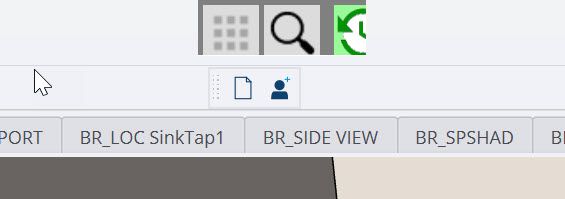
              2024-04-06_07-34-45.jpg

              The icons you see can be used as usual, anything to the right gone

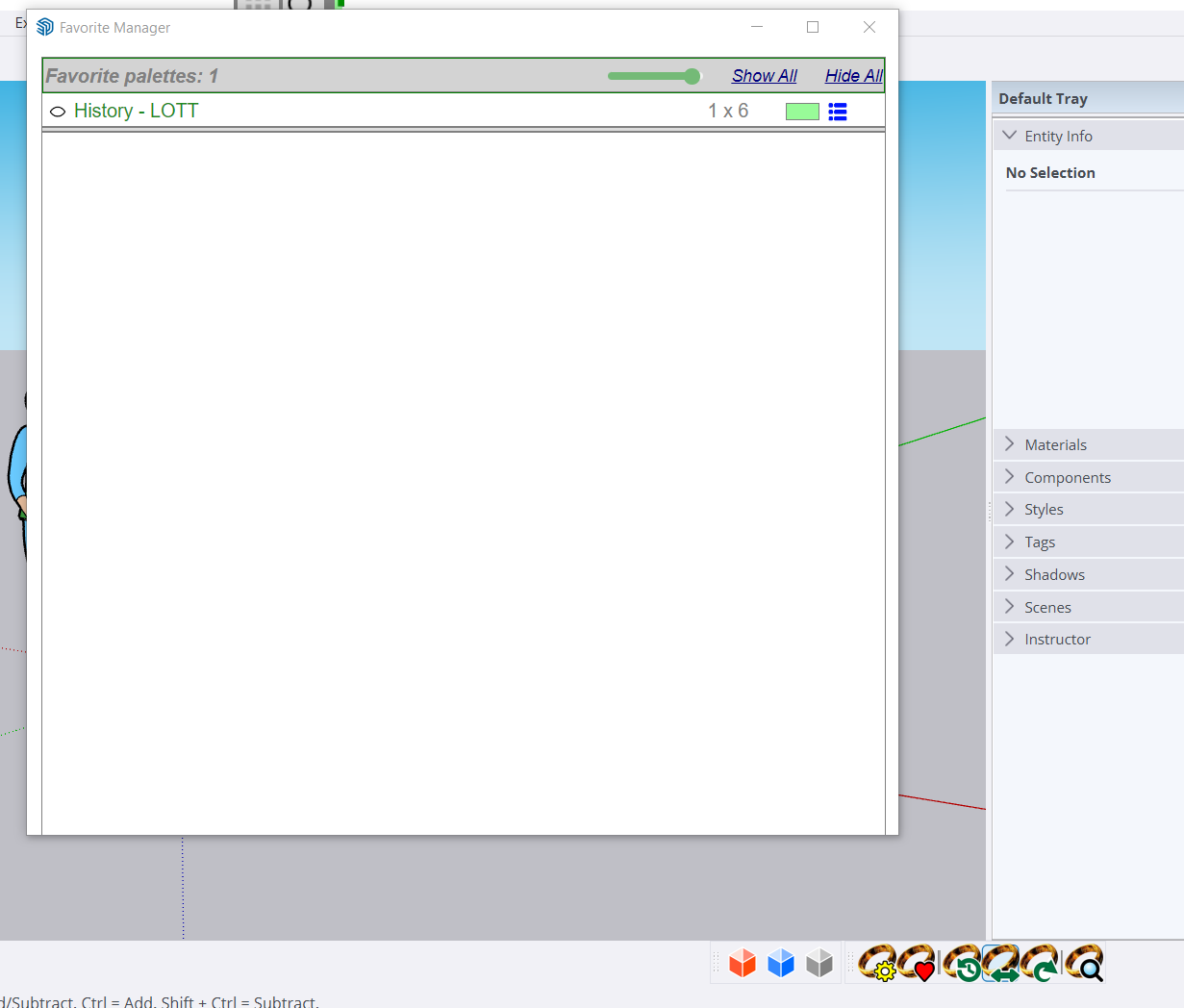
              made the vignette smaller, by opening the 2024-04-06_07-50-22.jpg and using the menu to alter the icon vignette bar - which results in the same but smaller

              The ruby console is clear - apart from
              "English"
              true
              "Can not load Curic Helpper!"

              Any thoughts
              Cheers
              Chris

              supplementary:
              As the
              2024-04-06_07-50-22.jpg
              button is working I tried opening importing my .lott from SU23
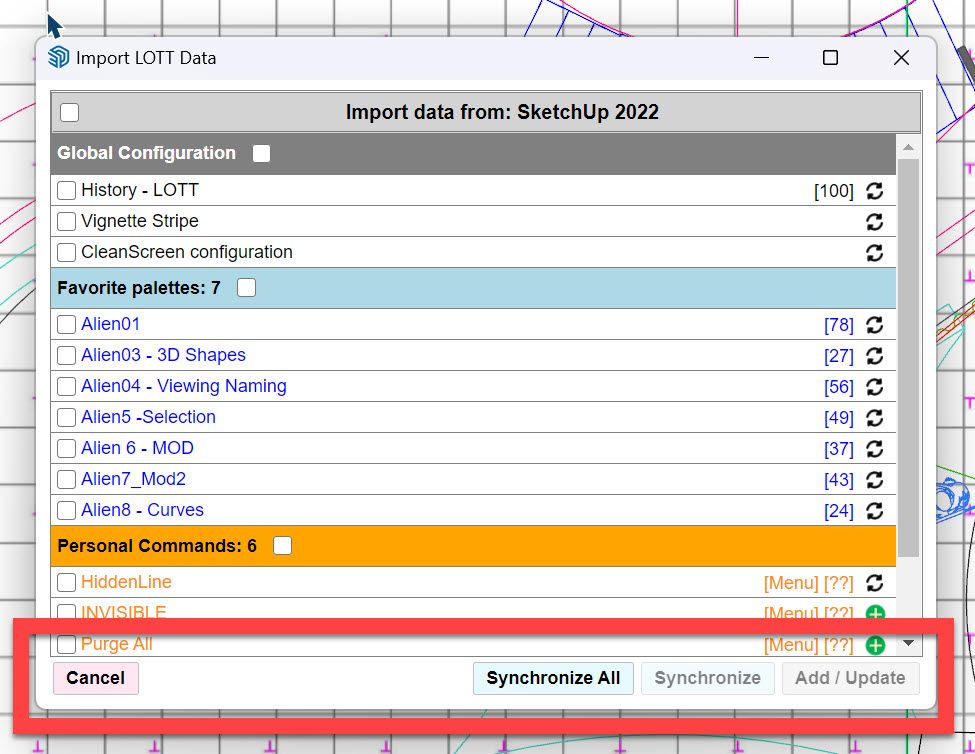
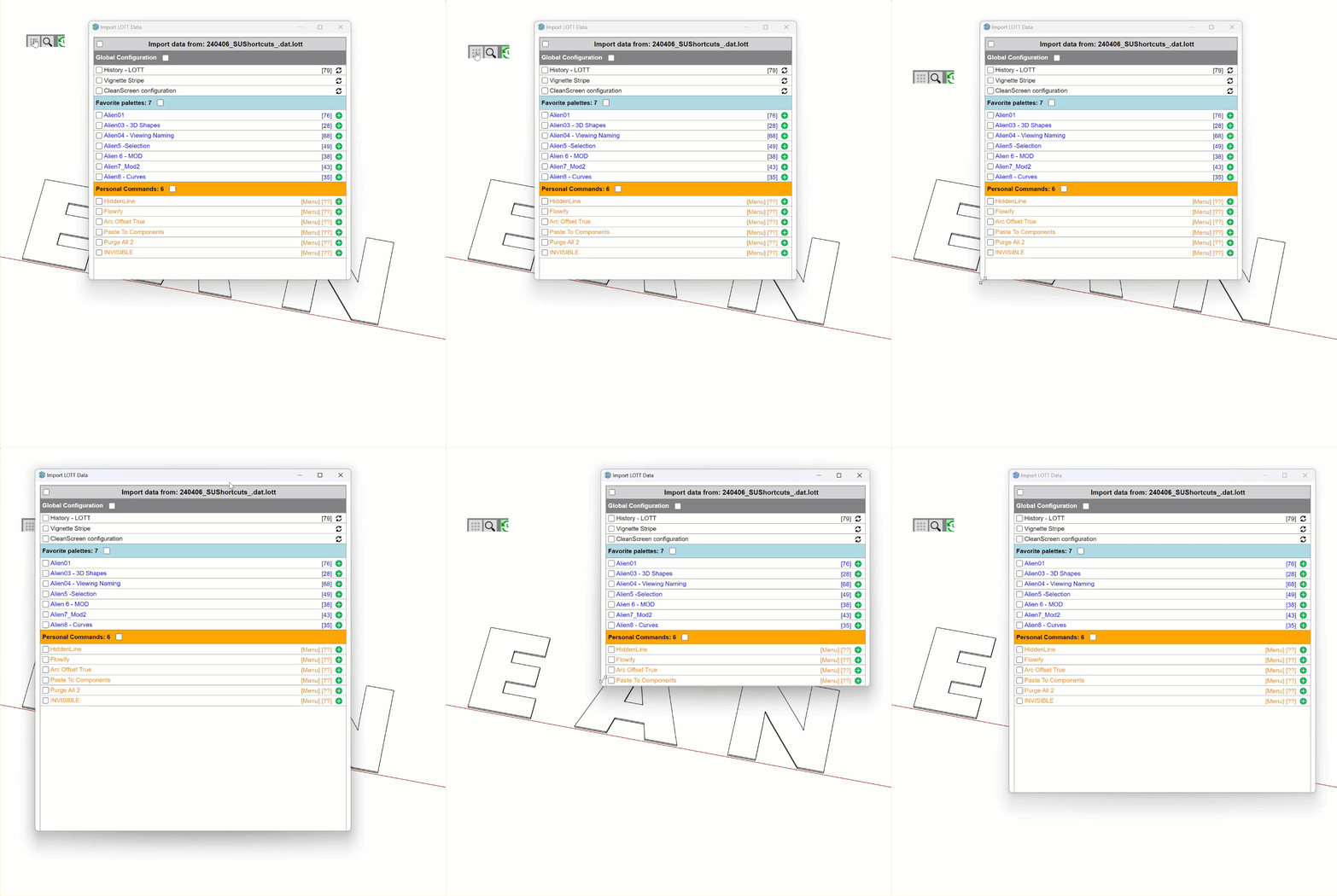
              then noticed that theres no synchronize buttons visible (the window is open to the maximum)
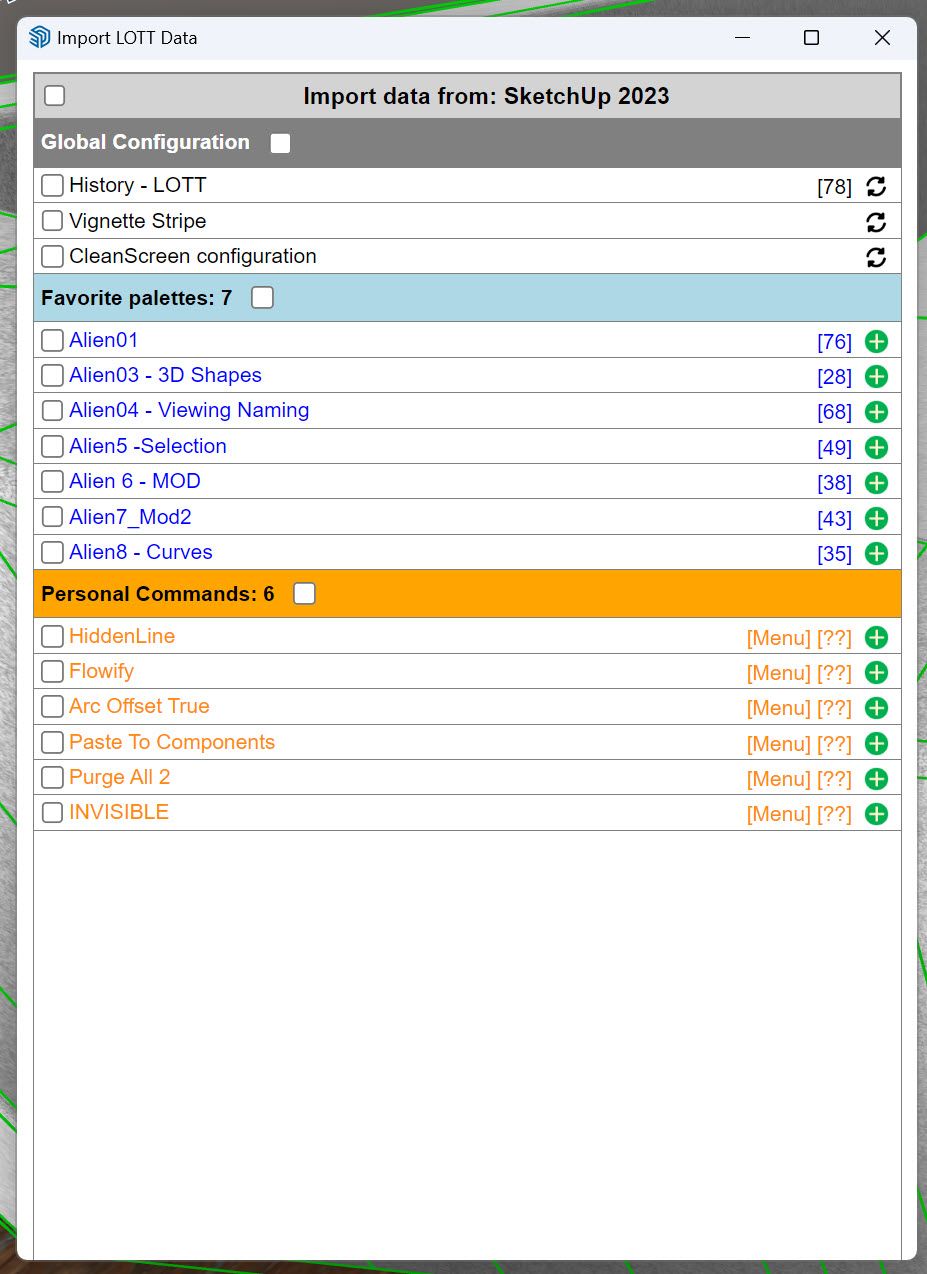
              2024-04-06_07-53-11.jpg

              in SU23 this should look like this ?
              2024-04-06_07-47-56.jpg

              fredo6F 1 Reply Last reply
              Reply Quote 0
              • fredo6F
                fredo6 @cmeed
                last edited by

                @cmeed

                There are a few issues with dialogs in SU2024.

                When the dialog appears, can you slightly resize it. It should show all buttons.

                cmeedC 1 Reply Last reply
                Reply Quote 0
                • cmeedC
                  cmeed @fredo6
                  last edited by

                  @fredo6
                  Affraid not 2024-04-07_07-47-01.gif

                  fredo6F 1 Reply Last reply
                  Reply Quote 0
                  • fredo6F
                    fredo6 @cmeed
                    last edited by

                    @cmeed

                    Obviously there is a general problems with dialogs in your environment. I cannot reproduce it in mine.

                    dcfebf9c-701d-4a7a-8b9a-fe3655b39159-image.png

                    Just to be sure, did you upgrade to LOTT v2.7a?

                    If so, maybe a clean reinstall would help. In the Plugins directory, erase the folders Fredo6_!LIbFredo6 and Fredo6_LordOfTheToolbars and then reinstall from Sketchucation.

                    cmeedC 2 Replies Last reply
                    Reply Quote 0
                    • cmeedC
                      cmeed @fredo6
                      last edited by cmeed

                      LOTT 2.7a? or 2.7b - just checking
                      b is on the sketcucation pluginstore

                      1 Reply Last reply
                      Reply Quote 0
                      • cmeedC
                        cmeed @fredo6
                        last edited by cmeed

                        @fredo6

                        I have done a clean install of your plugins - nothing changed

                        then... did a clean install (as administrator) of sketchup 2024

                        deleted the contents of the plugins folder

                        downloaded sketchucation Plugin Store
                        then
                        fredoLib
                        and
                        lord of the toolbars
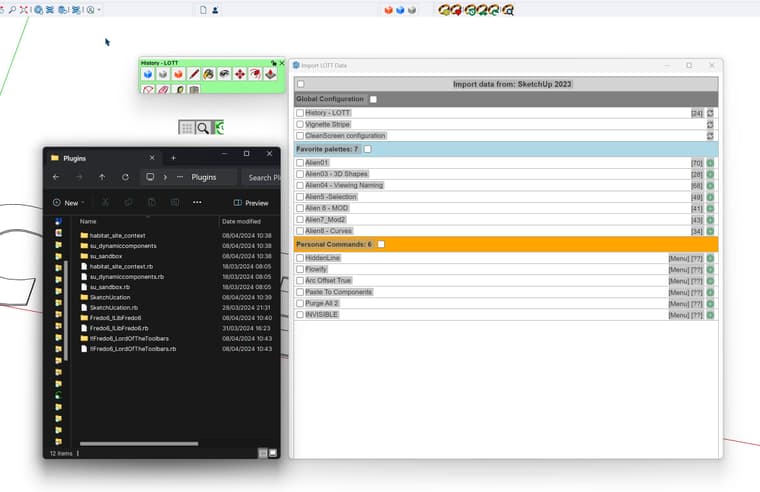
                        2024-04-08_10-47-40.jpg

                        fredo6F 2 Replies Last reply
                        Reply Quote 0
                        • fredo6F
                          fredo6 @cmeed
                          last edited by fredo6

                          @cmeed

                          I don't have an explanation to the cropping of dialogs. I guess you are on Windows 11, but that should not make a difference.

                          Could you open another dialog, ay Check Plugins for Update in te menu LibFredo6 and see if you see the buttons.

                          Also, do you have several monitors, and is Sketchup on the main monitor ?

                          cmeedC 1 Reply Last reply
                          Reply Quote 0
                          • fredo6F
                            fredo6 @cmeed
                            last edited by

                            @cmeed

                            Would you mind to execute the menu Window > LibFredo6 Settings... > Fredo6 Plugin information for Sketchucation Support.

                            There seems to be an issue at load of dialogs.

                            B cmeedC 2 Replies Last reply
                            Reply Quote 0
                            • B
                              Bradiks Newcomers @fredo6
                              last edited by

                              @fredo6 Running MacBook Pro M2 Max OSX 14.4.1, Sketchup Pro 2024, LibFredo6 14.3b, LTB 2.7b
                              Can not get icons to "drag and drop" to Palettes. Check marks by all my extensions but still no luck.

                              fredo6F 1 Reply Last reply
                              Reply Quote 0
                              • fredo6F
                                fredo6 @Bradiks
                                last edited by

                                @Bradiks

                                Could you describe more precisely what you see not working.

                                When you drag a command icon, do you see it moving with the mouse?

                                Or does it fail to insert?

                                1 Reply Last reply
                                Reply Quote 0
                                • T
                                  TECHDAVE02
                                  last edited by

                                  same issues windows 10 for meno scroll bars 2024.png

                                  1 Reply Last reply
                                  Reply Quote 0
                                  • cmeedC
                                    cmeed @fredo6
                                    last edited by

                                    @fredo6 apologies for leaving you hanging - I've been away
                                    heres the copy and paste of the ruby console after
                                    Window > LibFredo6 Settings... > Fredo6 Plugin information for Sketchucation Support.
                                    Fredo6 Plugins Information on 2024-04-17 10:35:20 +0100

                                    • Platform: x64-mswin64_140 - Ruby: 3.2.2
                                    • Sketchup: 24.0.484
                                    • LibFredo6: v14.3b
                                    • LibFredo6 Binary loaded
                                    • Sketchucation ExtensionStore: 4.4.0
                                    • SCFLicense: v6.4a - 74
                                    • Fredo6 Plugins

                                      LordOfTheToolbars v2.7b

                                    • SCFLicense directory present

                                      Signature File: 2022-04-26 16:11:44 +0100
                                      ClothWorks: 2024-01-08 21:28:53 +0000
                                      Curviloft: 2022-06-15 11:06:32 +0100
                                      Curvizard: 2022-11-26 09:35:34 +0000
                                      FredoCorner: 2023-01-10 14:41:27 +0000
                                      FredoPortrait: 2022-10-24 11:05:49 +0100
                                      FredoScale: 2023-05-19 10:17:07 +0100
                                      FredoSpline: 2022-11-15 18:43:07 +0000
                                      JointPushPull: 2023-04-26 15:43:32 +0100
                                      RoundCorner: 2022-05-17 16:14:20 +0100
                                      ToolsOnSurface: 2022-11-24 18:36:54 +0000

                                    fredo6F 1 Reply Last reply
                                    Reply Quote 0
                                    • cmeedC
                                      cmeed @fredo6
                                      last edited by cmeed

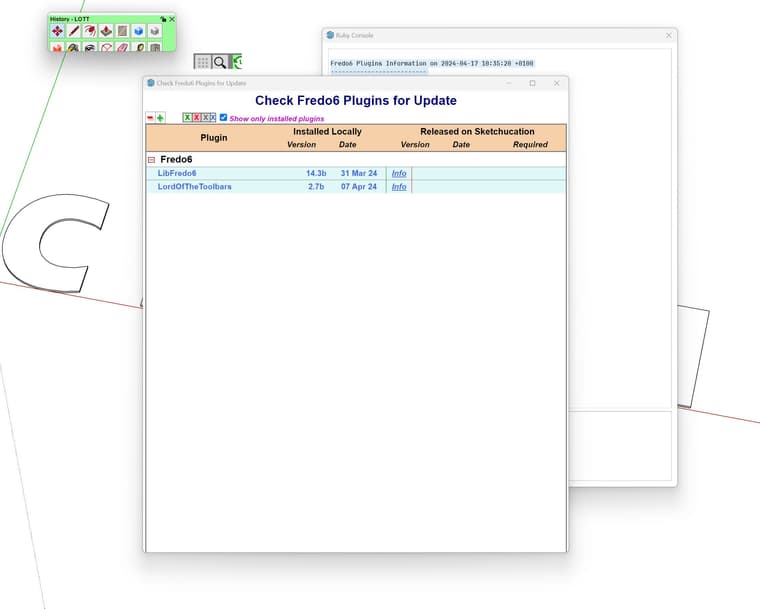
                                      @fredo6 2024-04-17_10-40-21.jpg
                                      looks like the 'check for Fredo6 ...' window is also not right.

                                      yes I have a multi monitor setup
                                      Laptop and a Monitor - SU on the main monitor
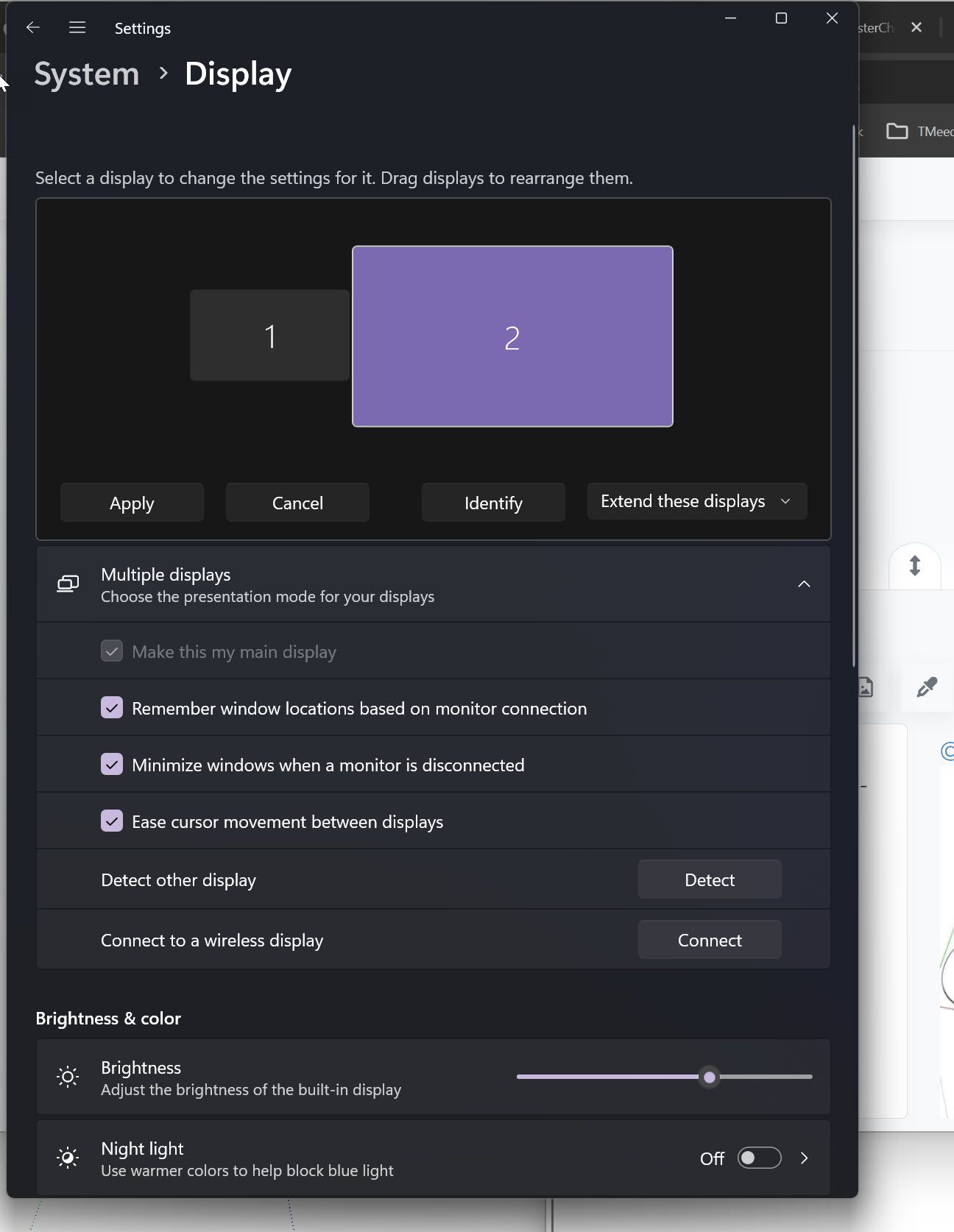
                                      2024-04-17_10-43-04.jpg

                                      1 Reply Last reply
                                      Reply Quote 0
                                      • fredo6F
                                        fredo6 @cmeed
                                        last edited by

                                        @cmeed

                                        Your installation looks correct, withe the latest version.

                                        For whatever reason, there seems to be an issue with the load sequence of dialogs. Some events seem not to be received, hence the partial display of dialogs.

                                        Could you open the Ruby console and copy/paste the following command (and then press Enter).

                                        UI.openURL File.join(LibFredo6.tmpdir, 'Binaries', 'SU24').

                                        This will open the folder where the active binary of LibFredo6, with the name: bin_body_Lib6G6.so. Can you tell me the date of the file.
                                        Then, close Sketchup, and try to delete this file.
                                        Then restart Sketchup (the file will be recreated).

                                        cmeedC 1 Reply Last reply
                                        Reply Quote 0
                                        • cmeedC
                                          cmeed @fredo6
                                          last edited by

                                          @fredo6 said in Fredo Lord of Toolbars no longer working:

                                          UI.openURL File.join(LibFredo6.tmpdir, 'Binaries', 'SU24').

                                          Hi Fredo,
                                          Not sure this is what you were expecting ...

                                          UI.openURL File.join(LibFredo6.tmpdir, 'Binaries', 'SU24').
                                          Error: #<SyntaxError:"(eval):1: syntax error, unexpected end-of-input\n...o6.tmpdir, 'Binaries', 'SU24').\n... ^\n">
                                          SketchUp:in `eval'
                                          => nil

                                          fredo6F 1 Reply Last reply
                                          Reply Quote 0
                                          • fredo6F
                                            fredo6 @cmeed
                                            last edited by

                                            @cmeed
                                            Don’t include the final dot

                                            cmeedC 1 Reply Last reply
                                            Reply Quote 0

                                            Hello! It looks like you're interested in this conversation, but you don't have an account yet.

                                            Getting fed up of having to scroll through the same posts each visit? When you register for an account, you'll always come back to exactly where you were before, and choose to be notified of new replies (either via email, or push notification). You'll also be able to save bookmarks and upvote posts to show your appreciation to other community members.

                                            With your input, this post could be even better 💗

                                            Register Login
                                            • 1
                                            • 2
                                            • 2 / 2
                                            • First post
                                              Last post
                                            Buy SketchPlus
                                            Buy SUbD
                                            Buy WrapR
                                            Buy eBook
                                            Buy Modelur
                                            Buy Vertex Tools
                                            Buy SketchCuisine
                                            Buy FormFonts

                                            Advertisement