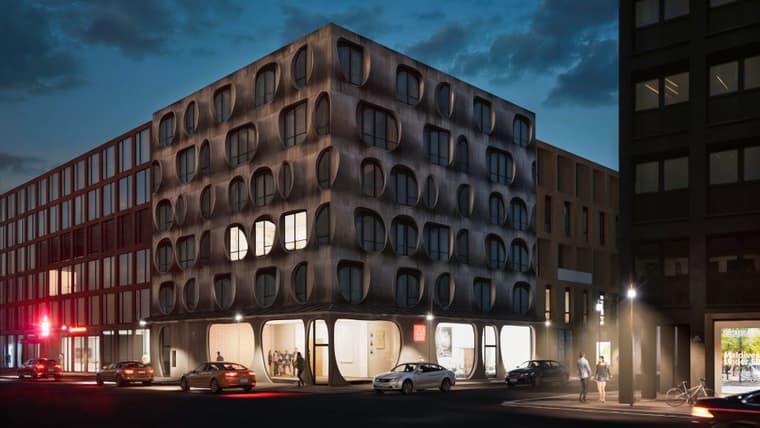
sketchucation logo sketchucation
    • 登入
    Oops, your profile's looking a bit empty! To help us tailor your experience, please fill in key details like your SketchUp version, skill level, operating system, and more. Update and save your info on your profile page today!
    🔌 Smart Spline | Fluid way to handle splines for furniture design and complex structures. Download

    Playing arround with Sketchup diffusion

    已排程 已置頂 已鎖定 已移動 Gallery
    99 貼文 11 Posters 6.6k 瀏覽 11 Watching
    正在載入更多貼文
    • 從舊到新
    • 從新到舊
    • 最多點贊
    回覆
    • 在新貼文中回覆
    登入後回覆
    此主題已被刪除。只有擁有主題管理權限的使用者可以查看。
    • jo-keJ 離線
      jo-ke @pixelcruncher
      最後由 jo-ke 編輯

      further development in stable diffusion
      deutsche-reihenhaus-165 20240316 22h58m52s.png

      sketchupdiffusion
      00014-2310313719.jpg

      http://www.zz7.de

      1 條回覆 最後回覆 回覆 引用 1
      • jo-keJ 離線
        jo-ke
        最後由 jo-ke 編輯

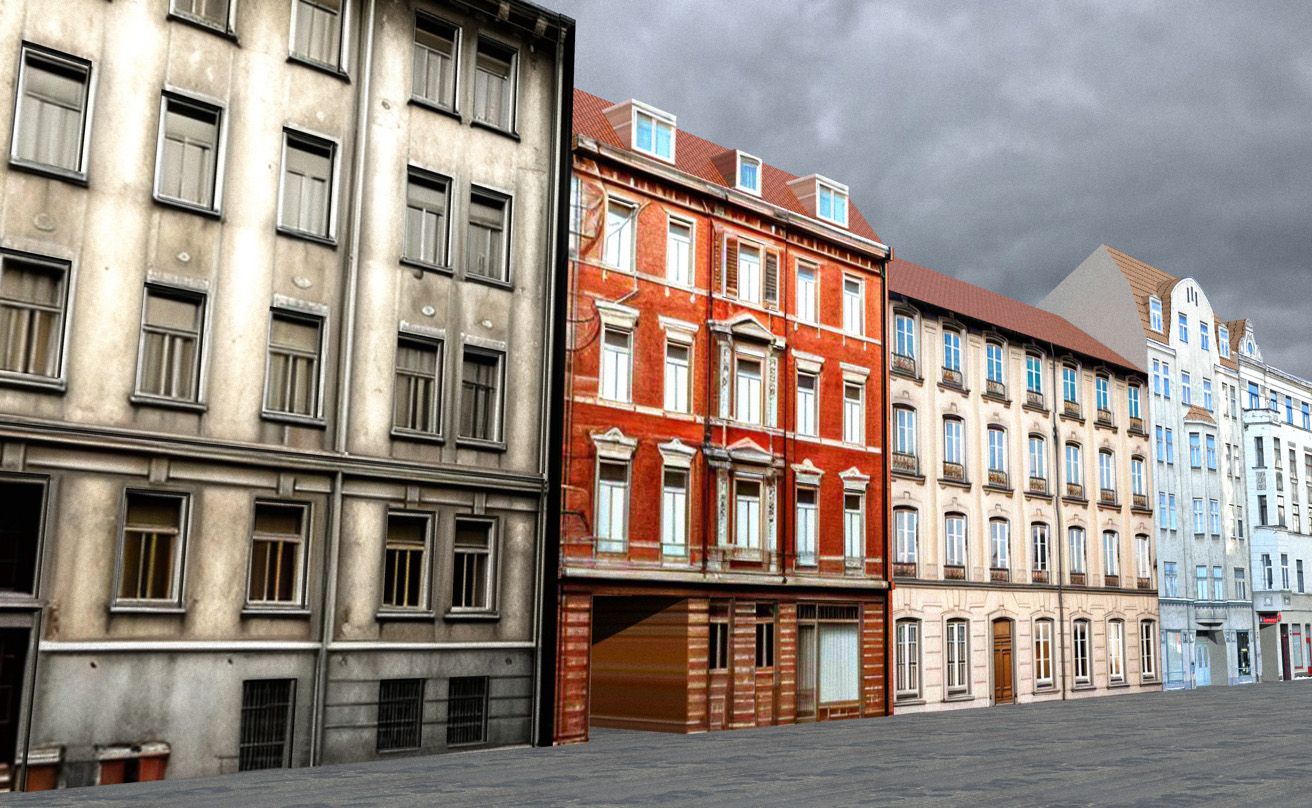
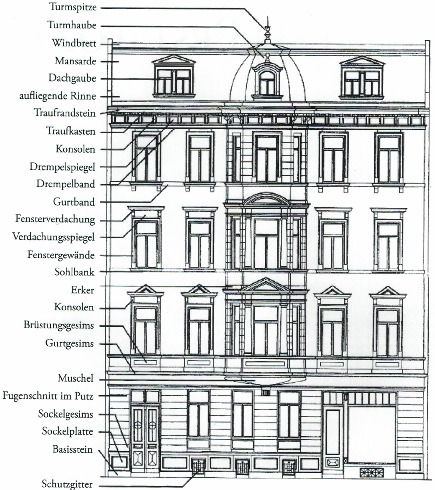
        I am using sketchup diffusion to build textures of buildings.

        At first I am looking for sketches of fassades.

        then I import it to Sketchup, define the colors in the promt and render it.

        then I project the texture on my object and model the rest.

        This is very fast and effective.
        1100bcceb57b1830.jpg

        Untitled 20240401 00h08m25s.png

        house-street005.jpg

        house-street005-rnd.jpg

        http://www.zz7.de

        1 條回覆 最後回覆 回覆 引用 1
        • jo-keJ 離線
          jo-ke
          最後由 jo-ke 編輯

          a funny weekend project.

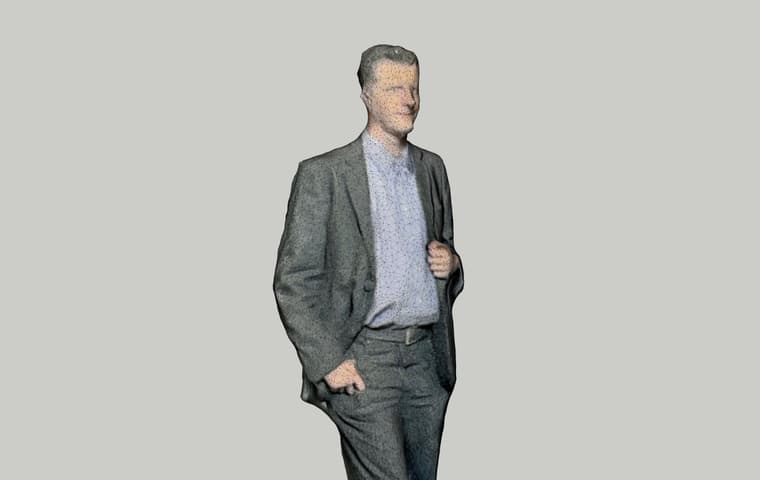
          some years ago, I was 3D scanned and they made a small 3D Modell of my body.

          I scaned the small figure in3D and made a Sketchup modell of it.

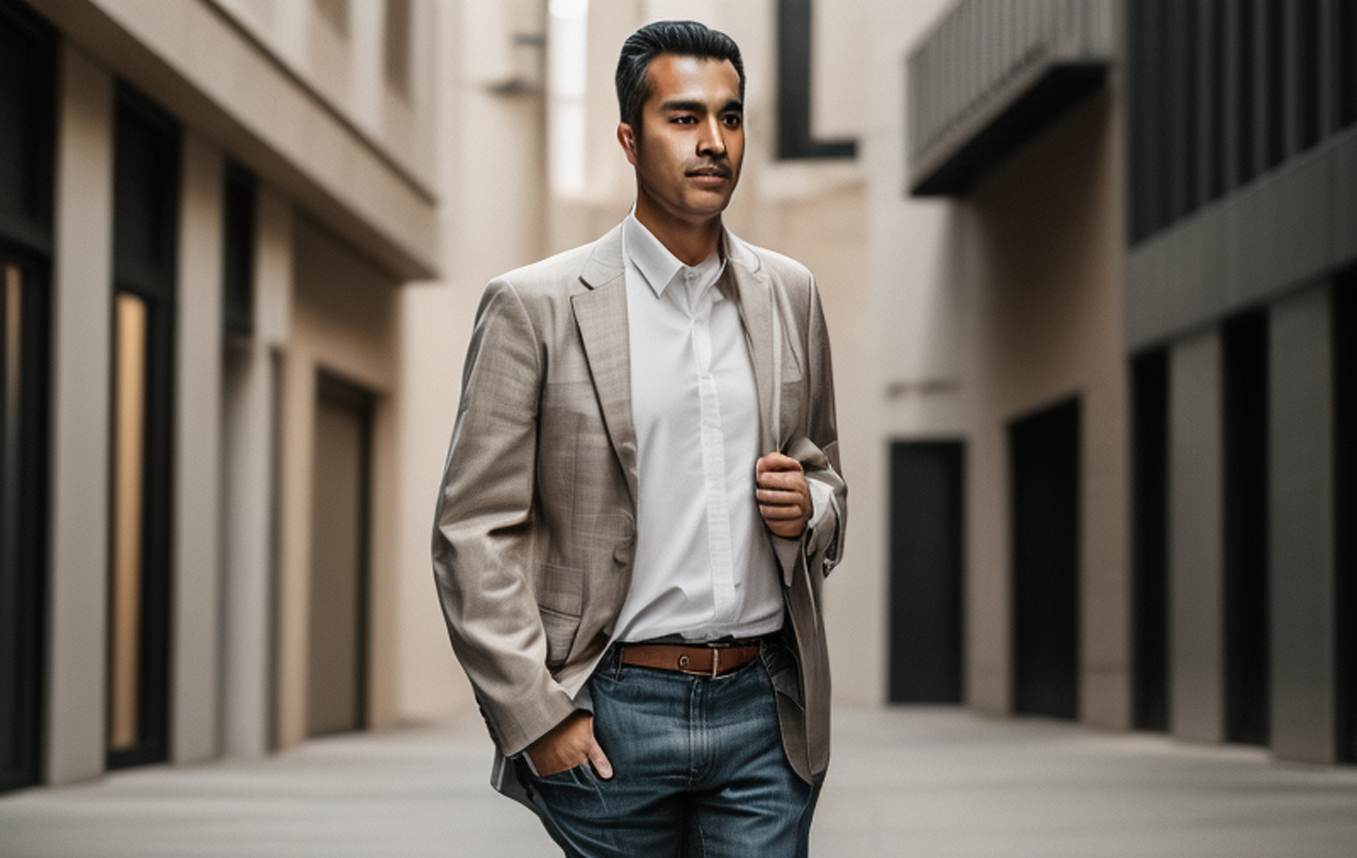
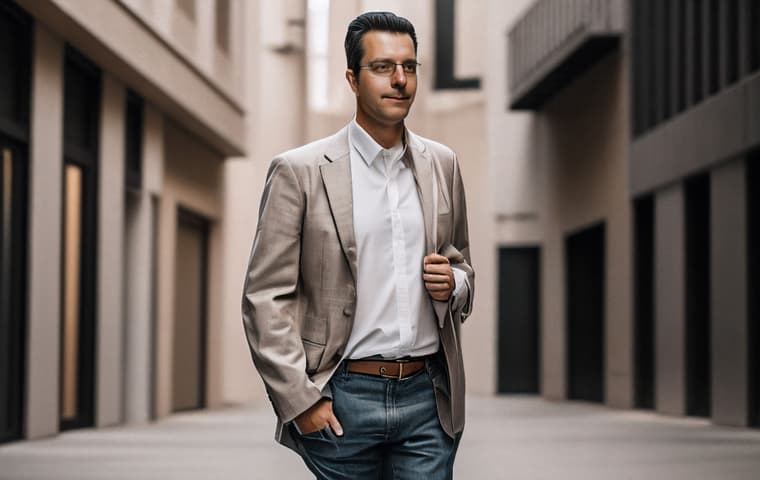
          The I renderd it in Sketchup diffusion and put it in stable diffusion img2img.
          upscaling with my Lora and a reActor Faceswap.

          nice result....

          su view:

          joke.jpg

          su diffusion:

          Untitled 20240420 18h23m32s.png

          stable diffusion:

          02243kl.jpg

          http://www.zz7.de

          1 條回覆 最後回覆 回覆 引用 2
          • jo-keJ 離線
            jo-ke
            最後由 jo-ke 編輯

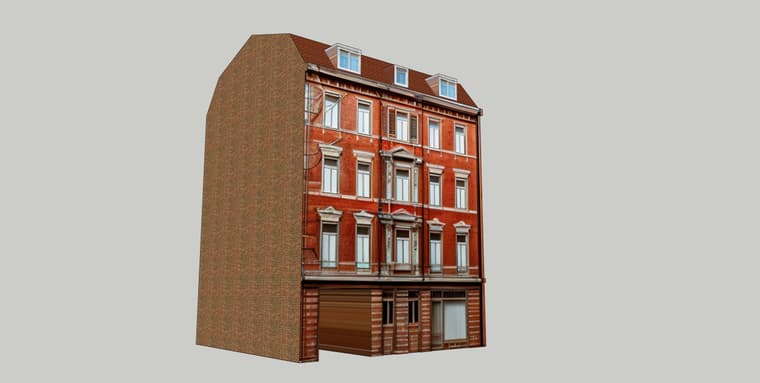
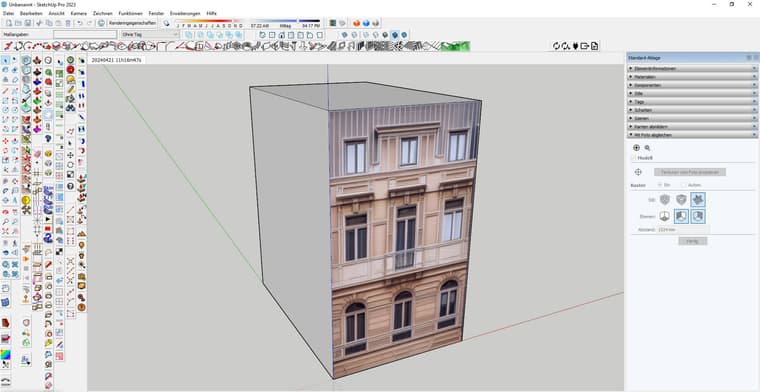
            quick tutorial to show how I use Sketchup Diffusion:

            At first look for a drawing of a building, then texture a cube with it, and set the view to front view. then start Sketchup Diffusion. I typed for promt: "fassade of an old building, dirty beige sandstone" and hit "generate".
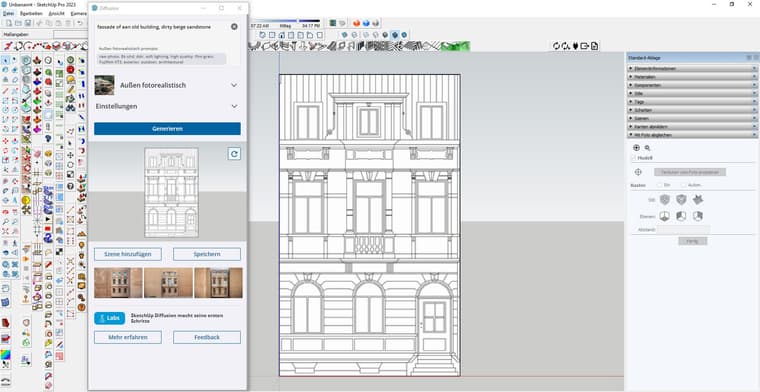
            tut1.jpg

            then I took the best one and hit "add scene". then I took the sketchup function "project texture" to exchange the drawing with the AI texture.
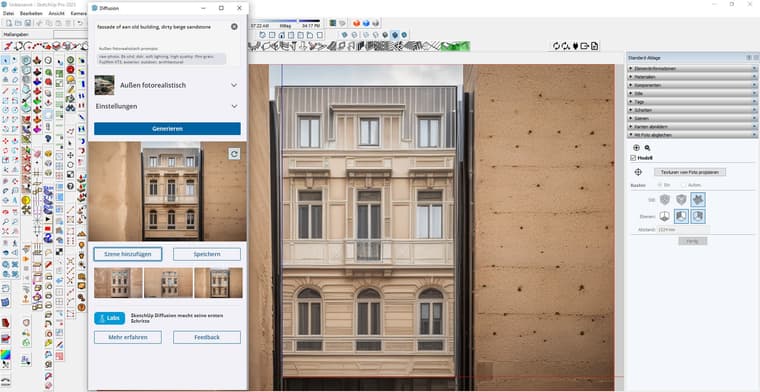
            tut2.jpg

            the cube is textured

            tut3.jpg

            some work on geometrie.... finished in less then 5 minutes....
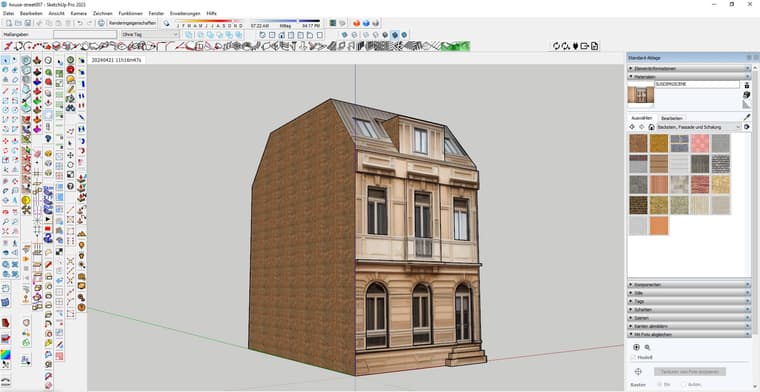
            tut4.jpg

            and a quick render in Twilight Render
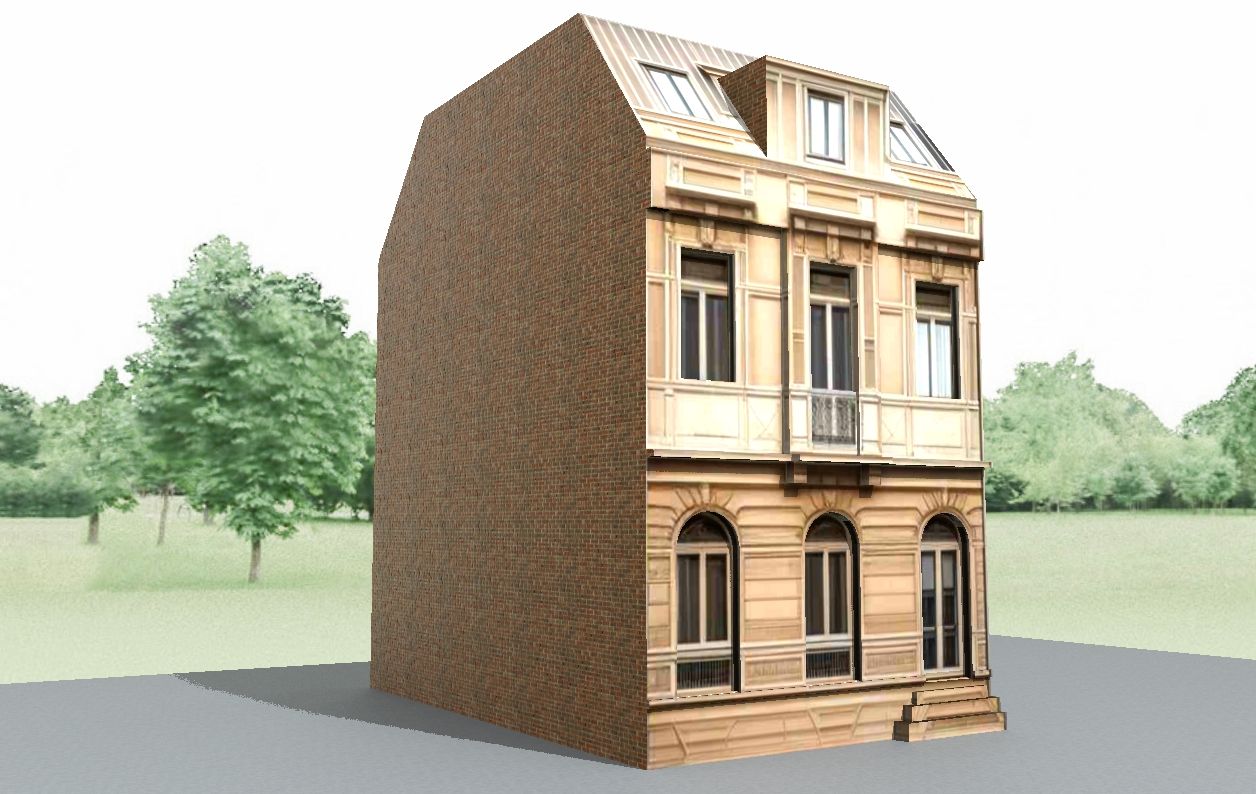
            tut5.jpg

            http://www.zz7.de

            1 條回覆 最後回覆 回覆 引用 1
            • jo-keJ 離線
              jo-ke
              最後由 jo-ke 編輯

              playing some more.

              again the 3D figures...

              su view
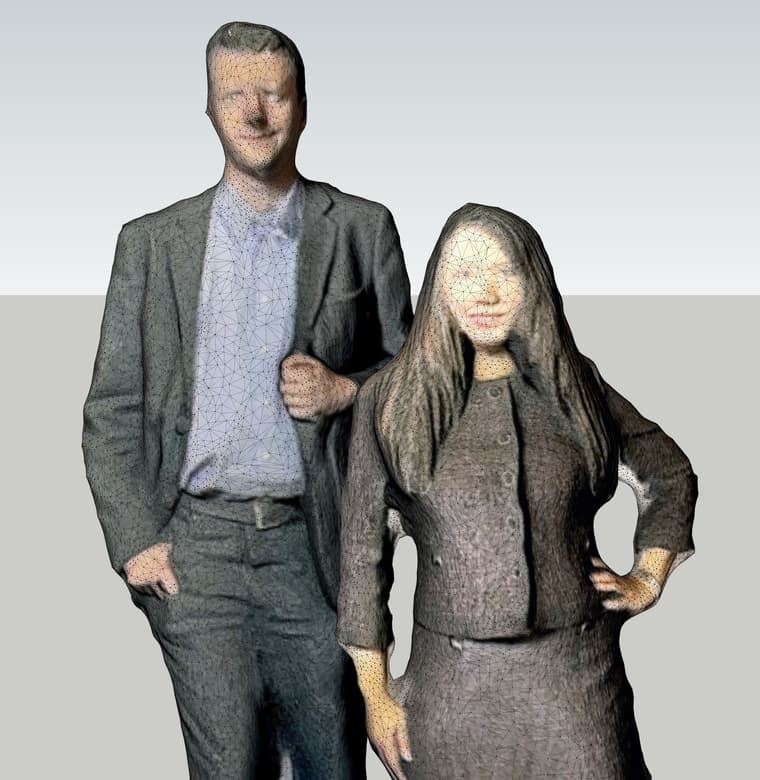
              000-li-jo.jpg

              sketchup diffusion to stablediffusion, lora and ReActor Faceswap
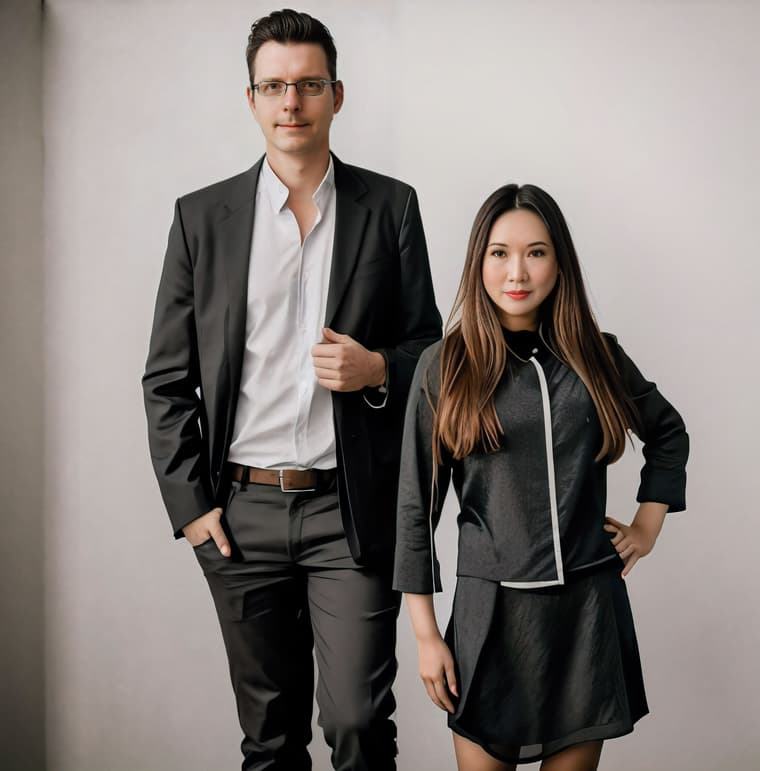
              001-li-jo.jpg

              not to bad

              http://www.zz7.de

              1 條回覆 最後回覆 回覆 引用 0
              • jo-keJ 離線
                jo-ke
                最後由 編輯

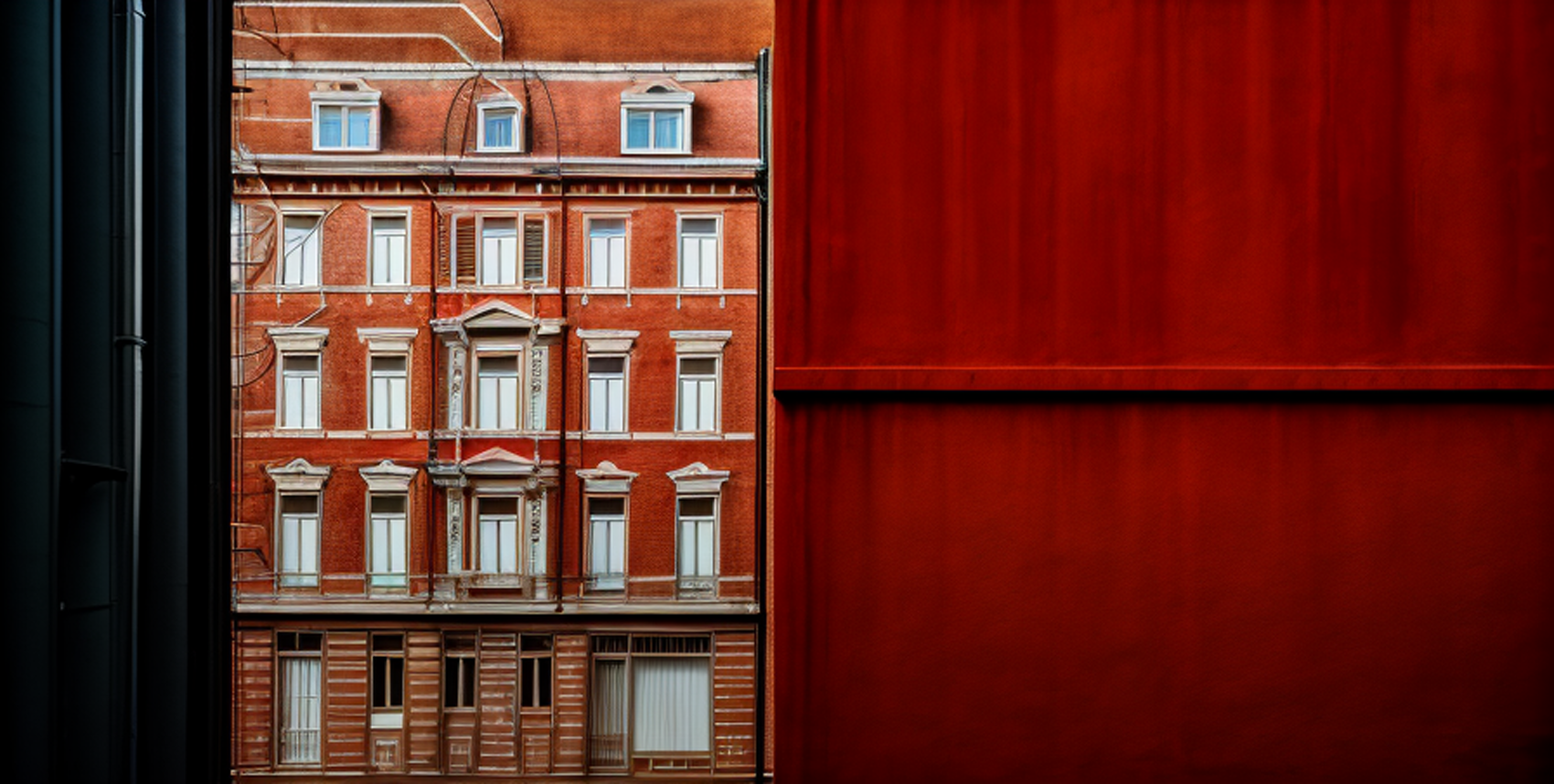
                new playing arround:

                at first I asked Midjourney to create a unique seamless texture for a modern building
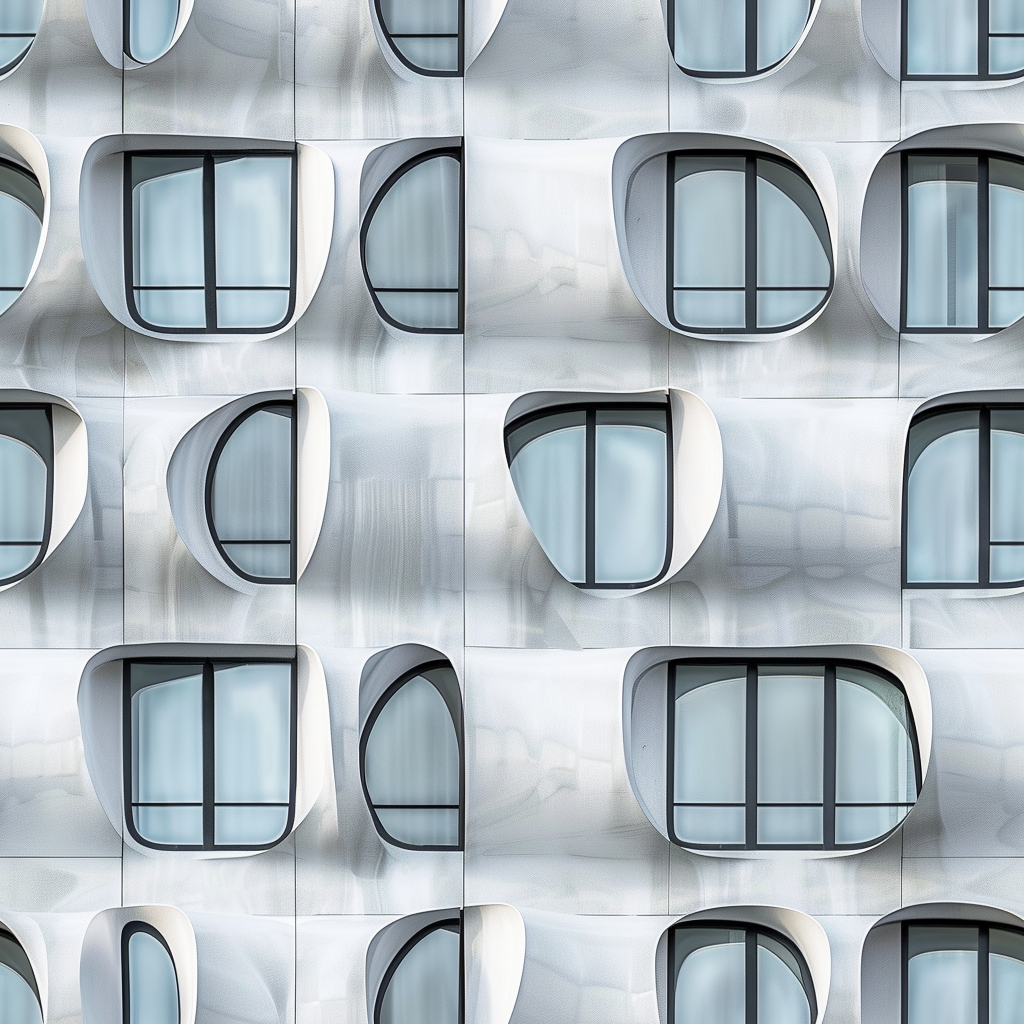
                jo3d3_seamless_pattern_photorealistic_texture_of_a_modern_germa_749a0d27-4cc5-4394-9d11-f3d4c2e96615.png

                then I created a scene in SU and hit render in Sketchup diffusion.
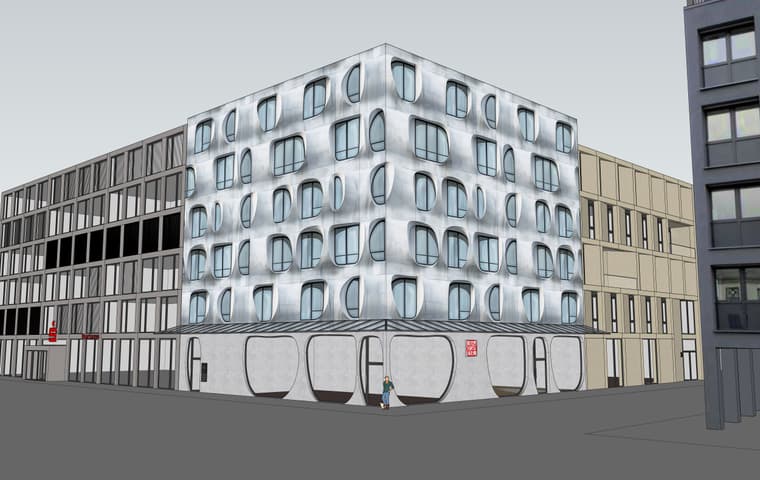
                suview.jpg

                result was a nice AI render of the scene
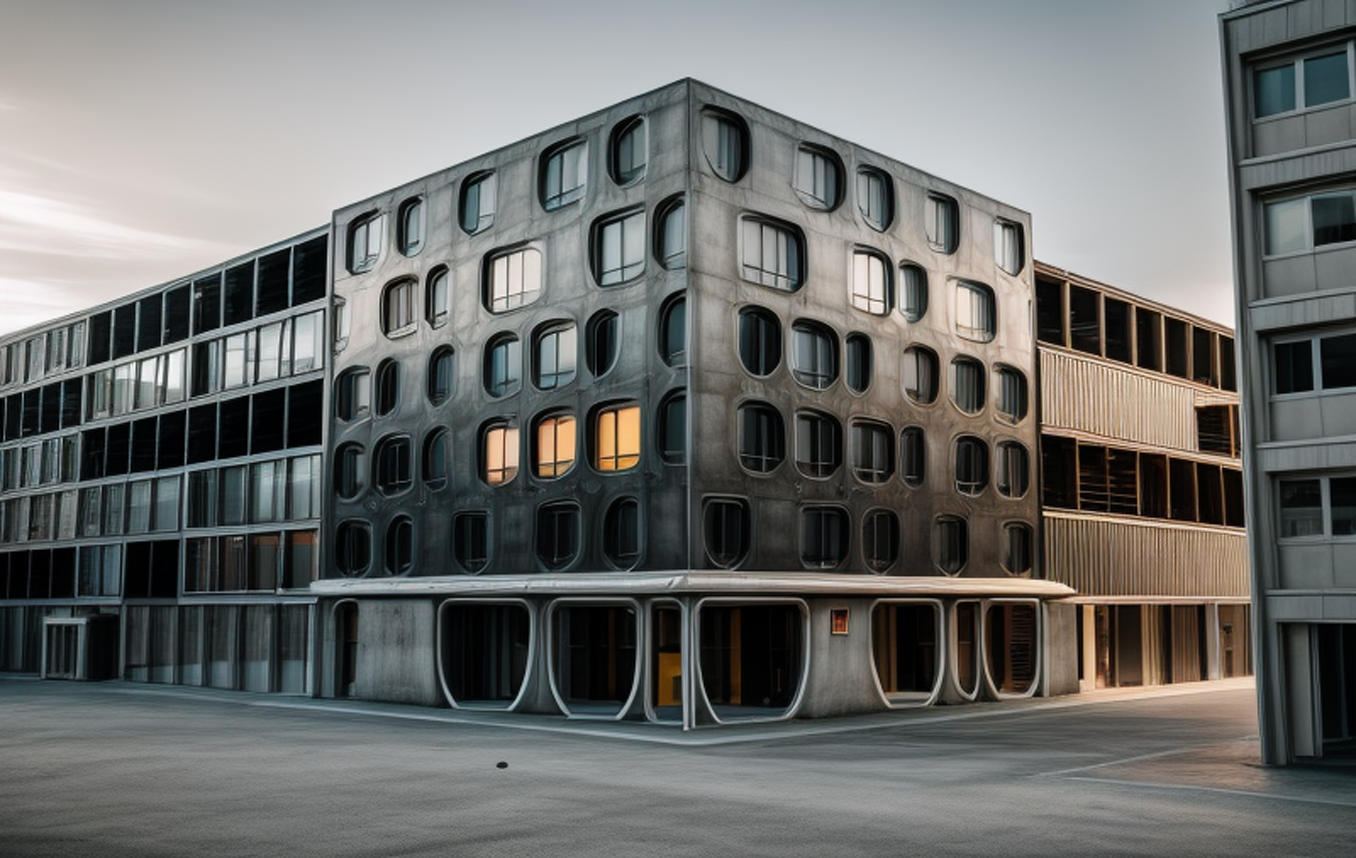
                Untitled 20240520 19h54m44s.png

                then I took the render to kreaAI and a little postpro in Photoshop
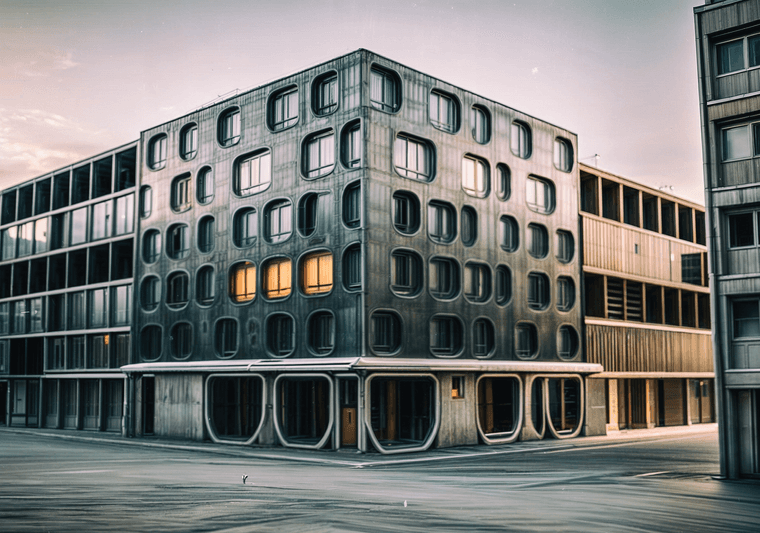
                realtime-enhance-enhanced (1).png

                http://www.zz7.de

                1 條回覆 最後回覆 回覆 引用 0
                • jo-keJ 離線
                  jo-ke
                  最後由 編輯

                  but a solid render with twinmotion is still better!
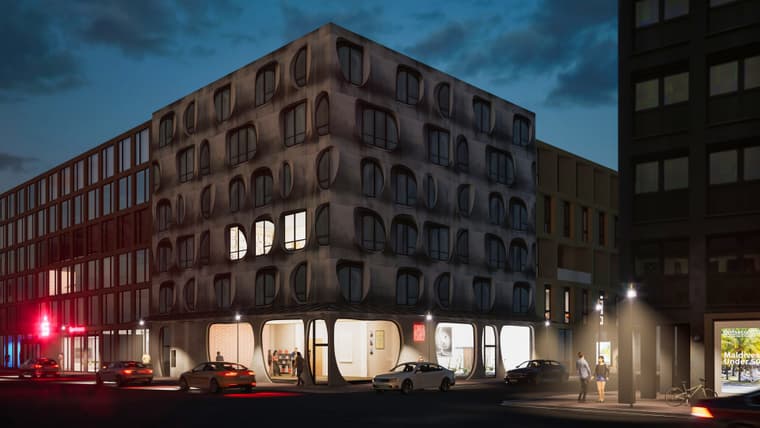
                  street1_001pp.jpg

                  and retouched with KreaAI

                  street1_001pp2.jpg

                  http://www.zz7.de

                  1 條回覆 最後回覆 回覆 引用 1
                  • jo-keJ 離線
                    jo-ke
                    最後由 jo-ke 編輯

                    I am still trying to make the best out of sketchup diffusion.
                    I hope they will develop it further....

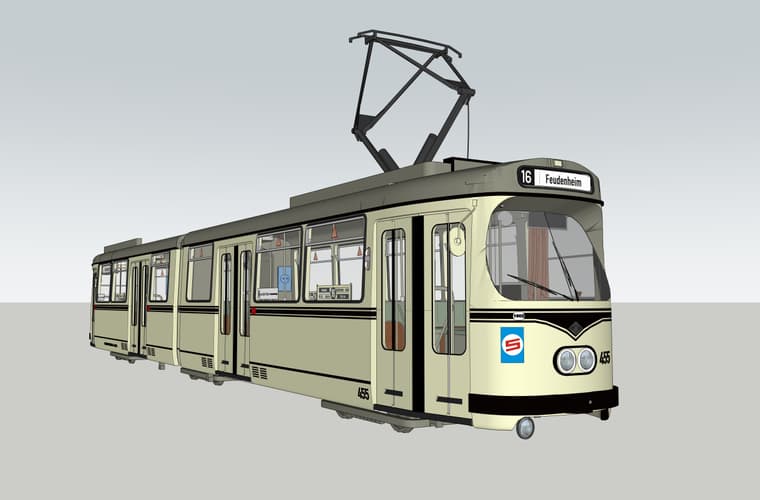
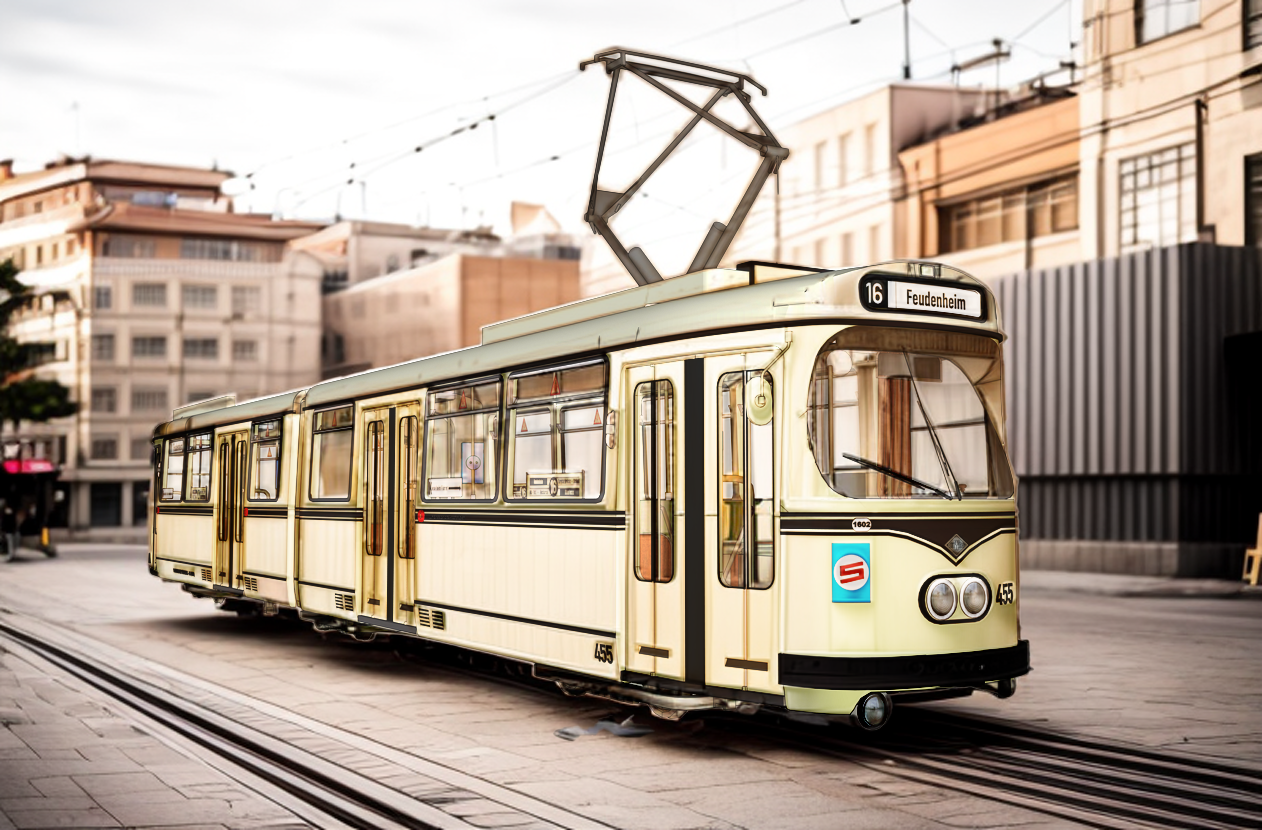
                    When merging su and su diffusion the result comes out quite nice....

                    su view:
                    Unbenannt2.jpg

                    su diffusion:

                    Untitled 20241015 10h21m51s.png

                    merged them both in photoshop "hard light"
                    Untitled 20241015 10h21m51spp.png

                    background enhancment with kreaAI:

                    Untitled 20241015 10h21m51spp2.png

                    http://www.zz7.de

                    1 條回覆 最後回覆 回覆 引用 2
                    • jo-keJ 離線
                      jo-ke
                      最後由 編輯

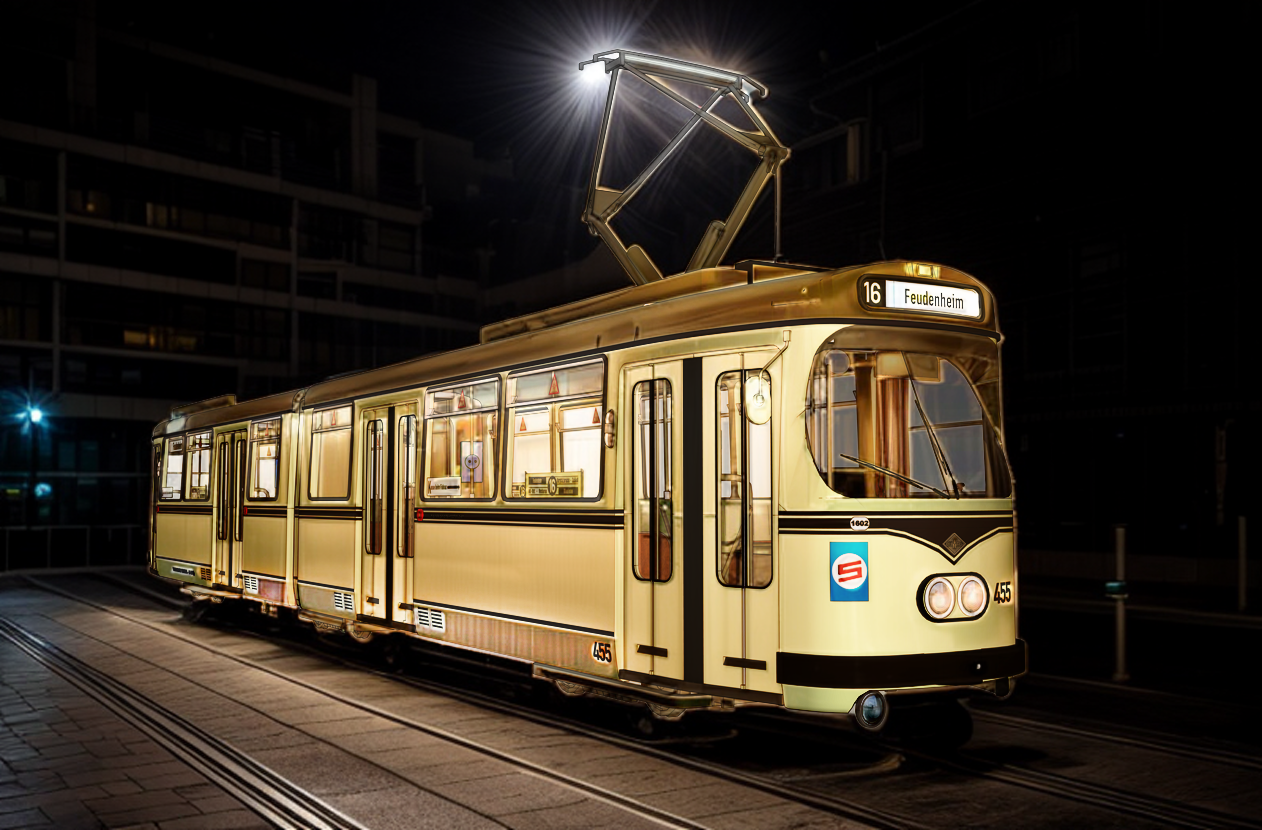
                      just 5 clicks and 2 minutes work to produce a nightshot:
                      Untitled 20241015 20h09m32spp.png

                      http://www.zz7.de

                      Rich O BrienR 1 條回覆 最後回覆 回覆 引用 2
                      • Rich O BrienR 線上
                        Rich O Brien Moderator @jo-ke
                        最後由 編輯

                        @jo-ke I gotta admit I'm not a fan of AI. I know there's no escaping it. I just find it hard to say wow or well done.

                        I don't know what to say. Its a timesaver.

                        Download the free D'oh Book for SketchUp 📖

                        1 條回覆 最後回覆 回覆 引用 1
                        • jo-keJ 離線
                          jo-ke
                          最後由 jo-ke 編輯

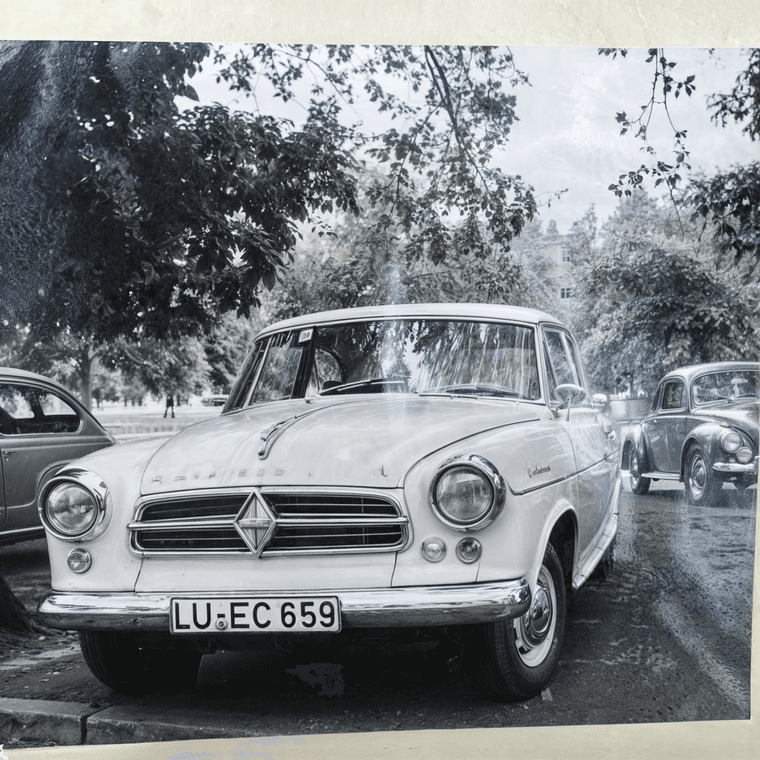
                          new try.

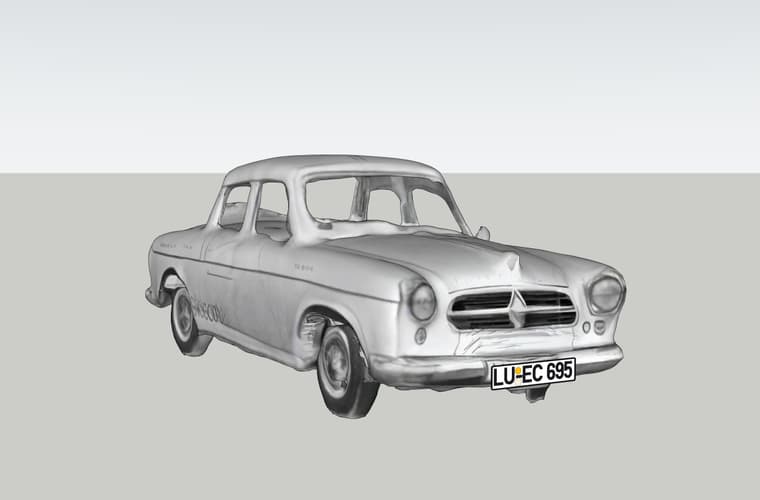
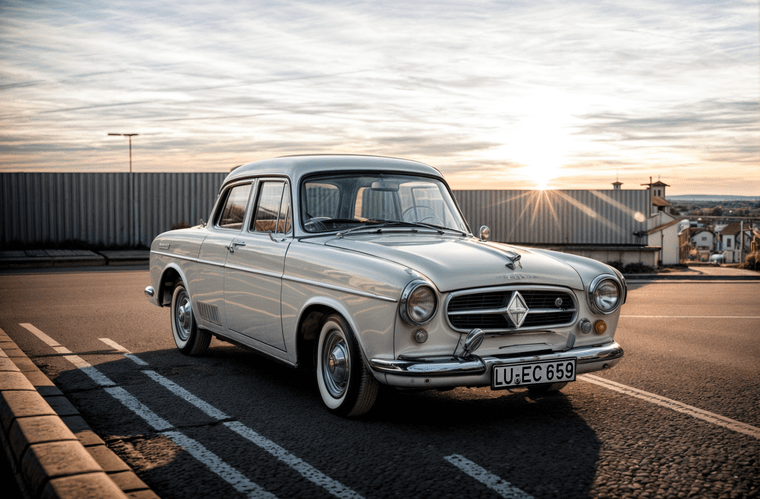
                          I took a picture of my fathers car of the 60ties. and ran it through meshy.ai to get a sketchup- model of it.

                          then I rendered it with sketchup diffusion and modification in krea.ai, merged and little correction in Photoshop.

                          everything took less then 10 minutes.

                          WhatsApp%20Bild%202024-09-29%20um%2018.03.09_4ef9ca47-enhanced.png

                          borgward-isabella.jpg

                          borgward-isabella%2020241215%2018h47m23s-enhanced.png

                          http://www.zz7.de

                          Rich O BrienR 1 條回覆 最後回覆 回覆 引用 3
                          • Rich O BrienR 線上
                            Rich O Brien Moderator @jo-ke
                            最後由 編輯

                            @jo-ke I never know what to say about AI images...

                            Its impressive at what it does.

                            Download the free D'oh Book for SketchUp 📖

                            1 條回覆 最後回覆 回覆 引用 1
                            • jo-keJ 離線
                              jo-ke
                              最後由 編輯

                              I am trying something new.

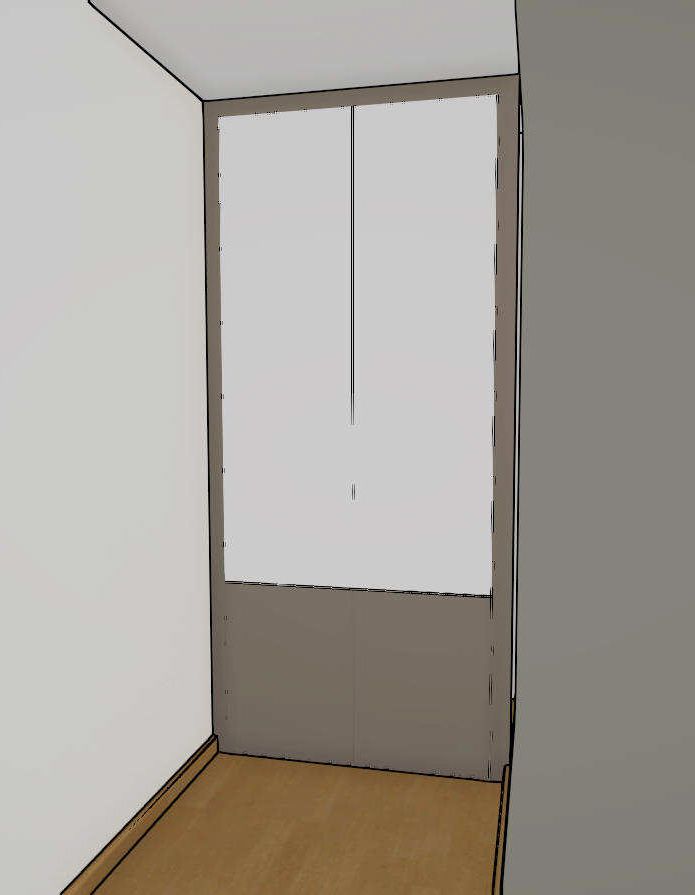
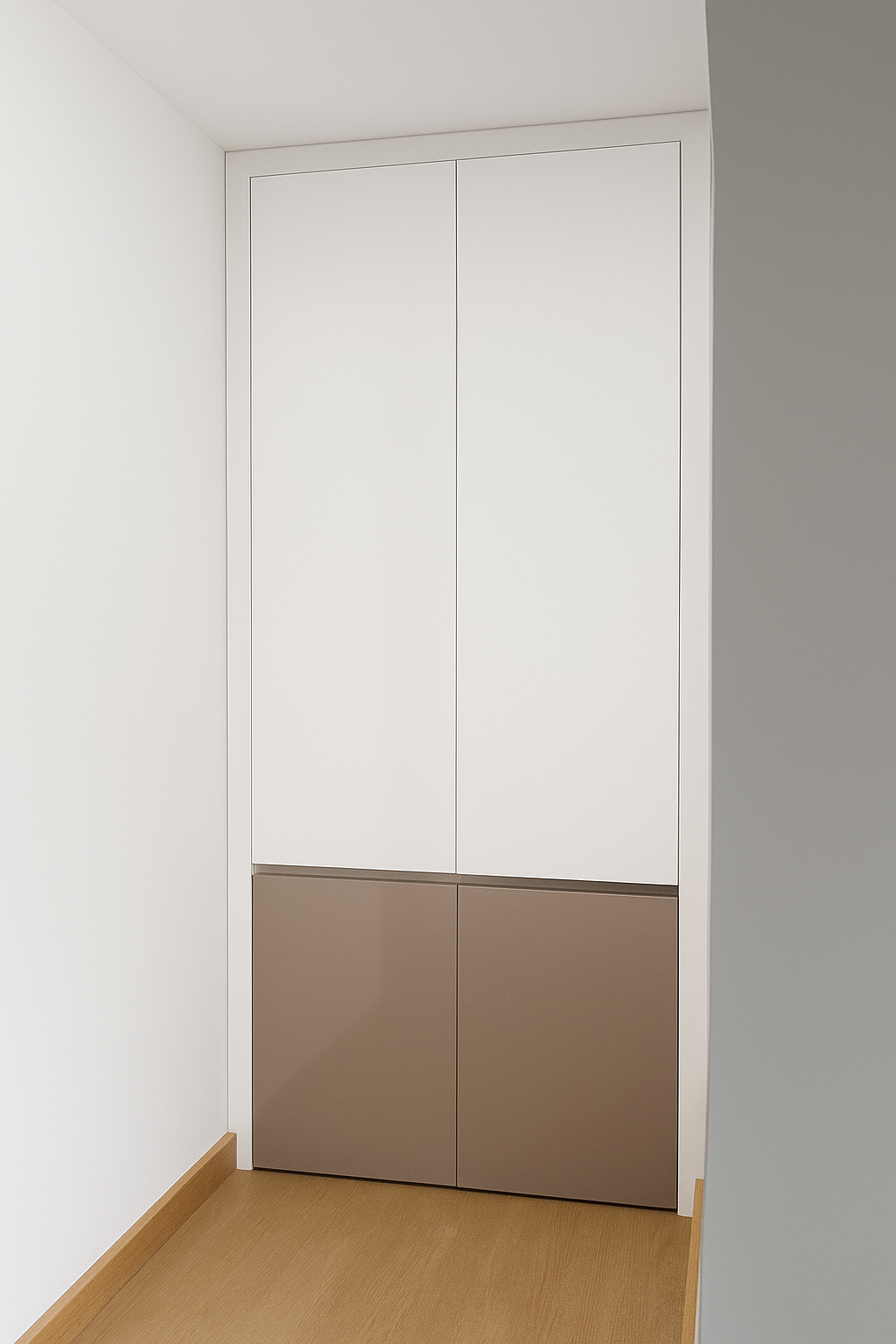
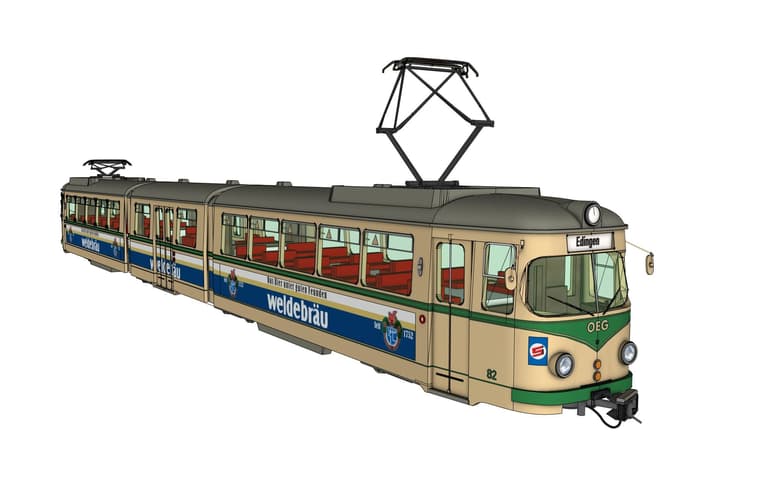
                              I tried to use chatGPT to render and it worked quite well.

                              I took a sketchup Image to chat GPT and used the promt: "render this base image without changing any detail or moving features etc. Ultra realistic with neutral light"

                              source:
                              fe33.jpg

                              result:
                              chat-gpt-993d8c40-5848-4160-9d2d-92ddfac86d7a.png

                              some minor issues but much better than Sketchup diffusion.
                              I hope Sketchup Diffsion will be develloped further

                              another one with a cabinet:

                              source:
                              test1.jpg

                              result:
                              96bb6dc9-0967-4b53-a289-34d963b6a0ab.png

                              http://www.zz7.de

                              J 1 條回覆 最後回覆 回覆 引用 1
                              • jo-keJ 離線
                                jo-ke
                                最後由 jo-ke 編輯

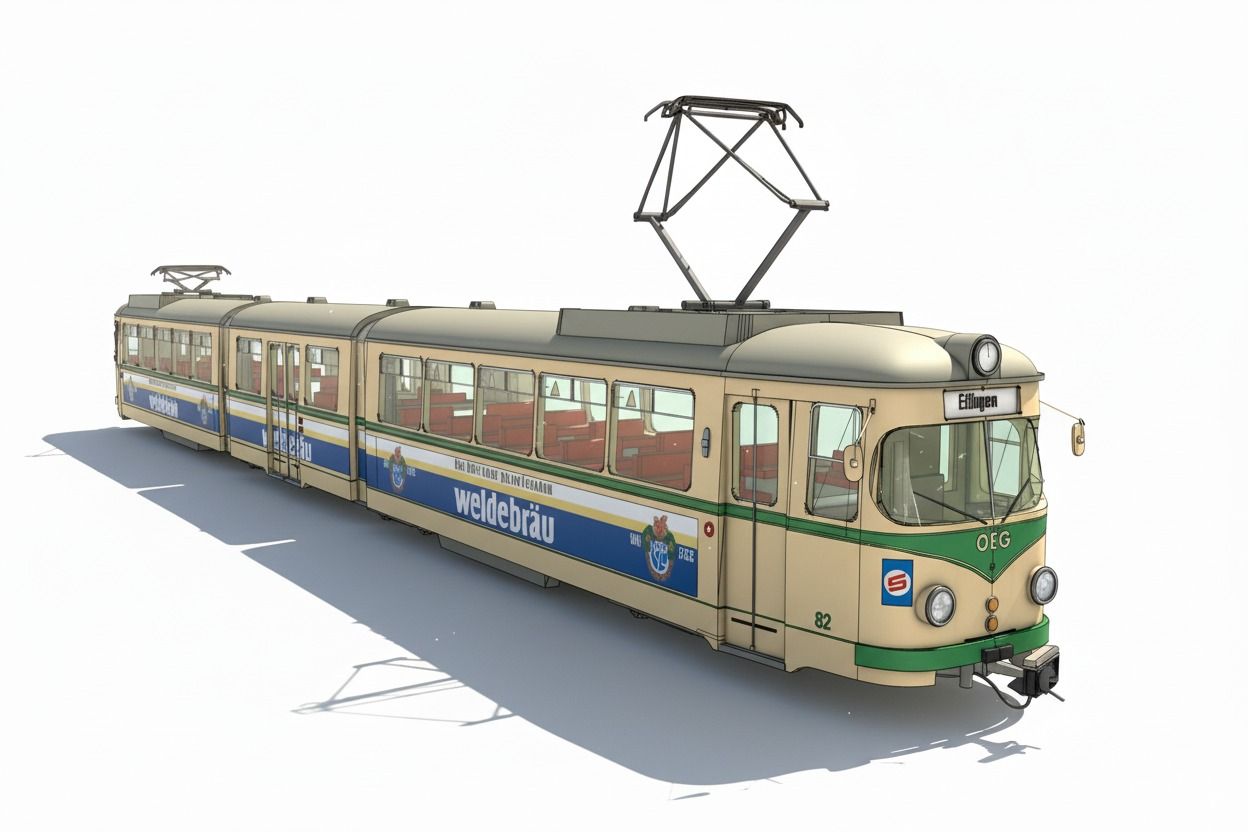
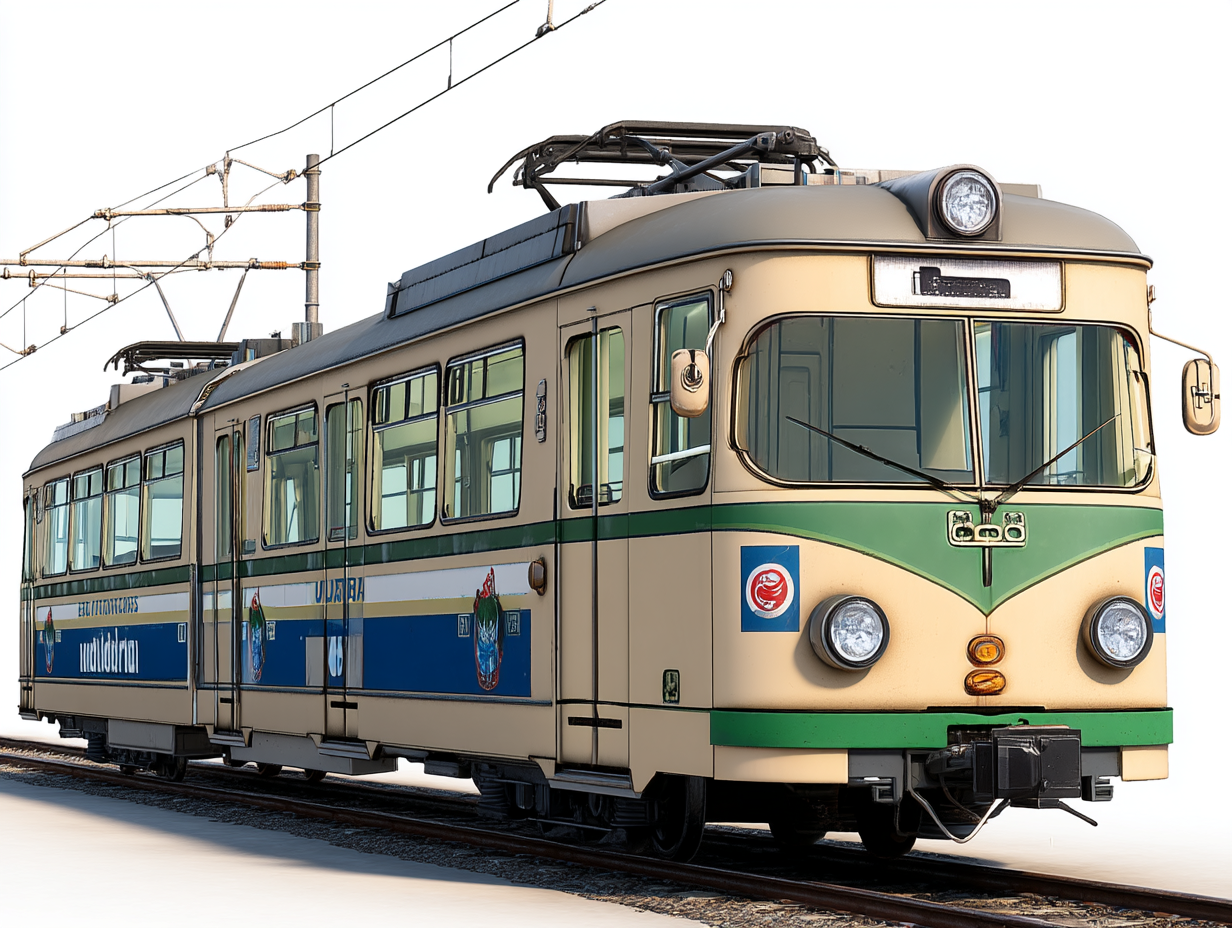
                                another try with midjourney wasn't as good as ChatGPT
                                jo3d3_render_this_base_image_without_changing_any_detail_or_m_a40e8811-4de9-44db-bcf0-76ed8d455d51_0.png

                                to many changes in geometry. Still one of the main issues in AI.
                                this one was the best out of 12 results

                                http://www.zz7.de

                                1 條回覆 最後回覆 回覆 引用 1
                                • jo-keJ 離線
                                  jo-ke
                                  最後由 編輯

                                  Grok wasn't able to change the style.

                                  http://www.zz7.de

                                  1 條回覆 最後回覆 回覆 引用 0
                                  • J 離線
                                    JGA @jo-ke
                                    最後由 編輯

                                    @jo-ke said in Playing arround with Sketchup diffusion:

                                    "render this base image without changing any detail or moving features etc. Ultra realistic with neutral light"

                                    The examples a bit of a revelation to me.
                                    Thanks for sharing the prompt.

                                    Regards,
                                    JGA

                                    1 條回覆 最後回覆 回覆 引用 0
                                    • marked001M 離線
                                      marked001
                                      最後由 編輯

                                      All of these train images are great. I really need to play around with this more. Thanks for sharing.

                                      http://www.revision21vis.com

                                      instagram: revi21on

                                      1 條回覆 最後回覆 回覆 引用 1
                                      • jo-keJ 離線
                                        jo-ke
                                        最後由 編輯

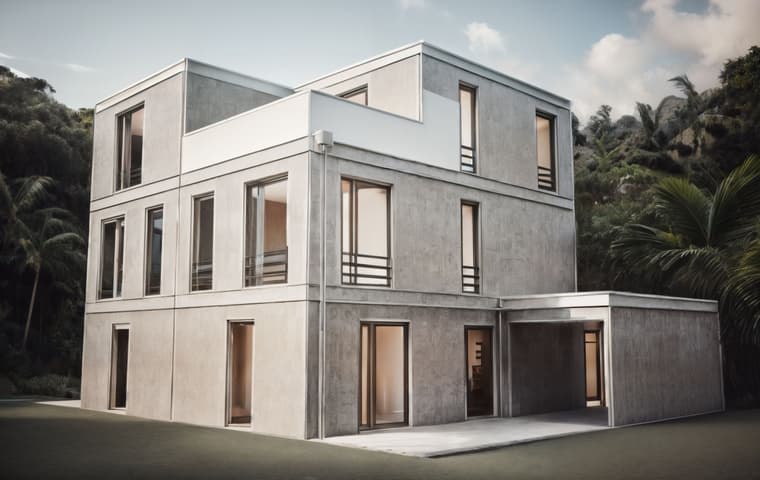
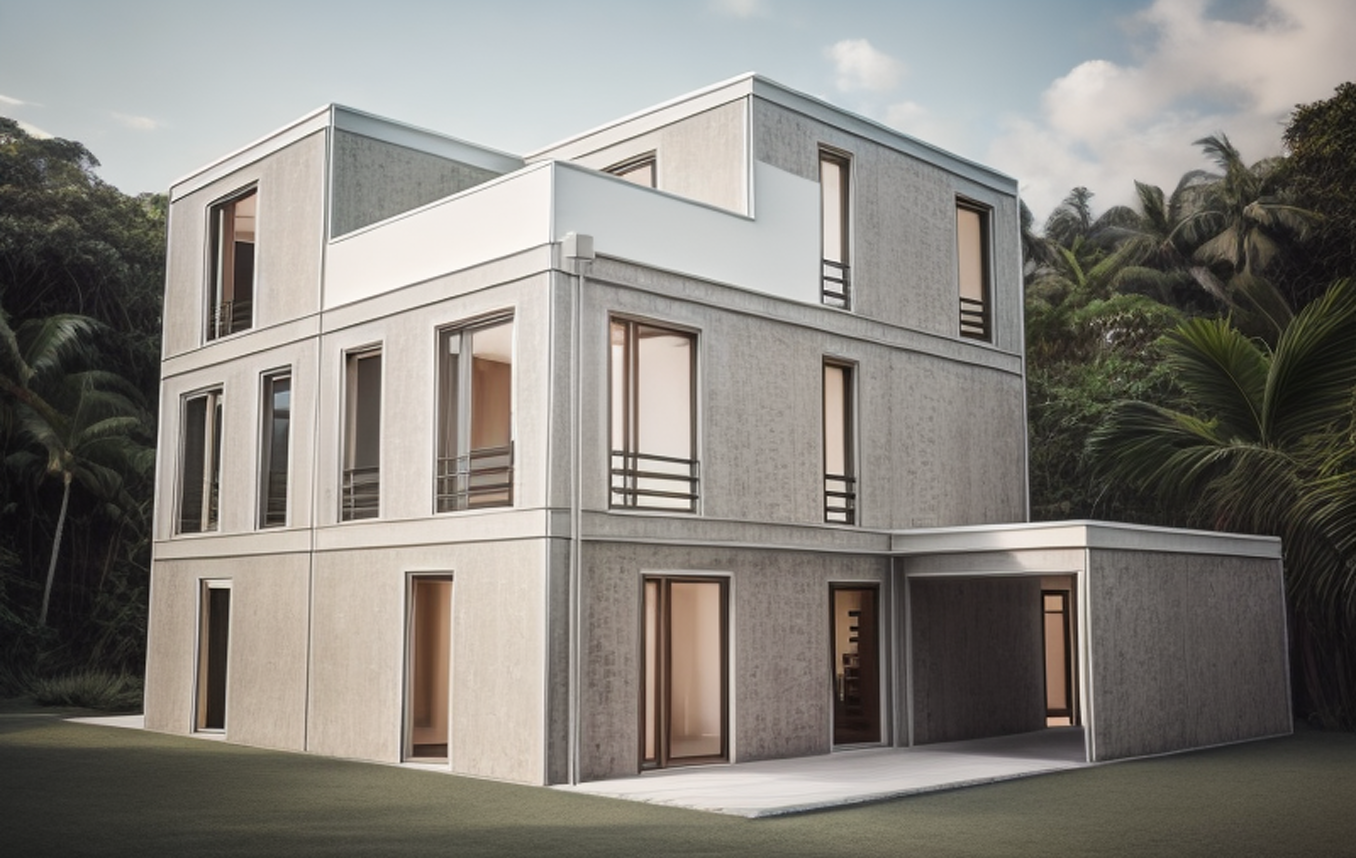
                                        best result with Nano Banana:

                                        ki-google-nano-banana-01d78114-83f4-403d-b187-a5af0cce7ccf.jpg

                                        http://www.zz7.de

                                        1 條回覆 最後回覆 回覆 引用 0
                                        • jo-keJ 離線
                                          jo-ke
                                          最後由 編輯

                                          and this one:

                                          time to create: one Minute:
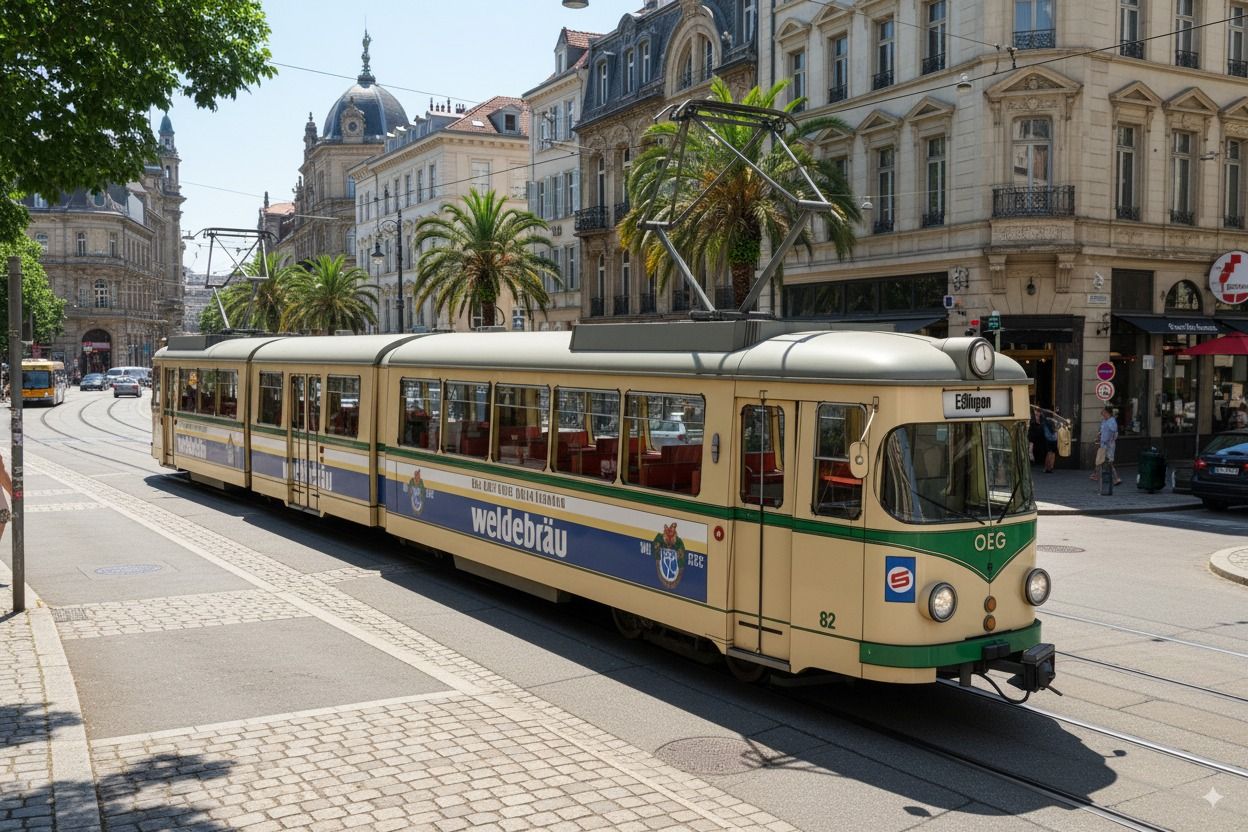
                                          ki-e89f7f2f-5ad6-47b6-9b97-e7b2b384266c.jpg

                                          http://www.zz7.de

                                          1 條回覆 最後回覆 回覆 引用 1
                                          • Rich O BrienR 線上
                                            Rich O Brien Moderator
                                            最後由 編輯

                                            That nailed it. Did you prompt for the Palm Trees? I heard Nano Banana was pretty good. This has none of the issues your normally get with AI image generation. In particular the windows on buildings.


                                            Download the free D'oh Book for SketchUp 📖

                                            1 條回覆 最後回覆 回覆 引用 0
                                            • 1
                                            • 2
                                            • 3
                                            • 4
                                            • 5
                                            • 4 / 5
                                            • 第一個貼文
                                              最後的貼文
                                            Buy SketchPlus
                                            Buy SUbD
                                            Buy WrapR
                                            Buy eBook
                                            Buy Modelur
                                            Buy Vertex Tools
                                            Buy SketchCuisine
                                            Buy FormFonts

                                            Advertisement