[Plugin] Clipping Fix - v1.0.1 - 10 July 2021
-
This free SketchUp plugin allows you to fix "Camera Clipping Plane" issue in one click. Note this plugin isn't compatible with macOS.
Demo

Download
Get Clipping Fix plugin from the SketchUcation PluginStore.
-
1.0.1 version fixes "first window stays open" issue.
Download latest Clipping Fix plugin from the SketchUcation PluginStore.
-
Hi, Samuel
Thank you so much for doing this.
Works fine.
Simple is best.
judedouch

-
Its designed to fix clipping in perspective views only, right?
-
Yes, you're right.
judedouch
-
Bonjour,
est-ce qu'il existe un plugin identique pour mac ?
Merci pour votre aide -
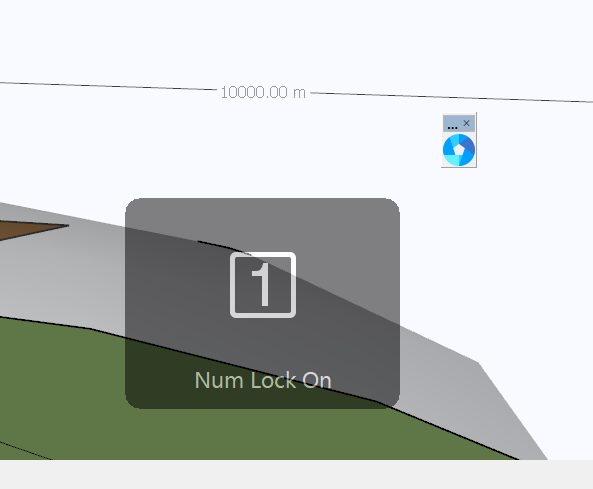
Wow, I'm one of the first commenters. As you can see in this screenshot, I get an error message '1 Num Lock On' each time I try this plugin and clipping doesn't go away. I am in Camera Perspective mode. I don't know why anyone would create a plugin specifically for keyboards with number pads. Is it incompatible with Sketchup Pro 2023?
-
Hello, it appears to me that this plugin 'toggles' between two states ('far' and 'near'). However, there is nowhere a visual clue about the actual state of the viewport.
Therefore, I have a suggestion/request:
Wouldn't it be possible to differentiate between the 'near' and 'far' status? This would be very helpful, I believe.The differentiation should be made visible, both in the menu system and via the icon in the toolbar.
I assume that the 'far' status will be the 'default' one. If a user wants to switch to 'near', this can be done, either via clicking the toolbar icon, as well as by checking the 'Clipping Fix' entry in the Camera menu. The menu entry should then be preceded with a checkbox, while the toolbar icon could e.g. change or show a 'pressed icon'.
Obviously, both visual clues (i.e. checkbox in menu and icon in toolbar) should remain 'in sync' at all times.Thanks to consider this request/suggestion.
Kind regards.


Hello! It looks like you're interested in this conversation, but you don't have an account yet.
Getting fed up of having to scroll through the same posts each visit? When you register for an account, you'll always come back to exactly where you were before, and choose to be notified of new replies (either via email, or push notification). You'll also be able to save bookmarks and upvote posts to show your appreciation to other community members.
With your input, this post could be even better 💗
Register Login


Advertisement