Getting rid of lines in dimensions
-
Hello everybody,
I´ve beem usinf Sketchup and Layout for some time, and one thing I can´t get rid of are these extensions lines on dimensions.
Does anybody know how to shorten these?
Layout dimensions
Discover the magic of the internet at Imgur, a community powered entertainment destination. Lift your spirits with funny jokes, trending memes, entertaining gifs, inspiring stories, viral videos, and so much more from users.

Imgur (imgur.com)
I hope the image is visible, it is my firts time posting images.
Thanks everybody -
Open the dimension for editing and select the extension line. Then in Shape Style, change the End Arrow size. Repeat for the other extension line.
Click on the picture.
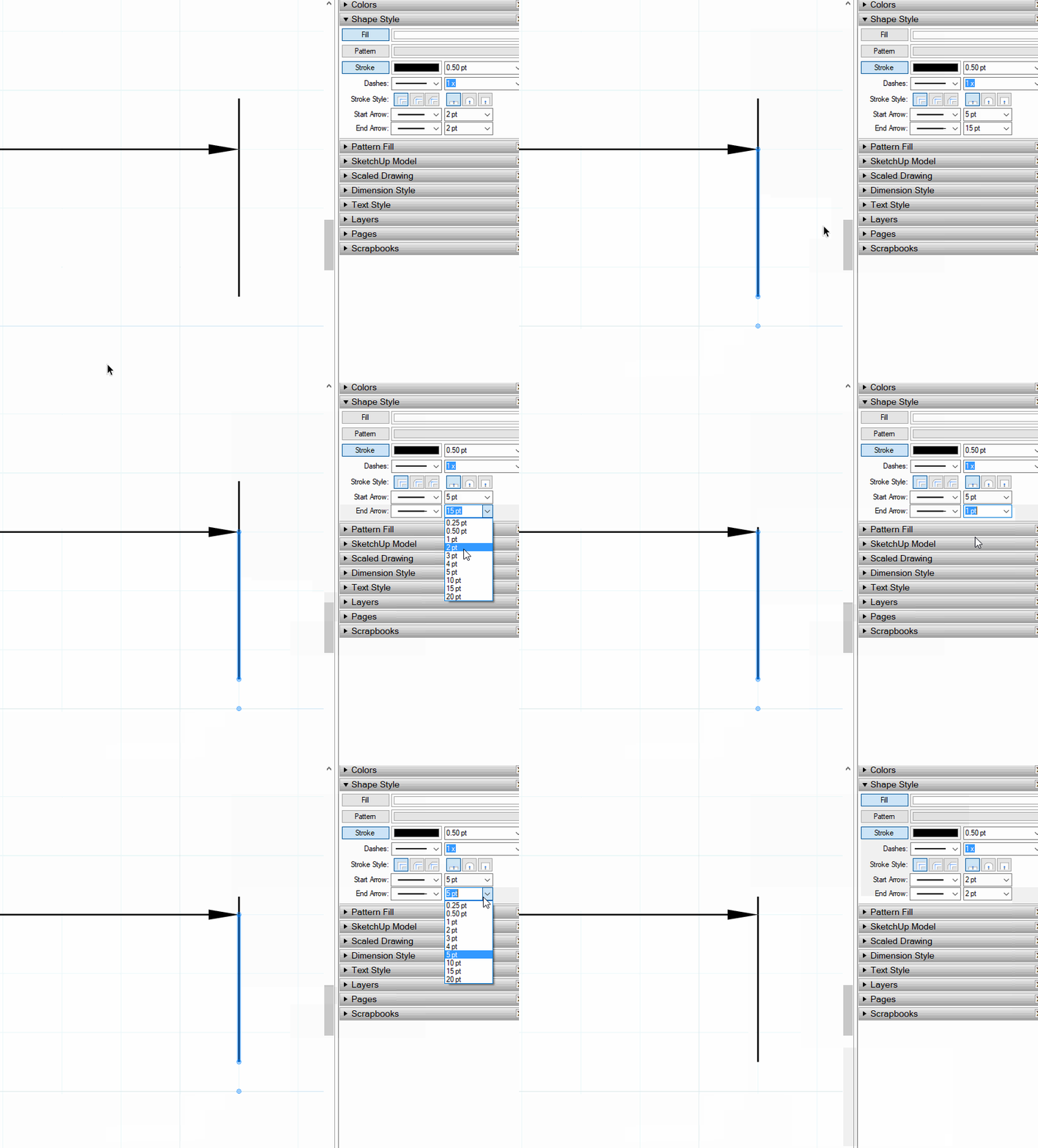
If you have more than one dimension that needs fixing, fix one of them and then get the Eye dropper tool from the toolbar, sample that dimension and then click on the others that need to be fixed. To prevent new dimensions from having the too-long extensions, get the Dimension tool, press S and sample the updated dimension. This will then make the settings for subsequent dimension in the document.
What version of SketchUp and LayOut are you actually using? Your profile says you are using 2014 Make but you wouldn't have access to LayOut in that version. Please update your profile.

Hello! It looks like you're interested in this conversation, but you don't have an account yet.
Getting fed up of having to scroll through the same posts each visit? When you register for an account, you'll always come back to exactly where you were before, and choose to be notified of new replies (either via email, or push notification). You'll also be able to save bookmarks and upvote posts to show your appreciation to other community members.
With your input, this post could be even better 💗
Register Login


Advertisement