sketchucation logo sketchucation
    • Login
    Oops, your profile's looking a bit empty! To help us tailor your experience, please fill in key details like your SketchUp version, skill level, operating system, and more. Update and save your info on your profile page today!
    Mac User? | Join the Rayscaper Beta for Mac Learn More

    [Plugin] LordOfTheToolbars - v4.2a - 21 Oct 26


    Scheduled Pinned Locked Moved Plugins
    548 Posts 101 Posters 601.4k Views 99 Watching
    Loading More Posts
    • Oldest to Newest
    • Newest to Oldest
    • Most Votes
    Reply
    • Reply as topic
    Log in to reply
    This topic has been deleted. Only users with topic management privileges can see it.
    • LinearGraphsL
      LinearGraphs
      last edited by

      image.jpeg

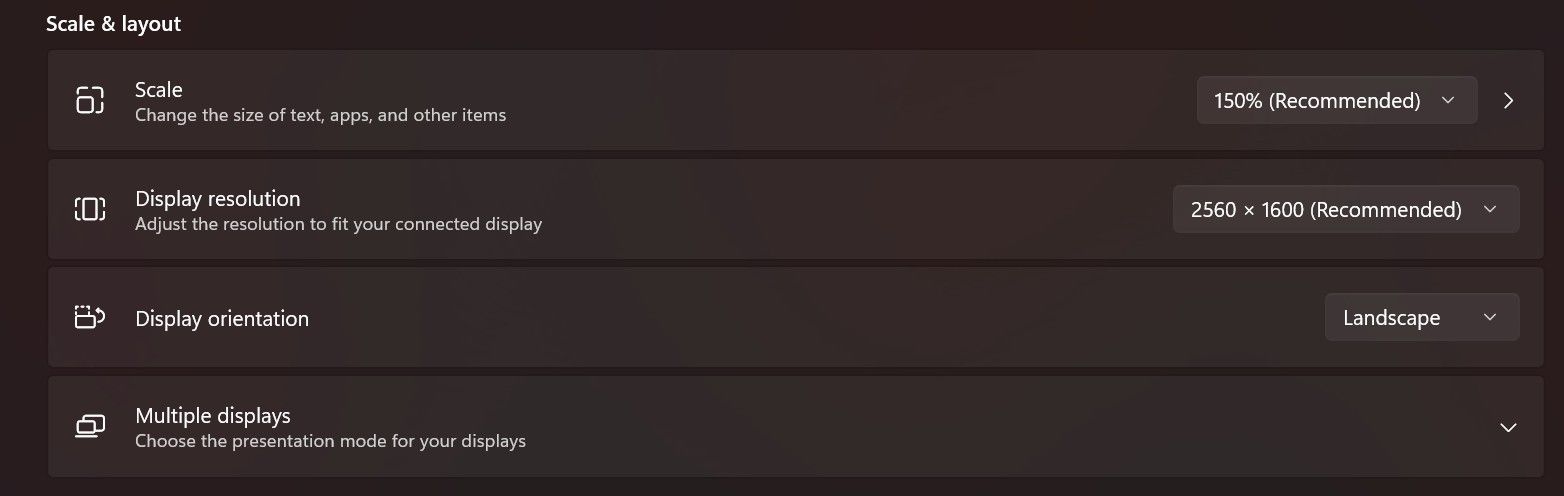
      Toggling visibility has no effect. Ive actually reset and all and all my pallets and setting and started from scratch as well. This is a fresh install of the latest version.

      1 Reply Last reply
      Reply Quote 0
      • fredo6F
        fredo6
        last edited by

        Did you use 150% before, with the previous version of LibFredo6 and SU2017?

        It may be a bug I introduced in LibFredo or LOTT, because SU2017 is the only version that does compute size in physical pixels and not in logical pixels.

        However, on my laptop, SU2017 behaves well, but my scale is 125%

        image.jpeg

        1 Reply Last reply
        Reply Quote 0
        • LinearGraphsL
          LinearGraphs
          last edited by

          I used to only use external monitors, but now im using the laptop screen. Tried all scale settings, no dice.
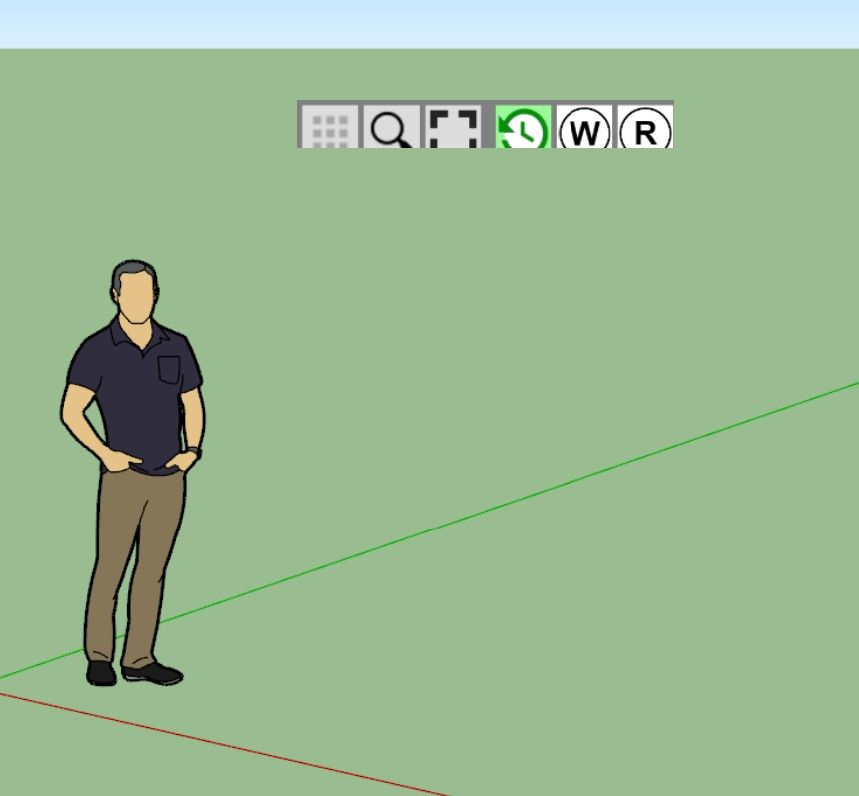
          image.jpeg

          1 Reply Last reply
          Reply Quote 0
          • fredo6F
            fredo6
            last edited by TIG

            This is an issue with SU2017, which as far as I remember does not support well external monitors with different resolutions as the main computer screen.

            Could you go to Window > LibFredo6 Settings... > Default Parameters

            At the top of the dialog box, check the first line and set the factor to 1.5

            image.jpeg

            No guarantee it works, but worth trying.

            LinearGraphsL 2 Replies Last reply ๐Ÿ˜ฟ
            Reply Quote 0
            • jujuJ
              juju @juju
              last edited by juju

              juju said:

              @fredo6 Thank you for the effort you put into your extensions and maintaining them, it is appreciated.

              The Muzwalls loading error seems to be resolved, that error message no longer pops up. Unfortunately the custom toolbars with the MuzWalls items doesn't work, buttons greyed out while the actual MuzWalls toolbars are fine and functional.

              The toolbar editing problem, where items are not added once the toolbar was checked to appear on screen, still persists. It doesn't update any custom toolbar additions or omissions once the toolbar was selected to appear on screen. The only work-around is to delete the toolbar and recreate it from fresh.

              @fredo6 Any ideas on this yet?

              Save the Earth, it's the only planet with chocolate.

              1 Reply Last reply
              Reply Quote 0
              • fredo6F
                fredo6
                last edited by

                Did you solve the problem of size of the Vignette Stripe?

                For Muzwalls, I think this is due to the late loading of the plugin. So, LOTT cannot catch them at startup.

                For custom toolbars, I can check, but I think you have to restart Sketchup to see the changes.

                jujuJ 1 Reply Last reply
                Reply Quote 0
                • LinearGraphsL
                  LinearGraphs @fredo6
                  last edited by

                  @fredo6

                  Unfortunately, no. No dice. Still clipped.

                  1 Reply Last reply
                  Reply Quote 0
                  • LinearGraphsL
                    LinearGraphs @fredo6
                    last edited by

                    @fredo6
                    Is there no way to reset it? Mind you, this is happening on the laptop display with no external monitors connected.

                    1 Reply Last reply
                    Reply Quote 0
                    • jujuJ
                      juju @fredo6
                      last edited by

                      @fredo6 said:

                      For Muzwalls, I think this is due to the late loading of the plugin. So, LOTT cannot catch them at startup.

                      Is there no load delay option that can be done? Or perhaps advise for MuzWalls authors how to get it to load faster and checking of licensing? There are other extensions that also have to load and check licensing that do seem to load fine.

                      @fredo6 said:

                      For custom toolbars, I can check, but I think you have to restart Sketchup to see the changes.

                      I've tried restarting inbetween, it doesn't make a difference, changes do not reflect once the custom toolbar was actualised (ticked) to show on screen, even if you switch it off and switch it back on later.

                      Save the Earth, it's the only planet with chocolate.

                      1 Reply Last reply
                      Reply Quote 0
                      • fredo6F
                        fredo6
                        last edited by

                        Custom toolbars cannot be updated once on screen. This is because toolbars in Sketchup are not editable. I think LOTT can just add new icons.
                        Normally, at next restart, the custom toolbars should show as designed.

                        For Muzwalls, I have to check what is the real issue.

                        1 Reply Last reply
                        Reply Quote 0

                        Hello! It looks like you're interested in this conversation, but you don't have an account yet.

                        Getting fed up of having to scroll through the same posts each visit? When you register for an account, you'll always come back to exactly where you were before, and choose to be notified of new replies (either via email, or push notification). You'll also be able to save bookmarks and upvote posts to show your appreciation to other community members.

                        With your input, this post could be even better ๐Ÿ’—

                        Register Login
                        • 1
                        • 2
                        • 22
                        • 23
                        • 24
                        • 25
                        • 26
                        • 27
                        • 28
                        • 24 / 28
                        • First post
                          Last post
                        Buy SketchPlus
                        Buy SUbD
                        Buy WrapR
                        Buy eBook
                        Buy Modelur
                        Buy Vertex Tools
                        Buy SketchCuisine
                        Buy FormFonts

                        Advertisement