SOLID INSPECTOR- SURFACE BORDERS ERROR
-
Hi guys,
I need help to fix an issue.
I've created a component with Curviloft but I won't allow me to Slice it- it pops up the message The Selected Object is NOT a 'Manifold' Solid !
I then tried the Solid Inspector on the object and it tells me that the error are the Surface Borders.
I have zoomed in and I can't figure out where the holes are or where the error is.Can anyone please help me fix this?
Thanks,
Carolina
-
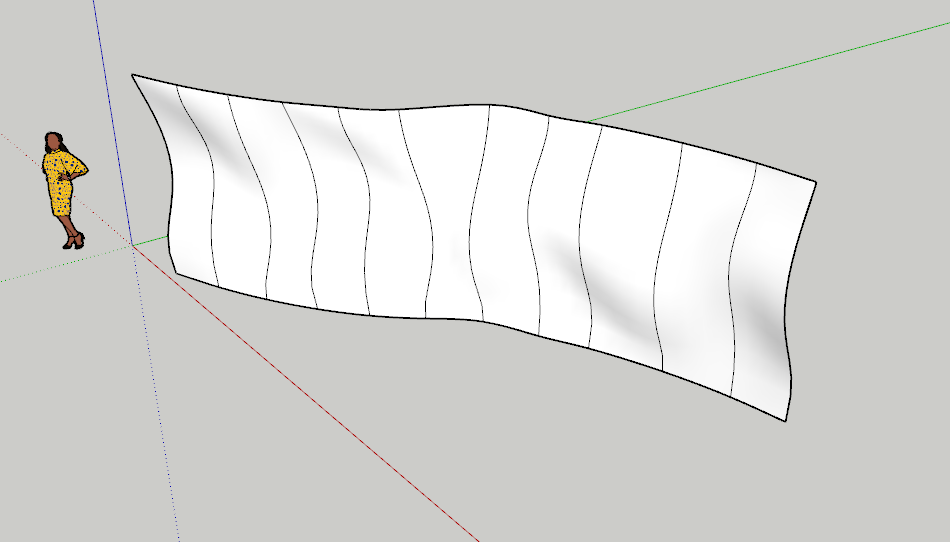
Your shape has no thickness. It's just a surface. Faces in SketchUp have no thickness. In order to be considered a solid it needs to have a volume. The Surface Border message is referring to the perimeter of the surface.
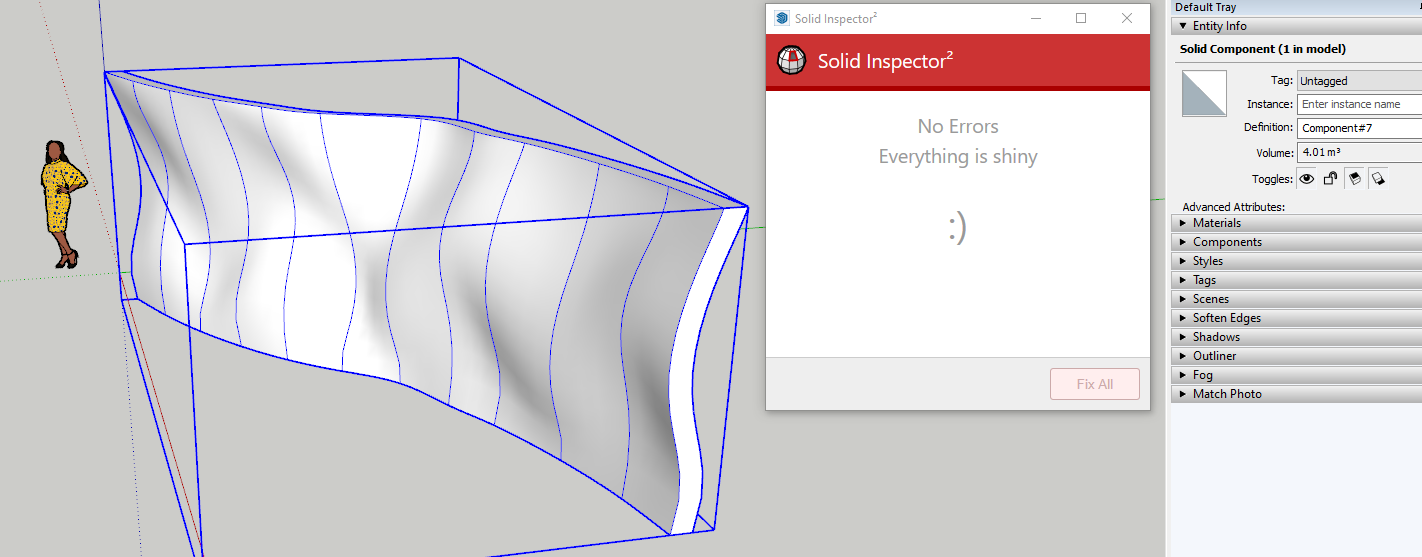
If you want to use Slicer or the Solid Tools, it first needs to have thickness. I used Vector Push/Pull here.

Hello! It looks like you're interested in this conversation, but you don't have an account yet.
Getting fed up of having to scroll through the same posts each visit? When you register for an account, you'll always come back to exactly where you were before, and choose to be notified of new replies (either via email, or push notification). You'll also be able to save bookmarks and upvote posts to show your appreciation to other community members.
With your input, this post could be even better 💗
Register Login


Advertisement