[Plugin] Universal Importer - v1.2.7 - 14 Nov. 2026
-
hello! and thank you for the great plug in! I am trying to import an obj file of this bed in sketchup.
link textI select the option to claim missing textures and select the obj file. In which order do I select the textures?
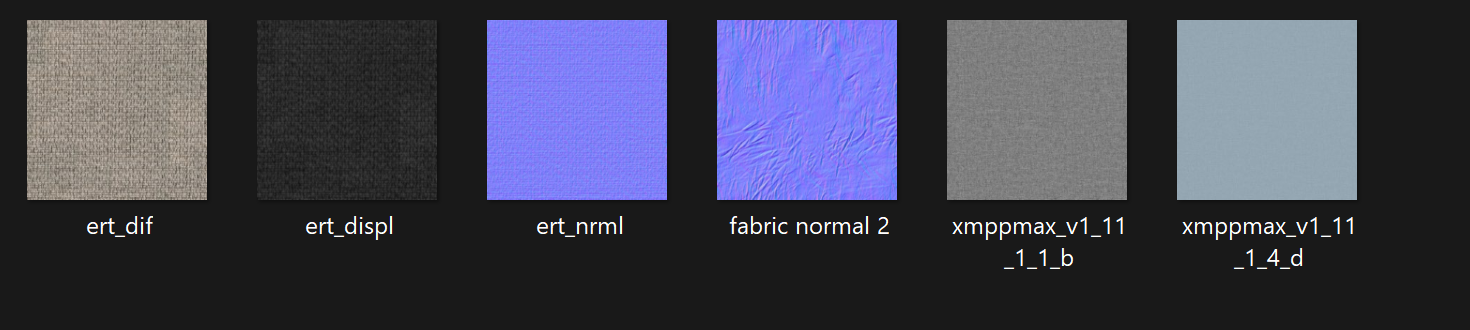
The model has a diffuse map, two normal maps and a displacement map. If I select the diffuse map and the two normal maps, I get an error..
Any ideas?
-
@artemisglt You just select the diffuse map and call it a day.
(you can add the other maps after the import if you really need them) -
@panixia if i press claim missing textures, then import the obj object, I select the diffuse map and then it asks me to select again another missing texture. if i click the normal map, it asks me for a third texture and if select all three I receive an error. if i select the diffuse map every time again I receive an error.. any ideas?
-
@artemisglt does it happen with a specific model or with all models?
-
@panixia it happens with all the models, that is why I asked to see what I am doing wrong. I send the link to the initial model, I referred to, if you can have a look.
-
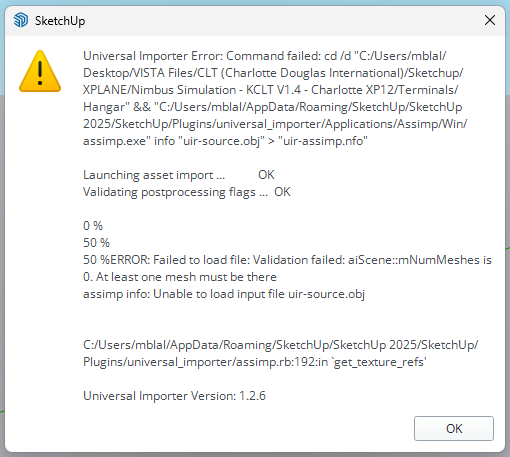
Hello, thank you for the community plugin, but I'm getting this error message when I try to import. It looks like you had someone else with a similar error about a year ago. Any solution?
-
@mblally Hello. You're welcome! This issue will be fixed in the next plugin version.
-
when will that update be? any estimates?
-
@sashapepperspray Most probably today or tomorrow.
-
Hello everyone! I'm happy to announce the availability of Universal Importer v1.2.7

What's new?
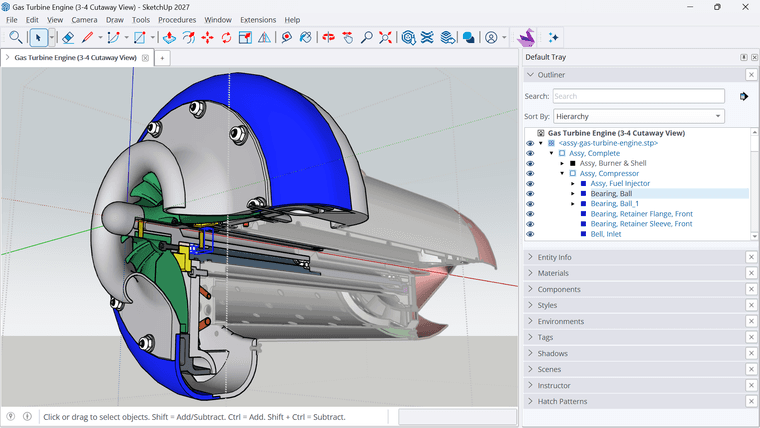
- CAD hierarchy can be preserved. This option is enabled by default; you can turn it off in the plugin menu.
Below is a STEP file imported with this option enabled.
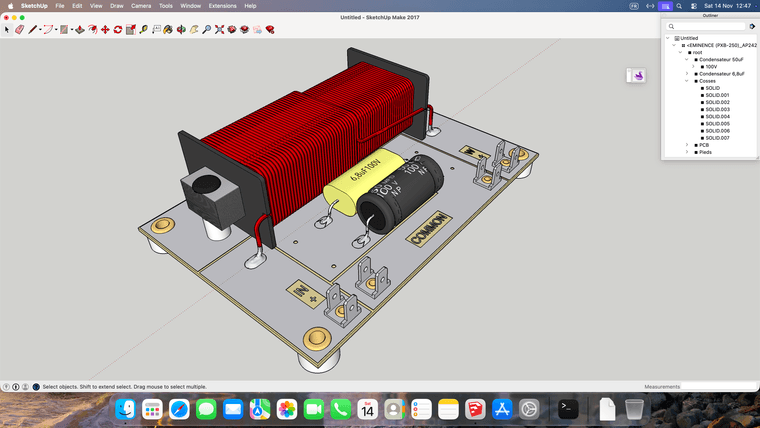
- The CAD files import on Mac. Here's another STEP file imported on macOS Golden Gate (27).
-
IGES colors are imported, thanks to OpenCascade and Mayo.
-
Thanks to Assimp contributors, you shouldn't see anymore these errors:
Failed to load [3MF] file: At least one mesh must be there Failed to load file: GLTF: Draco mesh compression not supported -
3MF models with textures are supported. Note however texture mapping issues may occur.
-
A "Soften Coplanar Faces" option is available. Enabled by default; it can be turned off in the plugin menu.
-
You can import a model from the root of a drive where your documents are stored, thanks to the contribution of Eegee.
Download latest Universal Importer plugin from SketchUcation PluginStore.
- CAD hierarchy can be preserved. This option is enabled by default; you can turn it off in the plugin menu.
-
Hello Samuel
It's only an Importer for SketchUp or it can be used as a Standalone for any Progs as a converter ?
(Il vaut mieux s'adresser au bon dieu, qu'à ses saints!
Frenchy Pilou
Is beautiful that please without concept!
My Little site :) -
@pilou Hello
This SketchUp plugin is of course tailored for SketchUp.
However you can use its underlying converters outside.



Hello! It looks like you're interested in this conversation, but you don't have an account yet.
Getting fed up of having to scroll through the same posts each visit? When you register for an account, you'll always come back to exactly where you were before, and choose to be notified of new replies (either via email, or push notification). You'll also be able to save bookmarks and upvote posts to show your appreciation to other community members.
With your input, this post could be even better 💗
Register Login


Advertisement