[Plugin] Universal Importer - v1.2.6 - 30 July 2024
-
Hi sir im using sketchup 2017 when i install this plugins by extension manager so im getting unsigned plugin please contact plugins developer. Not working please gix it or tell me how to fix it
-
@danish9762 said:
Hi sir im using sketchup 2017 when i install this plugins by extension manager so im getting unsigned plugin please contact plugins developer. Not working please gix it or tell me how to fix it
@Danish9762: You need to relax the extension loading policy you have set withing SketchUp.
-
@Danish9762 "Unsigned" problem isn't a bug, it just means plugin doesn't come from SketchUp Extension Warehouse.
As suggested by @juju, relax SketchUp extension loading policy settings. To access these settings, select Window > Preferences > Extensions Policy (Microsoft Windows) or SketchUp > Preferences > Extensions > Policy tab (OS X). SketchUp has three available extension policy modes: “Identified Extensions Only”, “Approve Unidentified Extensions”, and “Unrestricted”. Select “Unrestricted” then restart SketchUp.
-
based on the MeshLab engine should maybe be mentioned.
-
Will do
Hi Here is a link to the model as requested.
Many Thanks Rae
Thank You for your help, I have spent most of today importing different models , some worked some didn't , so I am gong to give it a break for a couple of weeks then pick it up again .
Once again many thanks for your helpKeep up the good work
Rae
-
@sketch3d.de said:
based on the MeshLab engine should maybe be mentioned.
It was already mentioned on GitHub page. And now, it's also mentioned on SketchUcation page.
-
-
Thanks for the macos version!!

SU2017 & macOS 10.13.6
I found some problems with the importing:
1. If you import a file that contains a space in filename (e.g. Pinas Prueba.obj), it appears a popup message window in Sketchup: "Import Error". I looked in the Console (I opened SketchUp via Terminal) and this is the error message:
assimp export; wrote output file; /Users/Oxer/.UniversalImporter/tmp/Pinas Prueba.obj.dae
Warning; uri contains white space, dom will convert them to %20 in output files!
  uri=#Pinas Prueba.obj.obj
Error; daeStandardURIResolver;;resolveElement() - failed to resolve file;//localhost/Users/Oxer/.UniversalImporter/tmp/Pinas Prueba.obj.dae#Pinas Prueba.obj.obj
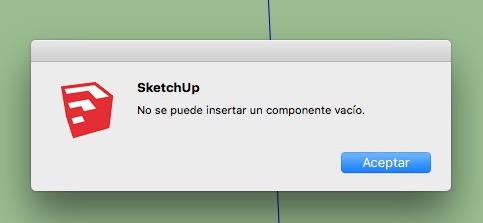
2. With a file without spaces in filename Universal Importer work fine but nothing is imported, it appears a popup window in Sketchup with this text --> 'An empty component cannot be inserted'
I probed with different file format: obj, dae, fbx, blend and the same in all.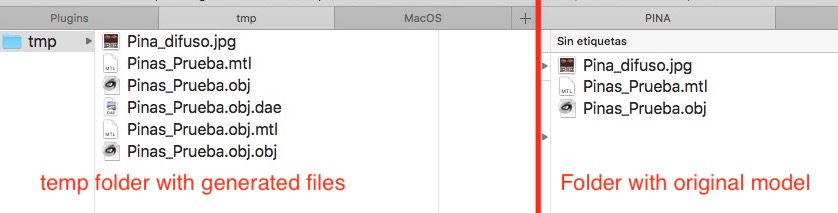
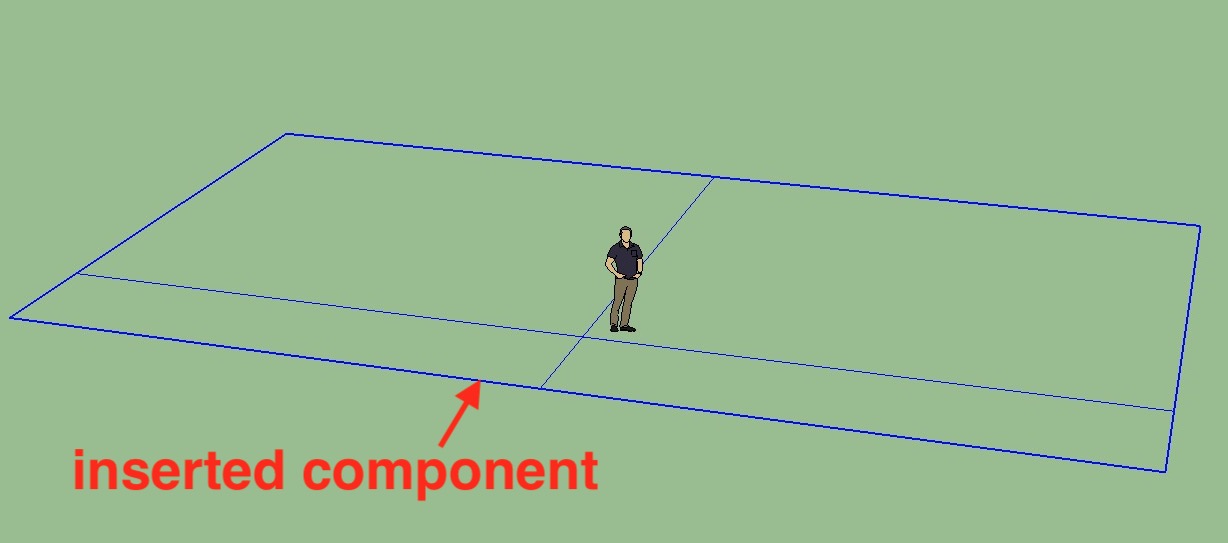
Perhaps it is a SketchUp error or perhaps is a problem with the scale, I don't know it, but I tried changing the 405 line in converter.rb:
dae_export.sub!('meter="1"', 'meter="0.01"')todae_export.sub!('meter="1"', 'meter="1"')And the Universal Importer inserted a flat component with two lines, see the image:
3. When you select a file (e.g. in the Finder) to import, the plugin copy all Finder files to the temp folder, why? and are this files delete automatically or is it necessary delete manually?
4. A minor detail, the texts 'Select a 3D Model' '3D Models |.3d;.3ds;.3mf;.ac;.ac3d;.acc;...' 'Select a Texture Atlas (Optional)' 'Images |.jpg;.png;*.bmp;||' do not appear in the importing windows.
Again, thanks for your efforts !!
-
@oxer said:
Thanks for the macos version!!
Thanks for detailed report!

@oxer said:
1. If you import a file that contains a space in filename (e.g. Pinas Prueba.obj), it appears a popup message window in Sketchup: "Import Error".
OK. I'm gonna fix that.
@oxer said:
2. With a file without spaces in filename Universal Importer work fine but nothing is imported, it appears a popup window in Sketchup with this text --> 'An empty component cannot be inserted' [...]
Did you tried to import a completely different model? Could you please upload original "Pinas Prueba.obj + mtl + jpg" to a file hoster or here. This way I could debug it.
@oxer said:
3. When you select a file (e.g. in the Finder) to import, the plugin copy all Finder files to the temp folder, why? and are this files delete automatically or is it necessary delete manually?
Model and associated files are copied to a temp folder to avoid invalid characters in path.
These temp files are automatically deleted at each import.@oxer said:
4. A minor detail, the texts 'Select a 3D Model' '3D Models |.3d;.3ds;.3mf;.ac;.ac3d;.acc;...' 'Select a Texture Atlas (Optional)' 'Images |.jpg;.png;*.bmp;||' do not appear in the importing windows.
Strange. Maybe it's a SketchUp API bug on MacOS...

-
Hi, I tried to import the same Pinas.obj file with QuadTools plugin and the importing works fine.
Here the files:
-
It would be interest if other mac users test the file with other macos & SketchUp versions.
-
@oxer said:
EDIT: I see that you have change the converter.rb to V2, I'll test this new version of the file.
Super. Thanks for your help.
-
I overwrited the converter.rb file and this is the result importing Pines.obj file:
Two lines crossed in a vertical plane
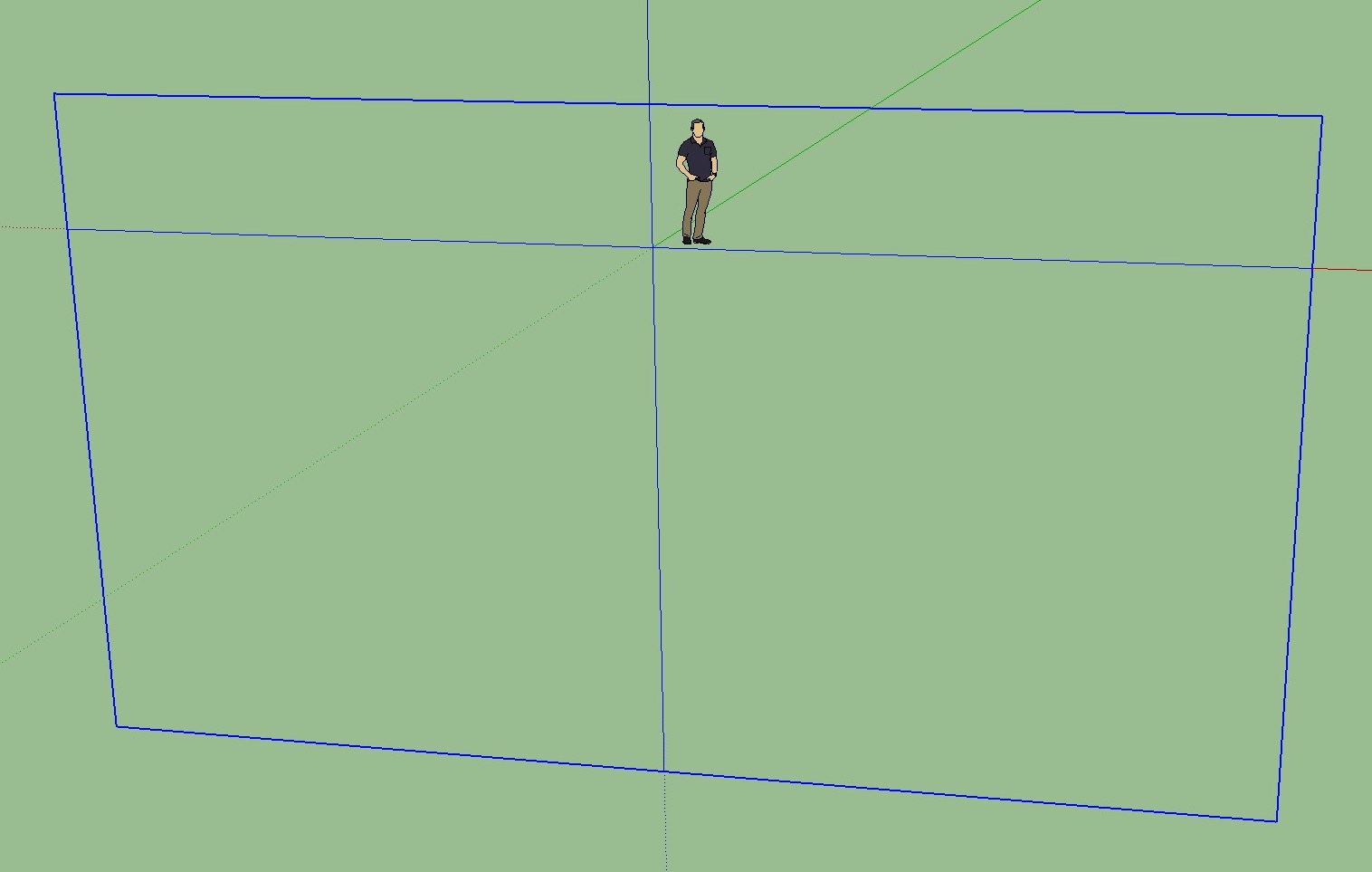
I made some testing with another models and formats, I used Blender to export the models to different formats.
Original models created with Blender 2.82.
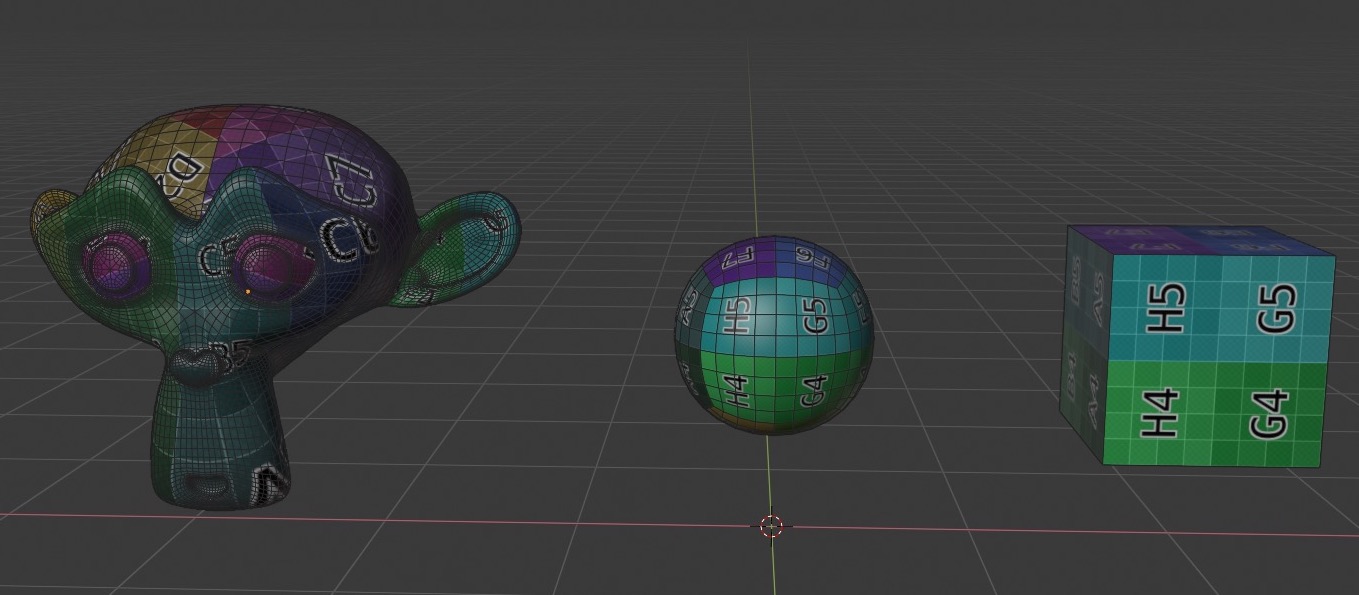
THE RESULTS
1. FBX format
The importer works but there are some issues:
A) The scale is multiplied by 100.
B) It doesn't import the UVMap.
C) With complex models the edges are displaced a little (see the image).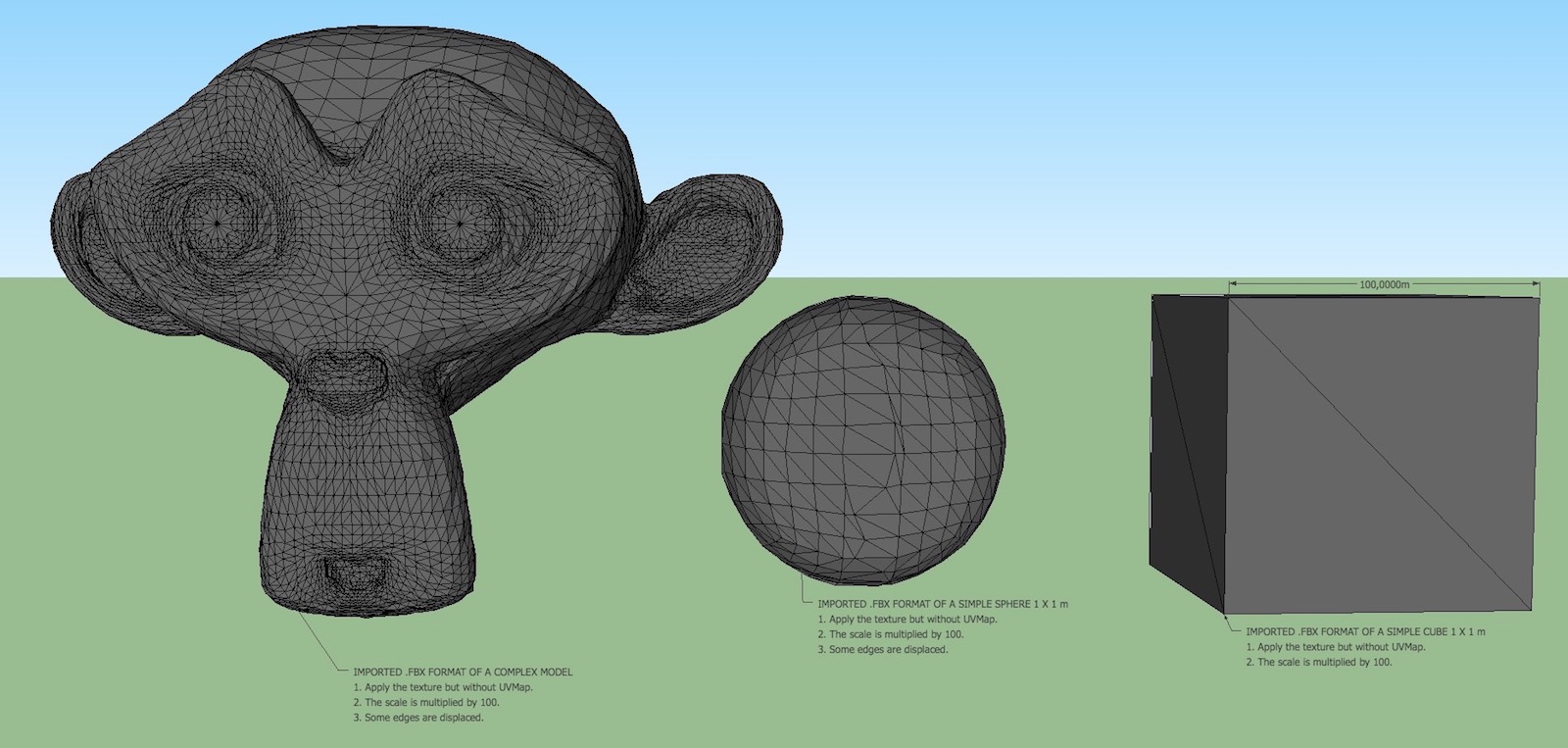
2. OTHER FORMATS
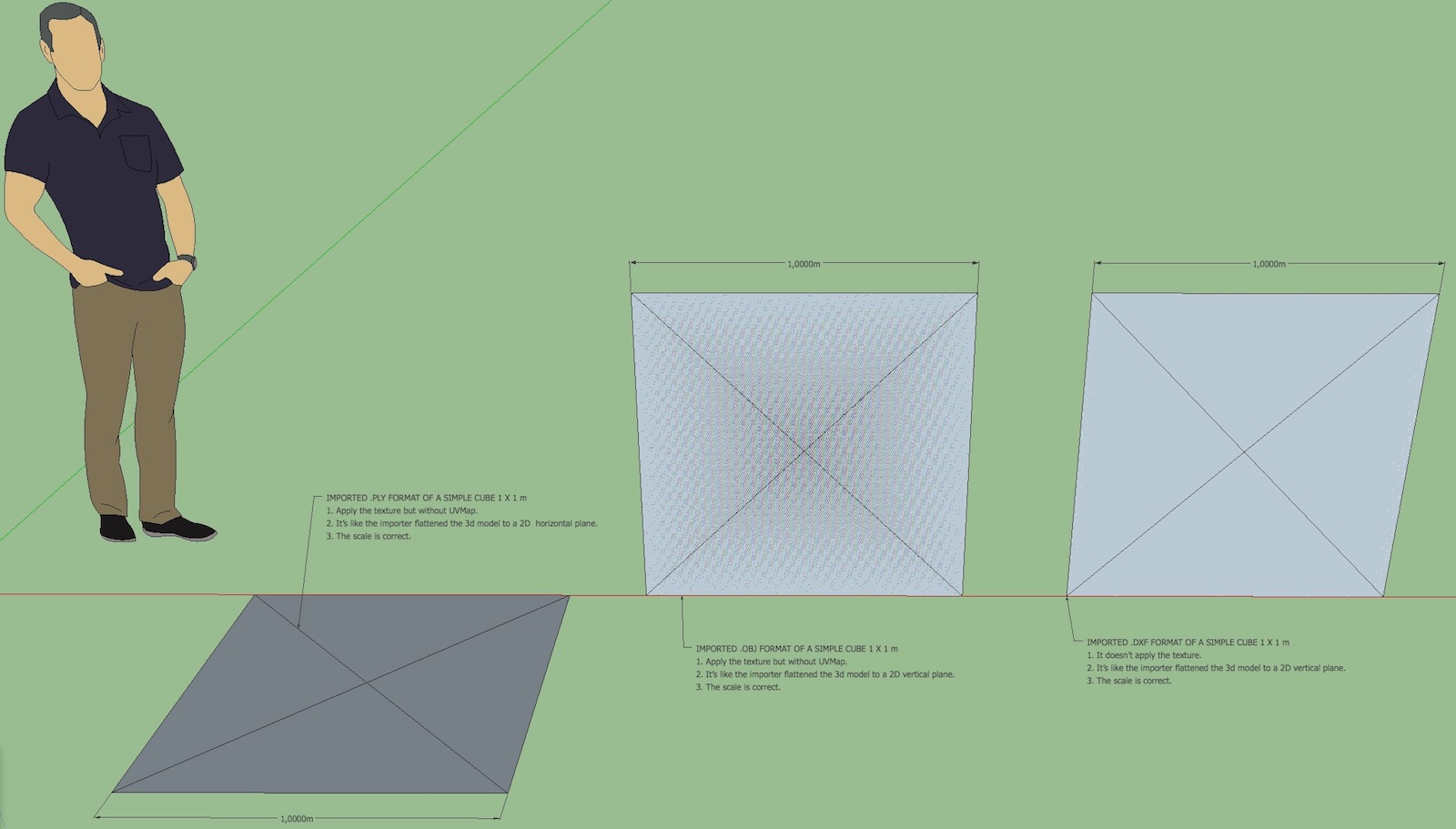
A) Cube 1 x 1 m, OBJ, PLY and DXF formats.
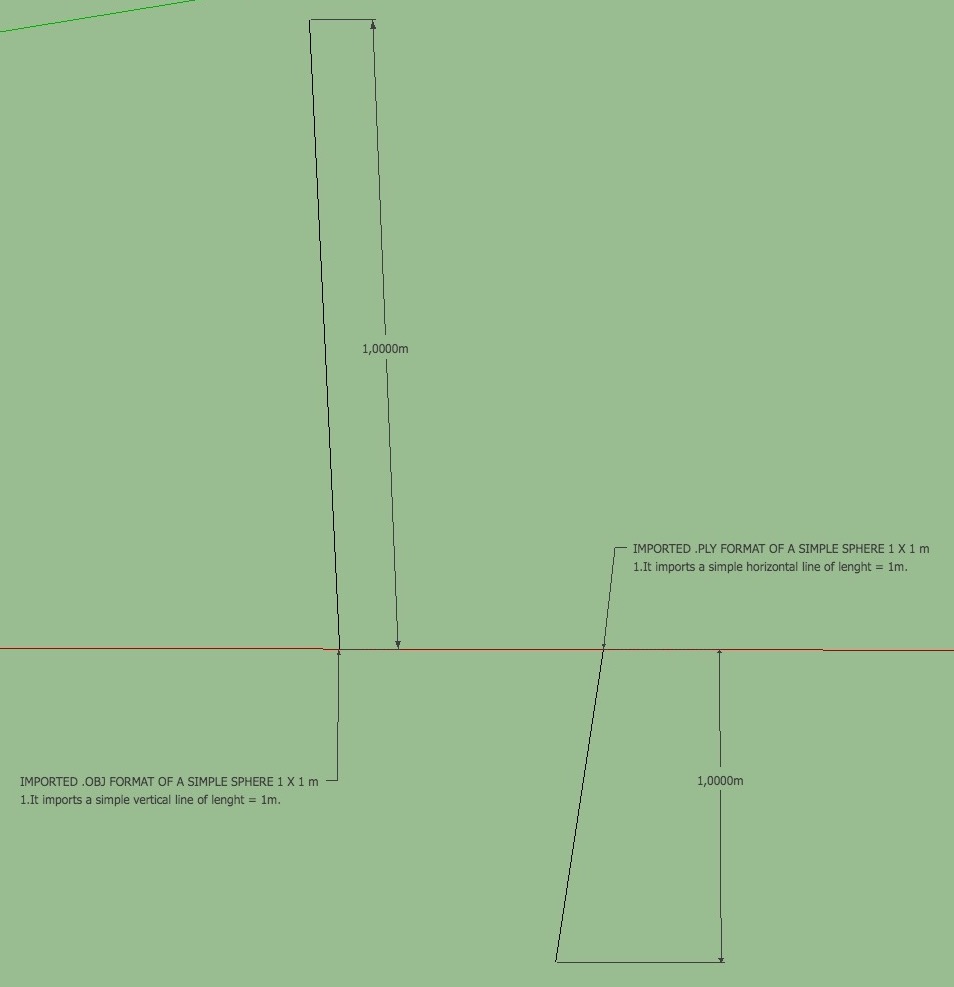
B) Sphere 1 x 1 m, OBJ, PLY and DXF formats.
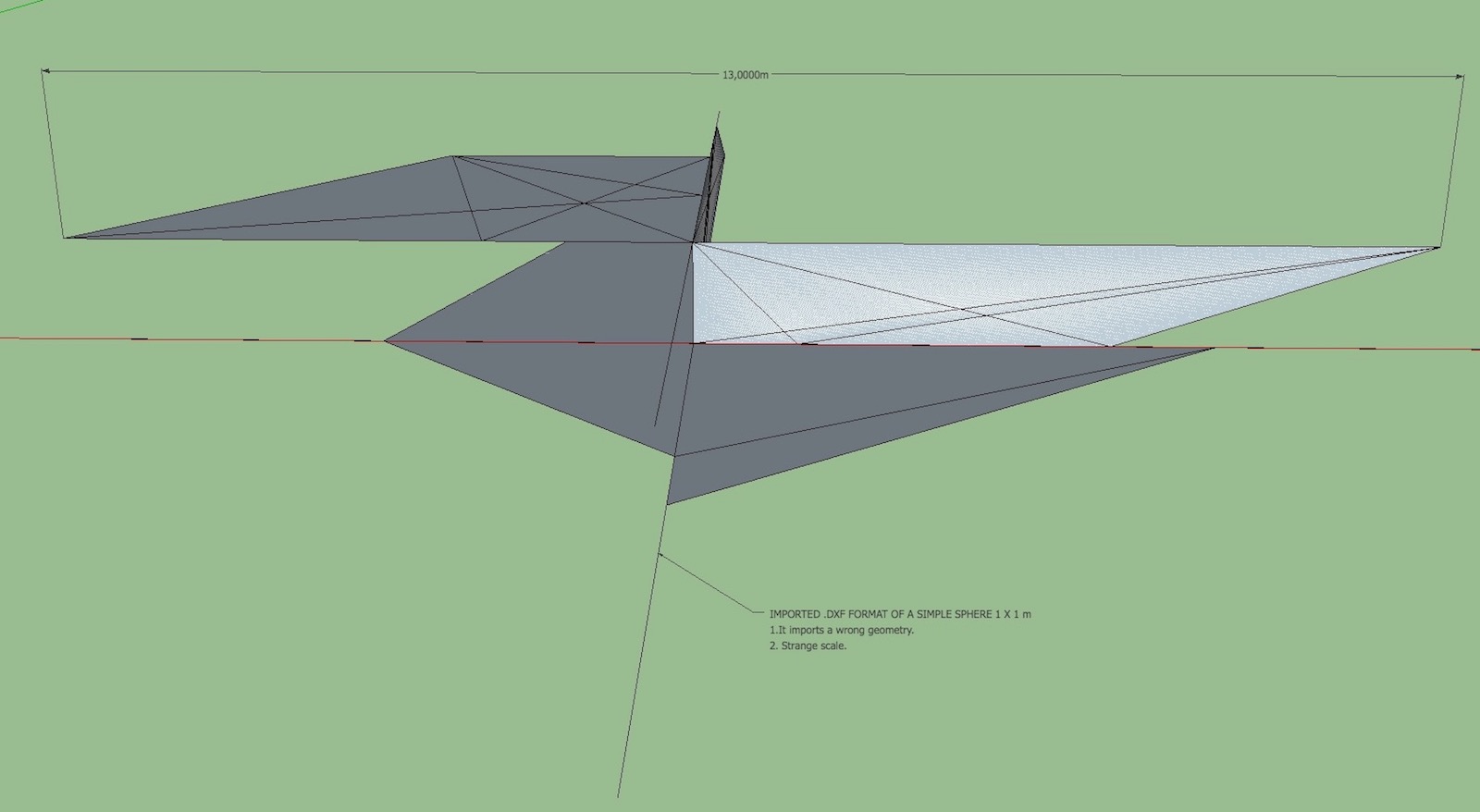
EDIT: I see that you have changed the converter.rb to V2, I'll test this new version of the file.
-
Thanks to you for your work!!
converter.rb V2 tested and it works fine now, fantastic!!

Some issues only, the Z axis is flipped and the scale isn't correct, for the moment I probed with FBX format only.
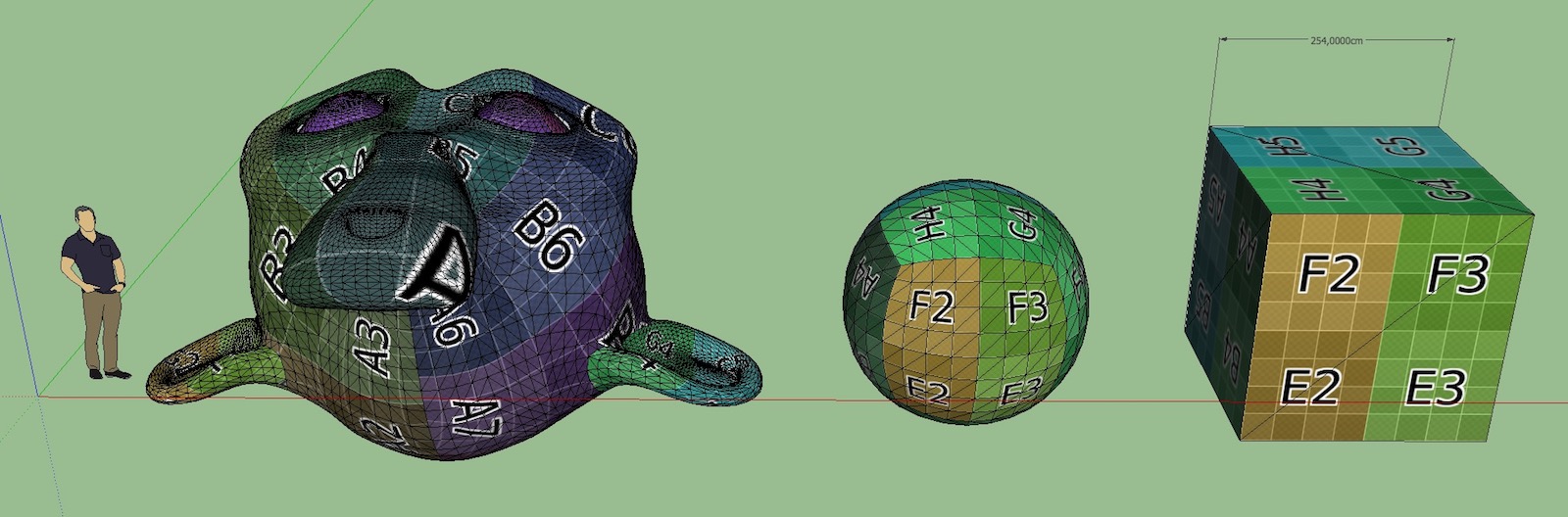
-
OBJ FORMAT
The same issues as FBX format, scale (in this case is more small) an Z axis.
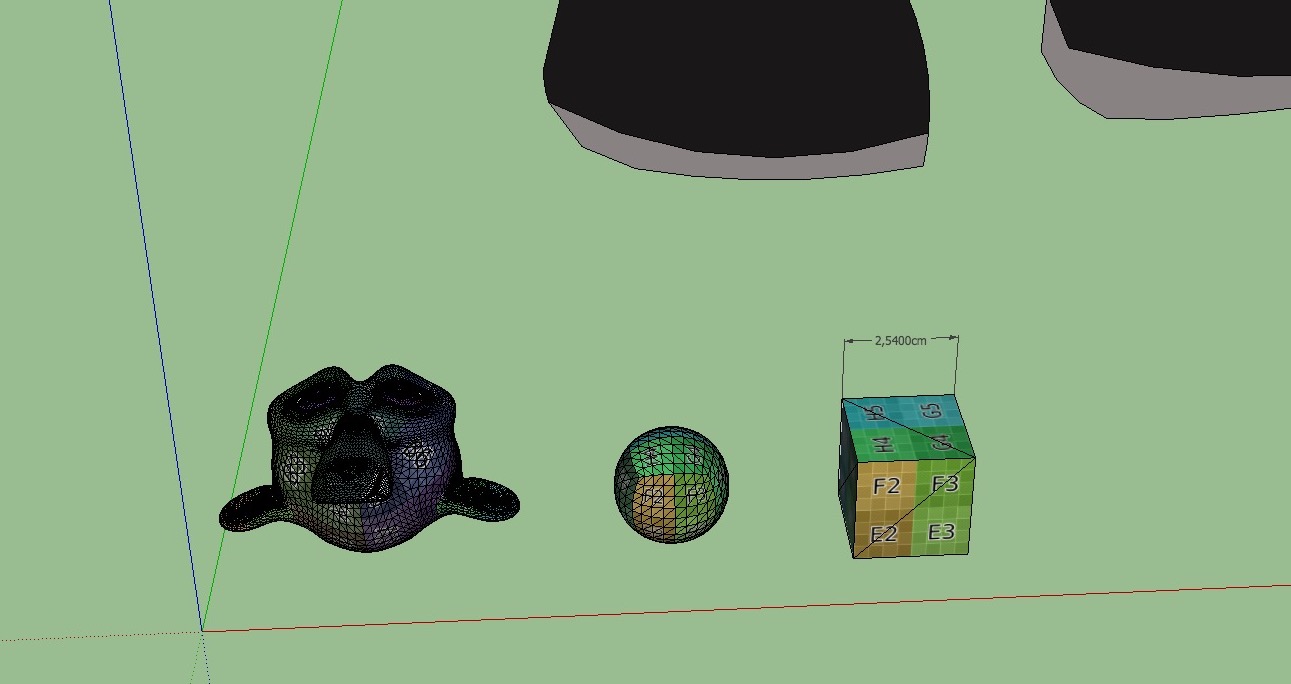
PLY FORMAT
The same issue with scale as OBJ format but the Z axis is correct.
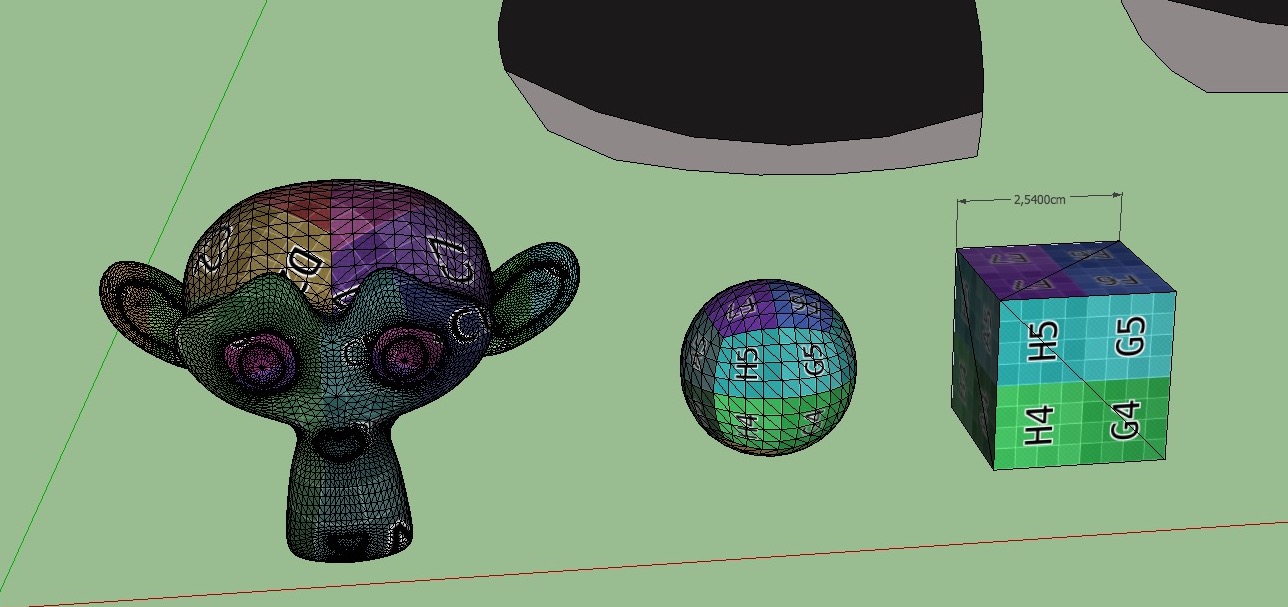
DXF FORMAT
The same issue with scale and axis as OBJ format , I think dxf doesn't support textures.
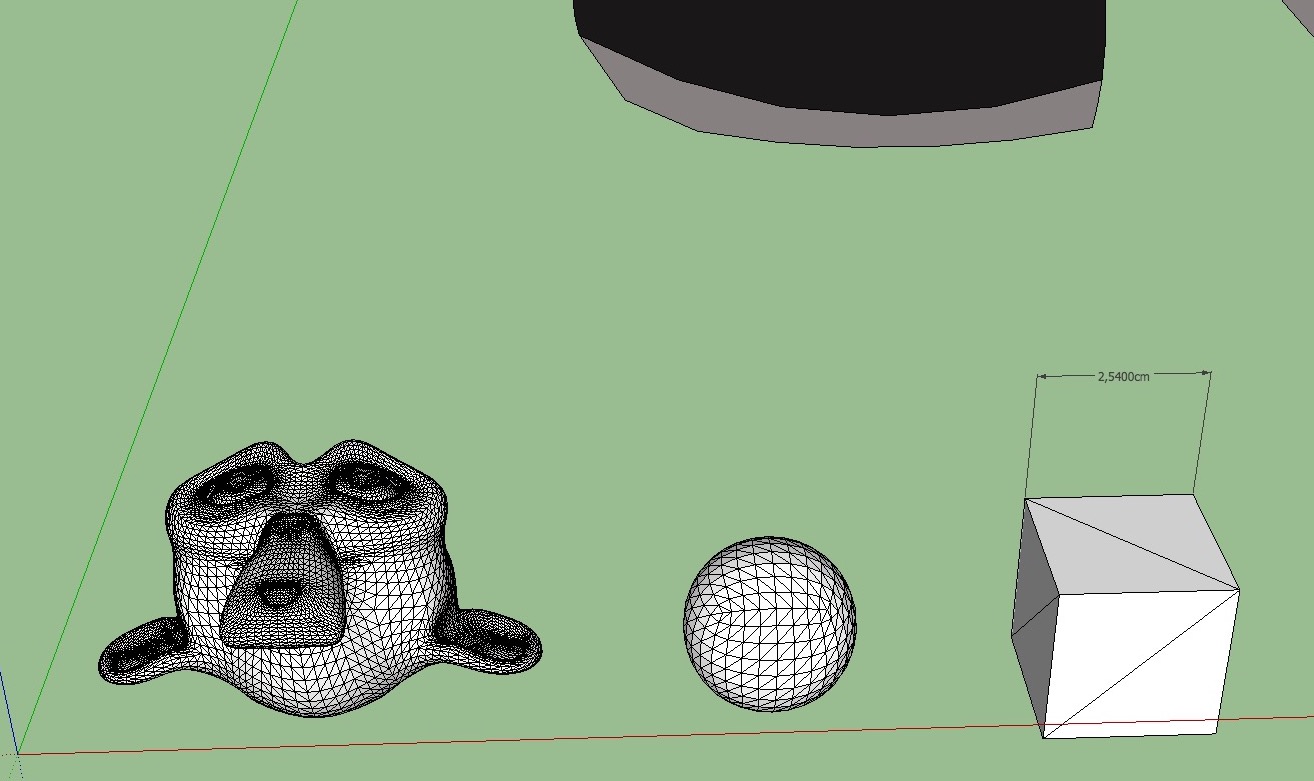
-
@oxer said:
Hi, I tried to import the same Pinas.obj file with QuadTools plugin and the importing works fine.
Here the files:Hello Oxer,
I can import "Pinas.obj" on Windows. So it's maybe related to macOS or SU.
Could you please overwrite your installed "converter.rb" with attached one?
converter.rbThen restart SketchUp. Then try to re-import "Pinas.obj". Thanks for help.
-
@Mac Users
I've fixed again plugin code. I hope this one works on macOS!

Please overwrite your installed "converter.rb" with attached one.converter.rbThen restart SketchUp. Then import a model. Tell me if it works.
Thank you.
-
1.0.3 version fixes critical bugs on macOS and Windows. macOS is now fully supported.
Download latest Universal Importer plugin from SketchUcation PluginStore.
-
-
1.0.2 version adds:
- Preliminary macOS support,
- Spanish translation.
Download latest Universal Importer plugin from SketchUcation PluginStore.





Hello! It looks like you're interested in this conversation, but you don't have an account yet.
Getting fed up of having to scroll through the same posts each visit? When you register for an account, you'll always come back to exactly where you were before, and choose to be notified of new replies (either via email, or push notification). You'll also be able to save bookmarks and upvote posts to show your appreciation to other community members.
With your input, this post could be even better 💗
Register Login


Advertisement