sketchucation logo sketchucation
    • 登入
    Oops, your profile's looking a bit empty! To help us tailor your experience, please fill in key details like your SketchUp version, skill level, operating system, and more. Update and save your info on your profile page today!
    🔌 Easy Offset | Offset selected faces in SketchUp in positive and negative offsets. Download

    Twinmotion is now free

    已排程 已置頂 已鎖定 已移動 Hardware, Software & Gadgets
    89 貼文 29 Posters 37.6k 瀏覽 29 Watching
    正在載入更多貼文
    • 從舊到新
    • 從新到舊
    • 最多點贊
    回覆
    • 在新貼文中回覆
    登入後回覆
    此主題已被刪除。只有擁有主題管理權限的使用者可以查看。
    • jenujacobJ 離線
      jenujacob
      最後由 編輯

      @gd3design said:

      ... It's hard for anyone to cough up what Lumion asks... It should light a fire under Lumion, though. I wouldn't be surprised if we saw them adding more features and lowering the cost soon.

      This is what I am really hoping for. As of now the rendering quality of lumion is far superior to that of TM. But as per the Official forum, TM currently utilizes Unreal Engine version 4.17. In the coming months hopefully the latest version of UE would be ported to TM. That means realtime raytracing and that is really going to up the game. So either lumion steps up and produce some really phenomenal features to justify its hefty price tag or they better go down the subscription route, the latter being which I believe they would be going for logically.

      1 條回覆 最後回覆 回覆 引用 0
      • soloS 離線
        solo
        最後由 編輯

        I suspect that Twinmotion will disappear as a product in November, Unreal are launching 'Unreal Studio'at $49 per month, Twinmotion will be an integration of Unreal with the modeling app and it will be hands down the leader from launch as it has so much more to offer than anything out there.
        I have avoided Unreal as the workflow was just too complicated and time consuming, now Unreal will be able to simplify and integrate their product with our modeling app, if it can be as easy as Enscape then they will be the winners and so will we.

        http://www.solos-art.com

        If you see a toilet in your dreams do not use it.

        1 條回覆 最後回覆 回覆 引用 0
        • andybotA 離線
          andybot
          最後由 編輯

          @jo-ke said:

          Yesterday I worked with twinmotion untill night and renderd my first 3D 360 pano video in 4K for oculus rift. Ok 20 seconds took 7 hours to render but the result is impressive.

          I have many new ideas

          What a nice app. I was waiting for it for years

          360 pano video!! I'm going to have to try this out, I've been looking for that capability in a real-time renderer (that's not Lumion.) What hardware are you using to render?

          http://charlottesvillearchitecturalrendering.com/

          1 條回覆 最後回覆 回覆 引用 0
          • G 離線
            Glenn at home
            最後由 編輯

            Anyone play with the BIMotion yet. I am able to get it to work but the resolution just looks horrible but still images look good. Is there some sort of setting for better looking export?

            SketchUp Pro 2025/2026 Dell XPS 8950 i9-12900K 64GB Ram RTX 3080

            1 條回覆 最後回覆 回覆 引用 0
            • pilouP 離線
              pilou
              最後由 編輯

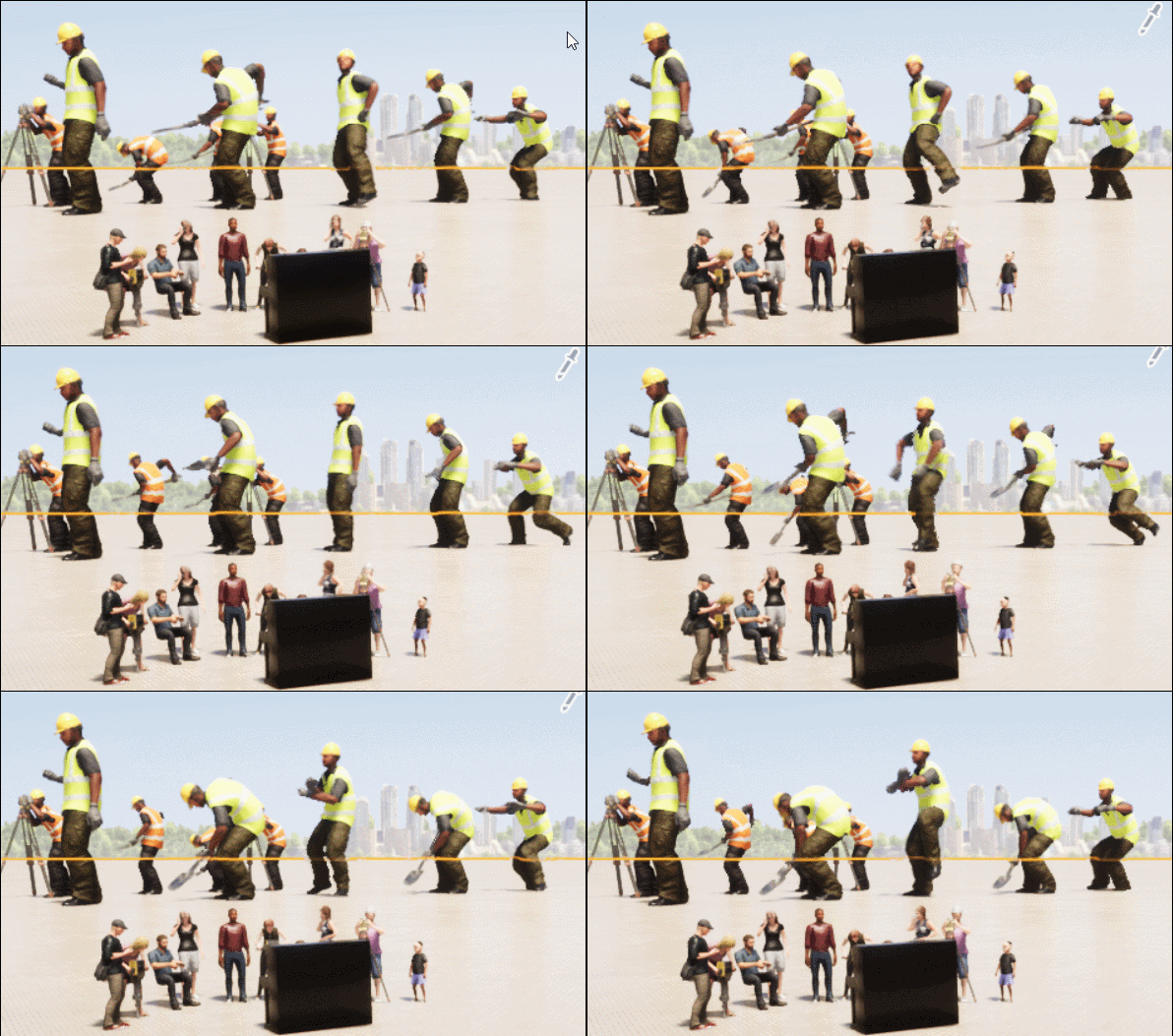
              Absolutly amazing! Any personnage can have behaviour of any other! 😮

              https://i.postimg.cc/W46djDR3/GIF-poses.gif

              Frenchy Pilou
              Is beautiful that please without concept!
              My Little site :)

              1 條回覆 最後回覆 回覆 引用 0
              • jo-keJ 離線
                jo-ke
                最後由 編輯

                is it possible to change the backgroundsphere to my own equirectangular pano?

                here's a video of a current project. This is really the advantige of Twinmotion. Videos are rendered very quick. this one took less then 10 minutes to render.

                http://www.zz7.de

                1 條回覆 最後回覆 回覆 引用 0
                • pbacotP 離線
                  pbacot
                  最後由 編輯

                  10 minutes! That sounds fantastic. I hope I have time to look at this soon--it will save time in the future. Nice work, Jo-ke.

                  MacOSX MojaveSketchUp Pro v19 Twilight v2 Thea v3 PowerCADD

                  1 條回覆 最後回覆 回覆 引用 0
                  • M 離線
                    measuredmove
                    最後由 編輯

                    Played around with this for about a day but sadly my old laptop is just not up to the task. Great features but frustrating when a simple edit takes forever. Anyhow had fun with this existing model of a B'n B Dining Room posted below and really like Felix the kitty sitting by the door.

                    Link Preview Image
                    RoundMe ▷ A mobile app to watch sports in VR

                    Download the RoundMe app: Dive into the action and experience your matches fully immersed from your living room with Virtual Reality!

                    favicon

                    Roundme (roundme.com)

                    My 3D Catalogue
                    https://3dwarehouse.sketchup.com/collection/103ed44c-a0c4-4049-9a84-89cd017bcc07/Measured-Move
                    SU8/Brighter3D/Gimp/SimLab Composer

                    1 條回覆 最後回覆 回覆 引用 0
                    • jo-keJ 離線
                      jo-ke
                      最後由 編輯

                      Thank you.

                      I wasn't abble to find the dome but I am experimenting with a textured sphere made in SU and imported to tm.... Let's see if it works...

                      http://www.zz7.de

                      1 條回覆 最後回覆 回覆 引用 0
                      • pilouP 離線
                        pilou
                        最後由 編輯

                        @unknownuser said:

                        is it possible to change the backgroundsphere to my own equirectangular pano?

                        Seems yes 😉

                        Minute 0.57 second video! Sorry in French... but here the transllation 😉

                        The key is to use a textured dome for create a "context"

                        Step 1 - Load textured examples created by Jesus Carbajal

                        Step 2 - Save them inside user Library of Twinmotion

                        Step 3 - Launch TwinMotion. Domes are organized bottom of the user Library.
                        drag & drop them to the scene

                        Step 4 - Select the Dome's texture with the ink-dropper. Like this you open the dock of the materials parameters where you can adjust the texture's position.

                        Use these domes as example, for create your own environement, you can replace the texture by another 360° images.

                        PS Not sure you can with these free version.
                        .

                        Frenchy Pilou
                        Is beautiful that please without concept!
                        My Little site :)

                        1 條回覆 最後回覆 回覆 引用 0
                        • pilouP 離線
                          pilou
                          最後由 編輯

                          You can find the doms here 😉

                          But where is the User Library folder on computer inside this TwinMotion version for input these files ...that's the mystery! 😄
                          And make our own tmi another one! 😛

                          Maybe also try with the Library/ Volume/ Sphere Reflexion Probe...

                          Frenchy Pilou
                          Is beautiful that please without concept!
                          My Little site :)

                          1 條回覆 最後回覆 回覆 引用 0
                          • jo-keJ 離線
                            jo-ke
                            最後由 編輯

                            thank you.

                            I will have a look

                            here's a new video

                            http://www.zz7.de

                            1 條回覆 最後回覆 回覆 引用 0
                            • pilouP 離線
                              pilou
                              最後由 編輯

                              Solution of the localisation Path for the Domes files tmi above so you put them inside!
                              "C:\Users\your_user_name\Documents\Twinmotion2019\UserLibrary"

                              Thx Tenrev at the Forum Biblio3D 😄

                              Stay the problem : how generate new landscapes 360° like the domes above?

                              Frenchy Pilou
                              Is beautiful that please without concept!
                              My Little site :)

                              1 條回覆 最後回覆 回覆 引用 0
                              • HornOxxH 離線
                                HornOxx
                                最後由 編輯

                                @pilou said:

                                You can find the doms here 😉 But where is the User Library folder on computer inside this TwinMotion version for input these files ...that's the mystery! 😄
                                And make our own tmi another one! 😛 ...

                                this whole dom process remains a mystery to me. Pilou, where exactly does your link lead to? 😄 ❓

                                never trust a skinny cook

                                1 條回覆 最後回覆 回覆 引用 0
                                • jo-keJ 離線
                                  jo-ke
                                  最後由 編輯

                                  I can paste the dome to my model but when I change the texture the old one remains and is someway overlapped to the new one.... Strange...

                                  Also in the lower parts there is Fog. Now Idea how to erase the fog....

                                  http://www.zz7.de

                                  1 條回覆 最後回覆 回覆 引用 0
                                  • pilouP 離線
                                    pilou
                                    最後由 編輯

                                    @HornOox if you scrool inside my above link, you will found these domes used in the tutorial video(s) 😉

                                    @unknownuser said:

                                    1.Download the textured dome examples created in .tmi format.
                                    https://drive.google.com/file/d/1Gm3FlhxLmPtyKDd6qkyj1Ccn0jd8uWxB/view?fbclid=IwAR0_j9y4x9KE-F69q5n_LagVLT0wD2t4CHk66F2Qky7NHbWrdS17mgyCQ2w

                                    @Joke : no special problem for me : exactly like the videos ! 😄
                                    Maybe Meteo / Effects/ Pollution are enable for any reasons ?

                                    Frenchy Pilou
                                    Is beautiful that please without concept!
                                    My Little site :)

                                    1 條回覆 最後回覆 回覆 引用 0
                                    • pilouP 離線
                                      pilou
                                      最後由 編輯

                                      And bingo I have found the trick for made our own "Texture 360°" ☀

                                      From this image (or any image of anything) here mine MagicaVoxel image! 😄
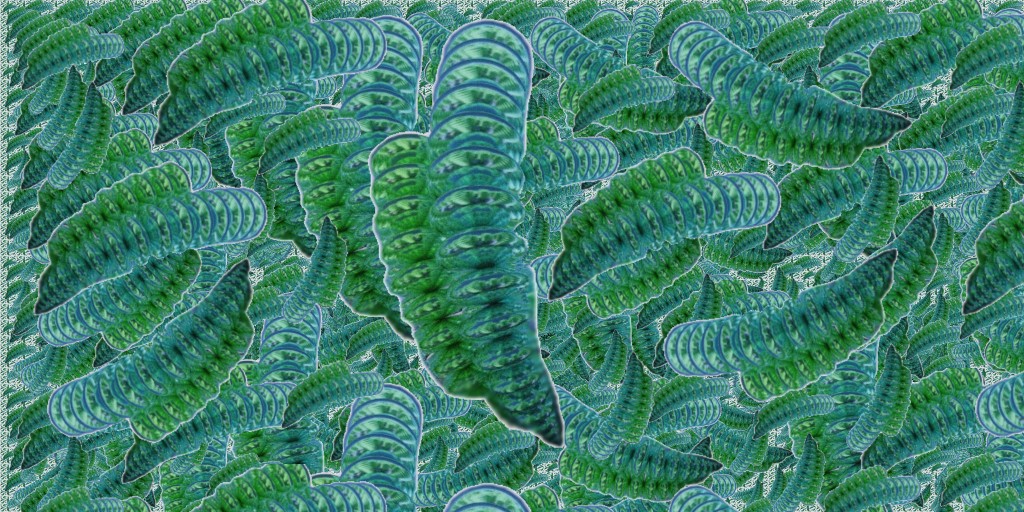
                                      https://i.postimg.cc/HkYhm9vp/green-worms.jpg

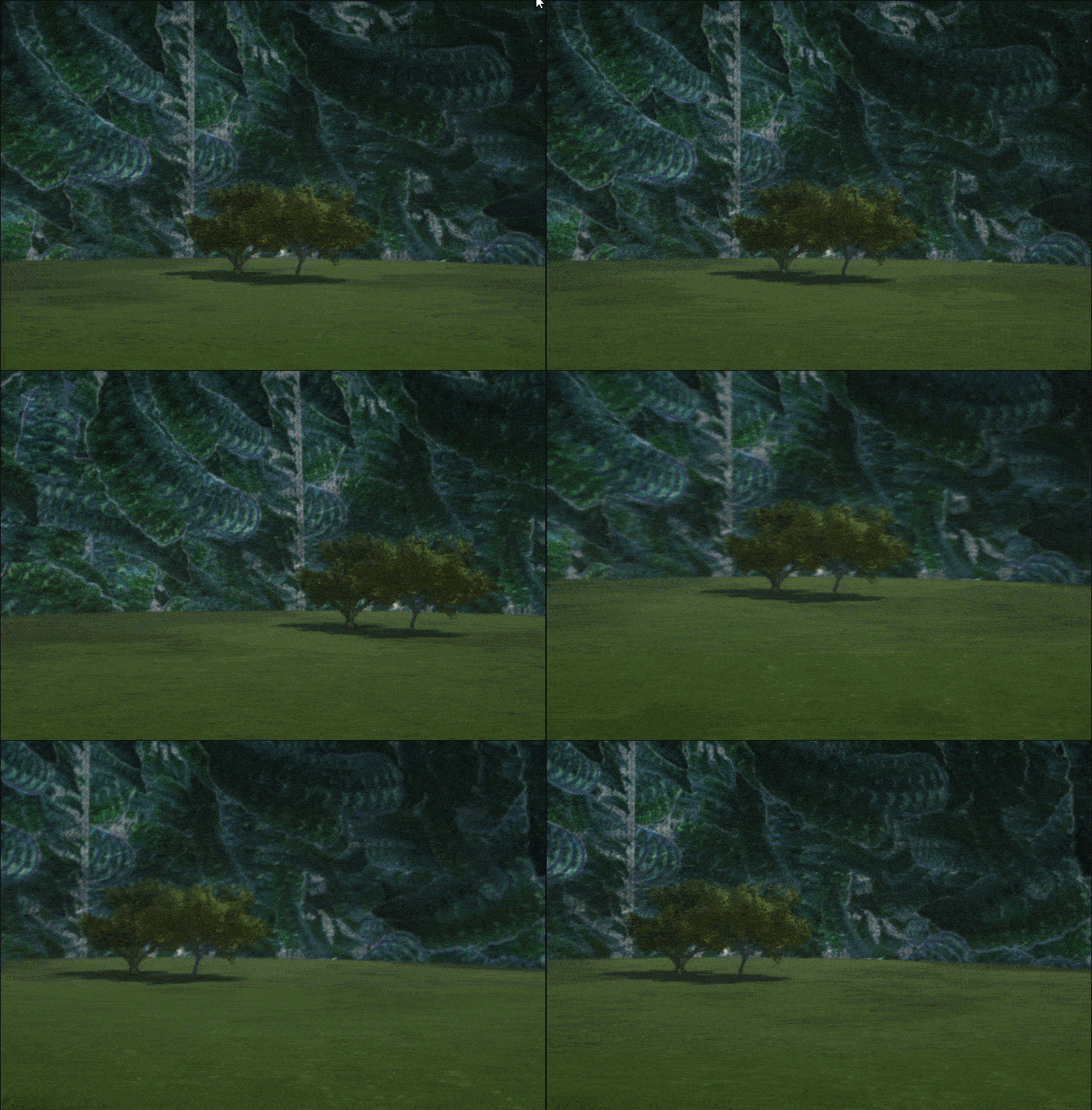
                                      You obtain that! 😄 Alas (you must make some rotate because here we are just on the seam ! : )
                                      So Ink-Dropper/ Scale / Offset for have it on the back! 😄 (not made here)

                                      https://i.postimg.cc/MZ5j378Z/Gif-fond-comp1.gif

                                      Vegetable Menu / Materials Menu

                                      • Take any texture - Clic "Color Plus" to get the Texture Menu
                                      • Apply this texture to the dome! (Drag & Drop)
                                      • Click on "Texture" word - load any image
                                      • Right Click on the Control Globe that contains the new Texture / Add to User Library
                                        The native texture is obviously not destroyed!

                                      You get your own personalized "Texture Dome"! The famous".tmi" file! 🤓

                                      https://i.postimg.cc/0jS5v1Bq/process-dome.jpg

                                      Last but not the least : how make the "domes above" (surrely with a sphere Glass Double Face etc...)

                                      Frenchy Pilou
                                      Is beautiful that please without concept!
                                      My Little site :)

                                      1 條回覆 最後回覆 回覆 引用 0
                                      • pilouP 離線
                                        pilou
                                        最後由 編輯

                                        @Joke
                                        About fog! 😉

                                        Frenchy Pilou
                                        Is beautiful that please without concept!
                                        My Little site :)

                                        1 條回覆 最後回覆 回覆 引用 0
                                        • david_hD 離線
                                          david_h
                                          最後由 編輯

                                          So. . .I just downloaded the engine. I must say the videos look fun. .. but I hope this doesn't end up giving me a headache. Thea is hard enough for me. . . 💚

                                          If I make it look easy...It is probably easy

                                          1 條回覆 最後回覆 回覆 引用 0
                                          • pilouP 離線
                                            pilou
                                            最後由 編輯

                                            No headache! It's one of the more friendly interface that you can find! ☀
                                            No need to be a 3D veteran for use it! 😎

                                            Frenchy Pilou
                                            Is beautiful that please without concept!
                                            My Little site :)

                                            1 條回覆 最後回覆 回覆 引用 0
                                            • 1
                                            • 2
                                            • 3
                                            • 4
                                            • 5
                                            • 4 / 5
                                            • 第一個貼文
                                              最後的貼文
                                            Buy SketchPlus
                                            Buy SUbD
                                            Buy WrapR
                                            Buy eBook
                                            Buy Modelur
                                            Buy Vertex Tools
                                            Buy SketchCuisine
                                            Buy FormFonts

                                            Advertisement