sketchucation logo sketchucation
    • Login
    Oops, your profile's looking a bit empty! To help us tailor your experience, please fill in key details like your SketchUp version, skill level, operating system, and more. Update and save your info on your profile page today!
    Mac User? | Join the Rayscaper Beta for Mac Learn More

    Medeek Project

    Scheduled Pinned Locked Moved Plugins
    102 Posts 3 Posters 13.0k Views 4 Watching
    Loading More Posts
    • Oldest to Newest
    • Newest to Oldest
    • Most Votes
    Reply
    • Reply as topic
    Log in to reply
    This topic has been deleted. Only users with topic management privileges can see it.
    • medeekM
      medeek
      last edited by

      First look at an elevation view of a simple house plan with a complex roof:
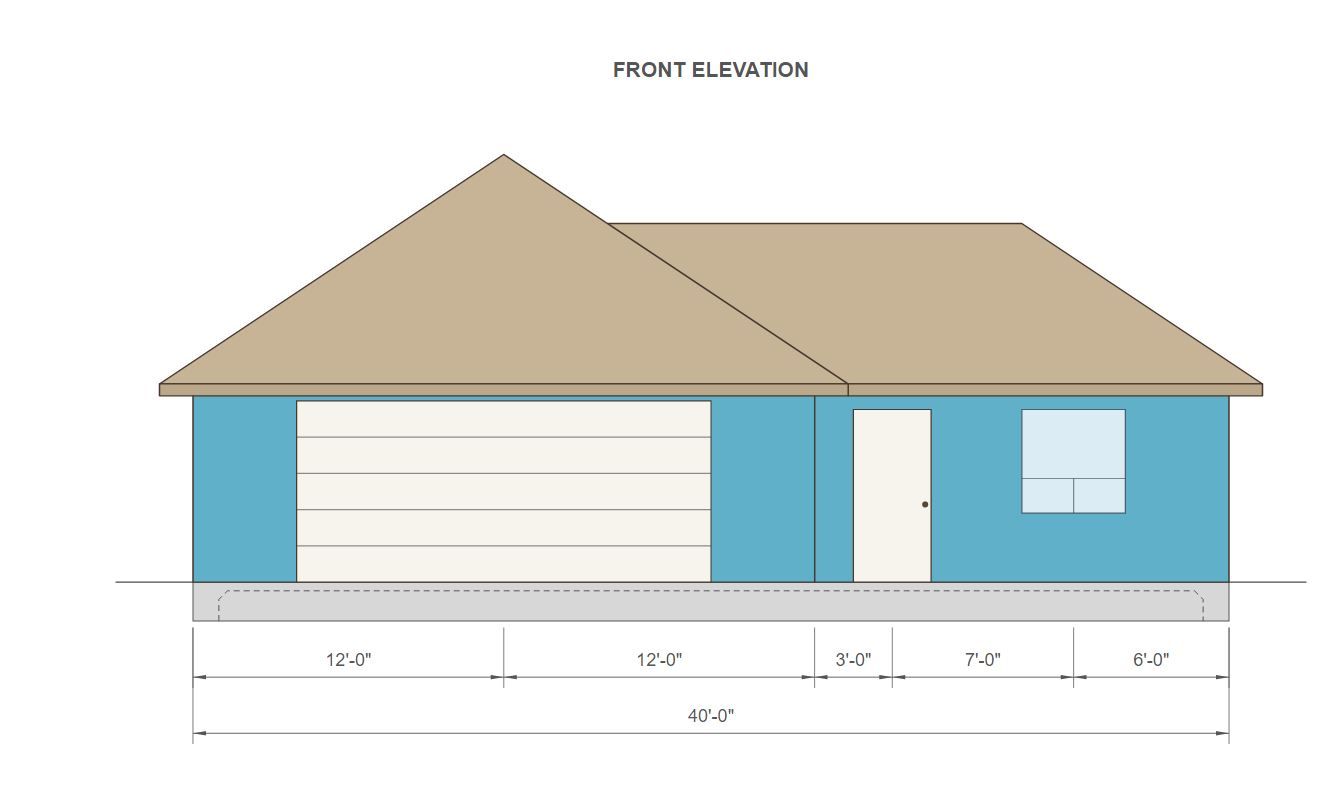
      project_su253_800.jpg

      Nathaniel P. Wilkerson PE
      Medeek Engineering Inc
      design.medeek.com

      1 Reply Last reply
      Reply Quote 0
      • medeekM
        medeek
        last edited by

        The roof overlay has now been added to the Floor Plan and the Upper Floor Plan:
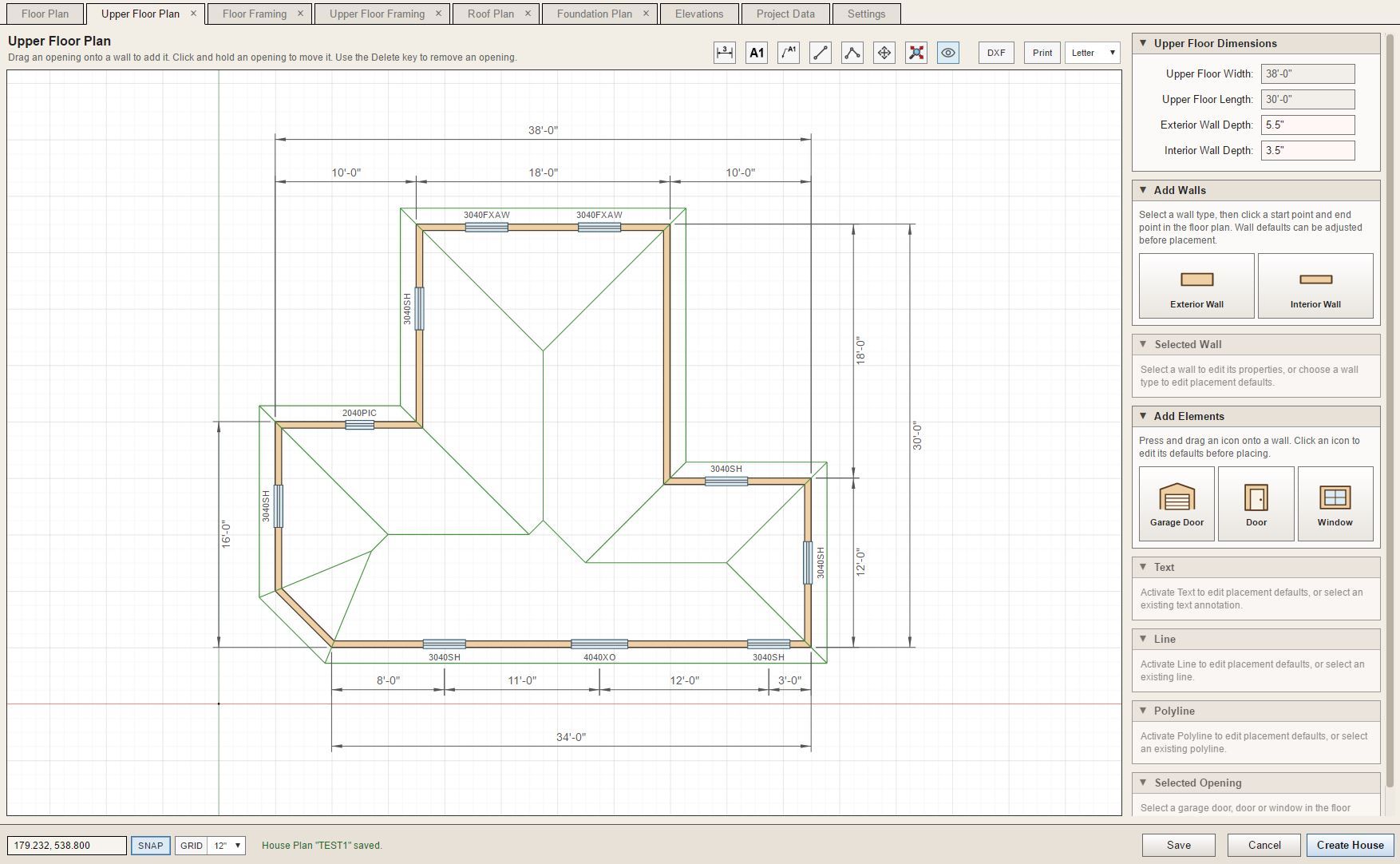
        project_su257_800.jpg

        Nathaniel P. Wilkerson PE
        Medeek Engineering Inc
        design.medeek.com

        1 Reply Last reply
        Reply Quote 1
        • medeekM
          medeek
          last edited by

          Complex roofs is still a work in progress, no surprise there. The interface will mirror the Truss plugin since we already know how that works. When a roof is selected the "custom" roof planes (edges) will display in red rather than blue. A selected edge will switch to a solid color and the right hand menu will display the settings for that roof plane.
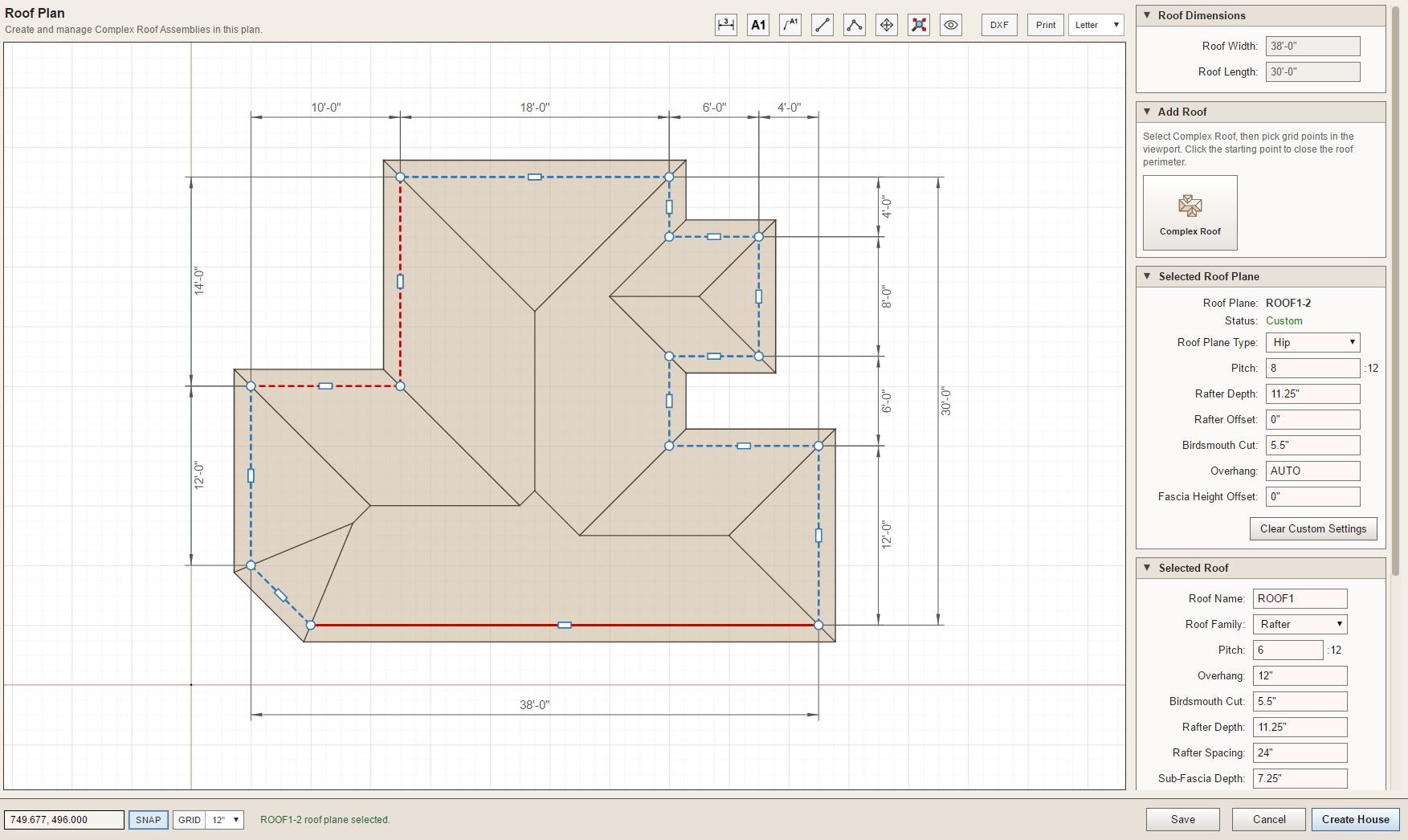
          project_su273_800.jpg

          The same settings that are available in the Truss plugin will appear for the selected "roof plane type".

          Nathaniel P. Wilkerson PE
          Medeek Engineering Inc
          design.medeek.com

          1 Reply Last reply
          Reply Quote 1
          • medeekM
            medeek
            last edited by

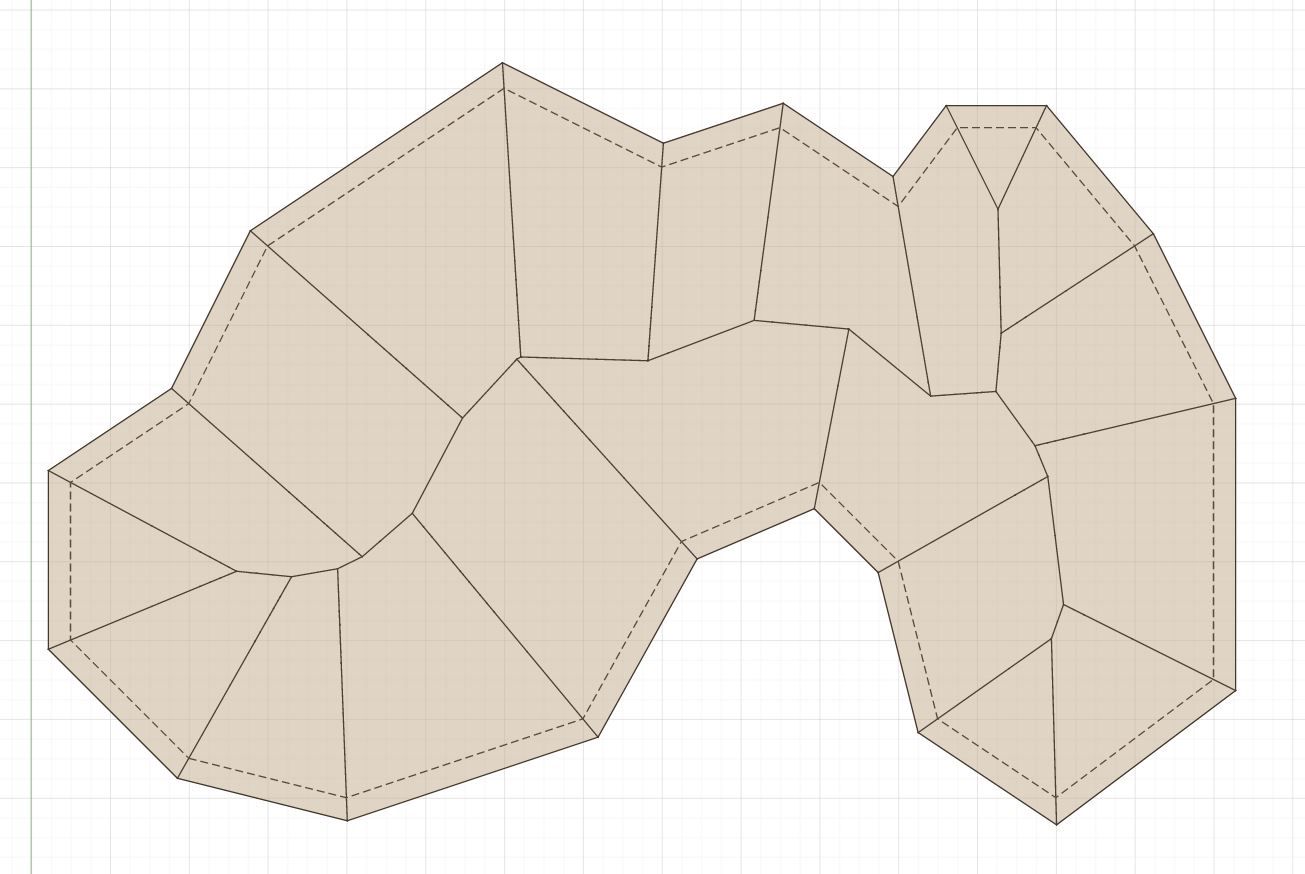
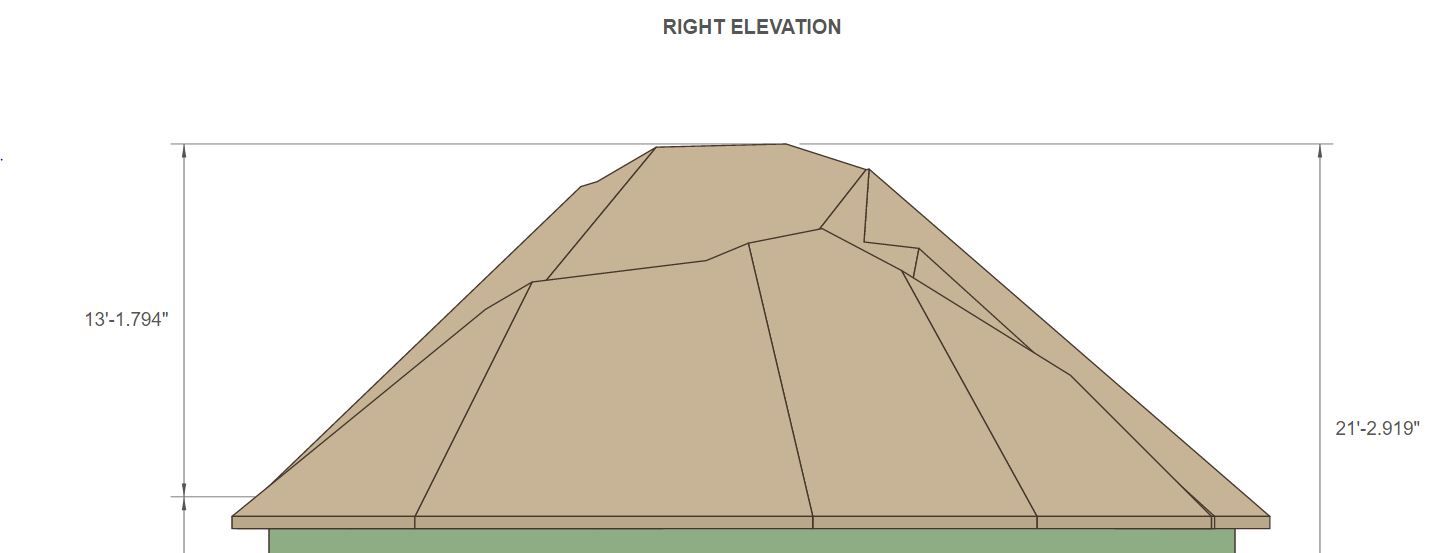
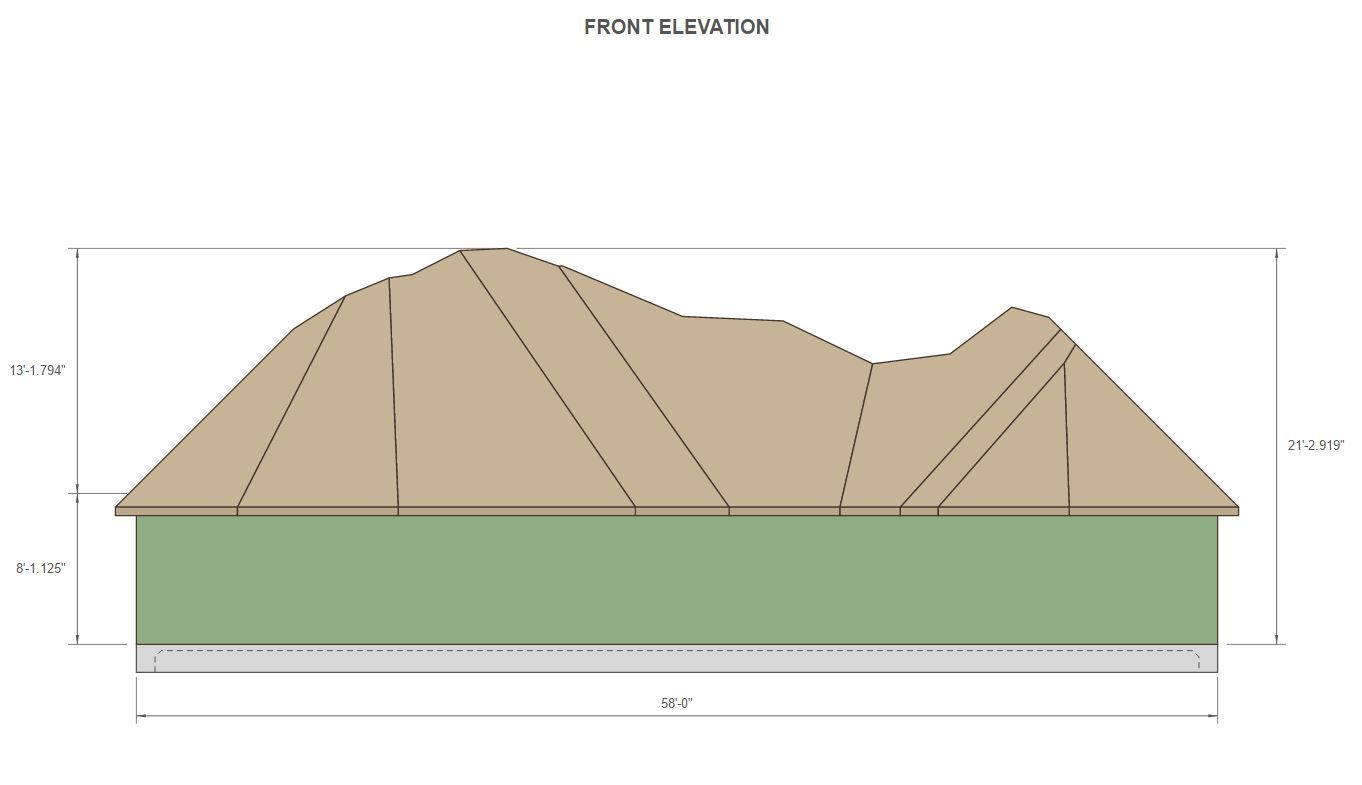
            And just for fun:

            project_su281_800.jpg

            project_su282_800.jpg

            project_su283_800.jpg

            I call this the "Mountain House". A sufficiently motivated framer (lots of money) could stick build this, I'm quite convinced.

            Nathaniel P. Wilkerson PE
            Medeek Engineering Inc
            design.medeek.com

            1 Reply Last reply
            Reply Quote 0
            • medeekM
              medeek
              last edited by

              Next is a test of the raised fascia offset:
              project_su284_800.jpg

              project_su287_800.jpg

              My question is what do we do in the field at this sort of corner?
              project_su286_800.jpg

              Also the same sort of thing at the re-entrant corner.
              project_su288_800.jpg

              Nathaniel P. Wilkerson PE
              Medeek Engineering Inc
              design.medeek.com

              1 Reply Last reply
              Reply Quote 0
              • medeekM
                medeek
                last edited by

                Looks like we will also need to add in hip walls for these "half hip" type roofs:
                project_su293_800.jpg

                I've also added in the Dutch Gable option for roof planes as well:
                project_su303_800.jpg

                project_su299_800.jpg

                This almost completes my work on complex roof in the house builder. Of course some additional work remains in connecting the House Builder to the Truss plugin's API. I will also need to enable the API with some new methods for complex roofs, but that work is relatively straightforward.

                Tomorrow I will look at the Roof Plan tab and probably add in a few more roof specific annotation options. Then from there we double check that the Print and DXF functions are wired up correctly.

                And then finally we move on to Foundations.

                However, this additional work on complex roofs has exposed the fact that I need to enable additional wall types in this app.

                Nathaniel P. Wilkerson PE
                Medeek Engineering Inc
                design.medeek.com

                1 Reply Last reply
                Reply Quote 0
                • medeekM
                  medeek
                  last edited by

                  First look at some exterior trim applied to a couple "test houses". Corner trim, band board, skirt board and frieze board.
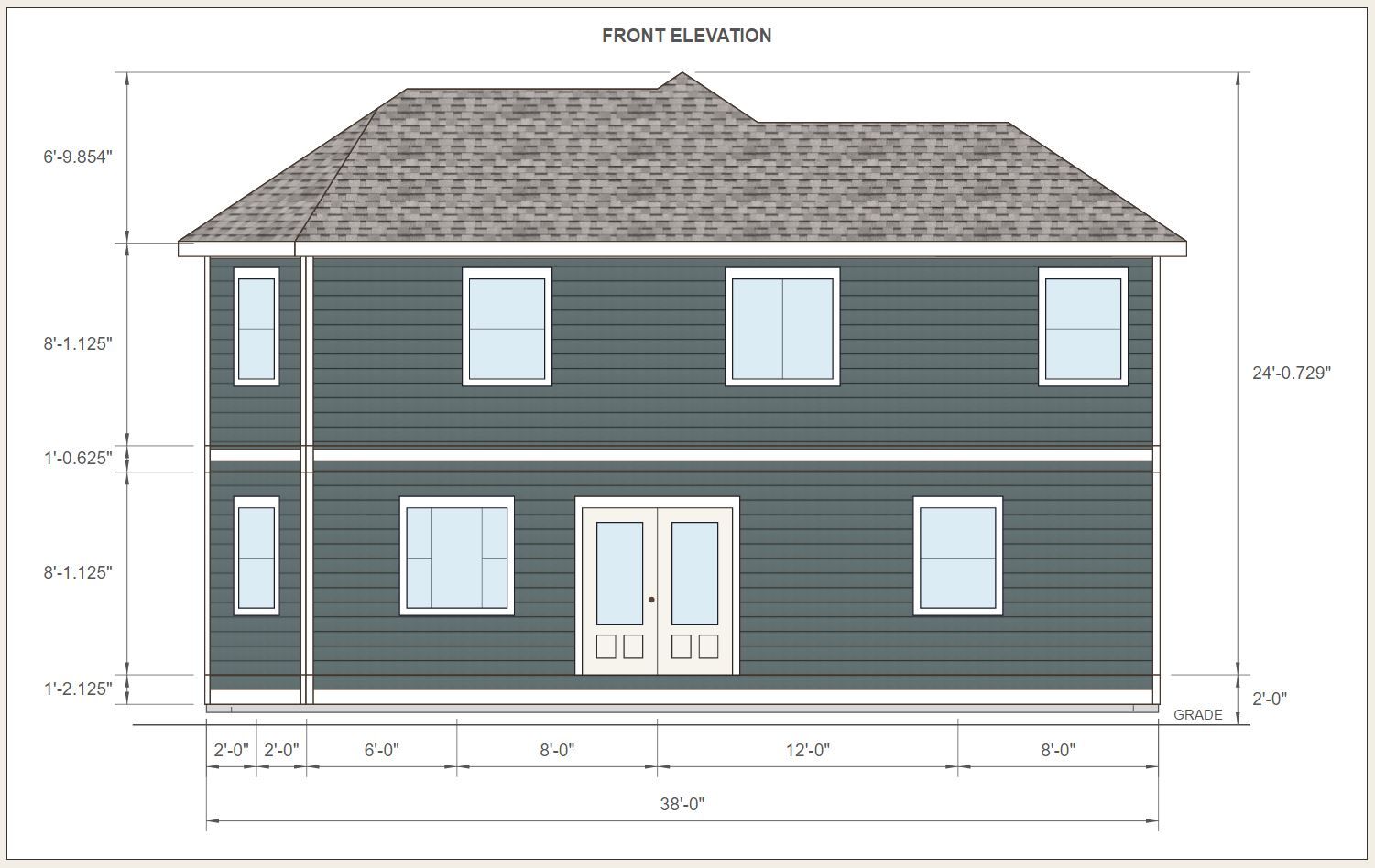
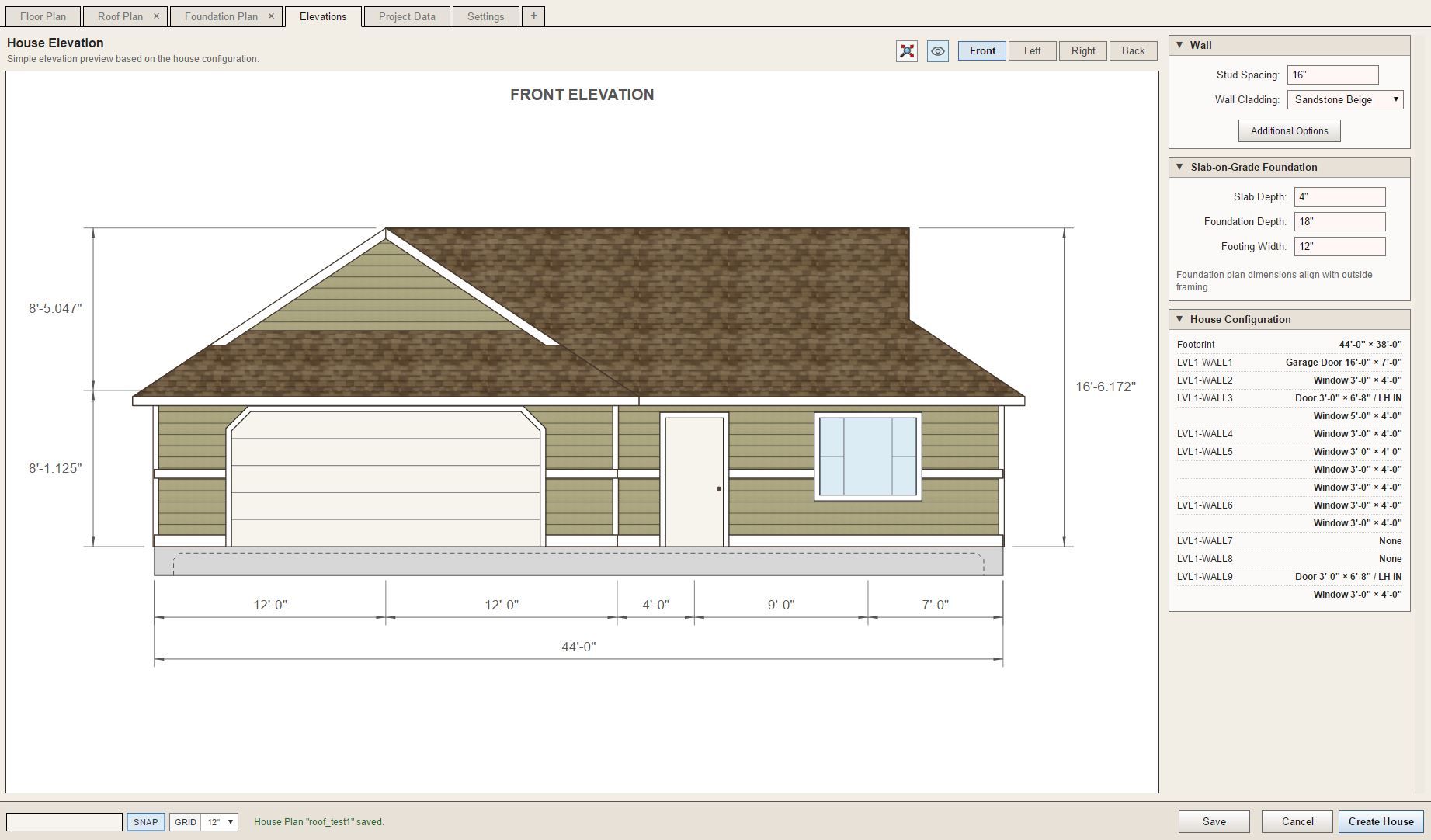
                  project_su319_800.jpg

                  project_su320_800.jpg

                  Nathaniel P. Wilkerson PE
                  Medeek Engineering Inc
                  design.medeek.com

                  1 Reply Last reply
                  Reply Quote 1
                  • medeekM
                    medeek
                    last edited by

                    DXF output now enabled for Slab-on-Grade foundations.
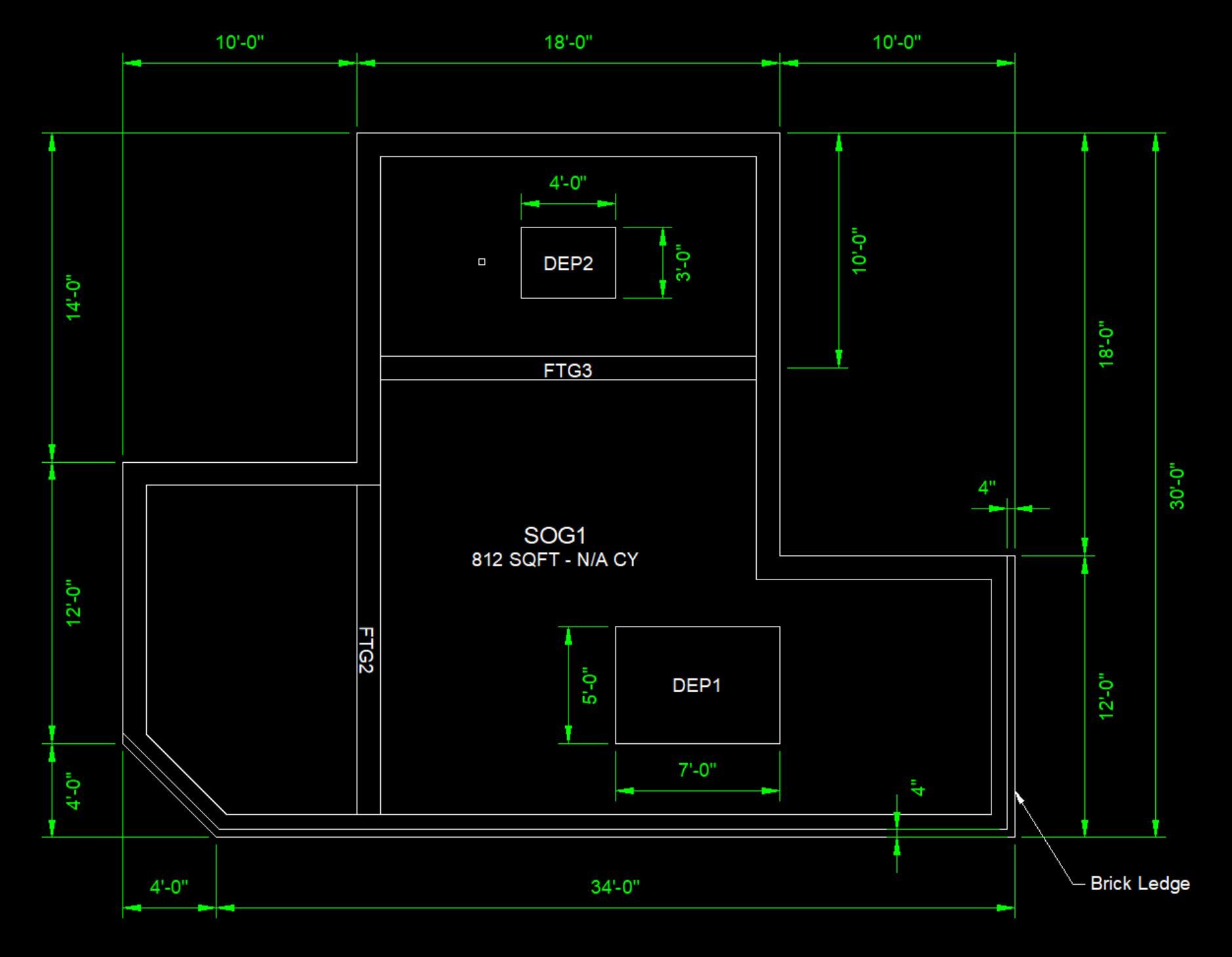
                    project_su334_800.jpg

                    Nathaniel P. Wilkerson PE
                    Medeek Engineering Inc
                    design.medeek.com

                    1 Reply Last reply
                    Reply Quote 0
                    • medeekM
                      medeek
                      last edited by

                      Interior Bearing (ie. footing + post & beam) are now added to the House Builder.
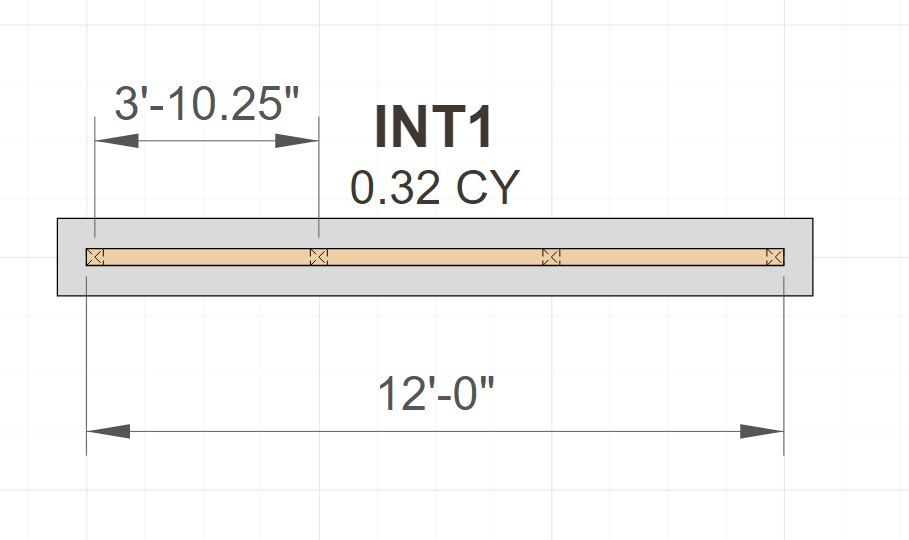
                      project_su340_800.jpg

                      Nathaniel P. Wilkerson PE
                      Medeek Engineering Inc
                      design.medeek.com

                      1 Reply Last reply
                      Reply Quote 0
                      • medeekM
                        medeek
                        last edited by

                        First look at a basic Slab. The underlying code is very similar to a slab-on-grade so I should be able to complete this one more quickly.
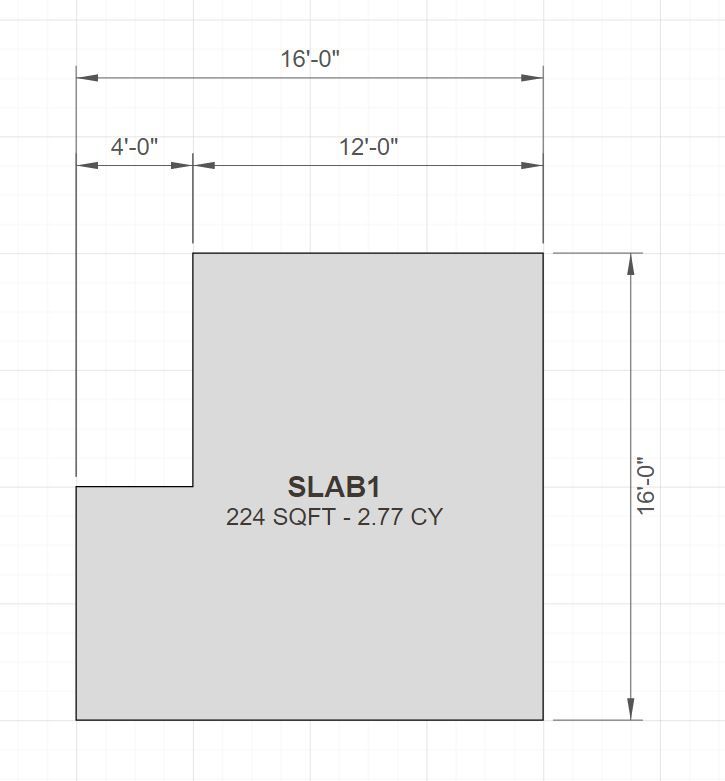
                        project_su341_800.jpg

                        Nathaniel P. Wilkerson PE
                        Medeek Engineering Inc
                        design.medeek.com

                        1 Reply Last reply
                        Reply Quote 0
                        • medeekM
                          medeek
                          last edited by

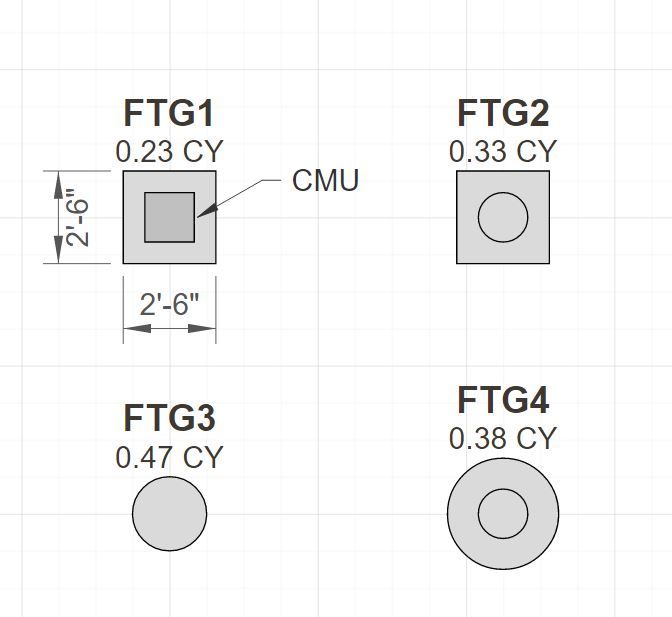
                          First look at column footings:

                          project_su344_800.jpg

                          Nathaniel P. Wilkerson PE
                          Medeek Engineering Inc
                          design.medeek.com

                          1 Reply Last reply
                          Reply Quote 0
                          • medeekM
                            medeek
                            last edited by

                            First look at polyline stemwalls. Note that stemwalls and footings that are at the same Z height will auto merge for presentation purposes.
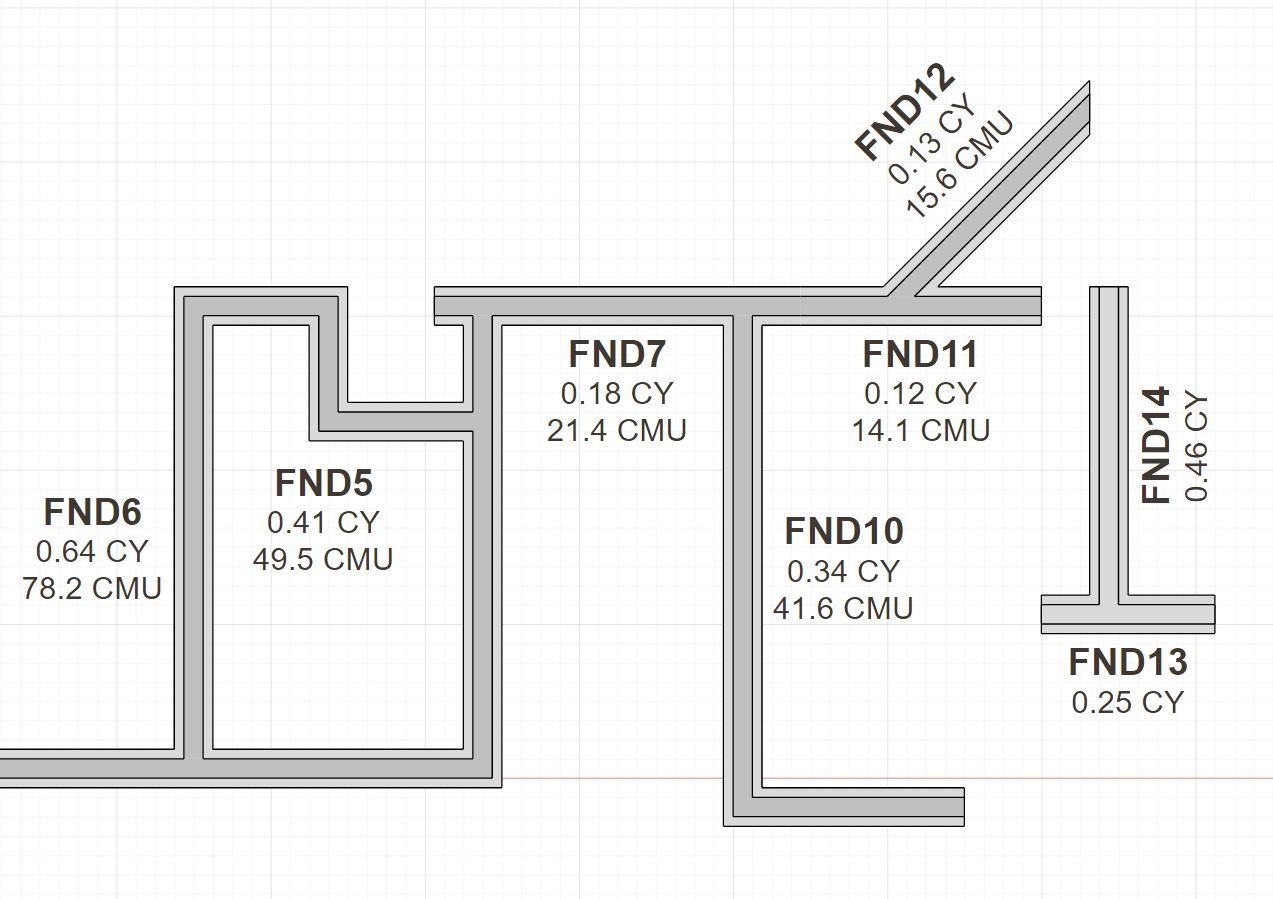
                            project_su355_800.jpg

                            Nathaniel P. Wilkerson PE
                            Medeek Engineering Inc
                            design.medeek.com

                            1 Reply Last reply
                            Reply Quote 0
                            • medeekM
                              medeek
                              last edited by

                              First look at a stemwall foundation with openings and a floor slab.
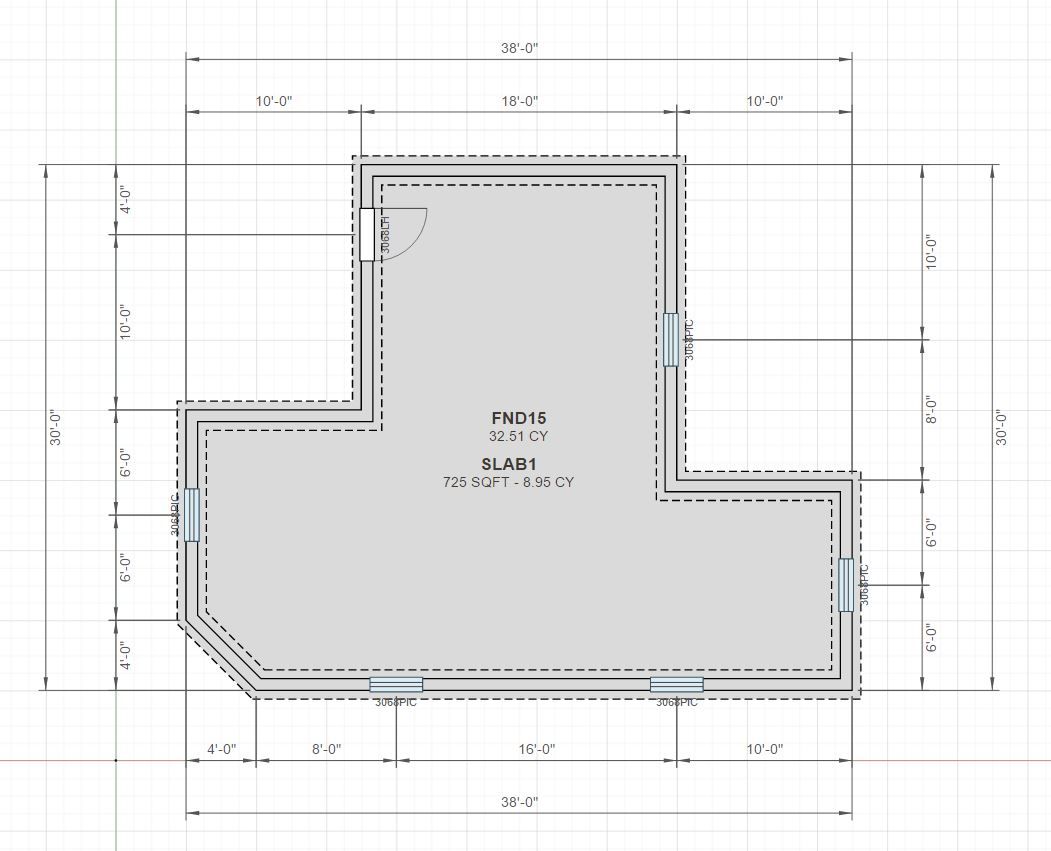
                              project_su360_800.jpg

                              Nathaniel P. Wilkerson PE
                              Medeek Engineering Inc
                              design.medeek.com

                              1 Reply Last reply
                              Reply Quote 0
                              • medeekM
                                medeek
                                last edited by

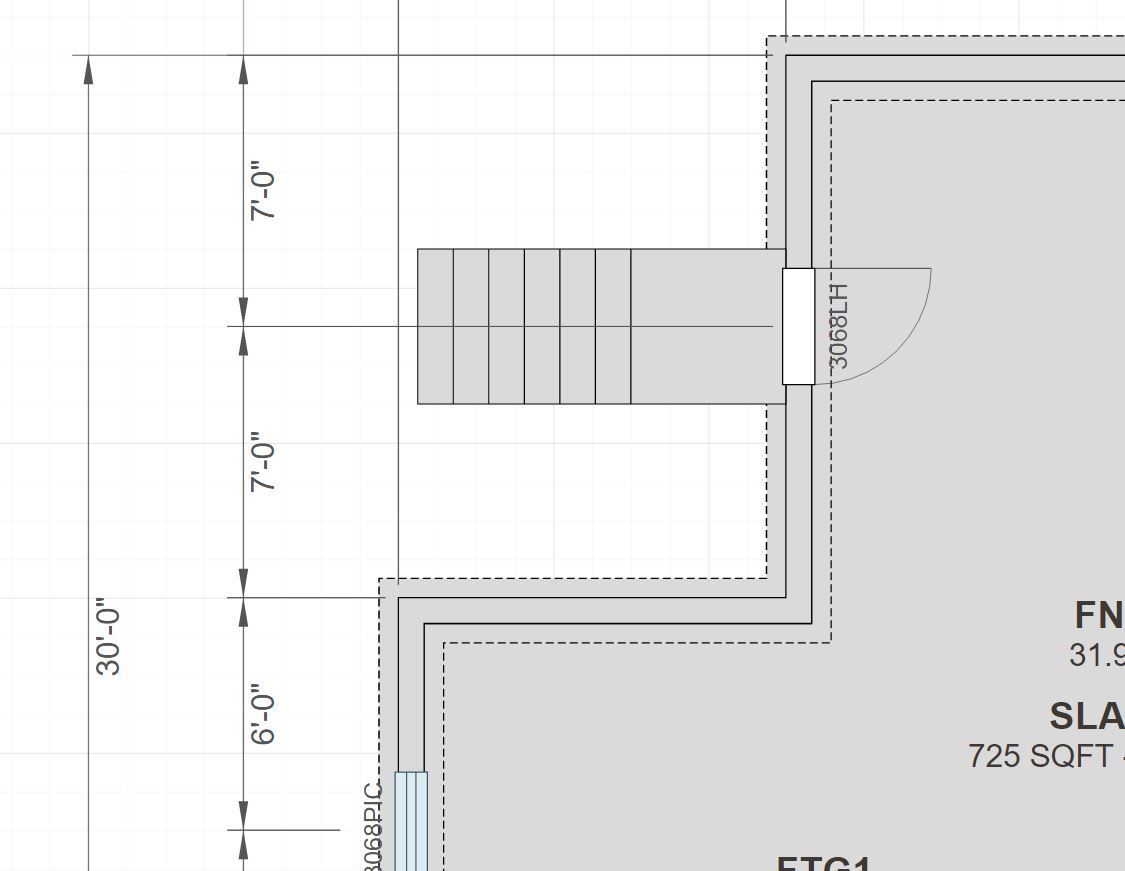
                                I've also enabled the entry stair option for foundation door openings
                                project_su364_800.jpg

                                Nathaniel P. Wilkerson PE
                                Medeek Engineering Inc
                                design.medeek.com

                                1 Reply Last reply
                                Reply Quote 0
                                • medeekM
                                  medeek
                                  last edited by

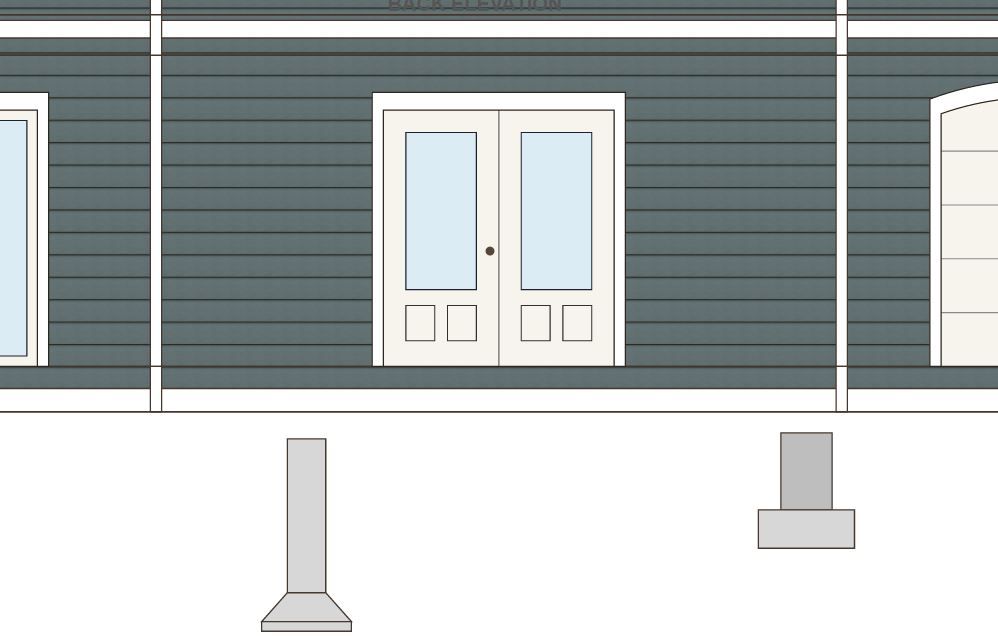
                                  I'm now spending a day or two integrating the eight different foundation assemblies into the elevation views. Here is a couple examples of column footings:
                                  project_su367_800.jpg

                                  Nathaniel P. Wilkerson PE
                                  Medeek Engineering Inc
                                  design.medeek.com

                                  1 Reply Last reply
                                  Reply Quote 0
                                  • medeekM
                                    medeek
                                    last edited by

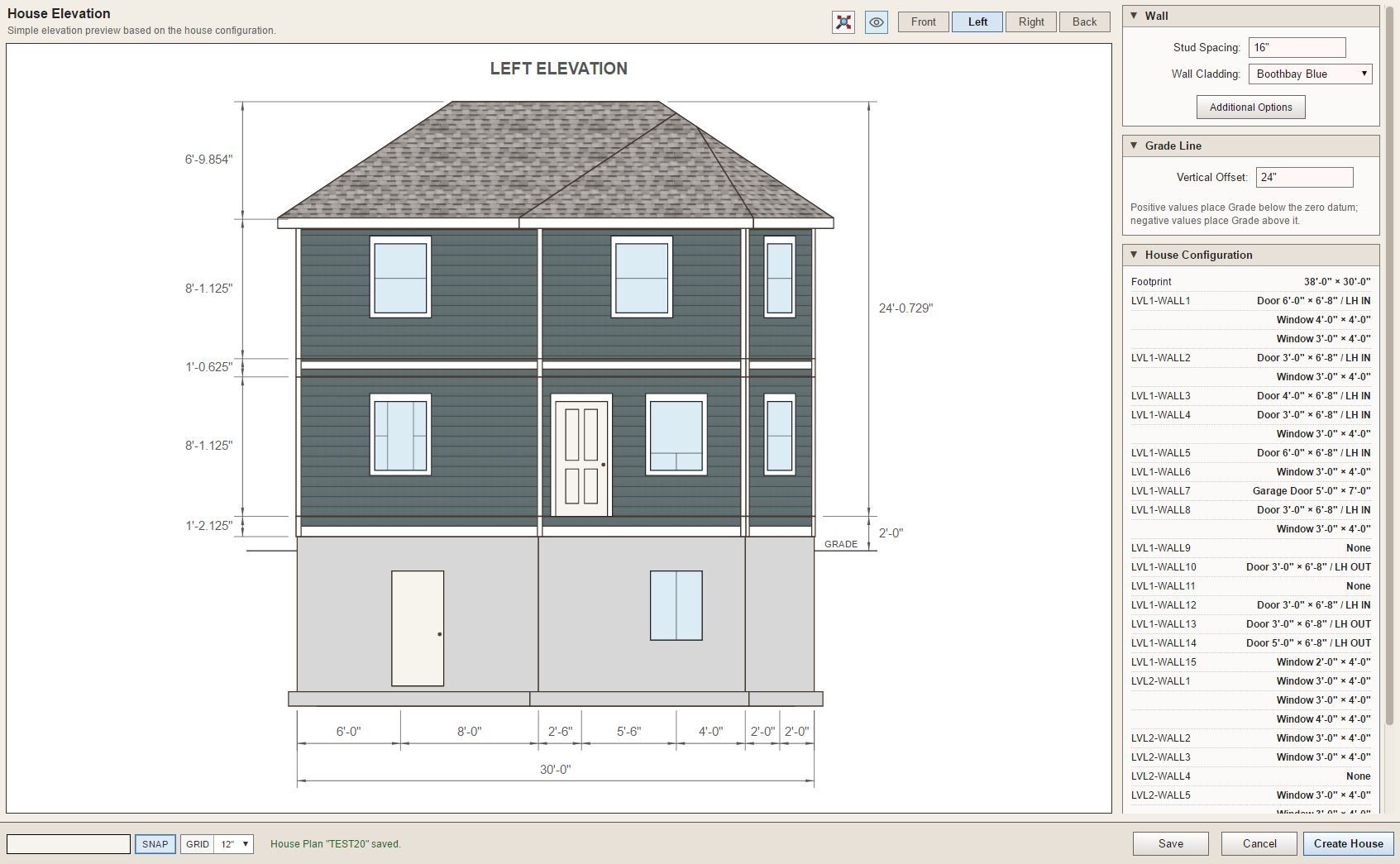
                                    I am now trying to wrap up stemwall foundations and the addition of windows, doors and blockouts, all within the elevation views. After further testing I'm noticing that all of this added complexity does potentially slow down the app/tool when enough windows, doors and dimensions are added. I will need to spend a few more days tightening up my "redraw" algorithms so that performance is maximized. The last thing we want is a sluggish interface.
                                    project_su381_800.jpg

                                    Nathaniel P. Wilkerson PE
                                    Medeek Engineering Inc
                                    design.medeek.com

                                    1 Reply Last reply
                                    Reply Quote 0
                                    • medeekM
                                      medeek
                                      last edited by

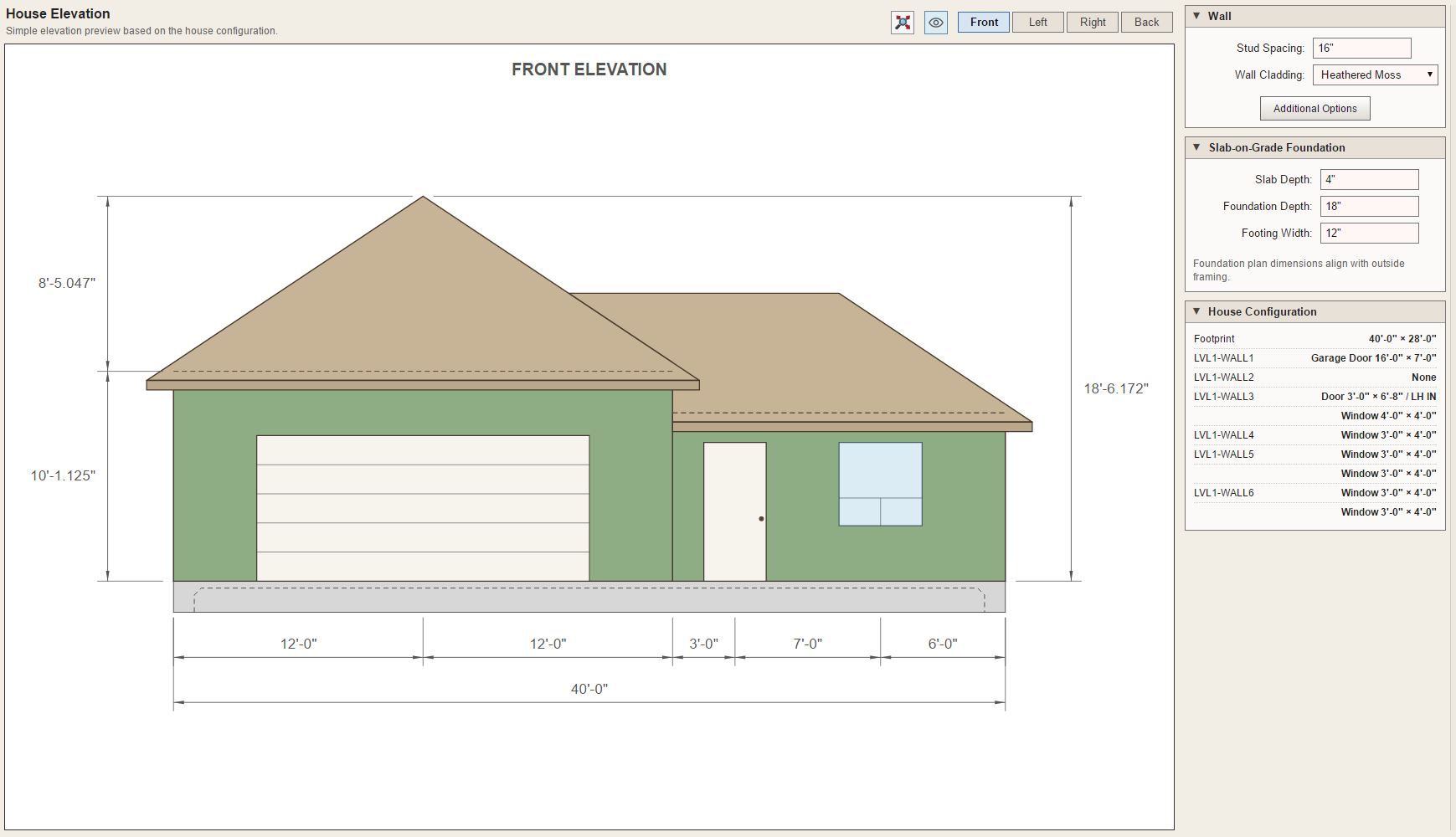
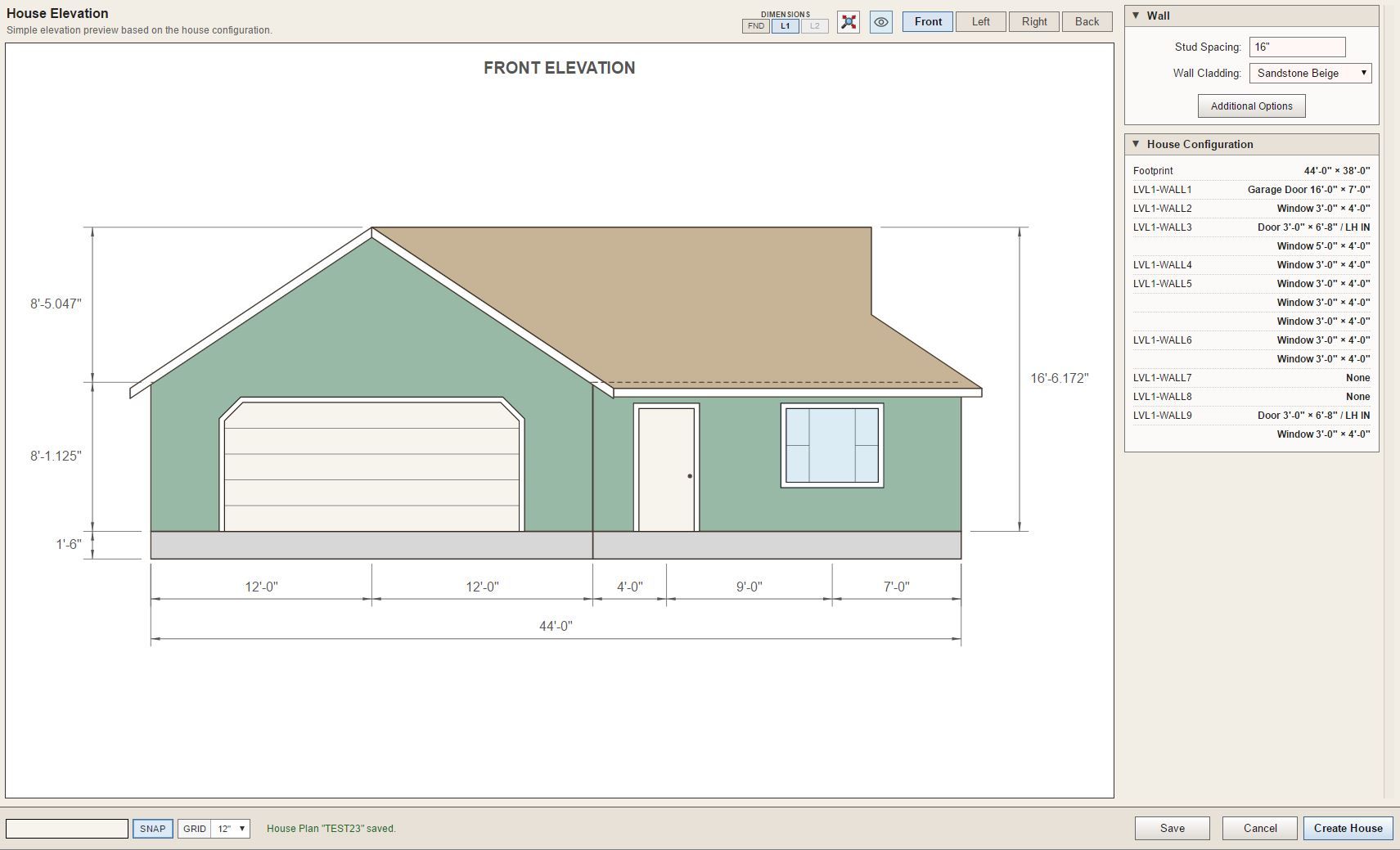
                                      I'm also adding gable walls as well as shed and hip.
                                      project_su425_800.jpg

                                      Nathaniel P. Wilkerson PE
                                      Medeek Engineering Inc
                                      design.medeek.com

                                      1 Reply Last reply
                                      Reply Quote 0
                                      • medeekM
                                        medeek
                                        last edited by

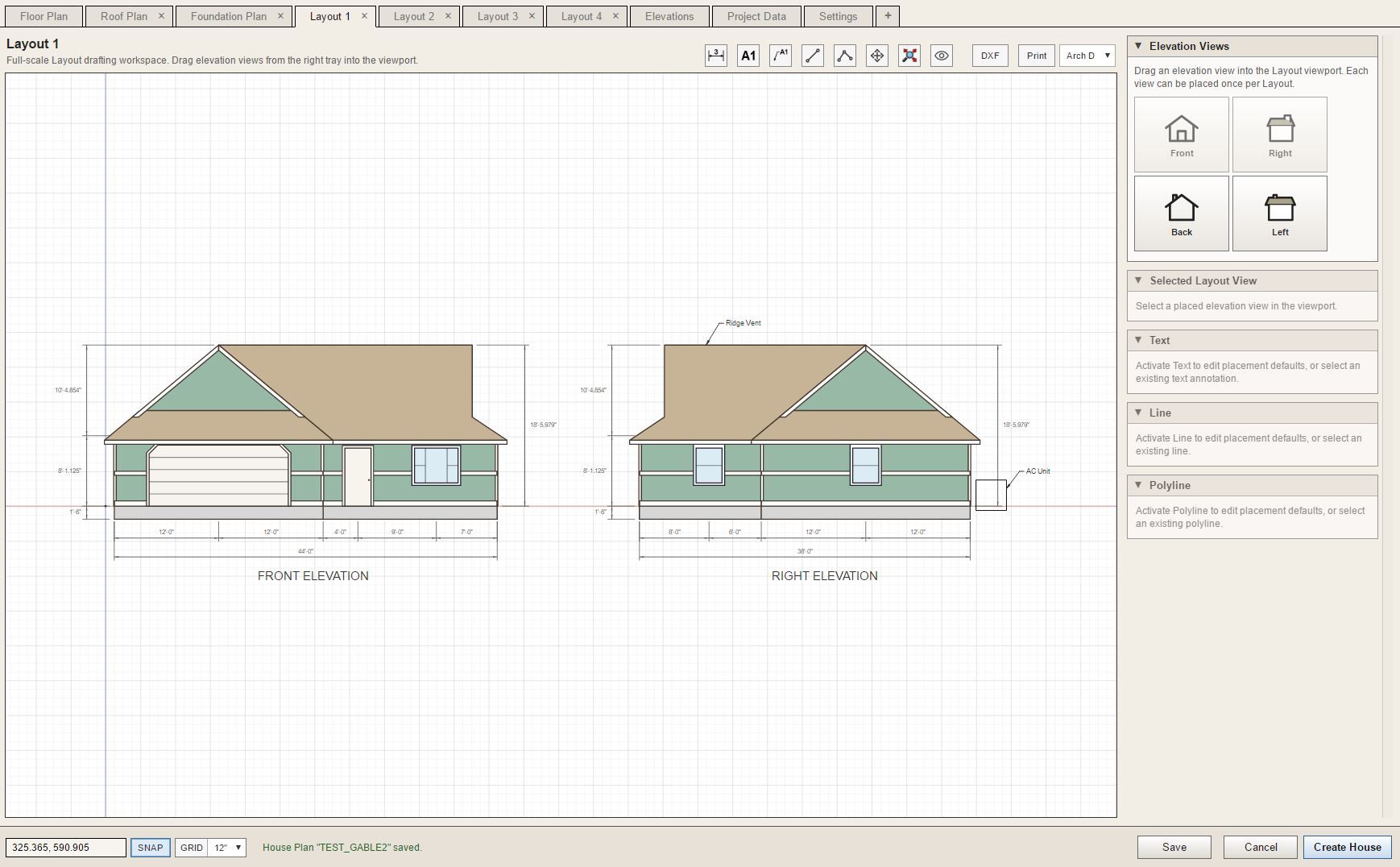
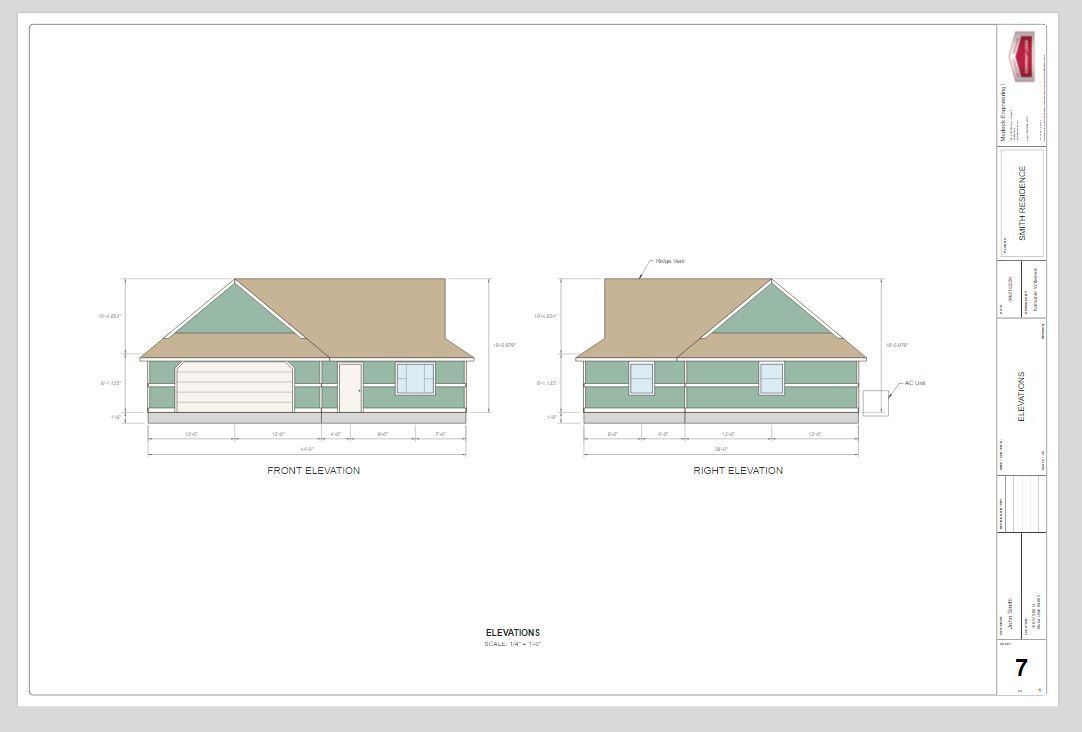
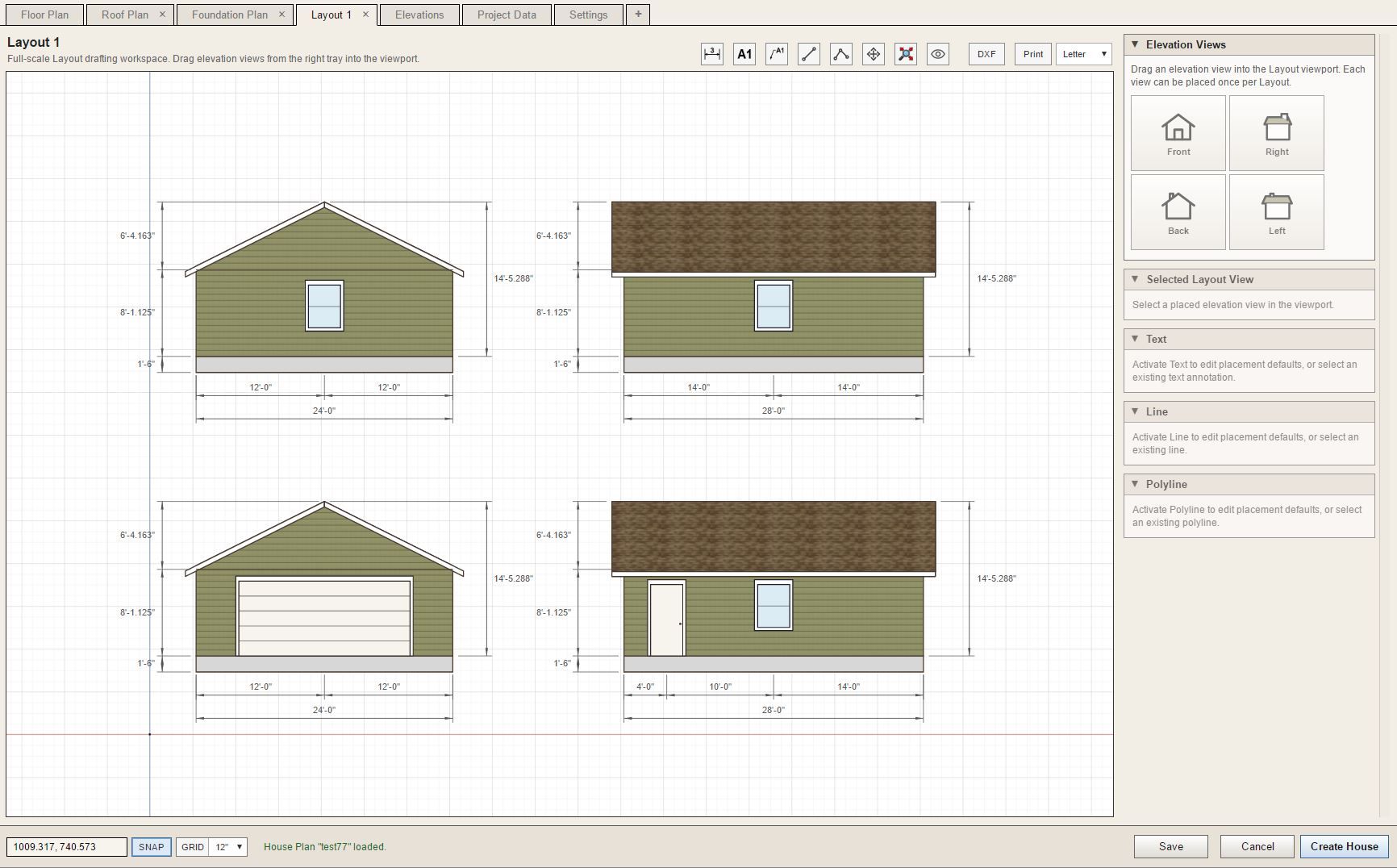
                                        Currently the various plan view tabs are treated as their own “sheets” or pages. In other words if you print that tab you get exactly what is in the viewport scaled to fit into a regular sheet size (letter, 11x17, Arch C, Arch D). You cannot add in other geometry from other tabs. This seems to work reasonably well for most of these plan views (ie. Floor Plan, Foundation Plan, Roof Plan, Floor Framing Plan etc…)

                                        However, when it comes to elevation views things typically get a bit more interesting. Some designers like to put multiple elevation views on one sheet and in some cases all four if they will fit ( I like to do this for small ADUs for example). So it is not as easy as assigning one elevation view to one sheet, or even assigning two elevation views to one sheet, there needs to be more flexibility.

                                        After giving this some considerable thought I decided what I really needed was a Layout system where the user can drag the elevations into the “workspace” and position them as they see fit, and then at that point add their annotations and dimensions. I have now created four additional Layout tabs where the user can do exactly that.

                                        The only major thing I feel like I am missing at this point is a sectional view or section tool.
                                        project_su442_800.jpg

                                        project_su443_800.jpg

                                        Nathaniel P. Wilkerson PE
                                        Medeek Engineering Inc
                                        design.medeek.com

                                        1 Reply Last reply
                                        Reply Quote 0
                                        • medeekM
                                          medeek
                                          last edited by

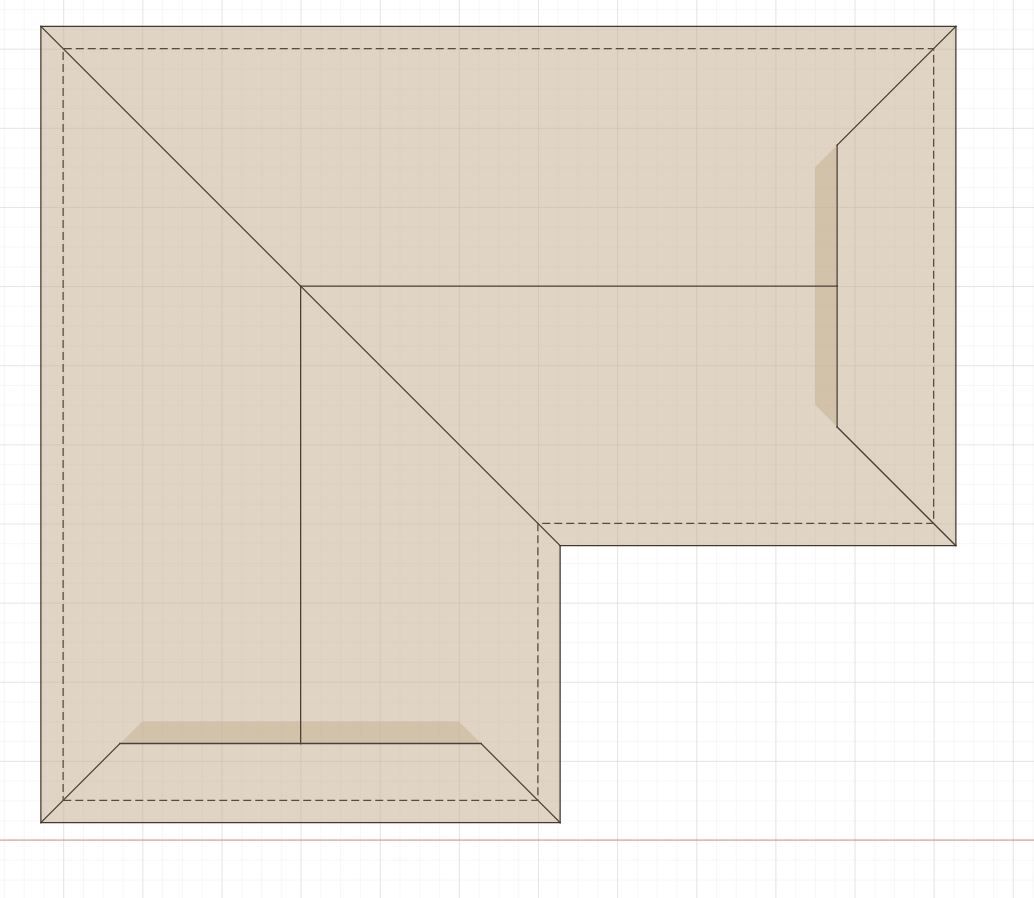
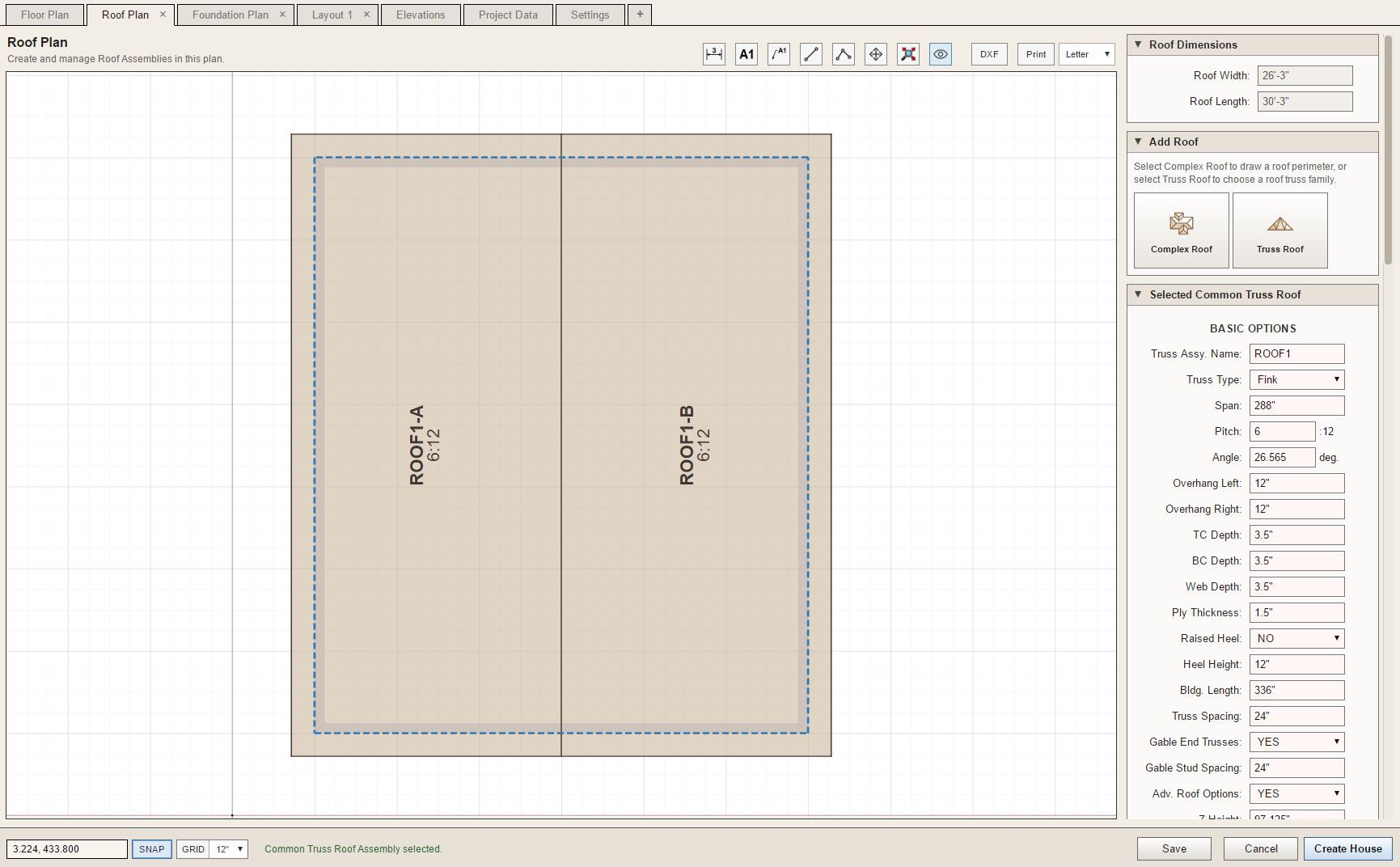
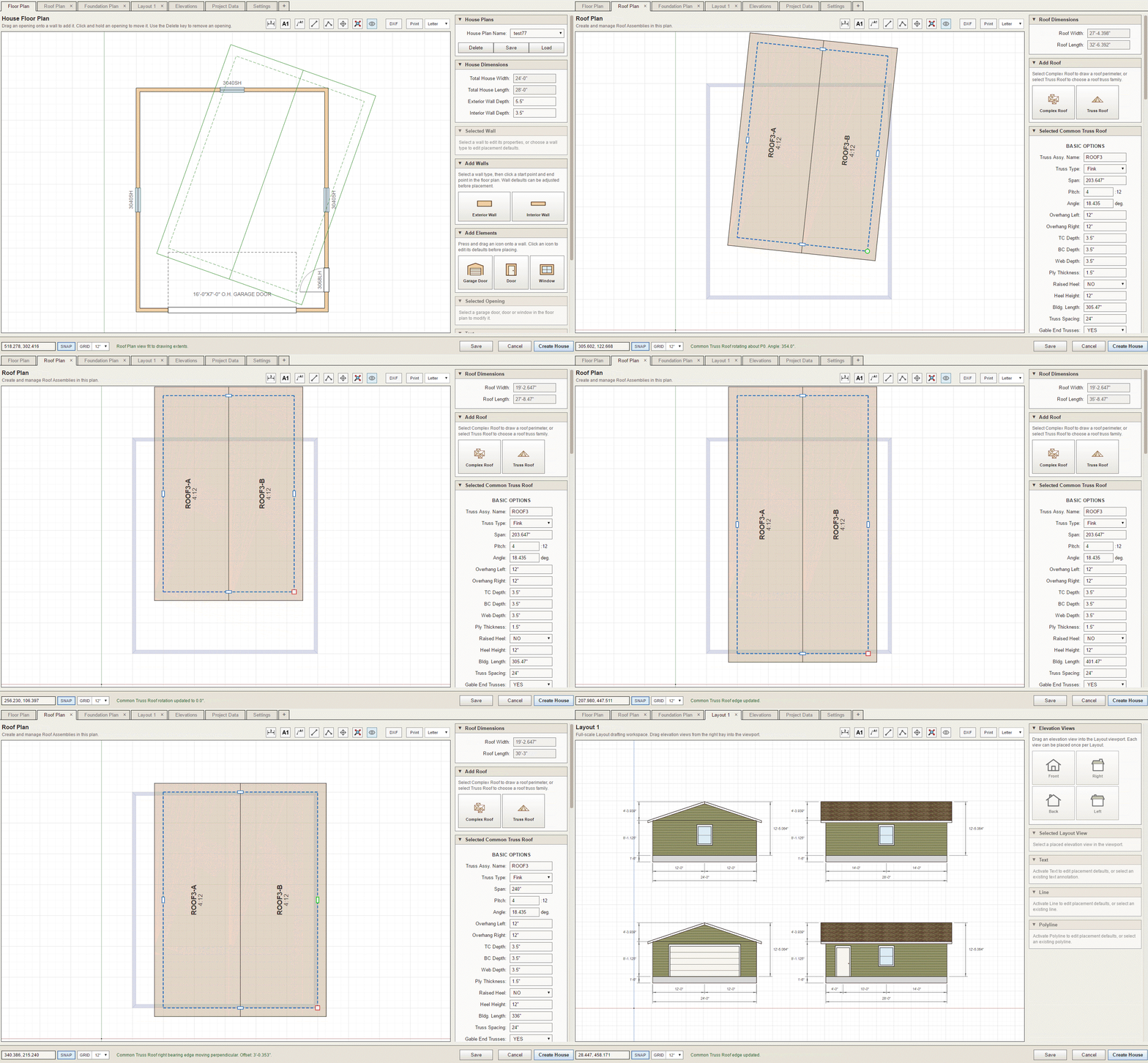
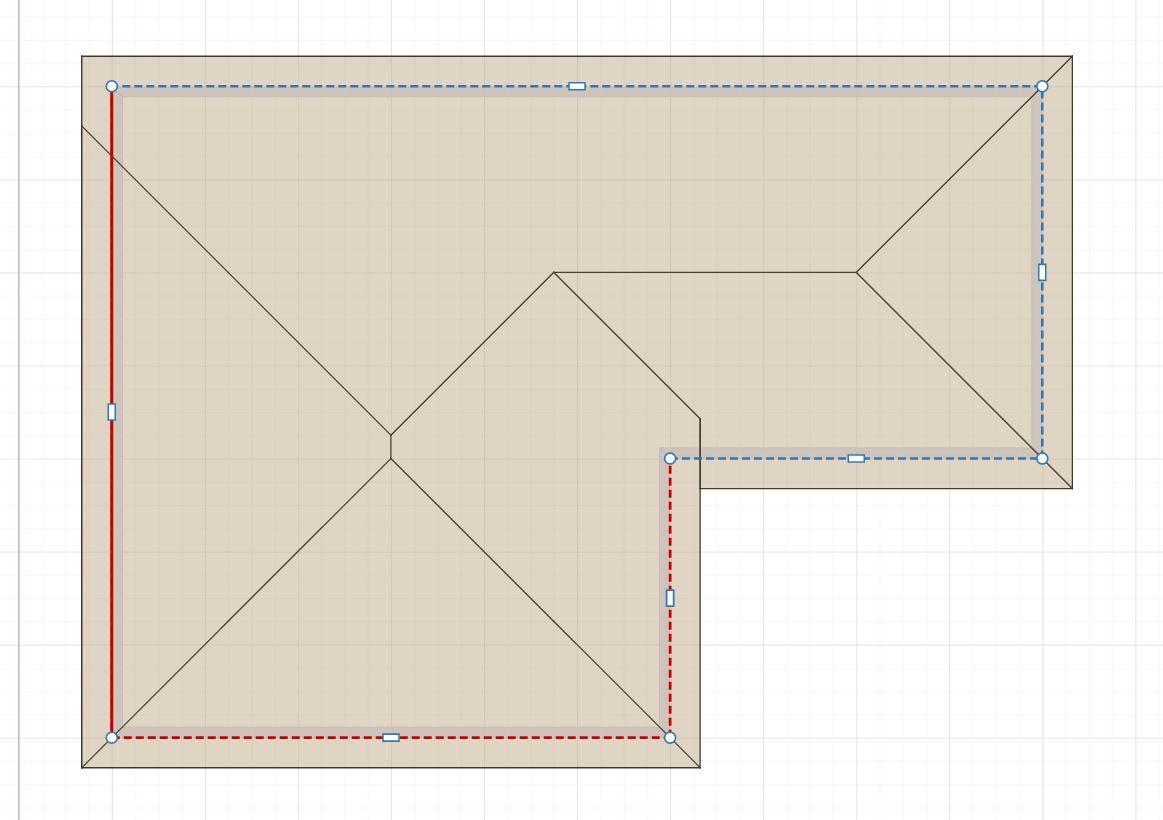
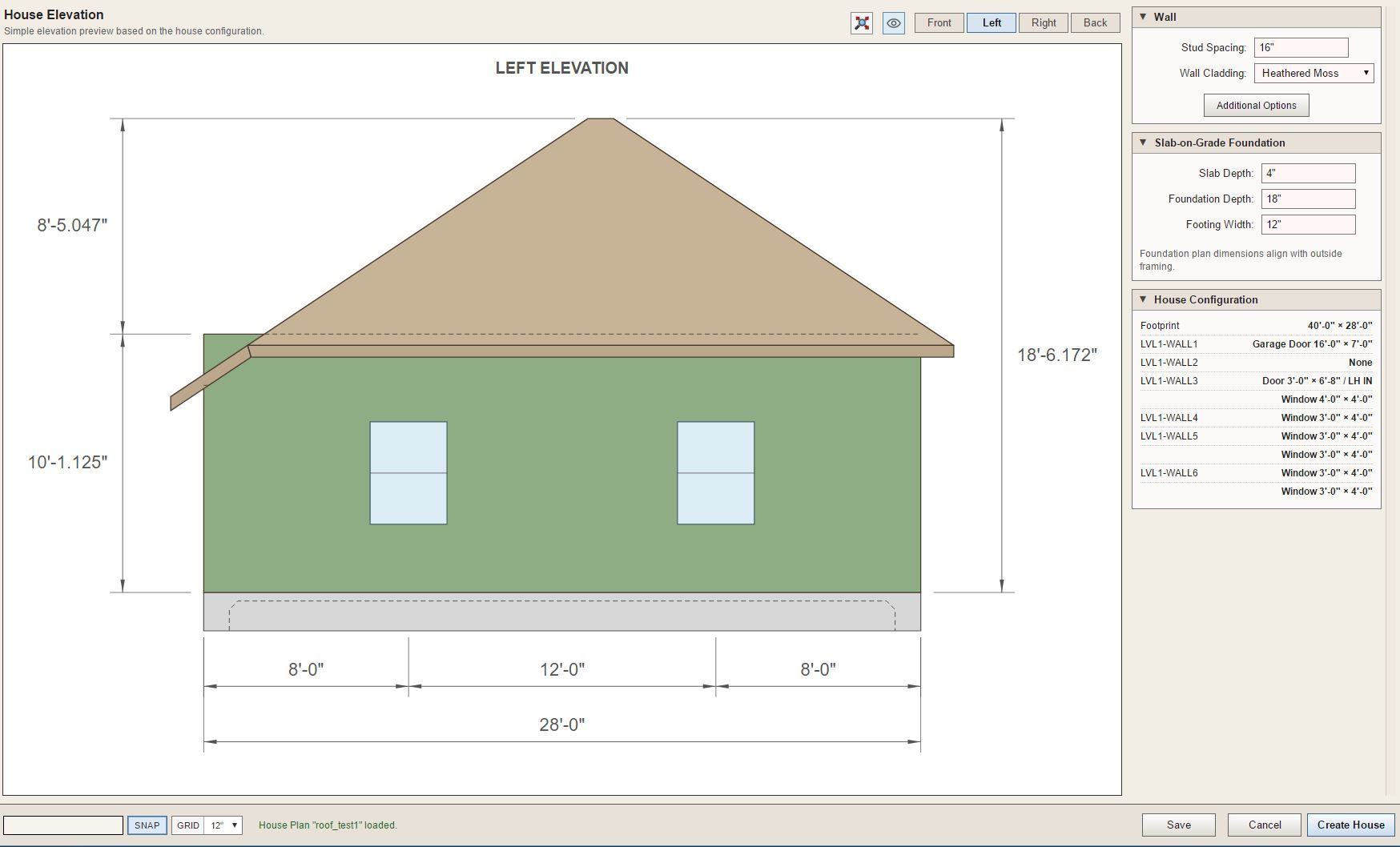
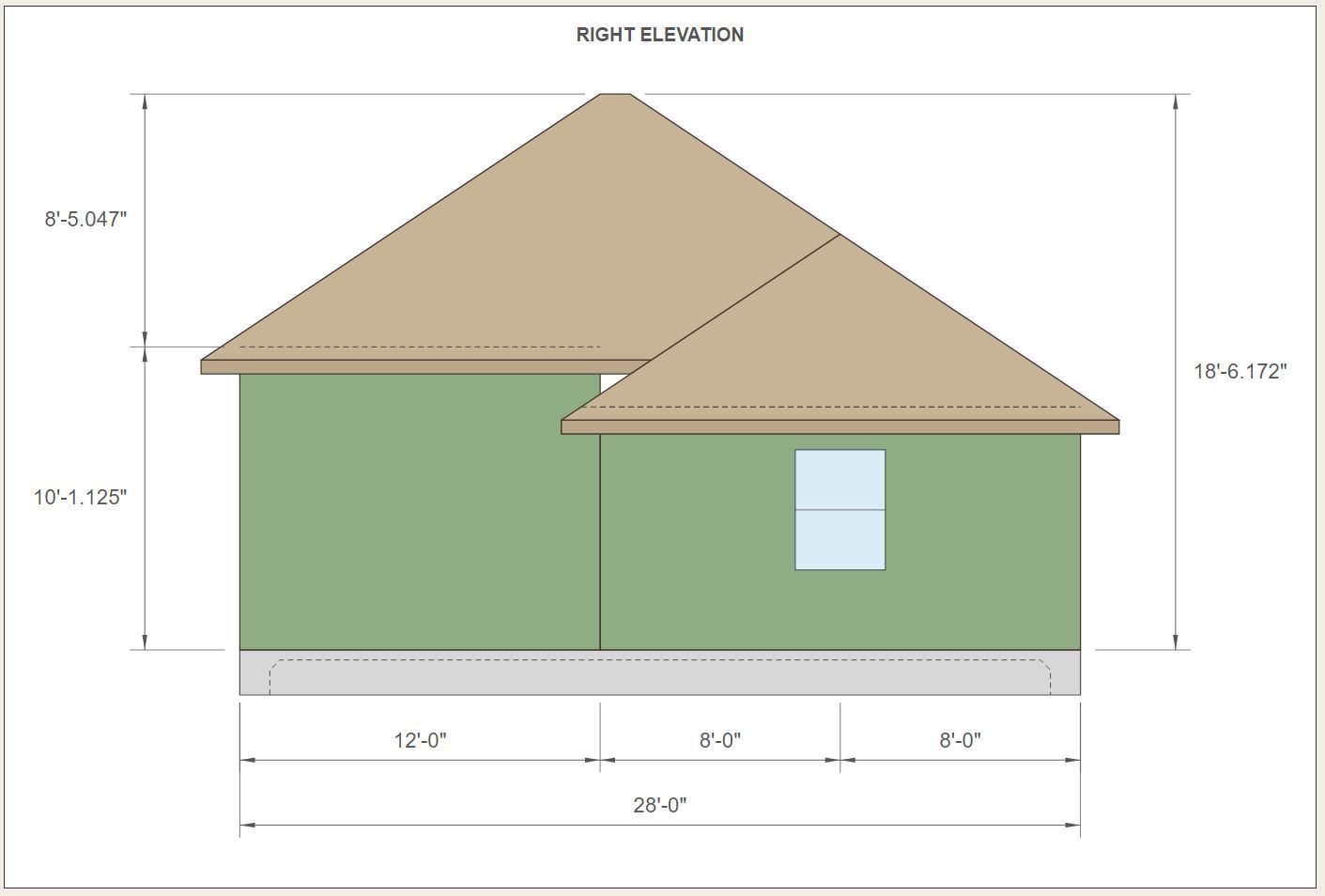
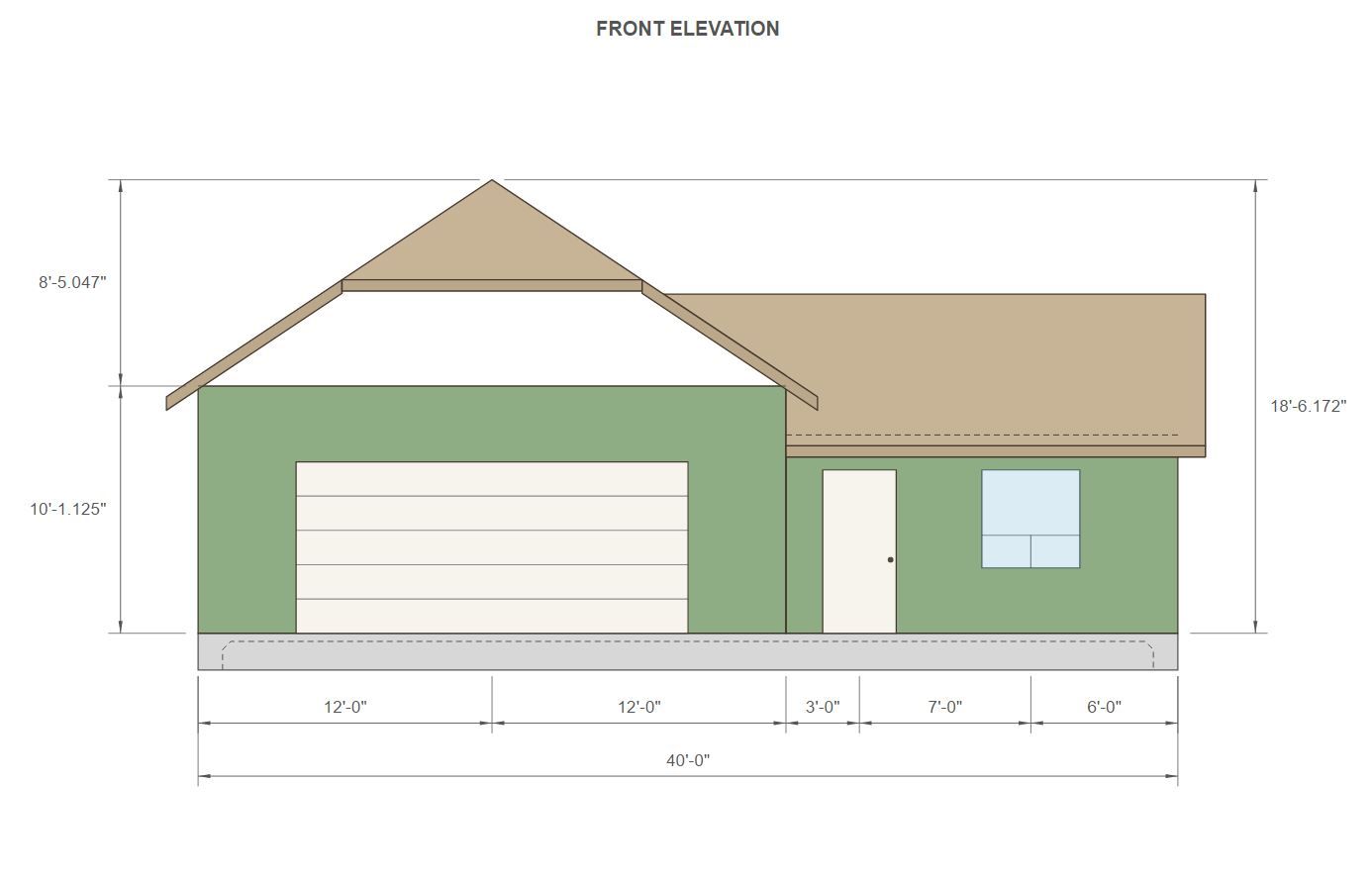
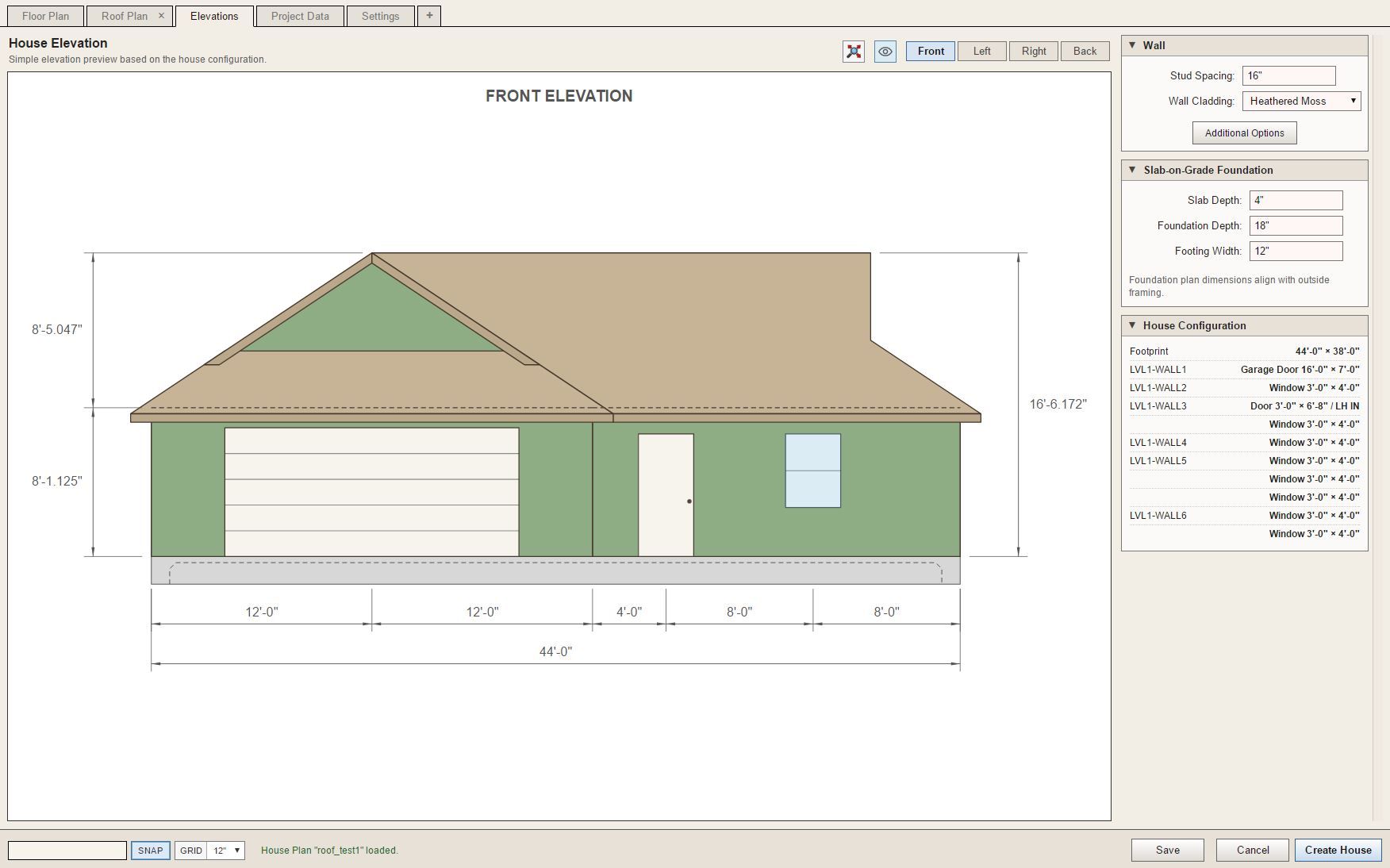
                                          I've also add Common Truss Roofs along with Complex Roofs.
                                          project_su448_800.jpg

                                          project_su449_800.jpg

                                          roof_test1.gif

                                          Nathaniel P. Wilkerson PE
                                          Medeek Engineering Inc
                                          design.medeek.com

                                          1 Reply Last reply
                                          Reply Quote 0
                                          • medeekM
                                            medeek
                                            last edited by

                                            Version 1.2.8 - 10.11.2026

                                            • Added the "Draw House" tool to the Medeek Builder toolbar.

                                            I'm releasing this update so that interested parties can test out the House Builder interface. It is currently not fully wired into the Medeek API so have temporarily disabled the "Create House" button. I will be spending the next week or two completely the upgrades to the Medeek API for the various mdkBIM extensions so that we can access API methods for floors, foundations, roofs etc...

                                            The primary purpose of this update is to garner feedback on the UI and the front end. Please download and install this latest update and send any feedback directly to nathan@medeek.com. I will be very curious what everyone thinks of this new tool and I think you will find it is much more capable than the "prototype" Garage Builder".

                                            Nathaniel P. Wilkerson PE
                                            Medeek Engineering Inc
                                            design.medeek.com

                                            1 Reply Last reply 👍
                                            Reply Quote 0

                                            Hello! It looks like you're interested in this conversation, but you don't have an account yet.

                                            Getting fed up of having to scroll through the same posts each visit? When you register for an account, you'll always come back to exactly where you were before, and choose to be notified of new replies (either via email, or push notification). You'll also be able to save bookmarks and upvote posts to show your appreciation to other community members.

                                            With your input, this post could be even better 💗

                                            Register Login
                                            • 1
                                            • 2
                                            • 3
                                            • 4
                                            • 5
                                            • 6
                                            • 5 / 6
                                            • First post
                                              Last post
                                            Buy SketchPlus
                                            Buy SUbD
                                            Buy WrapR
                                            Buy eBook
                                            Buy Modelur
                                            Buy Vertex Tools
                                            Buy SketchCuisine
                                            Buy FormFonts

                                            Advertisement