Extruding at an Angle
-
Hi all,
I wish to extrude a shape at an angle, have it get smaller as it goes up, to make a pyramid type shape. Would anyone know of any tools in sketchup or any extensions I could get to help me do this? I can't seem to find any myself...
Thanks.
-
Using the native tools you can extrude up, move to an angle, then scale the top face to create a taper.

As for plugins, there are several, Fredo's Joint PushPull Taper springs to mind.
A little more information about what you want to achieve could well get better answers. -
Ok, I got it now. I need to scale the top face after extruding.
Thanks alot.
-
Another one:
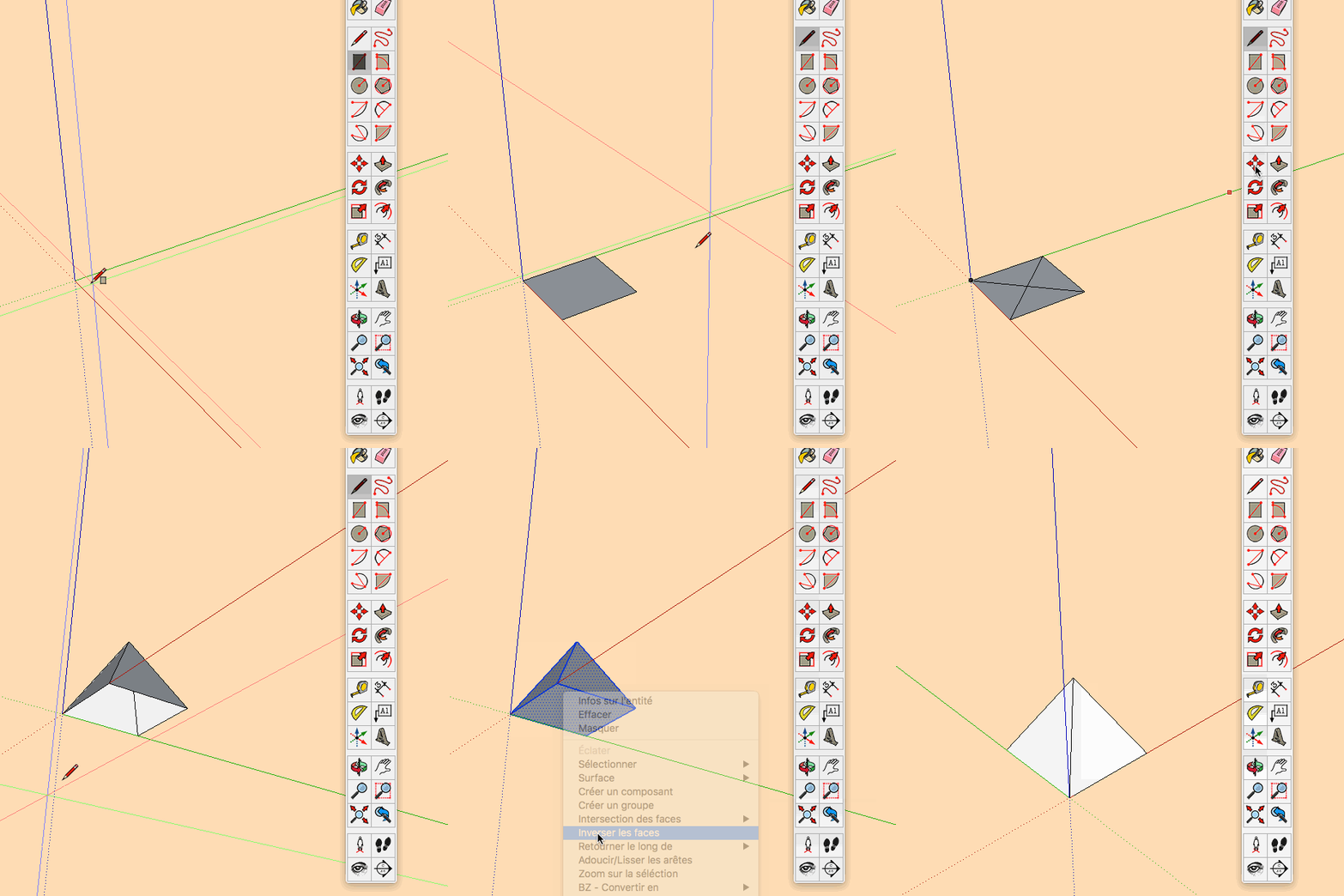
-
gilles, if you traced one of the existing edges at the base of the pyramid instead of drawing the diagonal, you'd still get the face on the bottom but you could eliminate the step of erasing the unneeded diagonal line.
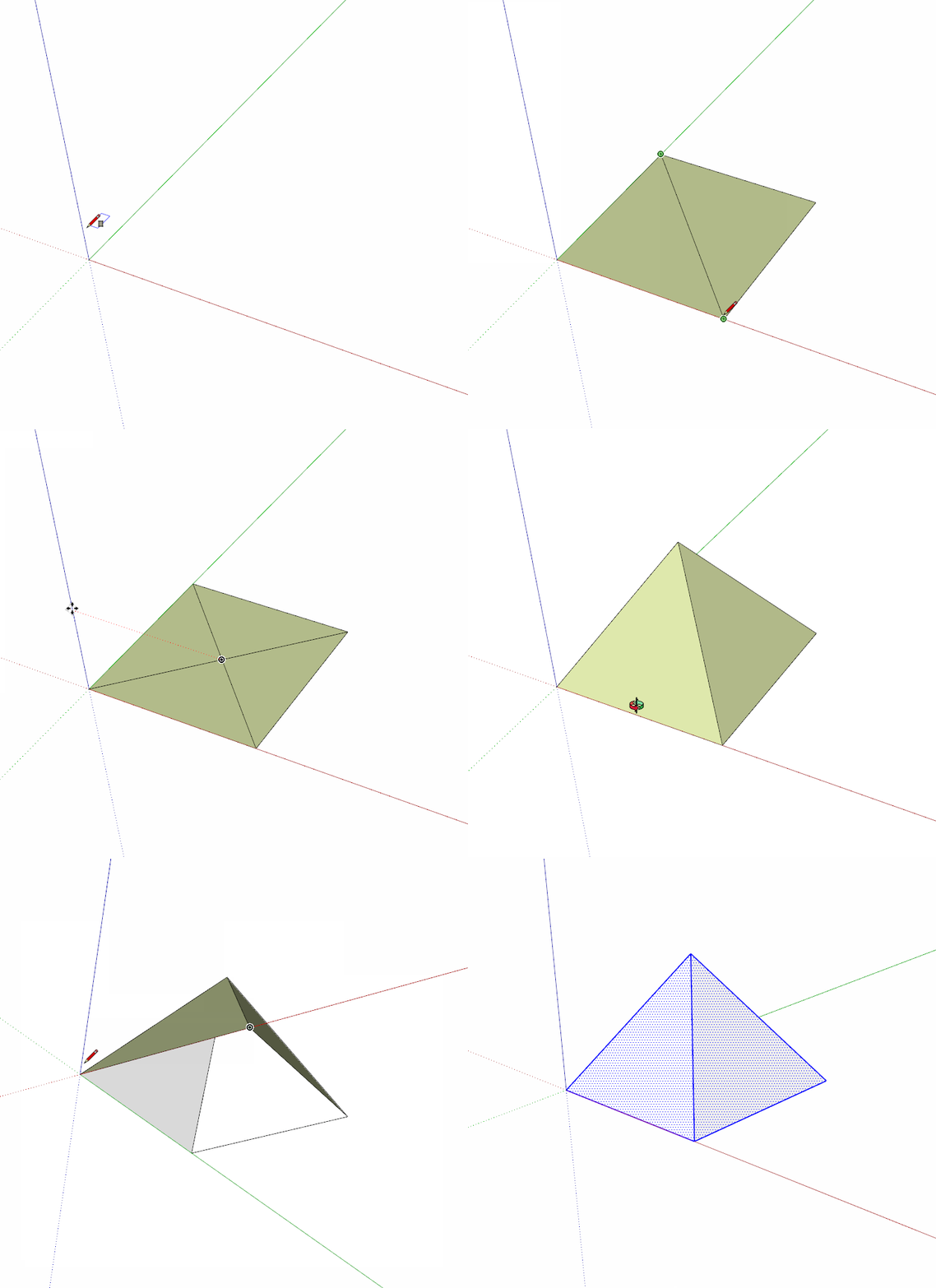
Might need to click on the picture.



Hello! It looks like you're interested in this conversation, but you don't have an account yet.
Getting fed up of having to scroll through the same posts each visit? When you register for an account, you'll always come back to exactly where you were before, and choose to be notified of new replies (either via email, or push notification). You'll also be able to save bookmarks and upvote posts to show your appreciation to other community members.
With your input, this post could be even better 💗
Register Login


Advertisement