Intersect Faces
-
Hi,
I'm very new to Sketchup and have a small question. I have drawn 2 boxes and on one of them I have a circle. After putting the boxes upon each other, I have done "Intersect Faces > with model".
The resulting circle on the upper box is not really a circle and thus useluss for me . Is there a way to convert it in a real circle?
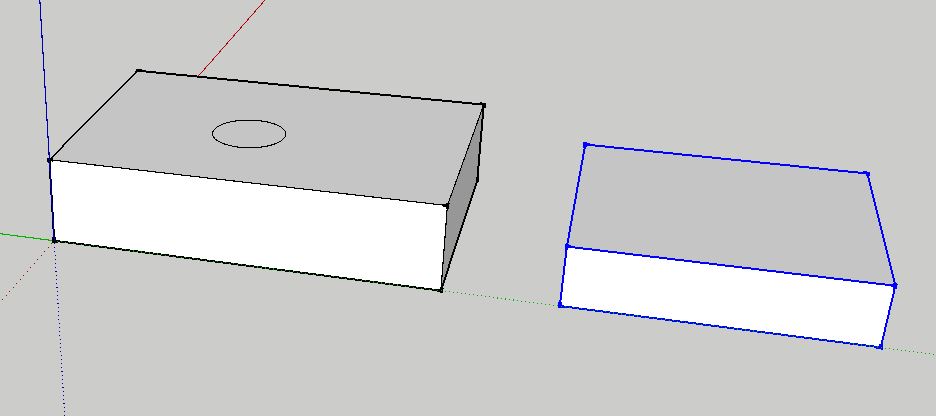
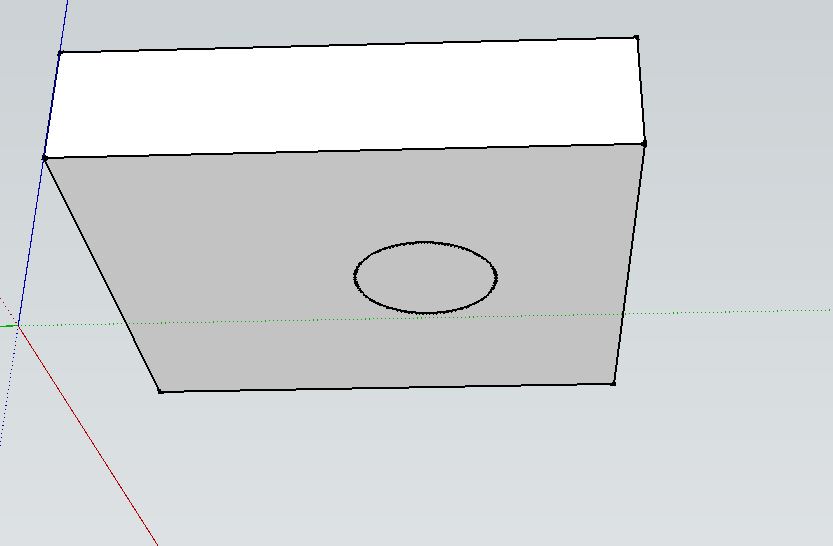
Thanks in advance,
Herman -
no. Was it necessary to use intersect? Maybe there's a plugin for the reverse creation of a circle, but I haven't heard of one. Keeping the box and "circle" that you have separate by grouping it. I would draw a new circle over the first. Then copy the circle, enter the box group, erase the bad "circle" and paste in the new (paste in place).
-
Thanks for your answer...the problem is that I need to draw a lot of those circles in my "closet" drawing. The closet shelves are connected with dowels, so I need to know for each shelf where the connections (dowels) are.
-
Instead of using Intersect Faces, copy the circles from one component and paste them in place in the neighboring component.


Hello! It looks like you're interested in this conversation, but you don't have an account yet.
Getting fed up of having to scroll through the same posts each visit? When you register for an account, you'll always come back to exactly where you were before, and choose to be notified of new replies (either via email, or push notification). You'll also be able to save bookmarks and upvote posts to show your appreciation to other community members.
With your input, this post could be even better 💗
Register Login


Advertisement