[Plugin] ClothWorks v1.8.0 - 28 Apr 2024
-
I've been using this extension for some time now but I currently have an issue. Clothworks is crashing when ever I go to drop a cloth over a 3d item. Single plane it has no issue, but if there are 2 or more angels outside of the one plane it crashes with no warning, or lag.
-
If you share the SKP file so we can see what you are trying to do, we can give you some help.
-
@jkeller3 said:
I've been using this extension for some time now but I currently have an issue. Clothworks is crashing when ever I go to drop a cloth over a 3d item. Single plane it has no issue, but if there are 2 or more angels outside of the one plane it crashes with no warning, or lag.
Yes, please share a model or send me a private message of your model, that I could look into the issue. Also, are you using ClothWorks v1.7.0 or an older version?
-
Anton,
I DM'd you a skp file and screen capture of what happens. It happens with all SKP files no matter how complicated or simple. At first I thought maybe the geometry I was using was too complicated but you can see with that simple file simple draping does not work for me. This file used a quadrilateral grid at 3000 and default settings. I've uninstalled CW and reinstalled it. Versions of my software are:OSX Mojave Version 10.14.5
sketchup Version 19.2.221
ClothWorks version 1.7.0a -
Joe Keller,
I am able to reproduce the crash on my Mac OS X 10.14 but not on my Windows 10. I will look into fixing the issue as soon as possible. Thank you for the report!
Anton
-
Announcing version 1.7.1:
- Fixed crash on Mac OS X. Thanks to jkeller3 for the report.
- Added Spanish language. Thanks to Oxer for the translations.
-
Just bought this plugin and saw a new version released (1.7.1a) but when updated the toggle UI interface is not working anymore. It can't be opened. I use SU 2019 PRO on win 10.
-
@anton_s said:
Announcing version 1.7.1:
- Fixed crash on Mac OS X. Thanks to jkeller3 for the report.
- Added Spanish language. Thanks to Oxer for the translations.
Hi! v1.7.1 and 1.7.0 toggle UI not working on SU 2019 PRO, Windows 10
-
@summerson1990 said:
Just bought this plugin and saw a new version released (1.7.1a) but when updated the toggle UI interface is not working anymore. It can't be opened. I use SU 2019 PRO on win 10.
The Toggle UI toolbar option works correctly on my system. Please do a clean installation of the plugin. Navigate to your plugins folder and delete ams_ClothWorks folder and ams_ClothWorks.rb file. Then do a clean installation of version 1.7.1.
There are two plugin folders. To navigate to the first plugins folder, open a file explorer window and paste the following into the address bar: %appdata%\sketchup\SketchUp 2019\SketchUp\Plugins
The second plugins folder is located at:
C:\ProgramData\SketchUp\SketchUp 2019\SketchUp\PluginsEnsure that original version is deleted from both folders prior to installing the new version.
-
@anton_s said:
@summerson1990 said:
Just bought this plugin and saw a new version released (1.7.1a) but when updated the toggle UI interface is not working anymore. It can't be opened. I use SU 2019 PRO on win 10.
The Toggle UI toolbar option works correctly on my system. Please do a clean installation of the plugin. Navigate to your plugins folder and delete ams_ClothWorks folder and ams_ClothWorks.rb file. Then do a clean installation of version 1.7.1.
There are two plugin folders. To navigate to the first plugins folder, open a file explorer window and paste the following into the address bar: %appdata%\sketchup\SketchUp 2019\SketchUp\Plugins
The second plugins folder is located at:
C:\ProgramData\SketchUp\SketchUp 2019\SketchUp\PluginsEnsure that original version is deleted from both folders prior to installing the new version.
Maybe you are using not a last release of SU (2019.2)? Because I did exactly you adviced and still the problem exists... I can make a gif screenshot in order to prove it.
-
This is what I see on 2019.2.
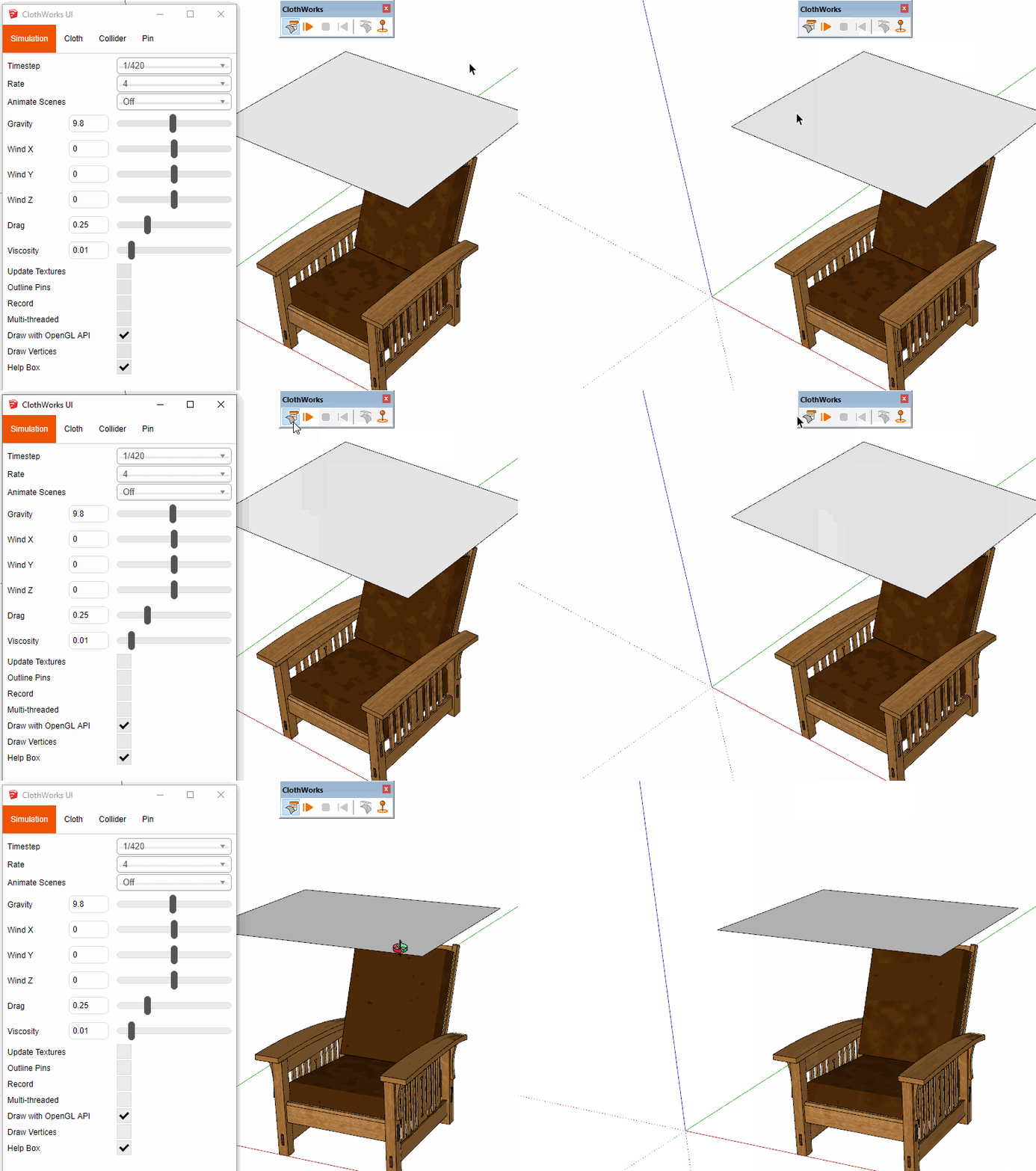
-
@dave r said:
This is what I see on 2019.2.
[attachment=0:205mv7bc]<!-- ia0 -->UI Toggle.gif<!-- ia0 -->[/attachment:205mv7bc]Ok, so what's the problem with mine? See an attached gif by link https://dropmefiles.com/gDreG.
-
When you installed 2019.2, did you do so correctly? That is, did you right click on the downloaded installer and choose Run as administrator while logged into Windows under your normal user ID? We've seen lots of weird problems related to incorrect installation of SketchUp when users haven't used Run as administrator.
-
@summerson1990 I fixed the issue. Please update to 1.7.2. The problem had to do with non-ascii username. I originally relied on the ENV variable to get path to appdata. I see that the ENV variable has issues with non-ascii usernames. With 1.7.2, I updated to use Windows API to get the appdata path. Thank you for the report and my apologies for the inconvenience!
-
@anton_s said:
@summerson1990 I fixed the issue. Please update to 1.7.2. The problem had to do with non-ascii username. I originally relied on the ENV variable to get path to appdata. I see that the ENV variable has issues with non-ascii usernames. With 1.7.2, I updated to use Windows API to get the appdata path. Thank you for the report and my apologies for the inconvenience!
Yes, now it works fine, thanks a lot!)
-
Help needed...
I`m rather new to sketchup- I am playing around with Clothworks and I have ran in to a problem regards adding a pattern to the cloth. I have followed the instuctionvideo to the point- but the pattern breaks/cracks in the bendings (see pic.) what am I doing wrong? hoping someone can help me on the way- Thanks -
@jbf You have to apply pattern (material) directly to the faces of the cloth. Do not apply material to the top level group. See one of the ClothWorks videos for applying material.
-
@anton_s said:
@jbf You have to apply pattern (material) directly to the faces of the cloth. Do not apply material to the top level group. See one of the ClothWorks videos for applying material.
Thank you so much Anton- I can´t belive I overlooked that small detail. everything is working as it should

-
В скетчапе ссылка на лицензию предлагает купить только через PayPal - а пейпел заблокировал мой счет и потребовал предоставить скан документа, удостоверяющего личность с фото и прописку, адрес по месту жительства. Я живу в строящемся доме, который принадлежит мне, но у него все еще нет официального адреса и поэтому у меня нет в паспорте прописки.
Я предоставила сервису Paypal квитанцию об оплате электроэнергии с моей фамилией и адресом, но счет мне до сих пор не разблокирован.Очень хочу купить вашу лицензию, неужели нельзя по-другому, НЕ через PayPal ?
translated from Russian by Google translator
In the sketchup, the link to the license offers to be bought only through PayPal - and the paper blocked my account and demanded to provide a scan of an identity document with a photo and registration, address at the place of residence. I live in a house under construction, which belongs to me, but it still does not have an official address and therefore I do not have a residence permit in my passport.
I provided Paypal with a receipt for payment of electricity with my name and address, but my account has not yet been unblocked.I really want to buy your license, is there really no other way, NOT through PayPal?
-
Здравствуйте Евгения! Вам не нужен PayPal для покупки ClothWorks. Нажмите на кнопку "Check Out", чтобы купить, используя другой метод. Смотрите прикрепленные скриншоты.
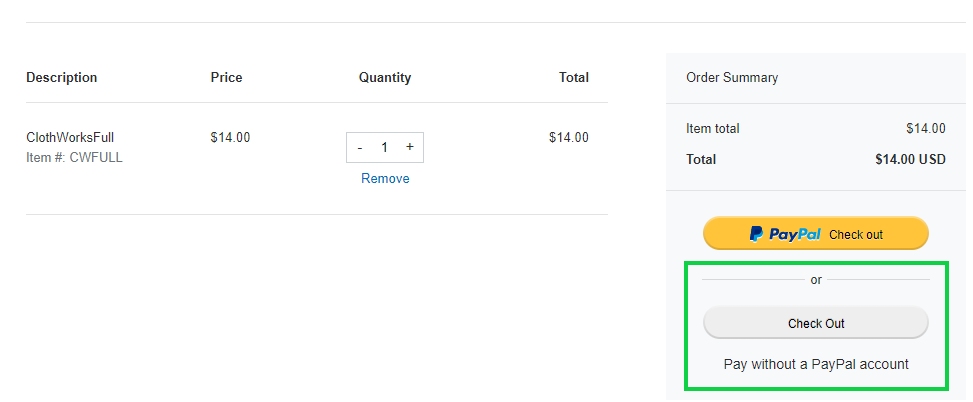
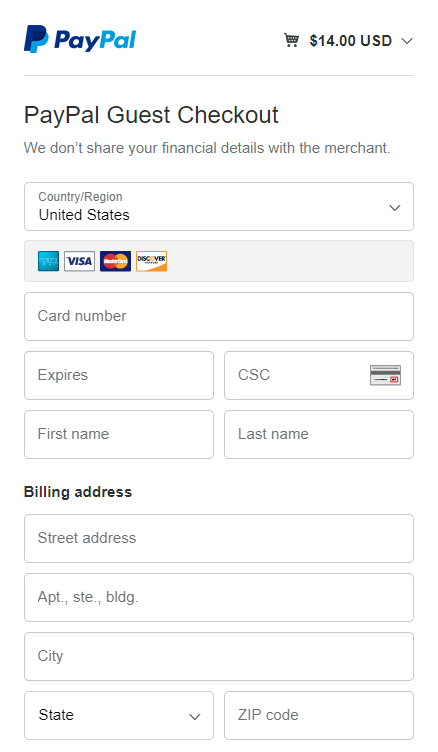





Advertisement