Automatic alignment - how to?
-
Hi - I need a tip
is there a possibility to position components (or groups) directly next to each other on their component frame automatically? (something like you can see below)
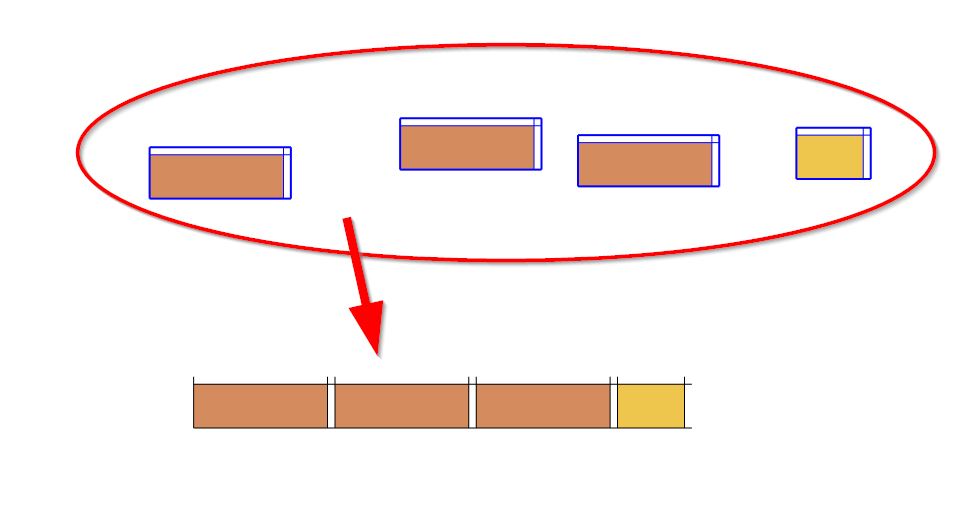
-
Have a look at Align and Distribute from S.D.Mitch
http://sdmitch.blogspot.com.au/ -
Thanks Box !!!!
 a perfect plugin solution - exactly what I was looking for. Only - I can't get it to run (SkUp 2016 Pro / Win10) so far...
 -
got it
 - I need glasses - thank you very much again!
-
thanks Pilou - somehow I have missed all these ingenious toolsets
although Box's recommendation was an exact hit in my actually case, I will try out your tip also because theses tips always give great solution options for future tasks ...Best
-
Or more funny the Component random replacement always by Sdmitch!
Advantages :
you can make without random so your wish above but also random!But the big one is that you can make that on any curves!
(just put "Targets" component as you want on a 3D curve(s) a simple component "x" is sufficient ) -
A very versatile tool indeed!
Just a little trick : all Targets must be a same copy component else Source(s) don't follow the different target's orientations!
I believe in this one you have Relative size or not!




Hello! It looks like you're interested in this conversation, but you don't have an account yet.
Getting fed up of having to scroll through the same posts each visit? When you register for an account, you'll always come back to exactly where you were before, and choose to be notified of new replies (either via email, or push notification). You'll also be able to save bookmarks and upvote posts to show your appreciation to other community members.
With your input, this post could be even better 💗
Register Login


Advertisement