Place a shape on a curved shape
-
Hello,
I would like to know how to realize the body of pineapple seen on https://www.thingiverse.com/thing:2510361
I was thinking of making a pyramidal shape that I would place on an oval shape.
How to do it?What is the other method otherwise?
Thanks in advance
-
Try with this plugin...
https://sketchucation.com/plugin/1406-flowify -
thank finally I've succeed to make a pipe with the plugin fredoscale (4 quarter of cycle) but now I do not know how to reduce the top and bottom diameter to get the body of the pineapple
https://image.noelshack.com/fichiers/2017/52/4/1514474904-pineapple.jpg
If I take the resize tool small pyramids are too distorted on the line after selection.
https://image.noelshack.com/fichiers/2017/52/4/1514475129-pineapple2.jpg
How can I do to have a resizing on selected lines?
Thanks for your help
-
Hi, Fredo scale does have taper scale so see if you can use that for scale.
Here is a file I created using Flowify plugin.
https://www.youtube.com/watch?v=STDljROiq1k&t=443s
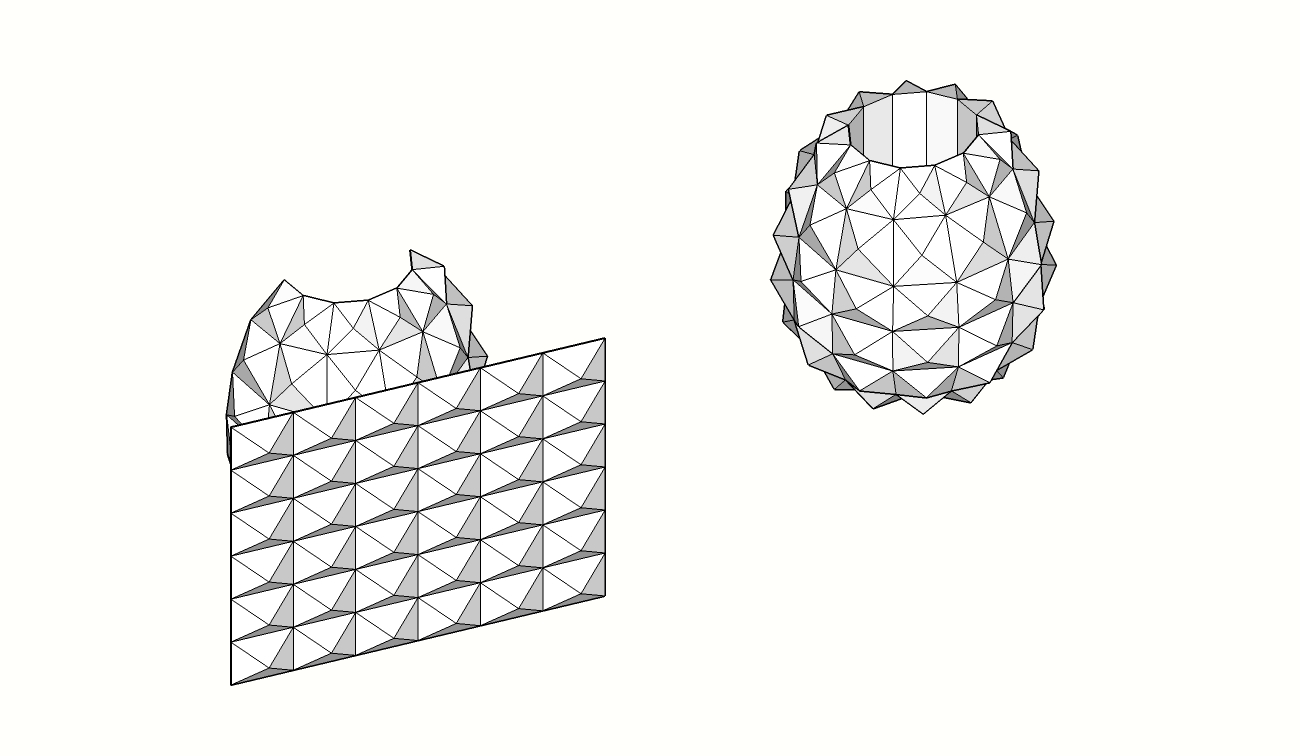
-
Finally I succeed with shape bender. In 3 times.
- First, I have tilt the shape to have an ovale shape
- Then, I have round with 1/2 circle
- I copy the shape obtain to have the whole pineapple
I've tested with flowify without success. I've followed a youtube video but, when I test the example nothing happend...
Thank you for your help and the file.
I print now.
-
Cool, post a pic of the finished print.


-
I test with your file with flowify and I can't have a result.
Can you give me the process to follow please ?
I have traced a 1/2 cylinder on the back of pyramids shape (does dimension have an impact ?)
Put lines on each side to connect half cylinder with pyramids shape
Flowify but I get an error message"Input error : can't not find support groupe.The support group must contain 3 further groups and one of these groups must contain two connection edges".
I have 3 groups :
- my pyramids shape
- my two connections
- my half cylinder
...
Do you have an idea ?
-
You need three support groups:
- That 1/2 of cylinder is first
- Projection plane is second
- Connecting edges are third
You need to group them each and all together. See how mine is grouped.
You place geometry you want to lay down onto cylinder on a projection plane.
Then you use Flowy.
Maybe this video can explain it better than the last one I posted.
https://www.youtube.com/watch?v=_c76j5NNkhM -
-
ok, thank you for your file.
I have understand.I succeed to use flowify with your example.
I was trying to place directly my pattern on the half cylinder, that's why it didn't work.Thanks for all
Hello! It looks like you're interested in this conversation, but you don't have an account yet.
Getting fed up of having to scroll through the same posts each visit? When you register for an account, you'll always come back to exactly where you were before, and choose to be notified of new replies (either via email, or push notification). You'll also be able to save bookmarks and upvote posts to show your appreciation to other community members.
With your input, this post could be even better 💗
Register Login


Advertisement