Sending To Layout
-
I dimensioned this before sending to layout, it measures accurately with PCon but then another I did also measured correctly, but not to my client.
how does this one look and measure?
-
The next Scene I'm trying is much larger and the 1" = 1' scale doesn't work at all.
this is the scene
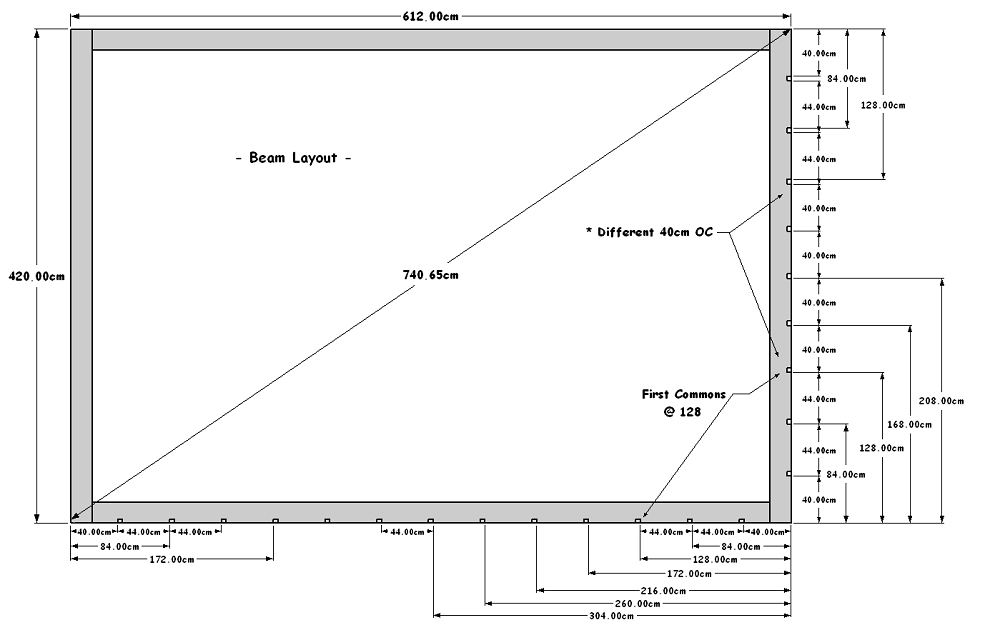
how do I figure out which scale to use? None seem to fit the viewport.
1/4 = 1" was the only one that fit it to inside the viewport but the scale was way off ..
-
@joe wood said:
The next Scene I'm trying is much larger and the 1" = 1' scale doesn't work at all.
how do I figure out which scale to use? None seem to fit the viewport.
Joe,
Assuming this is all still in the context of the Metric (French client) I would set the LO page size to Metric, all the LO SU viewport scaling to Metric, and of course LO dimensions in Metric.(you should not have to worry about the Sketchup model being metric, unless you will show dimensioning "in" the SU model in the LO viewport)
You will have to increase the paper size to accommodate lager parts of your model.(and larger viewports based on scale(s) selected)
In the attached file I have set the file units/page/dimensions/viewport scaling to metric.
(please see note in box bottom right corner of page)JoeWood_C3Paper_Metric_Cm_Scale_1_10_LO_V15.layoutHere is another page size "C2" with viewport scales of 1mm = 10mm(1:10) & 1mm = 20mm(1:20)
JoeWood_C2Paper_Metric_Cm_Scale_1_10_20_LO_V15.layoutCharlie
Note;
Most of my work is US/Architectural/Imperial and mostly ¼" scale and almost always page size of Arch D 24"x36"Maybe our friends in and around France can recommend "typical" sheet size and scaling for a project like your so you can potentially save yourself from having to resize/scale all of you pages.(if not "standard" in france)
-
Thanks again Charlie, I'll try it again,
you know, I'm not trying to get a specific scale on paper, all I need is for my French client to be able to get accurate dimensions off of the dwg file.
so is this dwg I posted ealier, accurate now?
-
@joe wood said:
Thanks again Charlie, I'll try it again,
you know, I'm not trying to get a specific scale on paper, all I need is for my French client to be able to get accurate dimensions off of the dwg file.
so is this dwg I posted ealier, accurate now?
In the cad software I am using it is, but you may want others to further verify.
-
OK, let's hope that last one is correct! I used 1" = 1'.
My next Scene is covers more area then the last, with a page size of roughly 850 x 530 cm. I Temp drew in those dimensions here
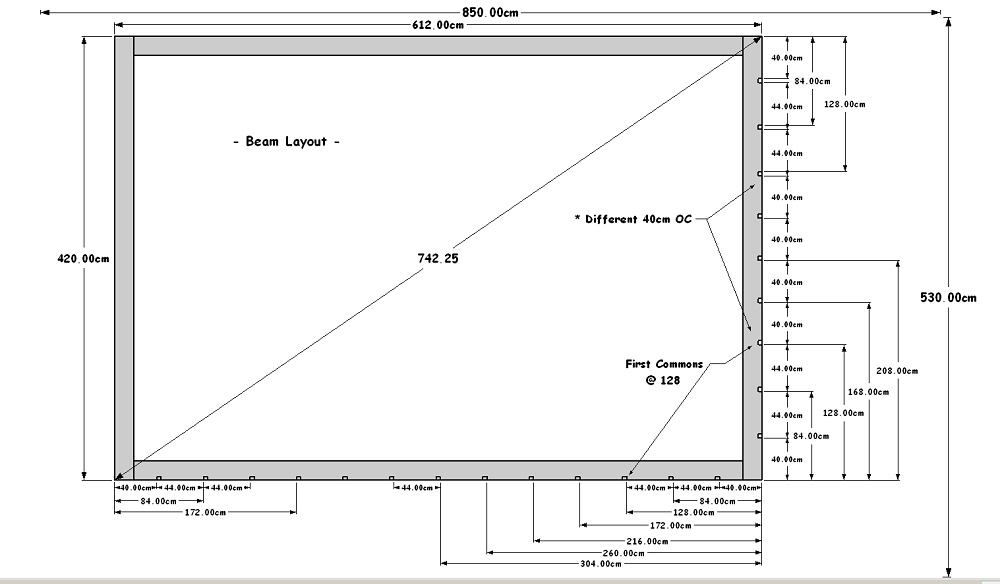
how do I go about figuring the page size and scale for this one? Remember I just want an accurate dwg file to measure and not an accurate scale printed drawing.
-
@joe wood said:
OK, let's hope that last one is correct! I used 1" = 1'.
My next Scene is covers more area then the last, with a page size of roughly 850 x 530 cm. I Temp drew in those dimensions here
[attachment=1:396j2cay]<!-- ia1 -->1 Next One.png<!-- ia1 -->[/attachment:396j2cay]how do I go about figuring the page size and scale for this one? Remember I just want an accurate dwg file to measure and not an accurate scale printed drawing.
Joe,
I was trying to steer you into setting up a scaled set of documents for a number of reasons, but mainly as a way to for you to convey the information from your original drawings/model as you intended.Having a dimensioned .pdf file for the client and you to refer to for example helps you from having to answer for any(client)mistakes unintended or otherwise while manipulating the .dwg you have provided.
That said, It appears you want to still try to export to 1:1 and there is a limitation as to sheet size in LO 508cm x 508cm I believe (200"x200" Imperial...LO Version 2018...maybe same in LO V2015?)[attachment=0:396j2cay]<!-- ia0 -->JoeWood_Page_508cmx508cm_LO_V15.layout<!-- ia0 -->[/attachment:396j2cay]
That limitation will not allow for 1:1 scale, so as I suggested earlier it would be best to pick a Metric scale and a sheet size you can live with....even though you are not interested in printing the pages.
Best regards,
Charlie
-
I'm sorry Folks, especially Charlie, but I'm just not getting this. Al I want to do with about 6 diff scenes is export a dwg that's to correct scale for my client.
Been working all day on this and no closer.
I wish we could just figure out why I can't export correct scale dwgs right from SUp ..
http://sketchucation.com/forums/viewtopic.php?f=15&t=68904&p=629858#p629858



Advertisement