RoundCorner
-
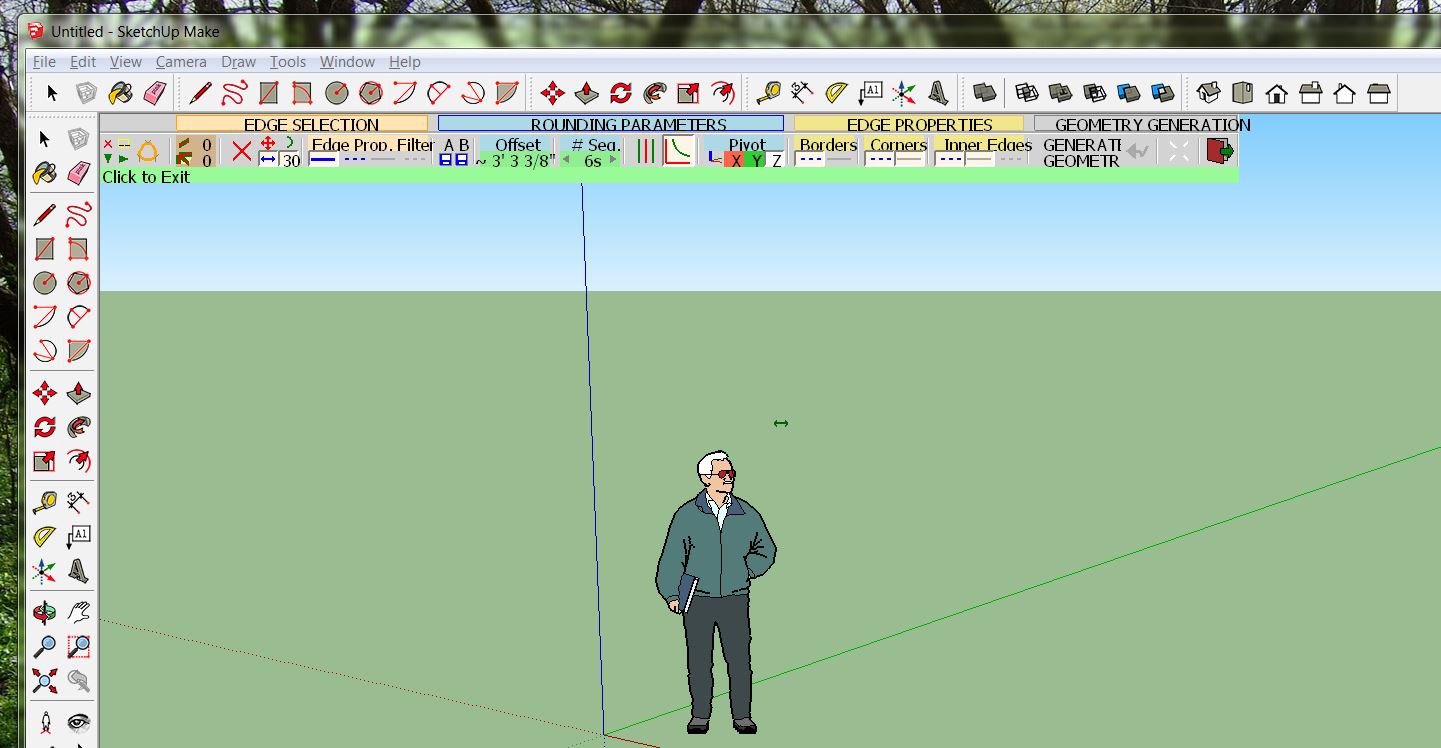
I am a Sketchup beginner. I just viewed the Fredo6 video on how to install the Library first, then the Roundcorner plug in. What I got was not what I expected. The video showed nice Sketchup-like tools -- in the video's example his version of Scale was used. What I got was a rather large and not as well formatted box for rounding corners -- it looks like it was written in the 80's. I'm using Sketchup 2015. How do I get the nicer Sketchup-like tools?
-
@tkarl said:
it looke like it was written in the 80's. I'm using Sketchup 2015. How do I get the nicer Sketchup-like tools?
It is using the viewport to display GUI. Anything that runs in the viewport has limitations.
Ugliness does not mean uselessness.
-
@tkarl said:
I've seen this author's utilities, both in RoundCorner and other toolsets that have regular SketchUp-like tools. Why don't I get them?
Where did you see such icons? Could you share some screenshots or links?
-
I've seen this author's utilities, both in RoundCorner and other toolsets that have regular SketchUp-like tools. Why don't I get them?
Found the Toolbar! All is good now!
-
Here's a link:
https://www.youtube.com/watch?v=36myjGh1iGwBut, you can display the toolbar in "View", "toolbars". I had to do this a couple of times, turning it off and on so I could see it -- I have 2 monitors.
-
If only you had mentioned you were missing the 'toolbar'...
We thought you were complaining about icons and user interface of his features.


Hello! It looks like you're interested in this conversation, but you don't have an account yet.
Getting fed up of having to scroll through the same posts each visit? When you register for an account, you'll always come back to exactly where you were before, and choose to be notified of new replies (either via email, or push notification). You'll also be able to save bookmarks and upvote posts to show your appreciation to other community members.
With your input, this post could be even better 💗
Register Login


Advertisement