HELP: Creating Terrain From building blocks
-
Hi all,
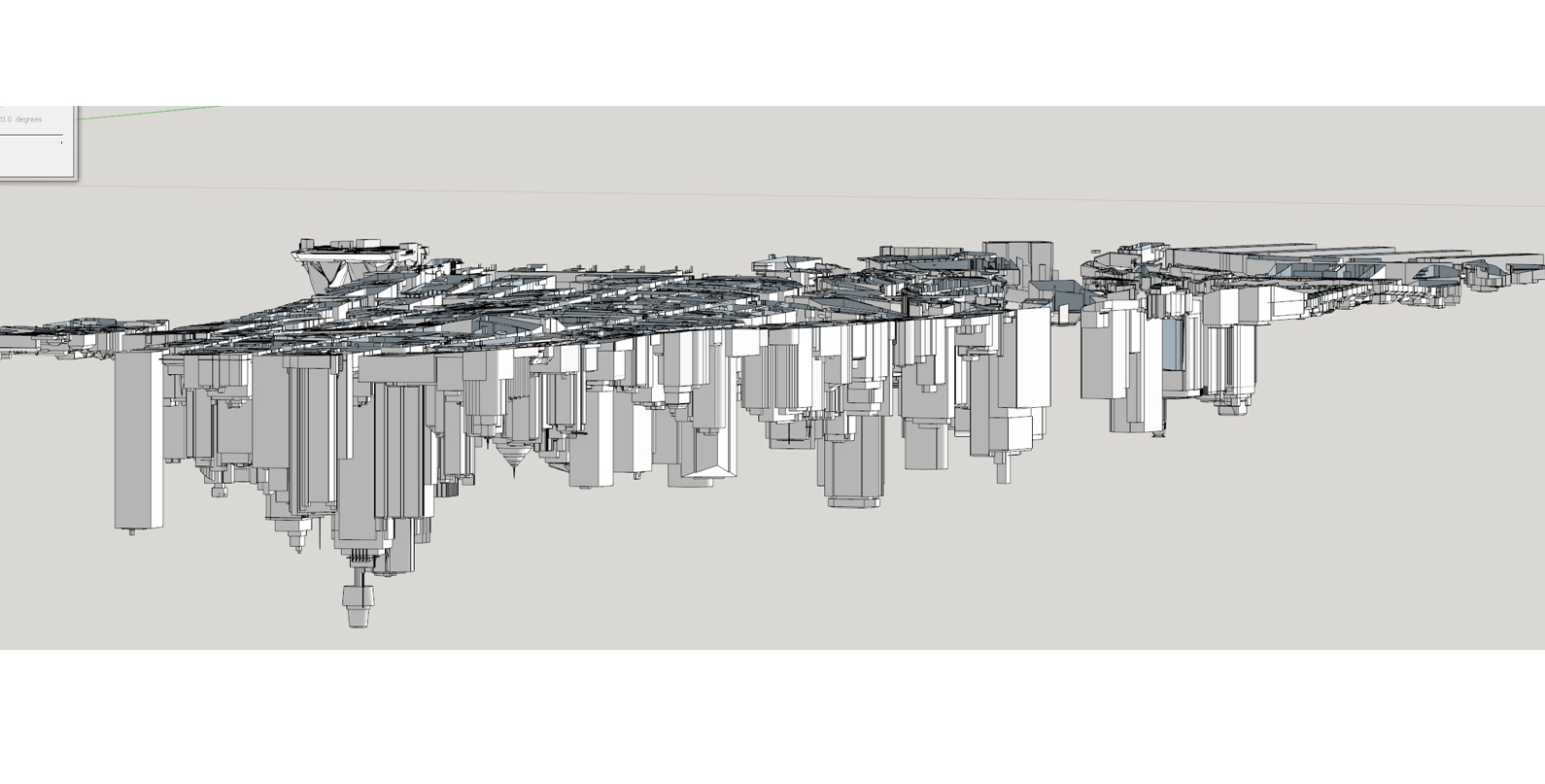
I received a model from a friend of mine, it is the city of Sydney.
However, the terrain is missing!
I tried to grab terrain from Geo-location but it is off. (blocks a levitating)
The good thing is, all the end of the block actually are chopped off at the previous terrain.(See in image)
So I ask for all your help, is there an easy way or plug in to create the terrain from this information.
Thank you very much in advanced.
Best regards,
Leon -
Depending on the level of detail you require, I would make a copy of the model, group it, enter group, delete all vertical faces / lines (basically everything above what is perceived to be the ground), then manually draw connecting lines along the perimeter edge, from there you could select everything and use the sandbox tool.
-
From the looks of your image, it appears that the buildings really are upside down in Australia. I thought that was just a joke.

Are they really upside down in your model?
How far off is the terrain you imported?
I expect it would be a lot of work to create a surface that meets the bottoms of the buildings/blocks. Assuming they are grouped, you could draw lines between points on the bottom of the model until you get faces. I don't know of an extension that would do it automatically. Typically the need is to trim the buildings to the terrain.
-
All these years I knew it!! Now its confirmed- the whole thing is upside down


Hello! It looks like you're interested in this conversation, but you don't have an account yet.
Getting fed up of having to scroll through the same posts each visit? When you register for an account, you'll always come back to exactly where you were before, and choose to be notified of new replies (either via email, or push notification). You'll also be able to save bookmarks and upvote posts to show your appreciation to other community members.
With your input, this post could be even better 💗
Register Login


Advertisement