[Plugin] Group > Delete
-
As simple little snippet, you can call from the context menu or Edit > Group Delete menu.
Select geometry and run Group > Delete and it groups then erases that geometry.
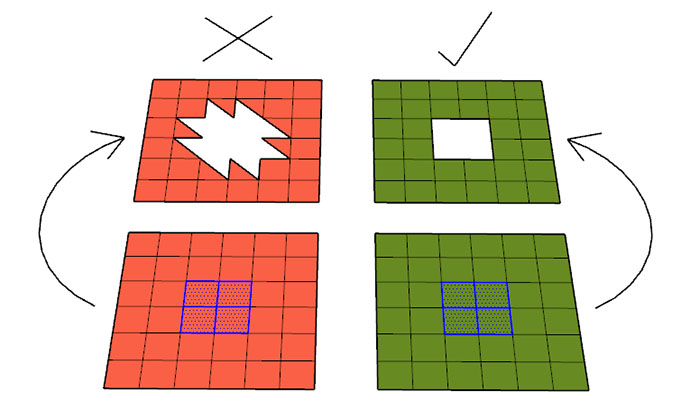
This is useful when a straight up erase removes adjacent faces as shown above. It probably already exists but I couldn't find it so I made it. Only tested on SU 2017

SketchUp Plugins | PluginStore | SketchUcation
SketchUp Plugin and Extension Store by SketchUcation provides free downloads of hundreds of SketchUp extensions and plugins
(sketchucation.com)
-
Very mysterious!

-
That looks handy. Thanks!



Hello! It looks like you're interested in this conversation, but you don't have an account yet.
Getting fed up of having to scroll through the same posts each visit? When you register for an account, you'll always come back to exactly where you were before, and choose to be notified of new replies (either via email, or push notification). You'll also be able to save bookmarks and upvote posts to show your appreciation to other community members.
With your input, this post could be even better 💗
Register Login


Advertisement