Can't Perform Flowify
-
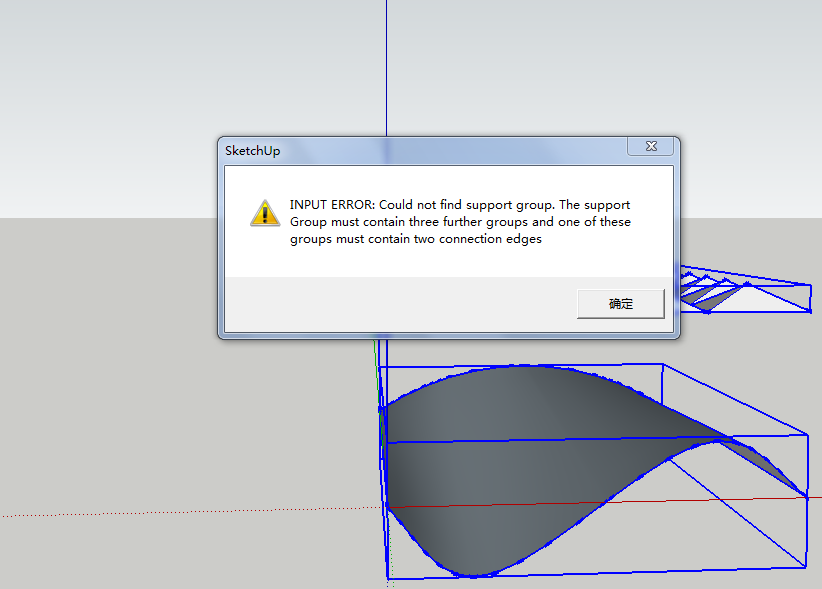
I was learning from a youtube tutorial about making a space truss and was exactly following until I couldn't perform Flowify, and I noticed that in the tutorial the guy click on this (little square with a shadow) before clicking on Flowify, does it make a difference? What's this plug-in then and why isn't my flowify working? Please help. Thanks.

-
Thank you so much! I appreciate very much of your specific answer! Just solved this problem and moving forward, turned out it was the five groups that I didn't make enough. You were quite right, I didn't make Group 2 and 4! Heaps of thanks!!
BTW, is there any courses that you recommend me to take? I want to learn Sketchup modeling for a building with curved surfaces and maybe export to Unreal Engine for visualization. Are there any good training courses online or even maybe some designer degree that I can sign up for? I'd like to skip the basics cuz I've got them pretty much covered from learning here and youtube tutorials.@pilou said:
The lttle cube with a shadow is not a Plugin!
It'a native function of the Tools Bar Shadows of SketchUp for enable / Disable Shadows
(from Location & Month / Day hours)
Flowify can work with or without Shadows!
Better if you post your SKP file (save as format "V 6") for a more large audience!
Put also the adress of the video!From your alert message seems it's the "2 lines connection" who are missing!
Here the concept : make the groups like this
Group 1 = surface (Whitout hole) can be anything but "four sides"
Group 2 = (2 straight lines)
Group 3 = entiere wall (whithout hole)
Group 4 = G1 + G2 + G3
Group 5 = flat window (or any volume) not obliged to be pasted to the surface!You select all
Call Flowify
"Projected window" is drawn (or any 3D volume)Here 2 examples : with a flat window (on the right, with a simple box on the left up corner)

This are surfaces 4 sides fine working with Flowify!
[attachment=1:25w7wy1k]<!-- ia1 -->surfaces_4sides.jpg<!-- ia1 -->[/attachment:25w7wy1k]This surface will not work with Flowify!
[attachment=0:25w7wy1k]<!-- ia0 -->surface_4sides1.jpg<!-- ia0 -->[/attachment:25w7wy1k] -
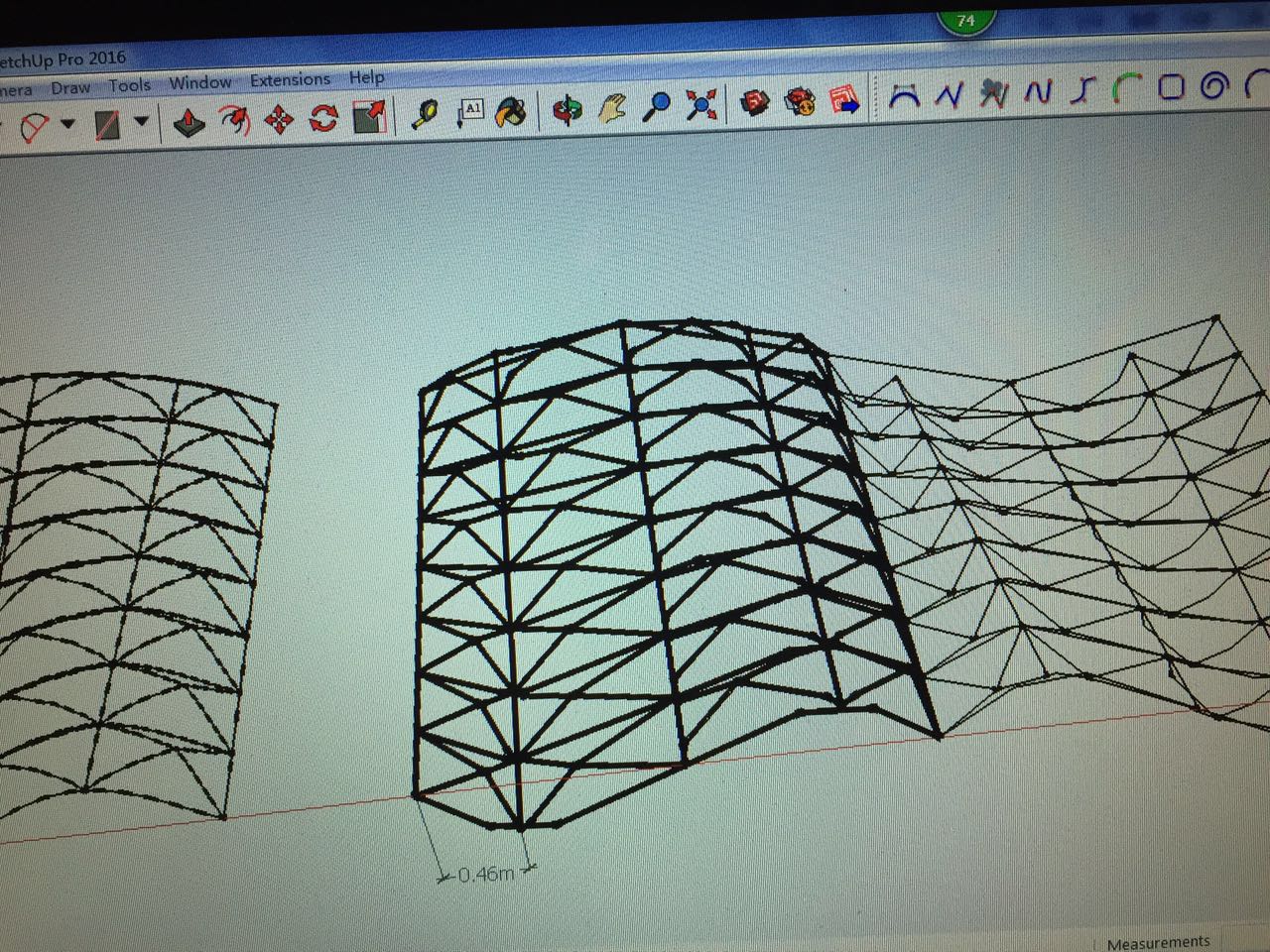
My space truss is done! Only it's black tube, instead of white... Shall I do Reverse Face before doing everything else or something?
 )) But it's fun, at least some progress.
-
The lttle cube with a shadow is not a Plugin!
It'a native function of the Tools Bar Shadows of SketchUp for enable / Disable Shadows
(from Location & Month / Day hours)
Flowify can work with or without Shadows!Better if you post your SKP file (save as format "V 6") for a more large audience!
Put also the adress of the video!From your alert message seems it's the "2 lines connection" who are missing!
Here the concept : make the groups like this
Group 1 = surface (Whitout hole) can be anything but "four sides"
Group 2 = (2 straight lines)
Group 3 = entiere wall (whithout hole)
Group 4 = G1 + G2 + G3
Group 5 = flat window (or any volume) not obliged to be pasted to the surface!You select all
Call Flowify
"Projected window" is drawn (or any 3D volume)Here 2 examples : with a flat window (on the right, with a simple box on the left up corner)
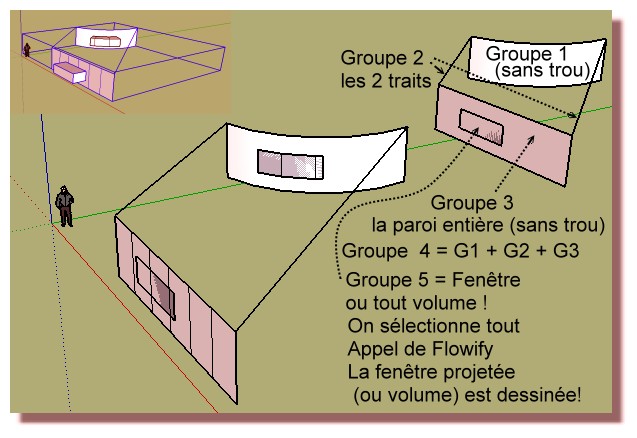
This are surfaces 4 sides fine working with Flowify!
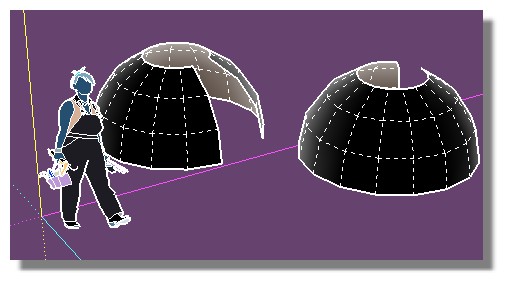
This surface will not work with Flowify!

Hello! It looks like you're interested in this conversation, but you don't have an account yet.
Getting fed up of having to scroll through the same posts each visit? When you register for an account, you'll always come back to exactly where you were before, and choose to be notified of new replies (either via email, or push notification). You'll also be able to save bookmarks and upvote posts to show your appreciation to other community members.
With your input, this post could be even better 💗
Register Login


Advertisement