Medeek Wall Plugin
-
Version 2.3.0 - 08.08.2021
- Fixed a bug with wall presets for rectangular walls.
!!!! CRITICAL BUG FIX !!!!
If you are using wall presets with rectangular walls and have upgraded to Version 2.2.4 or later then you will want to upgrade to this latest version which rectifies a bug introduced in Version 2.2.4. -
Version 2.3.1 - 08.09.2021
- Added a vertical offset parameter for cladding material for gable walls.
- Added a vertical offset parameter for "Log" and "Shiplap" cladding materials for gable walls.
- Added a horizontal offset parameter for cladding material for gable walls.
- Added a horizontal offset parameter for "Board and Batten" and "Metal" 3D cladding materials for gable walls.
-
Version 2.3.2 - 08.12.2021
- Added a vertical offset parameter for cladding material for shed and hip walls.
- Added a vertical offset parameter for "Log" and "Shiplap" cladding materials for shed and hip walls.
- Added a horizontal offset parameter for cladding material for shed and hip walls.
- Added a horizontal offset parameter for "Board and Batten" and "Metal" 3D cladding materials for shed and hip walls.
Some rather tedious code updates but important that these wall types have all the options of the rectangular wall type.
-
Version 2.3.3 - 08.17.2021
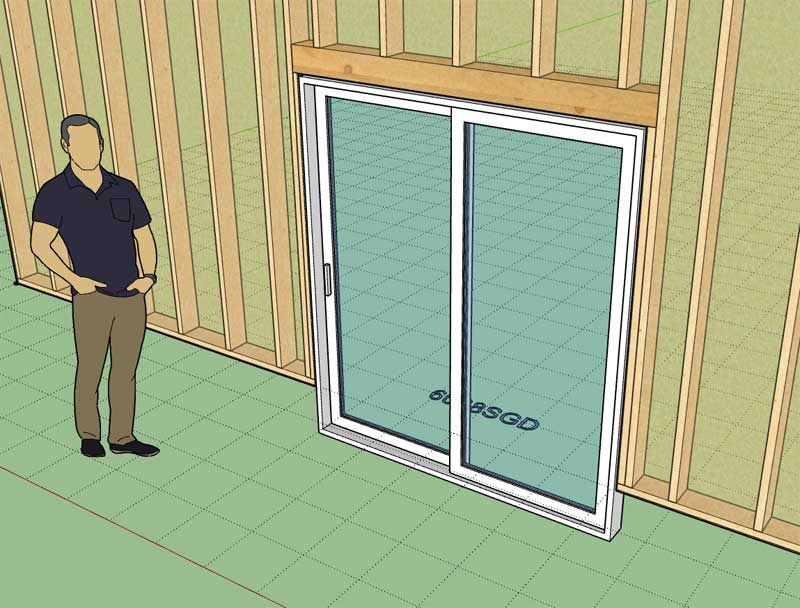
- Fixed a minor bug with sliding glass doors when the door vertical offset is a non-zero value.
-
Version 2.3.4 - 08.18.2021
- Added logic into the add and edit menus to prevent users from using single and double quotes in beam and header names.
- Added logic into all HTML menus to prevent users from using vertical bars in beam and header names and within preset names.
-
Version 2.3.5 - 08.21.2021
- Fixed a bug with Simpson Strong Walls when "Terminal" wall end conditions are used in a wall assembly.
- Modified the "Edit Wall Assembly" context menu tool so that it behaves similar to the "Edit Wall" tool.
- Fixed a bug with the wall stretch tool so it now allows for wall stretch or shrinks that are less than 3".
- Enabled spaced headers (2 ply or 3 ply) for windows, doors and garages by using the key word "FILL" in the header description.
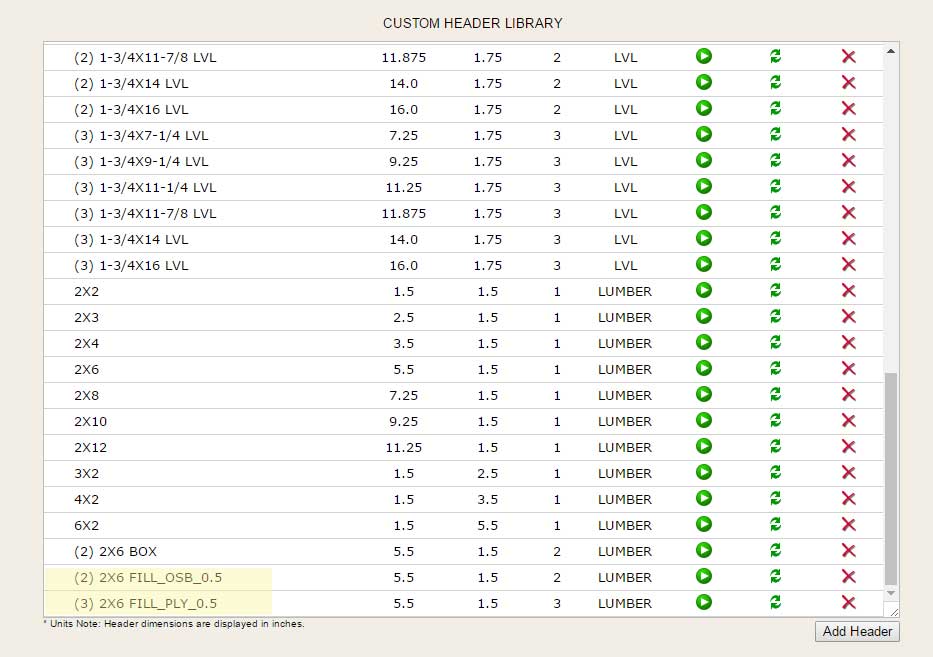
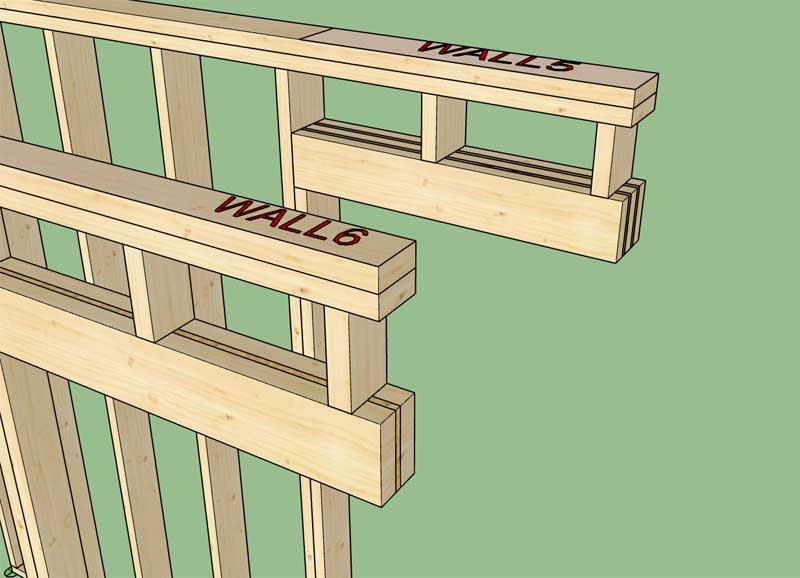
*Note, that the header must by a 2 ply or 3 ply header to use a spacer as shown. Also the header description must include a string in this format "FILL_OSB_0.375" or "FILL_PLY_0.4375". The second term is either OSB or PLY which will determine the material to use as the spacer. The third term is the thickness of the spacer (ie. 0.25, 0.375, 0.4375, 0.5 etc...). In a metric template you can specify the spacer thickness in millimeters instead of inches.
-
Version 2.3.6 - 08.23.2021
- Enabled a trim option for wrapped free standing columns.

The trim combined with the cap or astragal can give even more variations.
-
Version 2.3.7 - 08.28.2021
- Added gable walls to the Medeek Estimator.
- Fixed a MacOS/Windows bug with the wall justification hotkey for all wall types.
I still need to add in Shed and Hip walls but it will go much quicker now that I have the gable walls as a template.
-
Version 2.3.8 - 08.29.2021
- Added shed and hip walls to the Medeek Estimator.
- Adjusted the auto-corner configuration algorithm to better predict terminal wall configurations when three walls come together at an inside or outside corner.
When multiple walls come together at a corner or junction it is arguably quite hard to predict the intent and desired configuration of the builder/designer/user.
I think what I have now addresses the immediate issue where a tee intersection was being created instead of a terminal connection, per the previous discussion.
I will need to continue to test this new algorithm further (put it through its paces) and also receive additional feedback from users. If you notice anything that appears unpredictable or counter-intuitive please feel free to email me so we can discuss.
-
Version 2.3.9 - 08.31.2021
- Added a window clearance (shim space) parameter within the Windows tab of the Globals Settings.
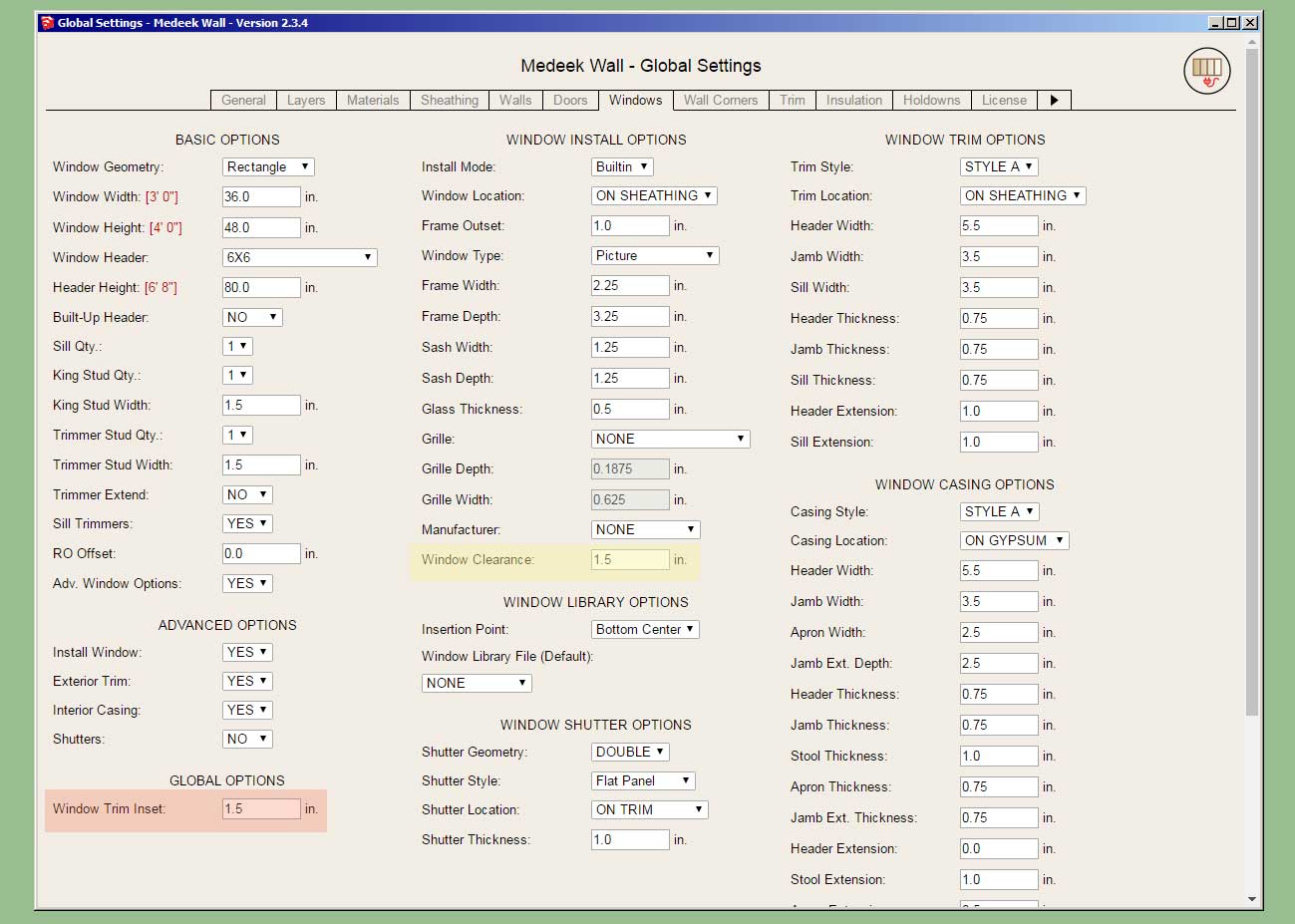
Previously the shim space or window clearance was hard coded in as 1/4" or 6.35mm. Now the user can customize this clearance between the rough opening framing and the window frame. If you do adjust this parameter you will probably also want to adjust the Window Trim Inset parameter so it matches, this way the window trim will butt up against the window frame tight.
This was a user requested update from New Zealand.
-
Version 2.4.0 - 09.01.2021
- Fixed a bug with spaced headers when applied to trapezoidal windows.
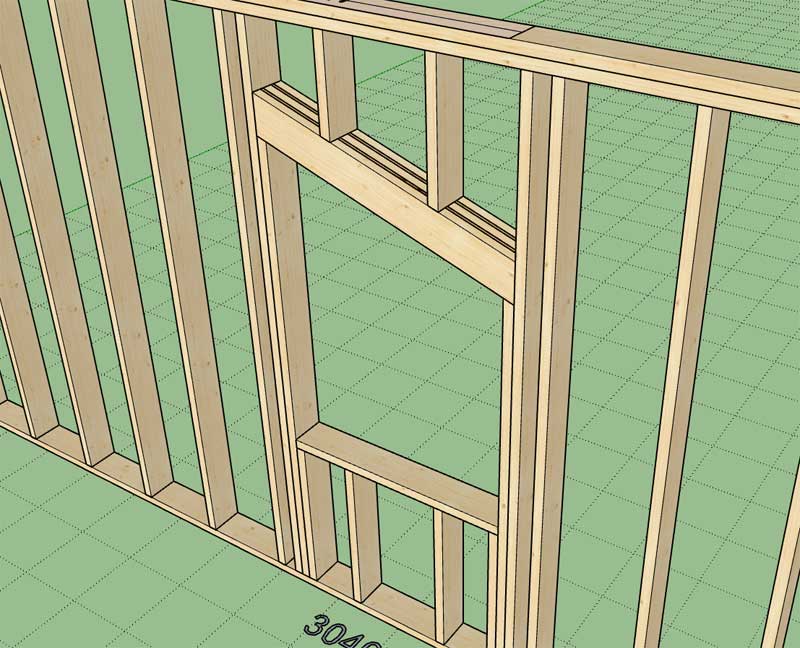
This bug fix only applies to window headers since there are no sloped headers for doors or garage doors. This fix applies to 2-ply and 3-ply spaced headers.
-
Version 2.4.1b - 09.09.2021
- Changed the wall justification hotkey/option from the "Tab" key to the "Alt" key (Option key) for rectangular, shed, gable and hip draw wall tools.
-
I am pleased with the continual and steady progress made on the Wall plugin over the course of this summer. In light of this recent progress and in hopes of allowing more users access to the features of the plugins I will be immediately offering 10% off of the mdkBIM bundle price using the coupon codeLABORDAY21. (Sept. 11, 2021 thru Sept. 30, 2021).
This will reduce the bundle price from $280.00 USD to $252.00 USD. This promo code is also valid when purchasing the Wall plugin separately as well as the Electrical plugin. The offer ends on Sept. 30th and no rain checks will issued thereafter.

-
Matt Donley did a great job on putting this video together. A concise but very informative presentation:
-
I've been giving the "wall sandwich" thing some serious thought the last couple of days and I think I can implement a workable system however it will drastically change the way I am currently doing things as well as break any sort of backwards compatibility with previous versions of the plugin and their models.
In the global settings I will probably have a select number of options you can choose from to build your custom wall sandwich (I will also have some standard ones pre-defined). Interior and Exterior walls will be different in that you cannot use wainscot and cladding with interior walls. Interior walls can be asymmetric with this new system so you can have different layers specified on each sides of the wall, unlike the current system which limits interior walls to symmetric configurations only.
Exterior Walls:
Ext. Side:
- Wainscot
- Cladding 1
- Cladding 2
- Airgap 1, 2, 3 etc...
- Sheathing 1
- Sheathing 2
- Insul 1
Int. Side:
- Gypsum 1
- Gypsum 2
- Gypsum 3
- Airgap 1,2, 3 etc...
- Sheathing 1
- Sheathing 2
- Insul 1
Interior Walls:
Ext. Side:
- Gypsum 1
- Gypsum 2
- Gypsum 3
- Airgap 1,2, 3 etc...
- Sheathing 1
- Sheathing 2
- Insul 1
Int. Side:
- Gypsum 1
- Gypsum 2
- Gypsum 3
- Airgap 1,2, 3 etc...
- Sheathing 1
- Sheathing 2
- Insul 1
The actual layering can be in any order except for wainscot which will always be the outermost layer on an ext. wall. I'm not sure that two layers of cladding are really needed for an ext. wall but I'm just throwing it out there for now and see what sticks.
As far as the framing/wall solid is concerned I only plan on having one layer for framing, if I were to change that up to a variable number of framing layers things would get very complicated with regards to corner configurations so it is best to not get too ambitious.
The items shown are all of the possible layers for each side of the wall in question, one could theoretically enable all of them or none of them, and the number of air gaps is probably not limited.
Am I missing anything? Thoughts?
Your feedback now is important, once I install/implement a new wall sandwich system it will be more difficult to fundamentally change it from the form it originally takes.
-
Version 2.4.2 - 09.25.2021
- Enabled a boolean union option for window and door trim.
- Added a "Union all Trim" parameter to the Door Trim Options within the global settings.
- Added a "Union all Trim" parameter to the Window Trim Options within the global settings.
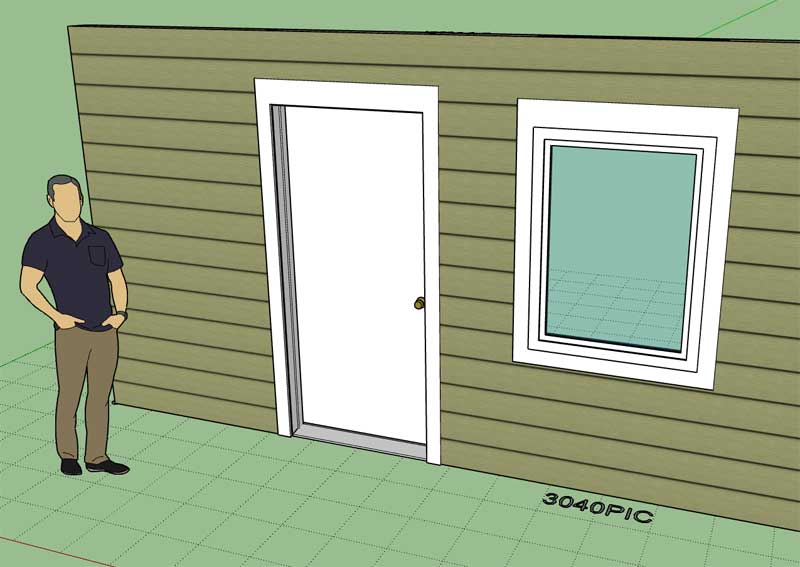
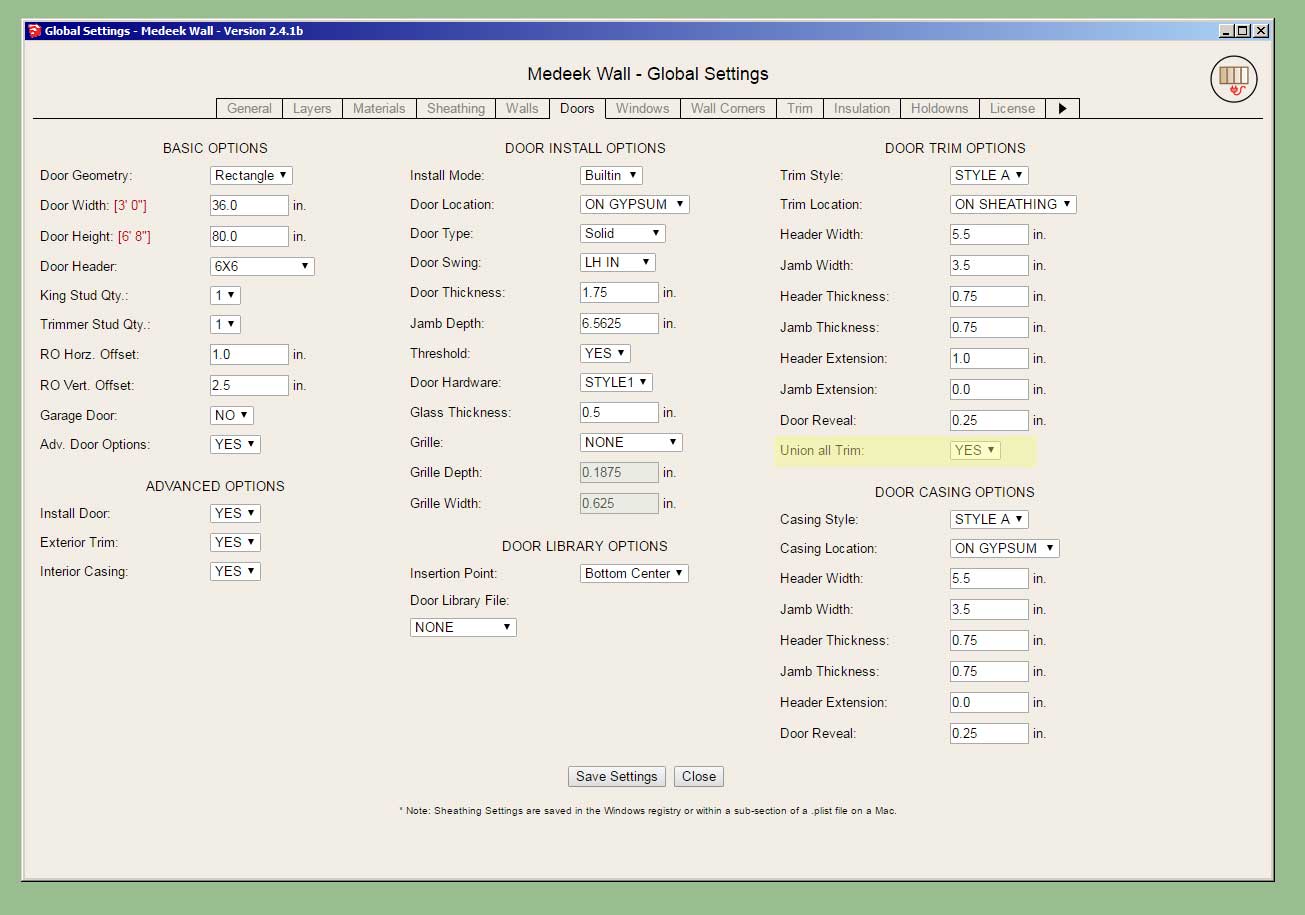
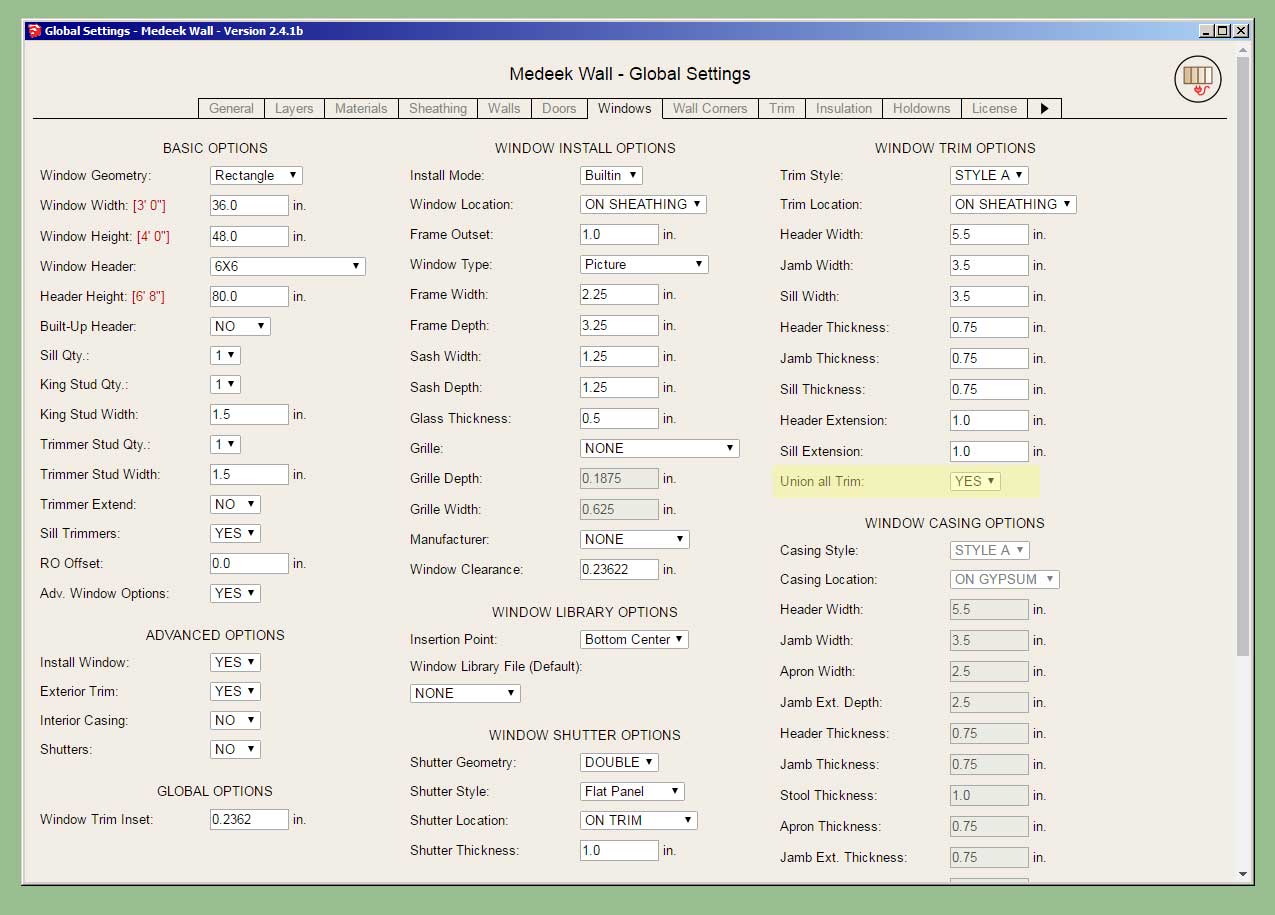
For presentation purposes (ie. elevation views) some designers and architects would prefer to show the window and door trim without each board delineated.
-
I had some requests for "header" trimmers lately:

Thoughts?
-
Version 2.4.2b - 09.27.2021
- Enabled a boolean union option for garage door trim.
- Added a "Union all Trim" parameter to the Garage Door Trim Options within the global settings.
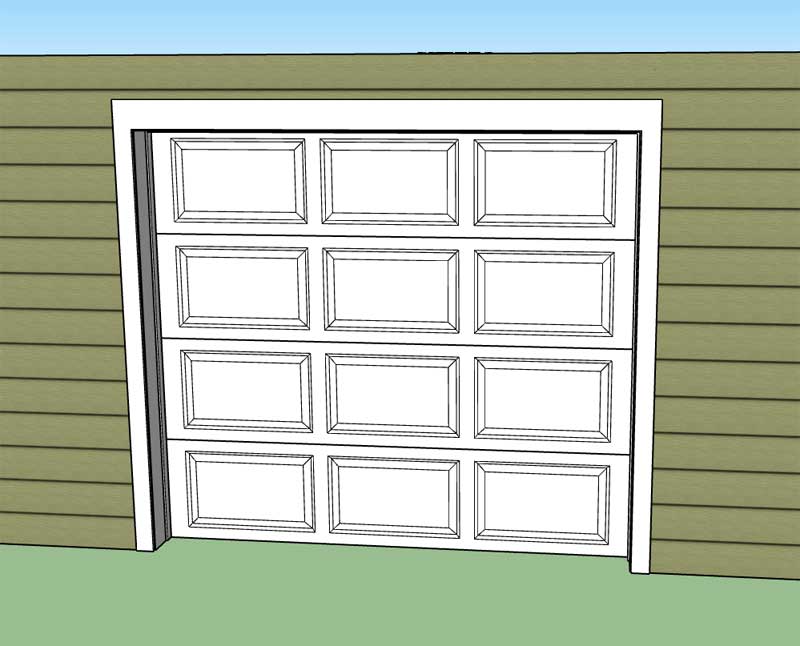
Somehow I failed to consider that this same feature might also be needed for garage doors on the first go around.
-
Version 2.4.3 - 10.02.2021
- Fixed a minor bug within the subtractive geometry module.
-
Tutorial 23 - Wall Corners (15:41 min.)

Hello! It looks like you're interested in this conversation, but you don't have an account yet.
Getting fed up of having to scroll through the same posts each visit? When you register for an account, you'll always come back to exactly where you were before, and choose to be notified of new replies (either via email, or push notification). You'll also be able to save bookmarks and upvote posts to show your appreciation to other community members.
With your input, this post could be even better 💗
Register Login


Advertisement