Quantity Reports
-
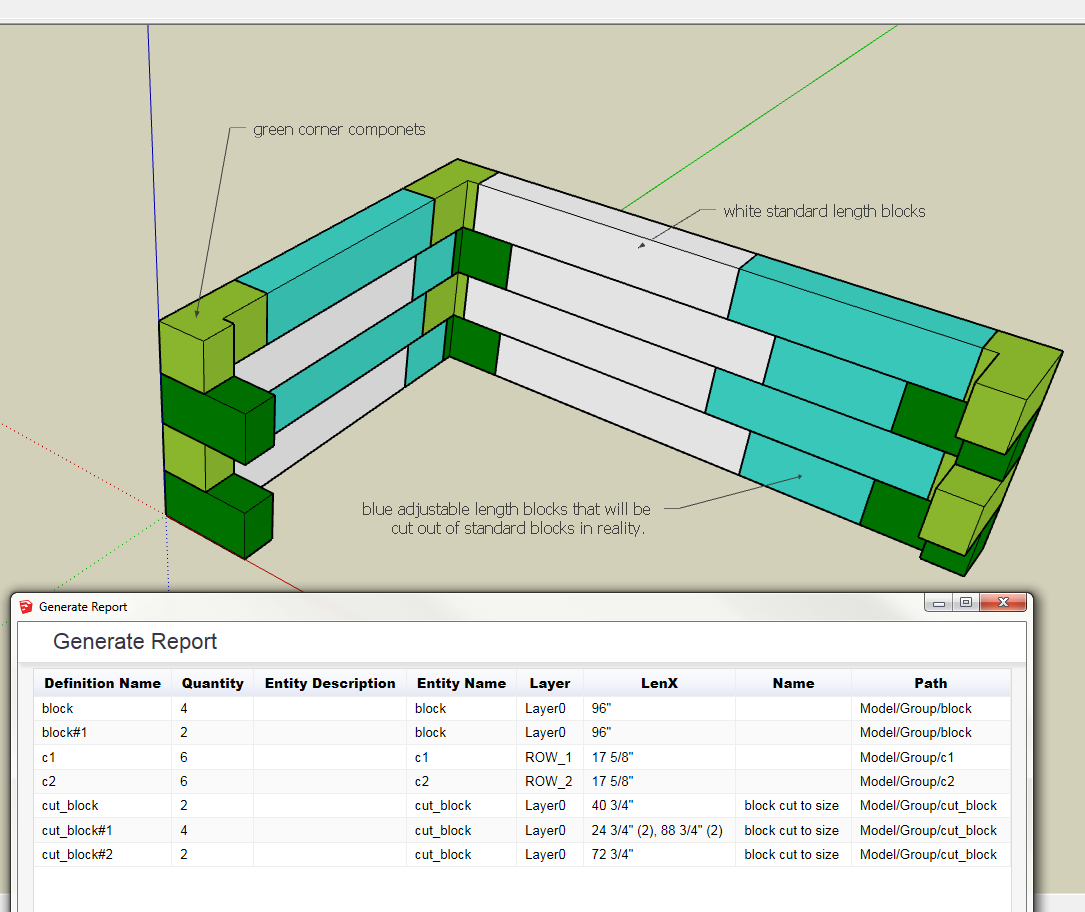
I am trying to use Sketchup to give me a report on componets that I am using to model a insulated styrofoam foundation.I have 3 componets: a corner, a standard block, and an adjustable length block which is used to fill in between the standard blocks and the corner. Some of these blocks are copied and moved and some are grabbed from my componet library. When I run a report some blocks are grouped while others are each on a seperate line. Is there any way to control what gets grouped and what is on its own line? I need my adjustable componets to each be on a seperate line so I can add the total length of all these componets and divide it by the length of a standard block to get my actual quantity. Help please..
-
If possible, post a sample model in version 8.
-
@nauzer67 said:
I am trying to use Sketchup to give me a report on componets that I am using to model a insulated styrofoam foundation.I have 3 componets: a corner, a standard block, and an adjustable length block which is used to fill in between the standard blocks and the corner. Some of these blocks are copied and moved and some are grabbed from my componet library. When I run a report some blocks are grouped while others are each on a seperate line. Is there any way to control what gets grouped and what is on its own line? I need my adjustable componets to each be on a seperate line so I can add the total length of all these componets and divide it by the length of a standard block to get my actual quantity. Help please..
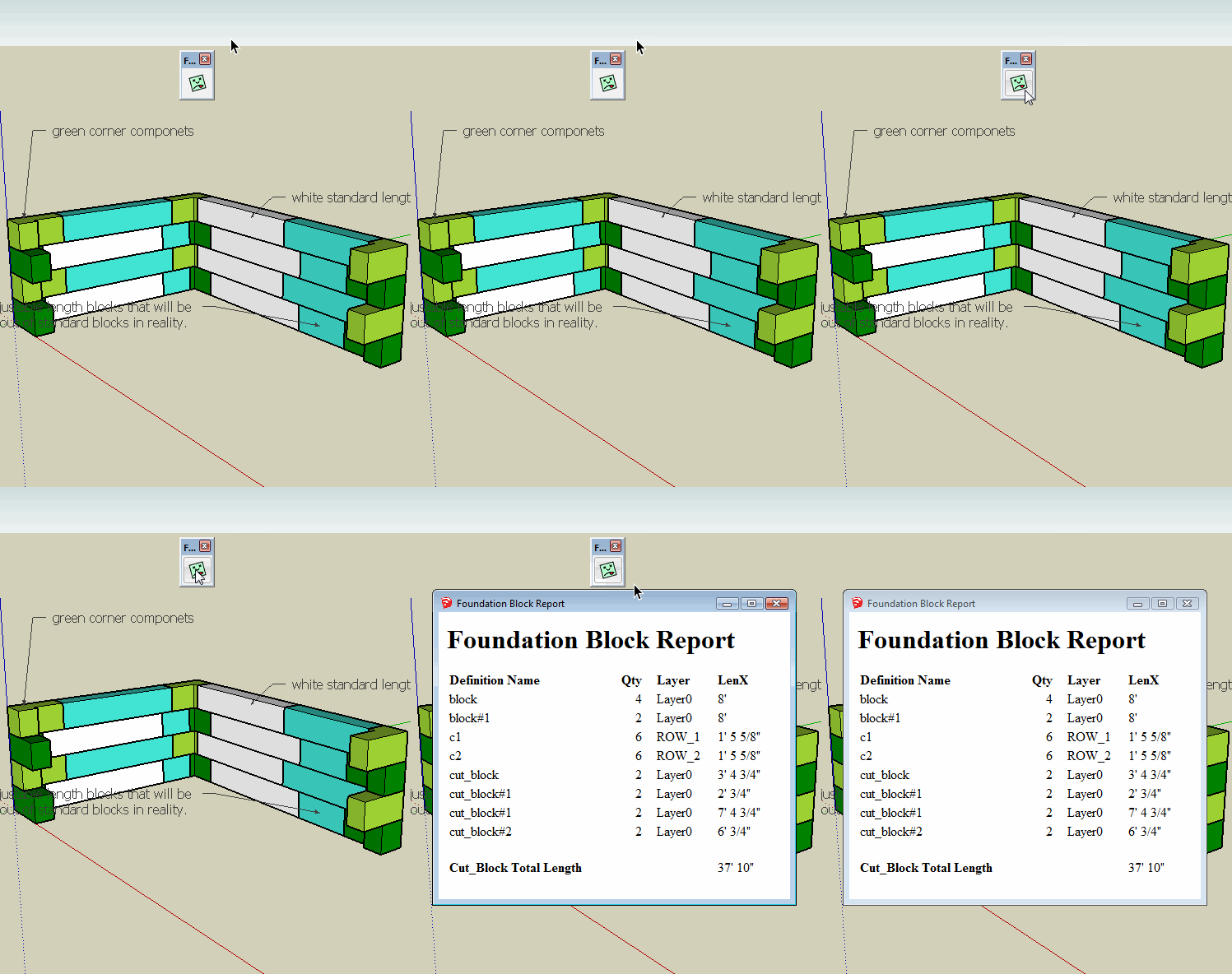
Perhaps this will help. Rather than putting each cut block on a separate line, I did the addition for you. If this is acceptable I will send you a copy of the plugin by Private Message.

Hello! It looks like you're interested in this conversation, but you don't have an account yet.
Getting fed up of having to scroll through the same posts each visit? When you register for an account, you'll always come back to exactly where you were before, and choose to be notified of new replies (either via email, or push notification). You'll also be able to save bookmarks and upvote posts to show your appreciation to other community members.
With your input, this post could be even better 💗
Register Login


Advertisement