2017 Selection tool is giving me the "blues"
-
Hi guys
I don't know about you but I find it a huge step backwards that selected geometry is now turning solid blue. I am really having trouble seeing the benefit, in actual fact one cannot see anything at all through the solid mass of blue. It is really counter productive and somewhat annoying. ... can this be switched off? any ideas welcome...
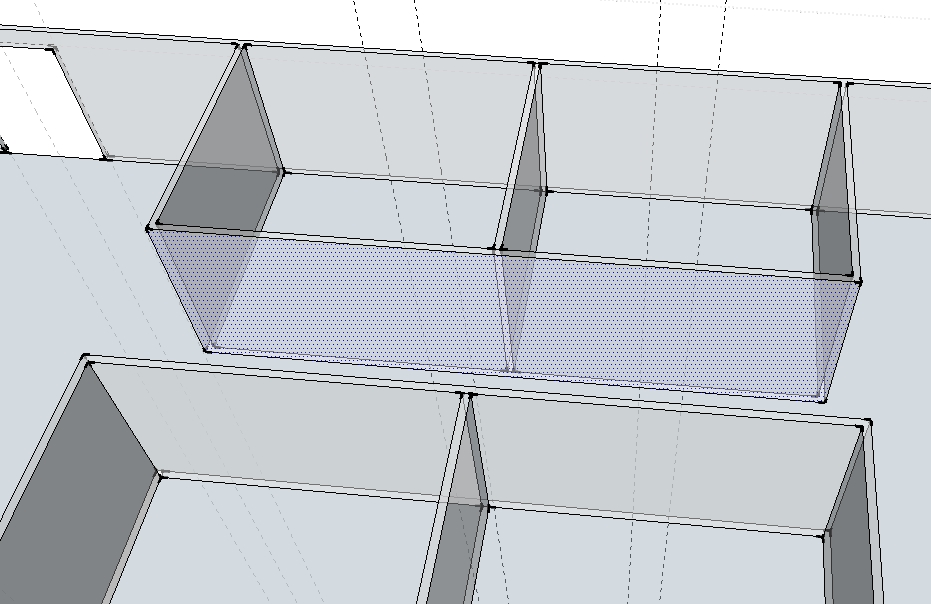
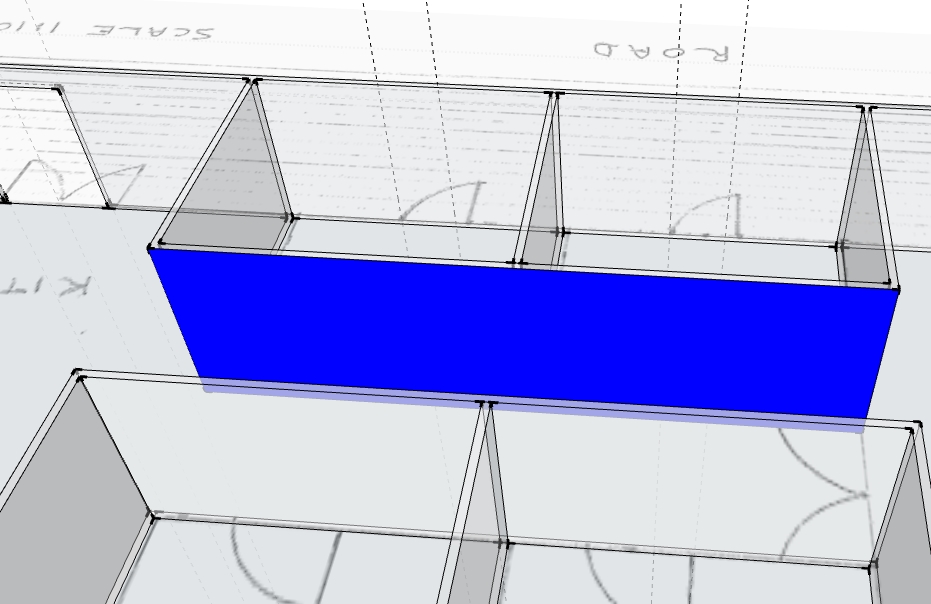
-
That's not normal, at a guess I would say it is a Graphic Card issue.
Check for a Driver update for your card. -
Thanks Box, seems odd if it;s a graphics card issue as it still works fine in SU2016...
So I take you don't have the same issue? I send a message to SU tech support... see what they have to say about this... will post the outcome here. -
I haven't seen this at all when I'm working in SU2017 and yours is the first report of it I've read. The graphics pipeline is entirely different in SU2017 from earlier versions so it is entirely likely it has to do with the graphics card/drivers on your machine. Try updating the drivers.
What GPU do you have?
-
Hi Dave and Box, I have updated my graphics driver and 'hey presto' problem solved... thanks for your advice...
Cheers David
-
Now you'll have to find some other reason to sing the blues. Did you dog run off and leave you, maybe?




Hello! It looks like you're interested in this conversation, but you don't have an account yet.
Getting fed up of having to scroll through the same posts each visit? When you register for an account, you'll always come back to exactly where you were before, and choose to be notified of new replies (either via email, or push notification). You'll also be able to save bookmarks and upvote posts to show your appreciation to other community members.
With your input, this post could be even better 💗
Register Login


Advertisement