How to map a knurl surface to a curved surface
-
Hello all, This is my first post here and I tried to make some research but did not find anything.
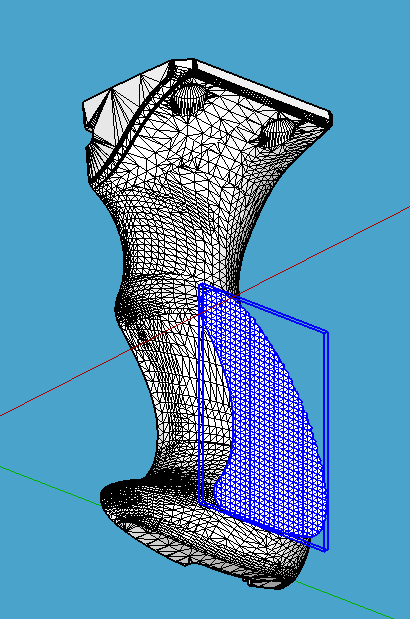
i hope this is OK to post it here.I am making a pistol grip (I did not designed myself, it is an STL import from another CAD soft) and in order to get a good grip on both side of the pistol grip I would like to add some knurl (or so called) texture to each side but I cannot find out how to do it. I draw the knurl texture (which is mainly pyramids) and multiply them to get a large surface then I cut the shape I want to apply on the pistol grip side but the textured knurl is flat and the pistol grip is totally curved. See attached pic for further details
Is there a way with sketchup to apply that flat textured volume to the curved surface as we can do with a regular picture texture, or sketchup is not able to do that?Thank you by advance to all the people for your future help.
-
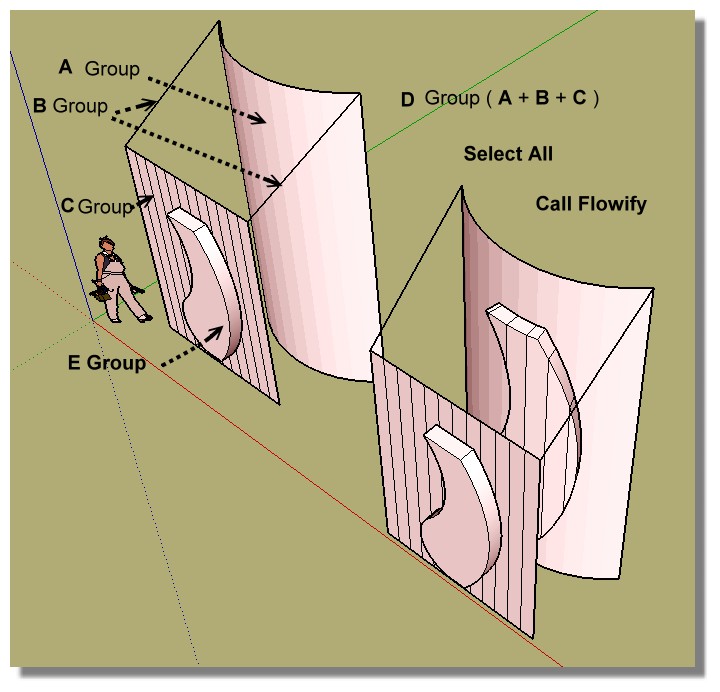
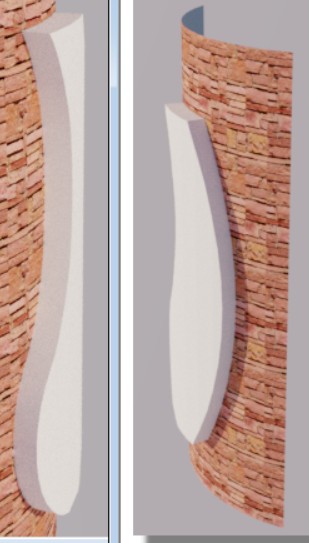
Take a look to Flowify by Caul

-
Resume

-
thank you, I will try that ASAP...
-
Hello, it is me again,
i tried this flowify, but on all the tutorial I am looking at, the common thing is they all match in a square or at least in a geometric form to be able to get A group and C group. But on my case, I do not have this as everything is bend and curved. So I do not see how to generate the C group to link with the E group (merci Pilou, je sais je dois être une triple buse!!!).
I anybody have an idea?
thank you -
Hello,
i tried flowify but it seems in all the tutorials I saw all the surfaces have square edges to make the A group and C group. Which i do not have. So i am a little bit lost with that. If anyone could help me sorting this out... thank you very much.
let me know if I am dumb! At least I will know that!!! -
Thank you for giving me the flowify solution, but either I am a dummy (which is very possible) either this solution cannot be applied to my case as most of the tutorials show mapping the textured surface with group A and C having 4 square corners which I do not have.
So I do not see how to apply this plug-in to my issue. Any help would be greatly appreciated
thank you very much. -
Huhu

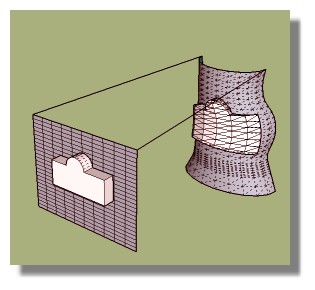
Seems simple !
Just take a part of your model!
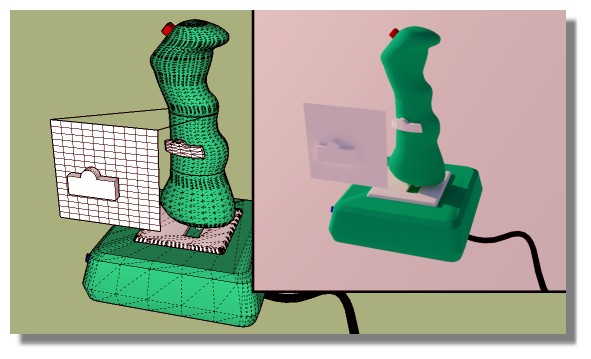
-
hmmm... OK Iwill try that, but it is not easy to isolate all those triangles to make a square as shown on your example, but i will give it a go
thank you. -
@unknownuser said:
but it is not easy to isolate all those triangles to make a square
Very easy!
Look at your model : you have all horizontal & vertical parallal lines!

Hello! It looks like you're interested in this conversation, but you don't have an account yet.
Getting fed up of having to scroll through the same posts each visit? When you register for an account, you'll always come back to exactly where you were before, and choose to be notified of new replies (either via email, or push notification). You'll also be able to save bookmarks and upvote posts to show your appreciation to other community members.
With your input, this post could be even better 💗
Register Login


Advertisement