[Plugin] Animator - v4.6a - 18 Dec 25




-
I am still experimenting with this excellent plugin - many thanks.
For animating camera I can only see two real options - Tracking object or rotating around object.
Is it possible, or will be possible, to have camera follow a path? Two options would be useful, either looking ahead, or turning left/right up/down.In a post from Treadshot A1, Dec 29 2016 earlier version, he mentions camera path option of bezier.
Has that option now gone.
Best wishes -
@sectionaa said:
For animating camera I can only see two real options - Tracking object or rotating around object. Is it possible, or will be possible, to have camera follow a path? Two options would be useful, either looking ahead, or turning left/right up/down.
Camera Path is on my plan. It's a little bit longer than planned actually.
@sectionaa said:
In a post from Treadshot A1, Dec 29 2016 earlier version, he mentions camera path option of bezier.
Has that option now gone.Not sure what it is... and probably not related to Animator.
-
Hi, thanks for the plugin! Is it compatible with Vray 5.10.01 (latest as of 03/09/2021)? All I'm getting is a black screen for each frame.
-
@chrisn said:
Hi, thanks for the plugin! Is it compatible with Vray 5.10.01 (latest as of 03/09/2021)? All I'm getting is a black screen for each frame.
Normally, it is compatible with VRay 5. I did not test V5.1 however.
Could you try to press the button Test Image before you launch the video generation. And also open the Ruby the console.
-
New Release: Animator - v3.4a - 30 Mar 21
Requirement: LibFredo6 v11.5
Maintenance release
- Extension of validity
See plugin home page of Animator for Download of RBZ from the PluginStore.
See Main Post of the Animator thread for more information.
-
I'M finding that Vray 5 will render, or at least show CPU/GPU usage thats consistent with a render but doesn't actually show any render progress in the VFB or the progress Window. I'm not sure what Chaos changed since my last version 4.2. I hope that you can fix it, I love Vray and Animator but now that I updated Vray I can't easily downgrade without completely resetting my scenes and remapping all the textures

-
Just a question, it is very complicated to implement the ability to clone / copy clips in Animator and make them unique in the sense of "deep copy". I mean, basicaly, recursively coping / cloning sequences inside the clip and grouping them under the new name. From my point of view, it will make the workflow even more efficient and will help to structure rather long and repertive animations or serve as a template.
-
Hello,
Thank you for this wonderful extension. Since I upgraded to Sketchup Pro 2021, I have not been able to export videos. I believe I have the latest version of Animator and of FFmpeg.
When I click to generate a video, it lets me select options, and it generates the png files, but I get an error message and can't generate any video. I made a screen recording of one attempt, but it is too big to attach to this notes.
My specs:
Mac OS Big Sur 11.2.3
Sketchup Pro 2021 Version 21.0.392
Animator version 3.4a - 30 Mar 21 (but was already having this problem with the last version. I just installed that today to try to fix it)
ffmpeg-4.3.2-2021-02-27-full_buildAny help appreciated.
Thank you!
-
@viveca said:
When I click to generate a video, it lets me select options, and it generates the png files, but I get an error message and can't generate any video.
Could you at least tell me (or post a capture) of the error message.
-
@fredo6 said:
@viveca said:
When I click to generate a video, it lets me select options, and it generates the png files, but I get an error message and can't generate any video.
Could you at least tell me (or post a capture) of the error message.
Thank you for quick reply. Error txt file is attached. It says:
sh: /Applications/ffmpeg-4.3.2-2021-02-27-full_build/bin/ffmpeg.exe: Permission denied
Also, I just ran it again and have more detail to report. After the png files are created, it stalls on the process screen at 100%. It just stays there and never continues on its own. If I click "Preview Video" nothing happens. If I click "Interrupt," Sketchup pops up a window asking if I want to generate the videos. If I say yes, I get another Animator window with video format options, but when I mouse over any of the options, I get an error message, and when I click "Save and close" nothing happens and no files are generated. I'm attaching screenshots of all of this.
Thanks!
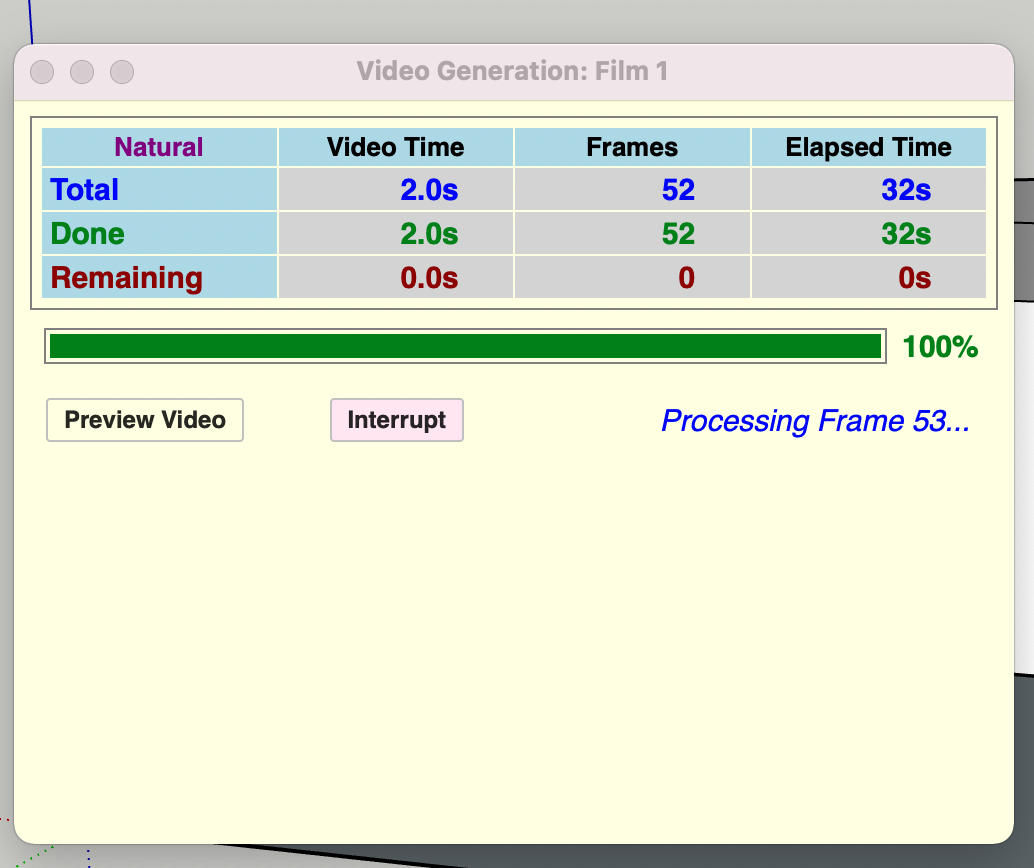
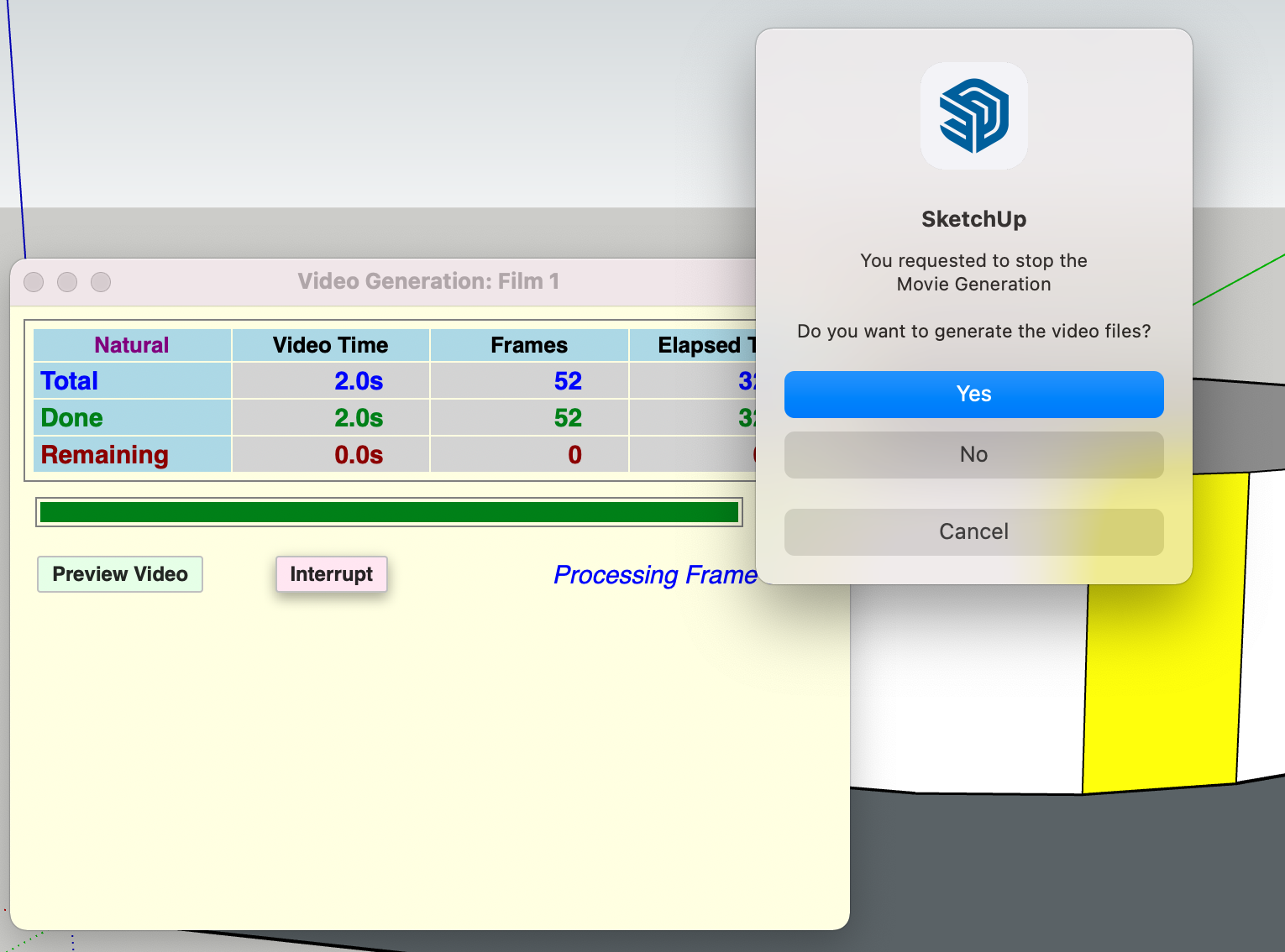
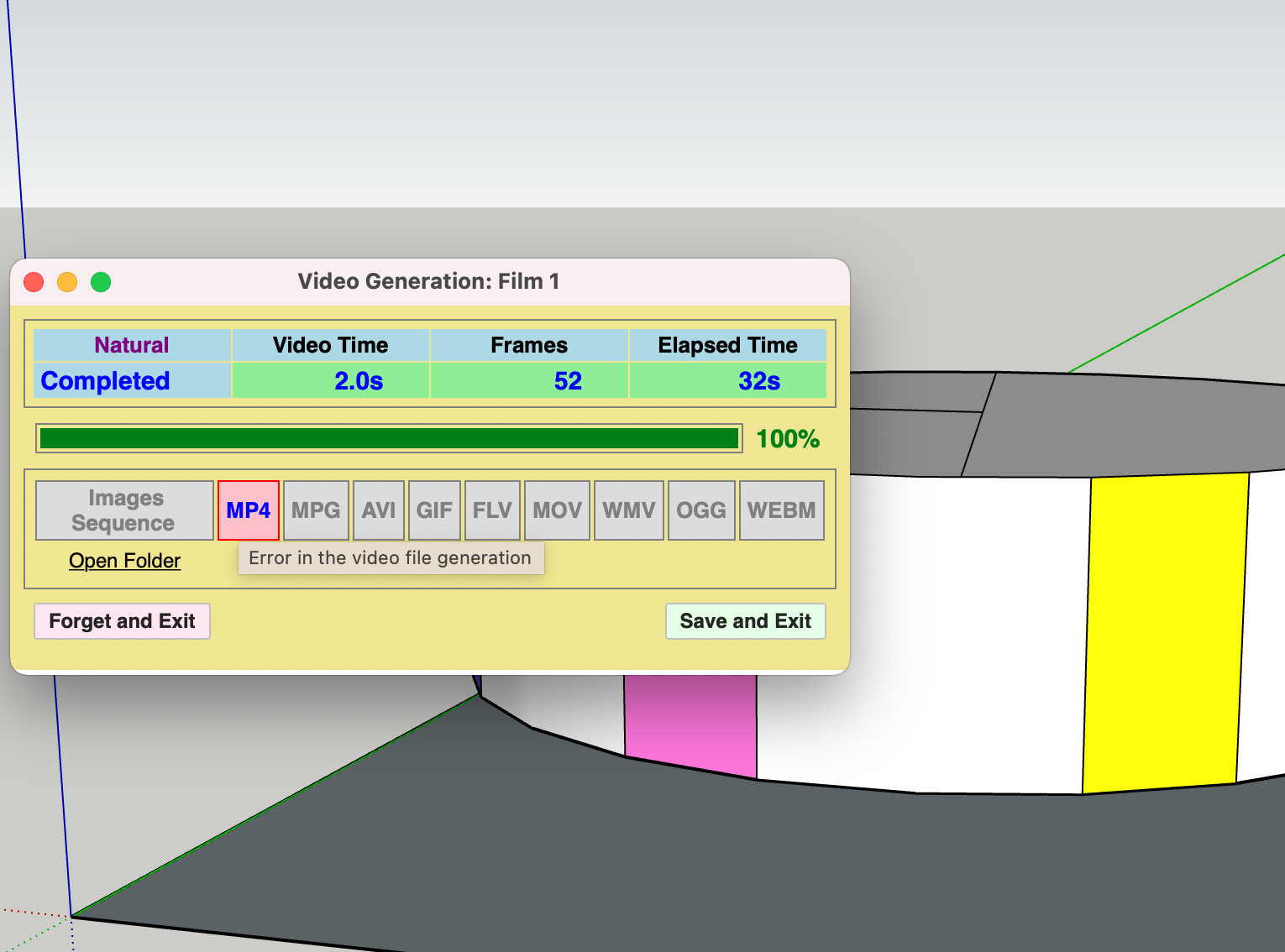
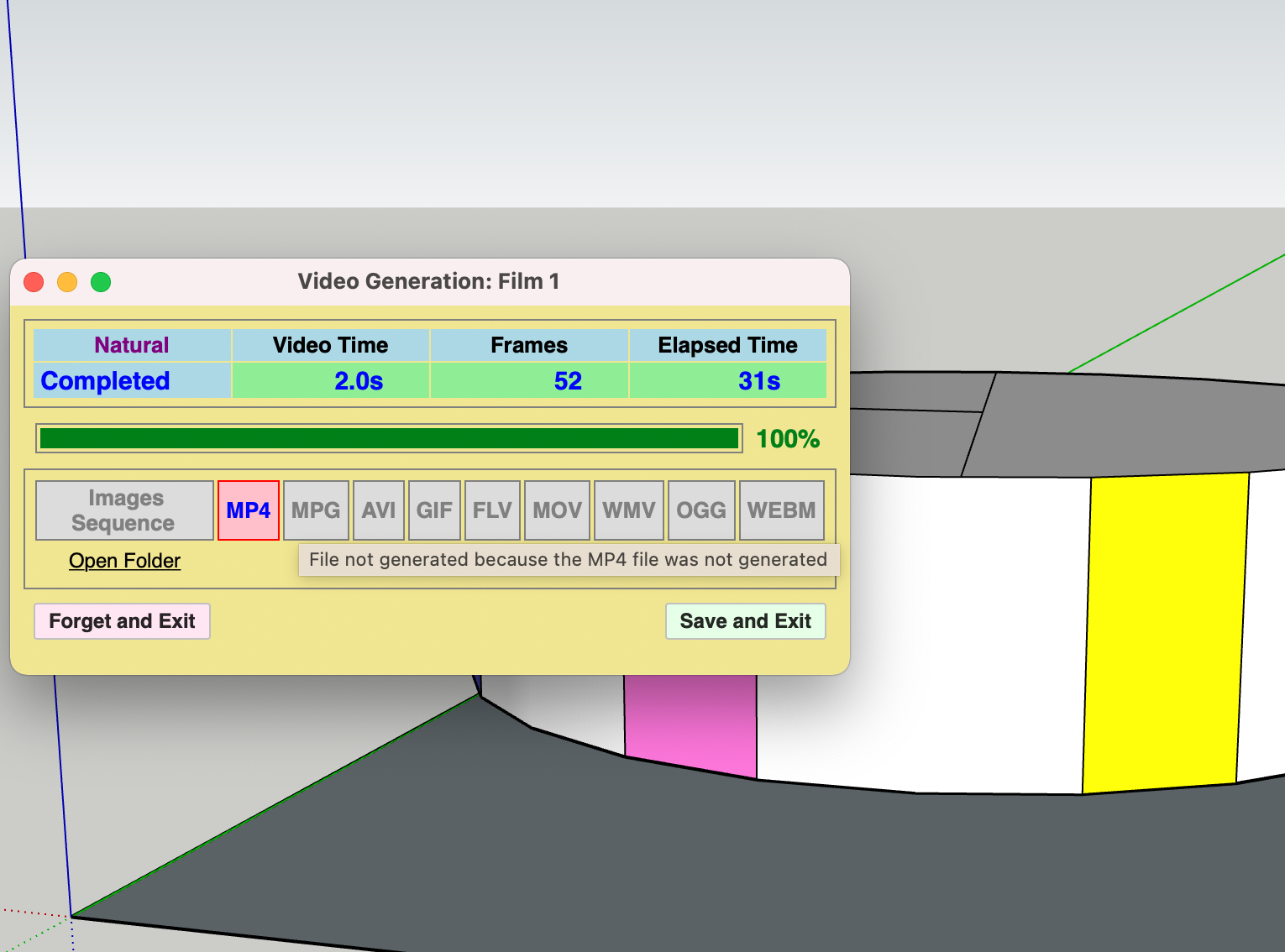
-
This seems to be a problem of security for the FFmpeg executable.
Could you go to your Mac Preference panel, Tab Security and see if you have the possibility to accept FFMpeg as a valid program.
-
@fredo6 said:
This seems to be a problem of security for the FFmpeg executable.
Could you go to your Mac Preference panel, Tab Security and see if you have the possibility to accept FFMpeg as a valid program.
I couldn't find any option to do that. I deleted the FFmpeg folder that I had, and reinstalled from the link on https://sketchucation.com/forums/viewtopic.php?f=401&t=71975. During this process, I got the pop-up security alert, and I told it to download anyway. This time it only installed one file called ffmpeg (last time there was a whole folder). I put the one file into Applications and tried again. The same thing happened: I got all the png files and an error message saying: "sh: /Applications/ffmpeg: Permission denied." Only this time all the png files disappeared. This has happened before. I see them pop into the finder while the program is running, but then they all disappear and only the error message remains.
I called Mac support. I'm still on hold with them. I've been on the phone for an hour with tech support. She has not found anything in my computer blocking the program. They're transferring me to a senior specialist, but I'm not optimistic, so I'm responding here now with this update. I also see that other people are reporting the same thing, but I'm new to these forums and having a hard time finding relevant threads and their responses. I will keep looking but also appreciate any ideas you may have.
Thanks.
-
Me again. The senior person showed me how to command click to open a file that is by an unidentified developer. But the ffmpeg that I downloaded this time is just one document file with no extension. It doesn't seem to be executable. Before I had a whole folder. I'm not sure whether I'm supposed to be downloading a whole folder or one file and if so with what extension.
I tried https://sketchucation.com/forums/viewtopic.php?f=401&t=71975 under
@unknownuser said:
Step 1 - Downloading FFmpeg
The first step is to download the FFmpeg executable. The links below point to a zip file containing the executable file of FFmpeg (stored on the Sketchucation web site).
Windows 64: zip file
Mac OSX: zip file
And then I tried https://ffmpeg.org/download.html#build-mac but there were too many choices, and I (obviously) don't know what I'm doing, so I didn't feel comfortable testing random downloads.
Please advise.
-
Hi
Is it possible to export to MDL in the future to be used by moving cars in flight simulator or p3d ?
thanks
-
Hi again! Just wanted to thank you for trying to help me. Once it registered that you're not responsible for ffmpeg, I went online and figured out how to install it properly. Well, okay, I don't know if it's proper, but I know Animator works like a dream now. So I'm all set. Thanks for the great app!
-
@viveca said:
Hi again! Just wanted to thank you for trying to help me. Once it registered that you're not responsible for ffmpeg, I went online and figured out how to install it properly. Well, okay, I don't know if it's proper, but I know Animator works like a dream now. So I'm all set. Thanks for the great app!
Thanks for the feedback. It's normal that the Mac system sometimes reacts with security prevention since FFmpeg is an executable.
-
@pierrearchi26 said:
I am currently working on Animator v3.4 and I cannot save the project when I exit the plugin and stay in the Sketchup model. The "save" button in Animator seems not work for me under version 2018 windows version.
Could you open the Ruby console and check if there are errors when saving.
-
Hello Fredo,
I am currently working on Animator v3.4 and I cannot save the project when I exit the plugin and stay in the Sketchup model. The "save" button in Animator seems not work for me under version 2018 windows version.: cry:: cry: back inside Animator plugin and everything (mouvements) have deseappeared as in the maintenance window . impossible to save the curent project.
Thank you for your feedback.
pierre.

-
@fredo6 said:
@pierrearchi26 said:
I am currently working on Animator v3.4 and I cannot save the project when I exit the plugin and stay in the Sketchup model. The "save" button in Animator seems not work for me under version 2018 windows version.
Could you open the Ruby console and check if there are errors when saving.
Non je n'ai pas d'erreur dans la console (aucun affichage). Le fichier Animator est pourtant bien créé. ?
Je profite de ce message pour vous remercier pour vos plugins que j'utilise au quotidien depuis 10 ans au moins !.

-
i have re-installed the plugin and disable other plugins and it works fine now. Thank you. Pierre.


Hello! It looks like you're interested in this conversation, but you don't have an account yet.
Getting fed up of having to scroll through the same posts each visit? When you register for an account, you'll always come back to exactly where you were before, and choose to be notified of new replies (either via email, or push notification). You'll also be able to save bookmarks and upvote posts to show your appreciation to other community members.
With your input, this post could be even better 💗
Register Login


Advertisement