[Plugin] Animator - v4.6a - 18 Dec 25




-
Hi, I've been testing Animator, and for a long time I got nowhere; cameras didn't seem to move, nothing faded in or out, etc. I think I've finally got an animation working (at least partially built), but I noticed that I had to set a lot more options, which I hadn't previously because I didn't know they existed. As it is now, Animator 1.3 works for me, in the sense that I can animate my model to move as I wanted, but it is very clunky because I am clicking invisible buttons and relying on hovering the mouse to find where the options are.
For example, I figured out how to set Fade Out on cameras, such as InOutPolynomial, by clicking in what appeared to be empty space. It appears that the options (Linear, Sine, Exponential and In/Out/InOut variations thereof) do exist, just the menu isn't visible. I can navigate to the options by hovering the mouse and hoping the hint text shows up (either the yellow box next to the cursor, or in the bottom left of my Sketchup window).
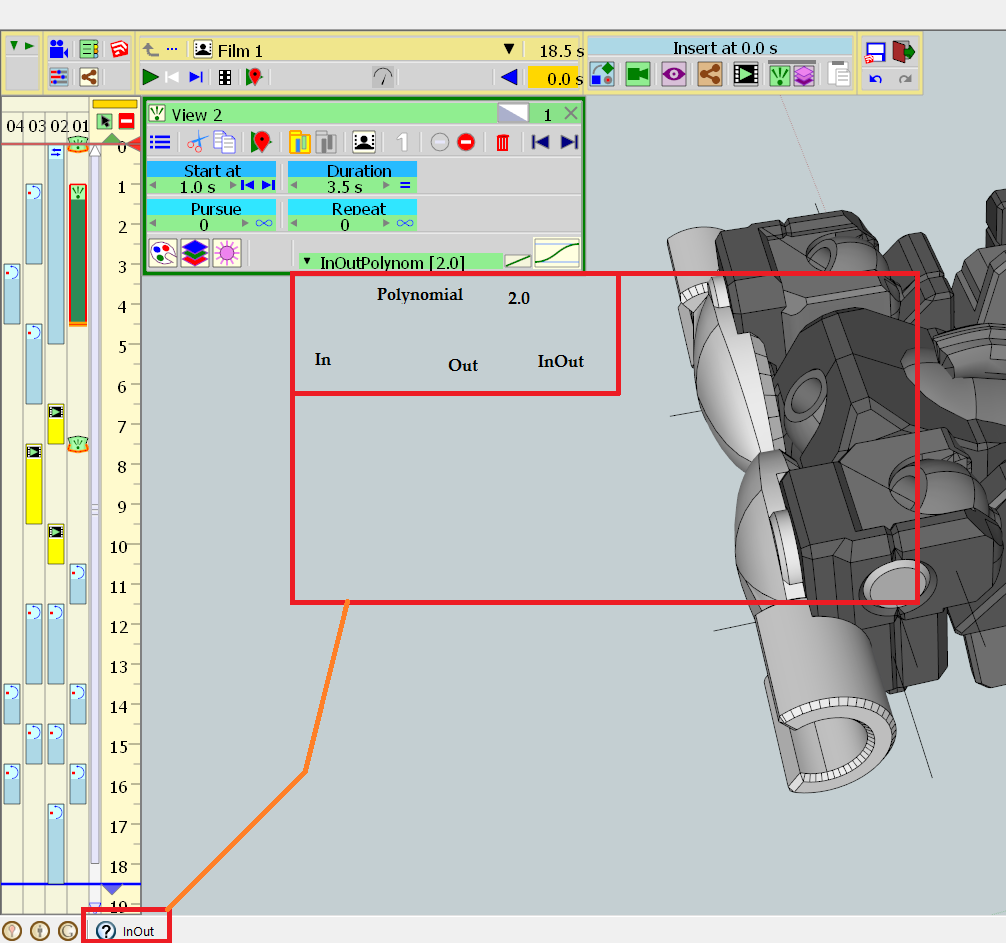
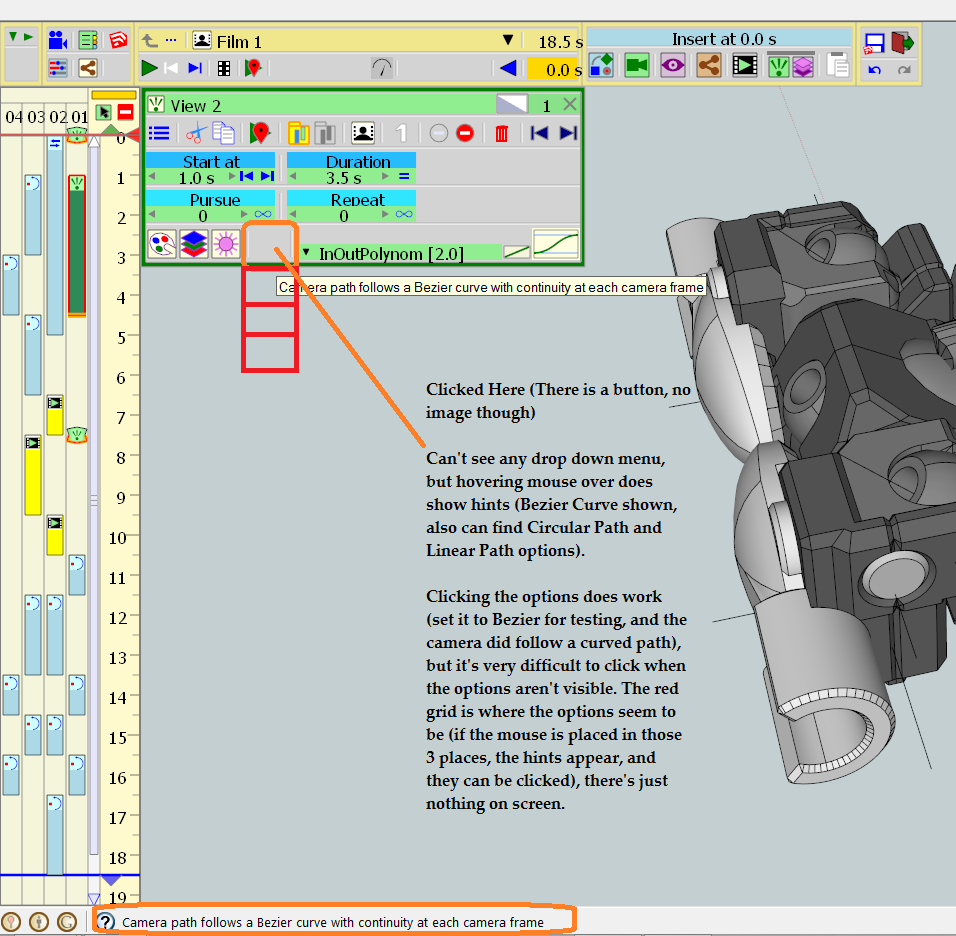
Equivalently, the camera path options also do not appear; I had set camera Fade Out to InOutPolynomial[2.0], only for the animation to freeze at the end of the duration of a camera (for example, playing the animation would get to "-------->1.0s/20s", and then do nothing. No popup, no crash, no freeze. I can click anywhere to stop the animation and the editing mode works fine from there. It appears that once I select any of the Camera Path options (Bezier/Circular/Linear), then the animation plays fine with all camera movement intact. As you can see below, the options for camera paths are not visible, though can be clicked. My guess is that when a new camera is added, and Fade Out set, there is no 'default' option as to bezier/circular/linear, so the animation just stopped playing once it got to the fade out, but I'm not entirely sure if that's the case.
Finally, there are a lot of options that disappear for me. Buttons show up when a camera is added, but once clicked, disappear. Some of them return to being visible when clicked again (such as Fade Out's On/Off toggle which is visible when Off but disappears when On), others disappear permanently. Not sure why on this one, but the behaviour is consistent on my end (i.e. buttons that disappear always disappear, Fade Out always is visible only when off, at least during my testing).
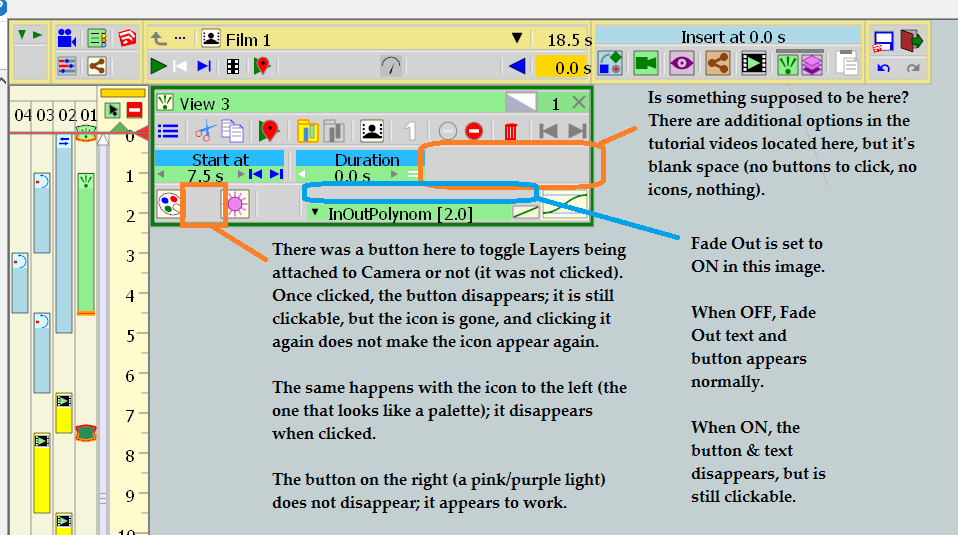
I'm running Sketchup 8 Free, Windows 8 (old versions...sorry...) with Animator 1.3a and LibFredo 7.3a. Sorry to have to point out so many issues, I hope on the bright side at least this can confirm for you that Animator is indeed functional on Windows 8 with Sketchup 8 Free (I can create an animation and export image sequence), just a few visibility glitches here and there. Thanks again for the plugin.

EDIT: Forgot to mention, Animator was installed by downloading the (.rbz) from SketchUcation, then via [Window->Preferences->Extensions->Install Extension] in Sketchup.
-
Thanks for signaling. That's just a bug specific to old SU versions (7, 8 and 2013).
I fixed it and will republish when I can.
Fredo
-
Ah, thanks for the quick reply Fredo, I look forward to it.
By the way, any plans for integration with other rendering engines? Specifically, does animator work with rendering software that uses Sketchup's Scenes functionality to work, for example Kerkythea? I dont see any way in animator to turn the animation into scenes in sketchup (admittedly, thatd be a lot of scenes), so I'm assuming it's not very practical.
-
New Release: Animator - v1.3b - 02 Jan 17
Minor bugs fixing for SU8 and SU13, creating problem in the display of fadeout options for cameras
See main post for RBZ files
-
Posting to confirm Animator - v1.3b fixes the invisible menus of v1.3a in SU8Free, Win 8. Options are indeed visible now. Thanks Fredo!
-
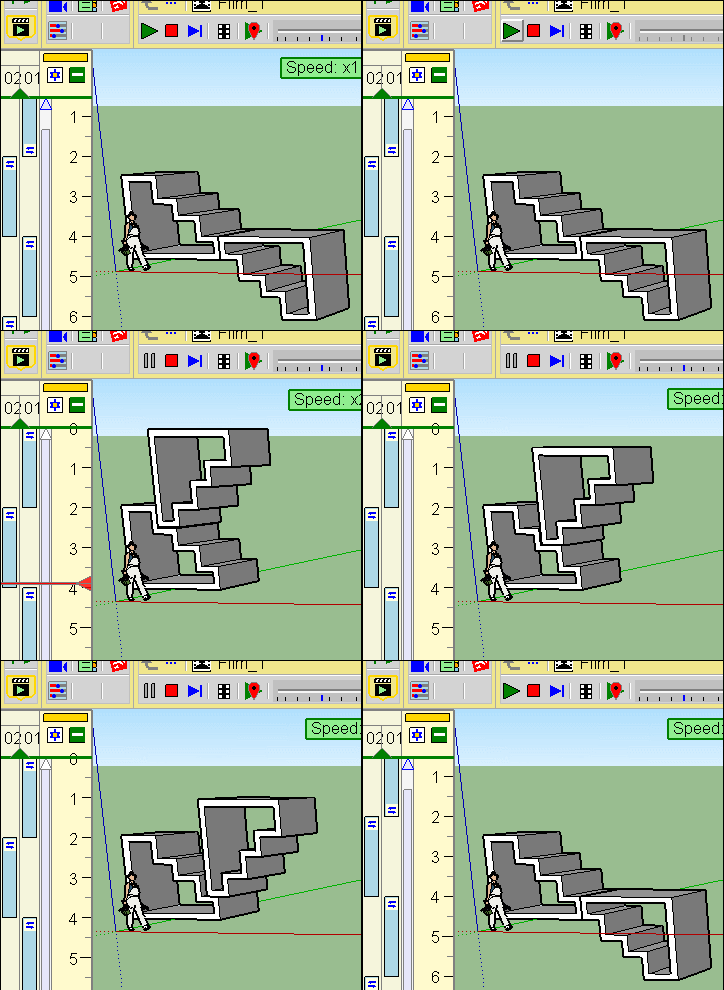
Is there a move object along path feature?
-
@unknownuser said:
Is there a move object along path feature?
First thing asked for a while!
Wait and see because that must be not a simple thing!
-
Hello,
So i am i need to manage to move component in a path but didn't know how to do it and then i don't found any tutorials
Thanks for help
-
As there is not yet path function, you must make by hand segment by segment!
About tutorial there is a lot of here! -
New Release: Animator - v1.4c - 16 Jan 17
- Bugs fixing
- GUI for Positioner management
- Preview mode in Sequencer is now safer (you can enable / disable it in the Default Parameters)
See main post for RBZ files
-
Not sure if I'm doing something wrong here, but I'm getting script errors when generating video files. Seems to happen very often (read: almost inevitably) for the first 10-ish frames, and also the last 10-ish frames. Processes a frame, then Script Error popup asking if I want to continue.
Oddly, even if I continue, occasionally clicking Yes results in the popup closing, and Animator doing nothing. It's recognisable because Animator normally says "Processing Frame 9...42.5s", but after clicking Yes, Animator just says "Processing Frame 9..." (i.e. the number of seconds disappears). It seems to not actually continue rendering. I've found a workaround, in that I click "Interrupt", then in the popup menu that asks if I want to generate the movie file using the frames that were made (Yes/No/Cancel), I click Cancel, and Animator starts working properly again. This workaround works most of the time, but sometimes (especially early frames, like Frame 2-5) I have to do this workaround multiple times for the same frame. If I do have to use the workaround more than once, it repeats the same frame over and over. For example, "Rendering Frame 3...62.0s" is displayed, at which point it should go to Frame 4 (I am testing with evaluation version of Thea Render, set to min Time Limit of 1 minute, so it spends 62 seconds per frame). Instead, it shows "Rendering Frame 3..." (again, the time disappears), and then it restarts Frame 3. Can happen upwards of 5 times per frame, not yet observed a pattern as to how many times it does happen.
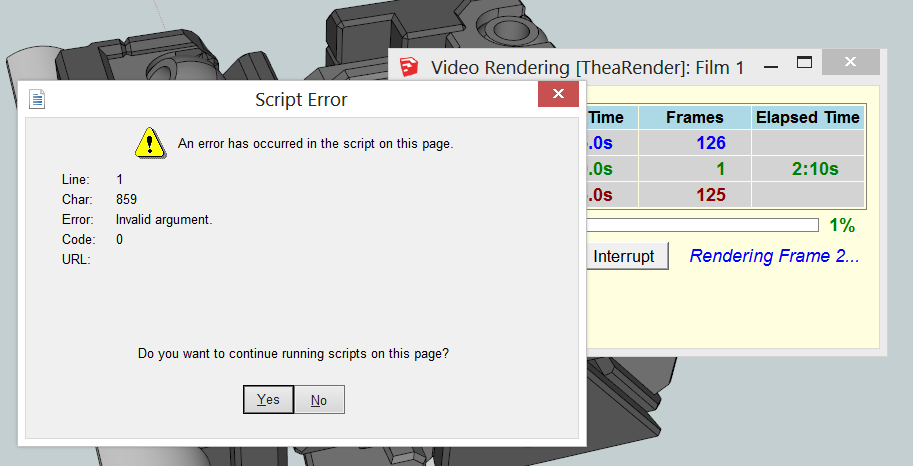
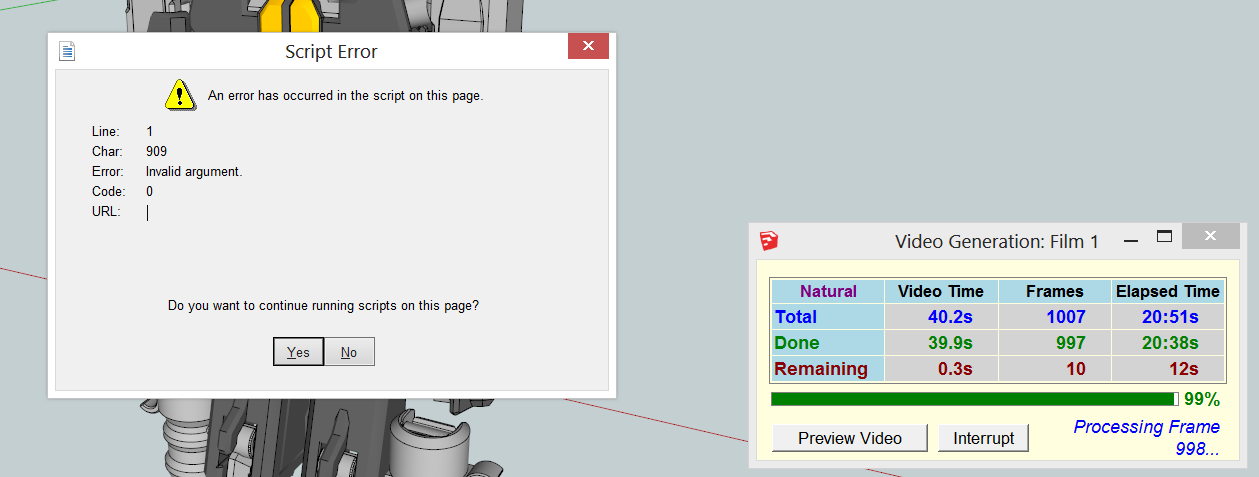
So far the end result is I have to sit and wait for the first 10 frames, using the workaround each frame. Then I can walk away, and come back when the animation is nearly done, and use the workaround for the last 10-ish frames.
In testing, I've also had Animator freeze on Frame 25 once (I have no idea why exactly 25) as well. The Script Error showed up for Frames 1 through 10, then 11 - 24 worked fine. Not a clue on why this happened, have not yet been able to replicate. Wish I could be more helpful here, so far can only report symptoms. As always, thanks for the plugin, it's been really useful.
EDIT: Literally as I was typing this post, froze on Frame 30. Not sure why, no Script Error popup, just froze. Happened on a separate computer that had nothing other than Animator/Sketchup open.
EDIT: Should mention, I'm testing with multiple machines, running Animator 1.3b and 1.4c. 1.4c has more instances of getting stuck on one frame, 1.3b gets stuck on Frames 1-10, then on random frames after that, but almost never gets stuck on just one frame repeatedly.
EDIT: Reliability of v1.4c seems better, after a fresh install of v1.4c alongside LibFredo 7.4c. Still stuck on frames occasionally.
-
Just to be clear, do you have the errors and freeze when you just generate the video without rendering?
Or does it happen only when you render with Thea?
Fredo
-
@fredo6 said:
Just to be clear, do you have the errors and freeze when you just generate the video without rendering?
Or does it happen only when you render with Thea?
Fredo
Sorry, should have been more clear. The Script Error popup that shows up for the first and last 10-ish frames happens both with and without Thea. Randomly freezing or repeatedly doing the same frame happens with Thea rendering turned on.
My Thea render settings are all the default settings, except with Min Time Limit set to 1 minute instead of 2.
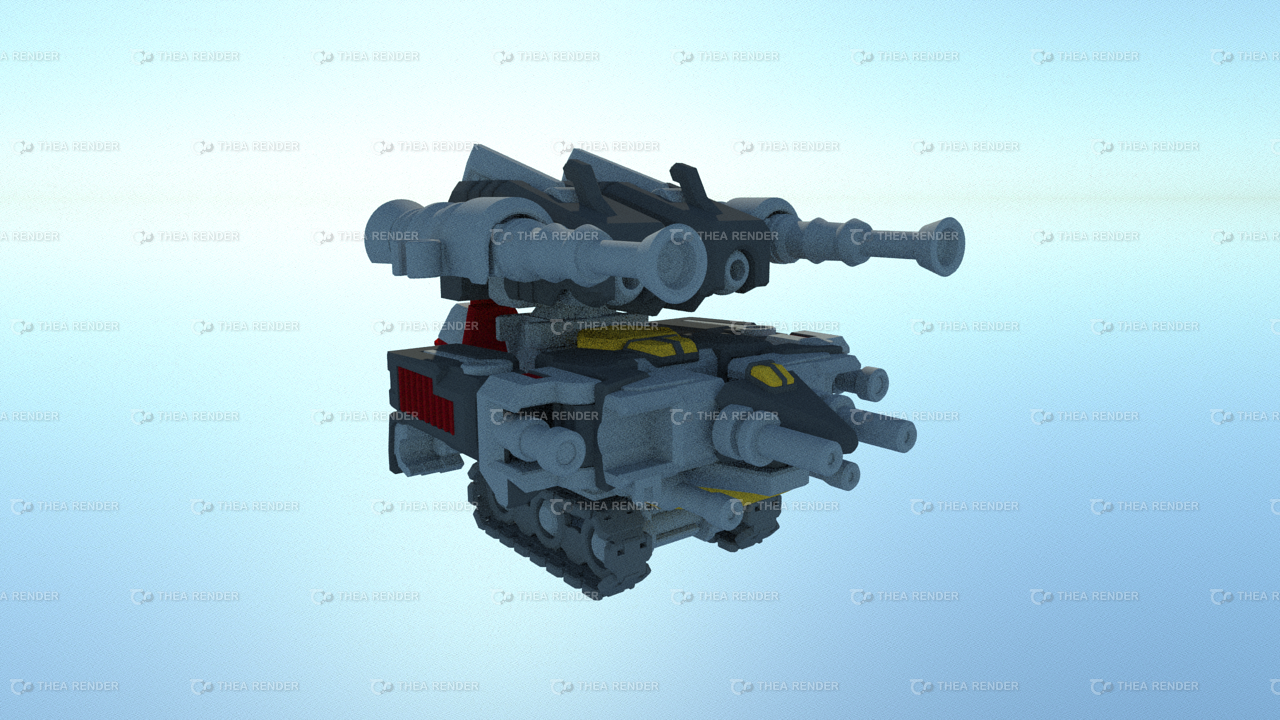
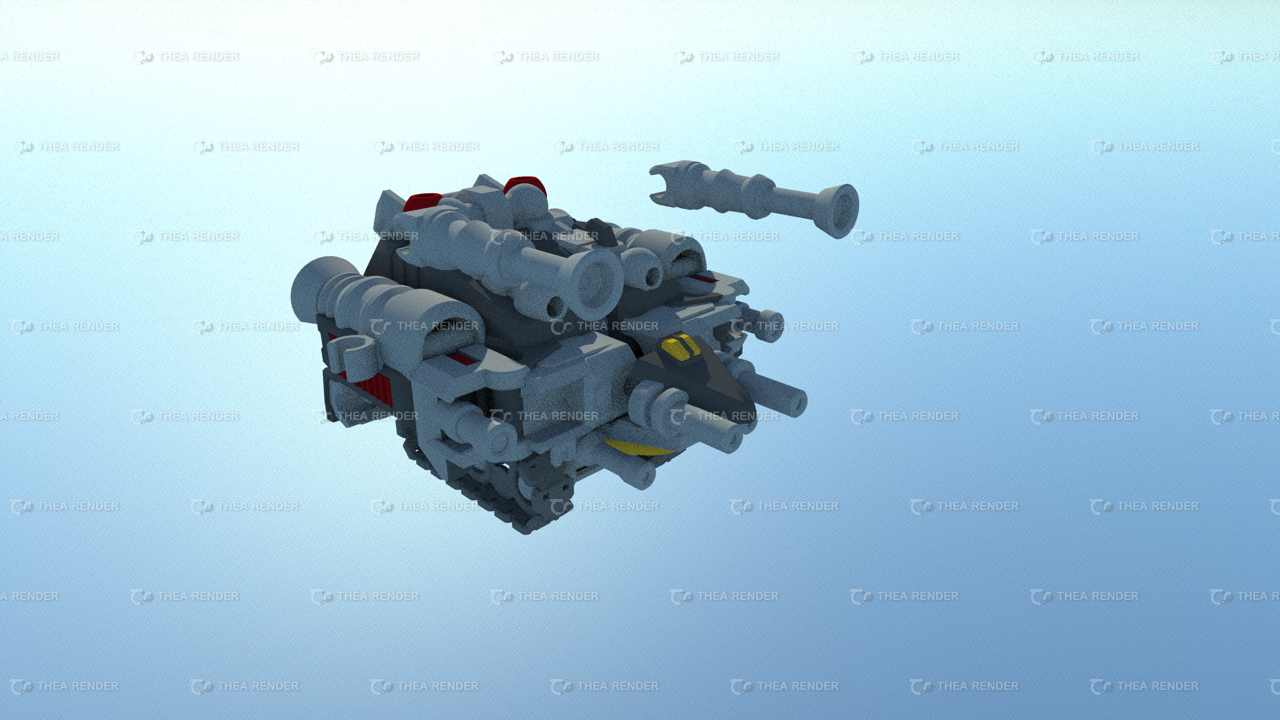
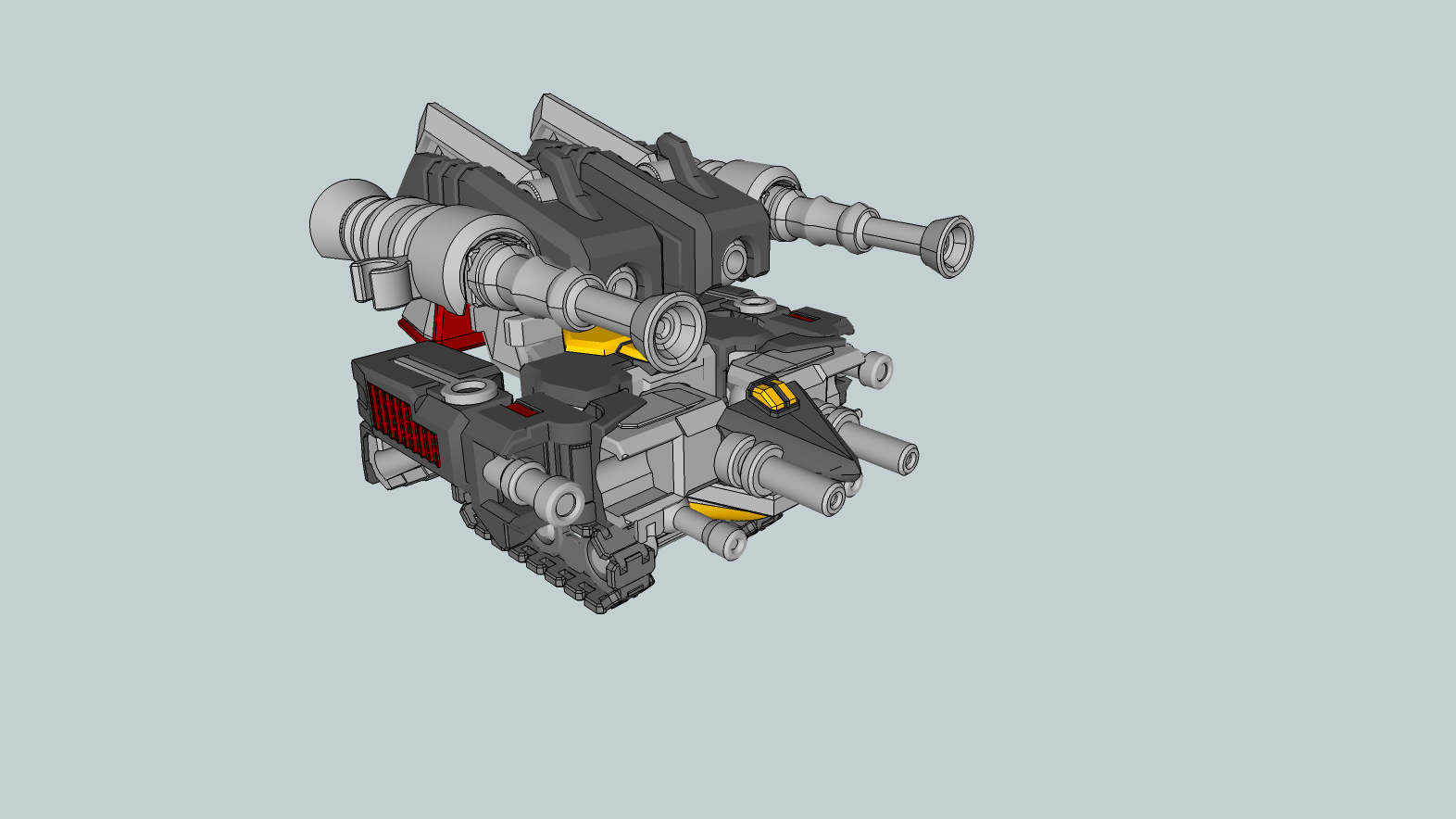
Currently i have to start rendering through Animator's interface (I believe Animator then calls Thea). I have tried starting the animation through Thea instead, which doesnt cause any freezing nor has any issues with the first/last frames (at least, it hasnt happened to me yet), but the animation is entirely unpredictable. For example, in the animation for Trinity (posted in the Gallery thread), clearly no objects intersect another (it's been 3D printed as an actual figure), but if I start rendering through Thea, Trinity's legs end up stuck halfway in its own body. The animation should start with a part being detached moving away from the rest of the model; that doesnt happen if I start rendering from Thea. I cant say for sure what does happen, because its slightly different each time i run it from Thea.
Edit: Frames of Trinity attached. One is straight from Animator, frame 24. The other two are render with Thea, when the animation was started from Thea, for Frames 0 and 24. Frame 0 looks correct, Frame 24 doesn't match Animator's output, nor does it correspond to any part of the animation at all.
-
Difficult to tell what is going on. It may be related to the fact that you run a trial version of Thea.
But anyway, if it freezes with no rendering, there must be a problem somewhere.The best is to send me the model so that I have a look.
Fredo
-
@fredo6 said:
Difficult to tell what is going on. It may be related to the fact that you run a trial version of Thea.
But anyway, if it freezes with no rendering, there must be a problem somewhere.The best is to send me the model so that I have a look.
Fredo
Hmm, I've run the animation again, and so far I haven't been able to recreate the issue of parts moving incorrectly. In the meantime, I did change from 1.3b to 1.4c, so I'm not sure if that had anything to do with it.
That said, the freezing and Script Popup issues are reliably happening with many models, not just Trinity, so I'm confident it's not isolated to Trinity's animator file nor model file.
*Note: Video is unlisted, and not linked to from pages related to Trinity. Thea's trial version is used solely to beta test Animator.
I managed to get a computer to process part of Trinity's animation with Thea Rendering (392 out of 1000 frames), with freezing occurring roughly once every 40 frames or so. At Frame 392, it finished the frame, then Sketchup became "Not Responding". I left it in Not Responding state for 30 min, but then force closed Sketchup. The video above is the result of those 392 frames hastily thrown into Movie Maker. To be clear, these frames were made using Animator to call Thea.
So far, all I can conclude is that, on my end at least:
Animator calling Thea -> Renders animation correctly, but Script Error popup and freezing abound.
Thea calling Animator -> Renders animation weirdly (but sometimes correctly), no Script Error popup nor freezing.Thea's trial version doesn't seem to be a problem as far as I can see; it generated the images just fine whenever Animator called it. It seems to me that whenever it freezes and Animator shows "Rendering Frame 390..." without showing a time in seconds, that Thea just hasn't been told it needs to render anything. Equivalently when it repeatedly generates the same frame, Animator shows "Rendering Frame 390...62.0s", then shows "Rendering Frame 390..." (at which point it does nothing until I click Interrupt then Cancel), then shows "Rendering Frame 390...0.0s". My guess is that Animator has not iterated to the next frame, so after I click Cancel, it calls Thea to render the frame it's on, completely unaware it's rendering a frame it already did.**
**Obviously I have no idea how Animator is coded behind the scenes, this is just my guess based on the behaviour so far. Out of curiosity, does Animator operate at all similarly to [Calculate Movement(s) For Frame -> Call Thea ----Thea responds Frame is complete---> Iterate to Next Frame -> Calculate Movement(s) for Frame ->...], in terms of a very abstract flowchart? Because its behaviour seems to indicate that when Thea responds, it sometimes fails to iterate to the next frame, or fails to call Thea afterwards. /If i'm completely off then just ignore my random guessing/Tested on [Windows 8, SU8Free] along with [Windows 10, SU8Free]. Video above generated with [Windows 10, SU8Free].
-
Actually, Animator waits for Thea to finish to go to the next frame. So the freezing is likely to be related to Thea not answering it is finished (or not finishing).
By the way, you can also follow the process by opening the Thea rendering window, because the status of rendering is also displayed (time, frame and completion).
Also, it may depend on the rendering mode you choose. In any case make sure that the Interactivecheckbox is off (for instance with IR Presto). Low samples/px (like 15-30) is also advised.I also suggest you keep the Ruby Console opened to see if there is any error.
What was puzzling me is whether you get freezing when you generate a video WITHOUT rendering.So thanks to confirm.
Finally be aware that with Thea trial version, there may be a small problem. Because the resolution is limited, Thea may have to redimension the images and, bad luck, end up with odd resolution in X or Y. Unfortunately, there is a bug in FFmpeg, which prevents it to generate MP4 from images with odd dimensions. So I strongly advise that you do a "Preview video" at the beginning of the generation to see if everything is fine (otherwise, you would wait for long and for nothing and get frustrated).
Fredo
-
@fredo6 said:
Actually, Animator waits for Thea to finish to go to the next frame. So the freezing is likely to be related to Thea not answering it is finished (or not finishing).
By the way, you can also follow the process by opening the Thea rendering window, because the status of rendering is also displayed (time, frame and completion).
Also, it may depend on the rendering mode you choose. In any case make sure that the Interactivecheckbox is off (for instance with IR Presto). Low samples/px (like 15-30) is also advised.I also suggest you keep the Ruby Console opened to see if there is any error.
What was puzzling me is whether you get freezing when you generate a video WITHOUT rendering.So thanks to confirm.
Finally be aware that with Thea trial version, there may be a small problem. Because the resolution is limited, Thea may have to redimension the images and, bad luck, end up with odd resolution in X or Y. Unfortunately, there is a bug in FFmpeg, which prevents it to generate MP4 from images with odd dimensions. So I strongly advise that you do a "Preview video" at the beginning of the generation to see if everything is fine (otherwise, you would wait for long and for nothing and get frustrated).
Fredo
Thanks for the tips Fredo, I hadn't remembered to pull up Ruby Console so that's definitely very useful.
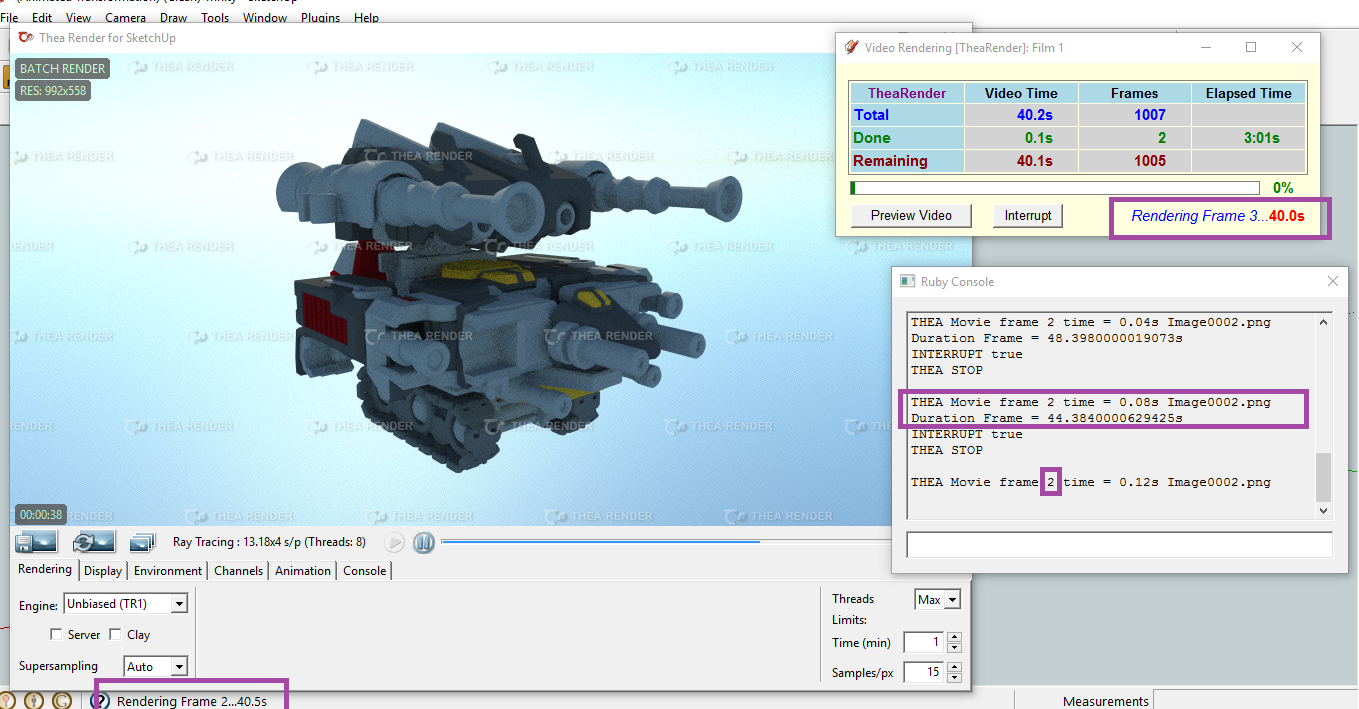
As we suspected, Animator is not currently receiving responses from Thea correctly. Above screenshot is the result of Animator freezing after Frame 2 ("Rendering Frame 2...62.0s", then "Rendering Frame 2..."), at which point I clicked Interrupt then Cancel. Can confirm Thea started on Frame 2 again, but Animator believes it's on Frame 3. I am receiving a Duration value in Ruby, but I have no idea if that duration is calculated by Thea or by Animator.
Note: The reason Sketchup and Animator are 0.5s out of sync in the image is because of Snipping Tool freezing the screen output, so I think that's just event handling and the scheduler updating different programs at different times.
/as always...my guess could be wrong/
EDIT: I've hit Interrupt and Cancel again, it's done the same thing: Rendering Frame 2 in Thea, Animator shows Frame 3. Thrice in a row this has happened, so it's reliable at least.
EDIT: Oh, completely forgot to mention, I didnt' realise Thea's default was 512 samples/px in earlier testing; the above test was set with 15 samples/px, so far I have not gotten Script Error popups. That said, it's stuck on very early frames, so I'm not celebrating just yet. Also, I'm generating Image Sequence (FFmpeg isn't installed on the test computer), so I don't think resolution limits should be affecting it.
-
Can you at least confirm whether you get freezing situations when you do not use Thea.
For Thea, I'll have a look, but it may depend on the rendering mode you use. In past tests, I have noticed that 'unbiased' and 'adaptive' always had problem with the API of Thea (on top of being slow), maybe because the calculation is progressive. So the Thea API may miss the signal for termination.
In general, for an animation, IR Presto is good enough.
Fredo
-
@fredo6 said:
Can you at least confirm whether you get freezing situations when you do not use Thea.
For Thea, I'll have a look, but it may depend on the rendering mode you use. In past tests, I have noticed that 'unbiased' and 'adaptive' always had problem with the API of Thea (on top of being slow), maybe because the calculation is progressive. So the Thea API may miss the signal for termination.
In general, for an animation, IR Presto is good enough.
Fredo
Confirm: No Freezing with Natural Rendering.
Restarted Trinity's animation with Natural Rendering on two machines again to confirm; both animations were successful with no freezing, no frames repeated. Script Errors happened on both machines for Frames 1-10 on both; one machine also had Script Errors for the last 3 Frames, the other had them for the last 10 Frames.
You're right on the rendering mode, I had left it Unbiased which definitely added to the rendering time, IR Presto - AO with Interactive unchecked works fine. Tested Thea rendering with IR Presto, using a different model to make sure Trinity wasn't the issue, appears to me Thea has finished a render, Animator and Sketchup move the the next frame, the Thea doesn't start. This is after I get a Script Error.
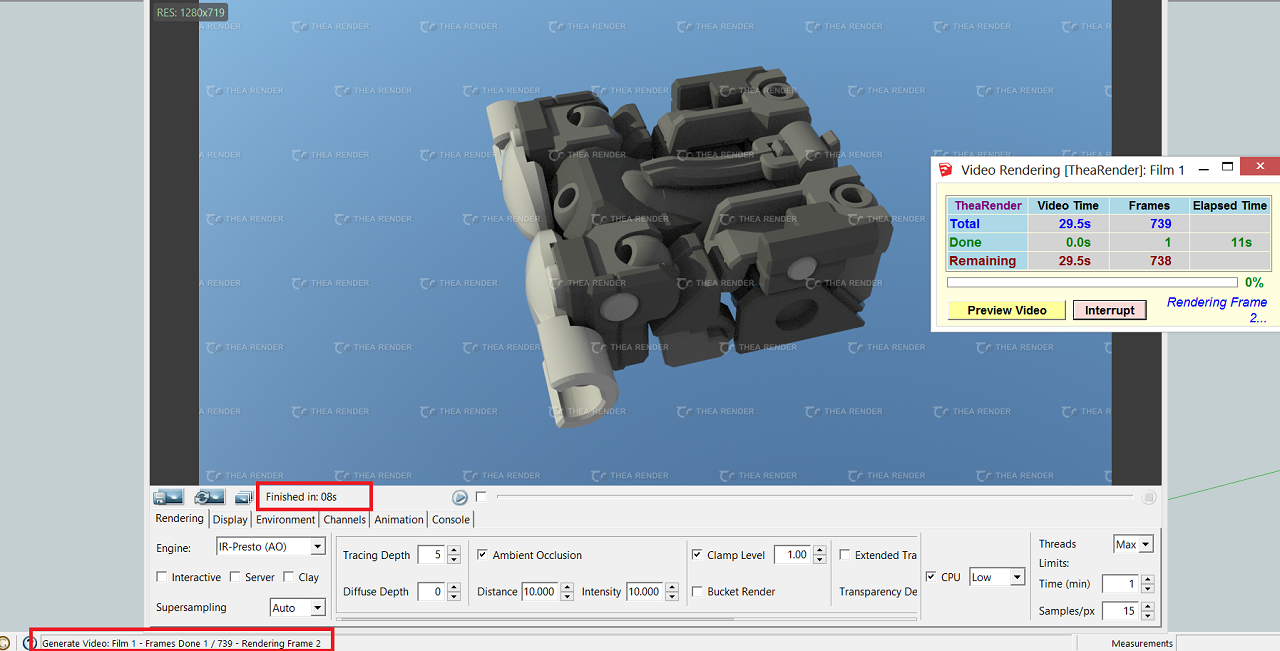
Anyway, I'll keep testing on my end. Sorry to keep pointing out problems, hope it'll all work soon.
-
@treadshot a1 said:
Restarted Trinity's animation with Natural Rendering on two machines again to confirm; both animations were successful with no freezing, no frames repeated. Script Errors happened on both machines for Frames 1-10 on both; one machine also had Script Errors for the last 3 Frames, the other had them for the last 10 Frames.
Could you tell me which Script Errors you get in Natural rendering.
Fredo


Hello! It looks like you're interested in this conversation, but you don't have an account yet.
Getting fed up of having to scroll through the same posts each visit? When you register for an account, you'll always come back to exactly where you were before, and choose to be notified of new replies (either via email, or push notification). You'll also be able to save bookmarks and upvote posts to show your appreciation to other community members.
With your input, this post could be even better 💗
Register Login


Advertisement