[Plugin] Window Maker
-
I have someone interested in similar window features to that found in "Chief Architect".
-
@garry k said:
Frame size will be controlled by parameters and or profiles. What do you mean by "replacement windows"
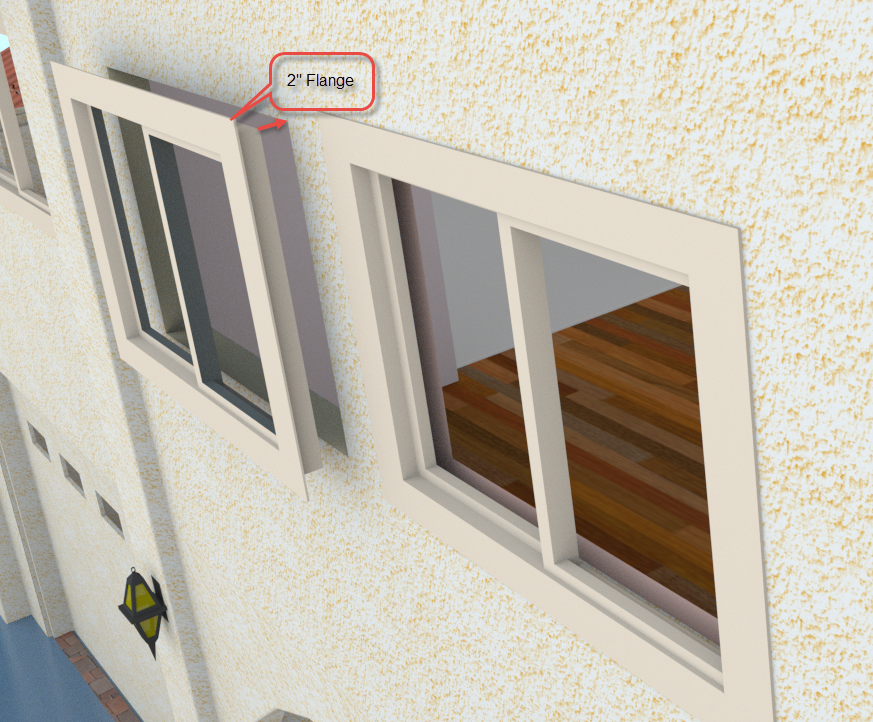
We had all of the original windows in our house removed and replacements were slid into the openings. They have about a 2" external flange
-
Some residential/light commercial projects use wood windows and some use vinyl or aluminum. The look, size of components and construction are different. (But I'd let vinyl pass for aluminum in most models.) If you look at the 3dw there are some dynamic components by Milgard that actually work nicely. They have a screen too. They aren't realistic for close up renders but are handy for realistic exteriors.
Usually I make components to include the trim. Obviously there are all sorts of trim options...So I guess in this case, one could use your windows to put into the component that has the trim too, maybe even the curtains. I'd not use a plugin to put in one window at a time then go around and put the trim on each one--if you know what I mean. I make all the features that a window will have then use that component for all those window types in a model. What I mean is some tools stress the importance to "plug" right into the model and it doesn't always work that way.
Of course it would be really cool if the trim style changed on a project to have way to change it all and not have to modify each window type (each window component).
As for window options. Do your doors have transoms and sidelights? Did I miss that tool?
-
Single rake, double rake.
-
I think one of the last hurdles to construction documents from Sketchup is door and window schedule generation from the model? Especially if they could include Objects modeled out side the plugin. Infinite control over grills would be a big plus.
I would add that it's important to keep frame geometry simple and generic. I just don't think having al the geometry of aluminum extrusions etc. is required or beneficial for computer performance.
-
Seems all that is yet made!
 (for classical forms)
Must be soon released! -
There are a lot of architects that have very large models and need plugins that produce low poly counts, are really quick, and are very kind when it comes to memory usage.
My plugins such as cab maker and door maker give you lots of flexibility without a lot of bloat. There are also issues when it comes to curves and properly re sizing dynamic components.
Although my plugins are not DC's, they do work with interact, open, close etc.
Also batch editing is very powerful and quick. Change rules for how a window is constructed and change all the windows in the entire complex - if you wish. -
Yes! Seems generally today in the windows' world is missing some round and no quandragular forms!
-
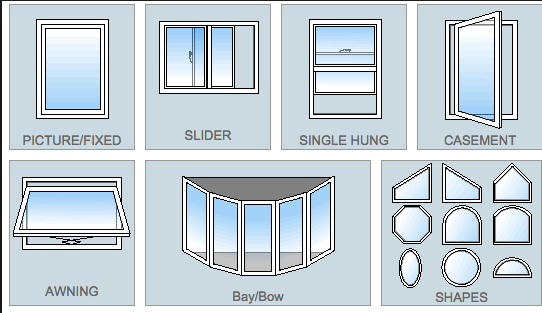
Yes - to be a fully featured plugin you need to have all of these types of windows and more. Also designers aren't just building square boxes. They need a lot of options.
A good window and door schedule that they can add to is also important.
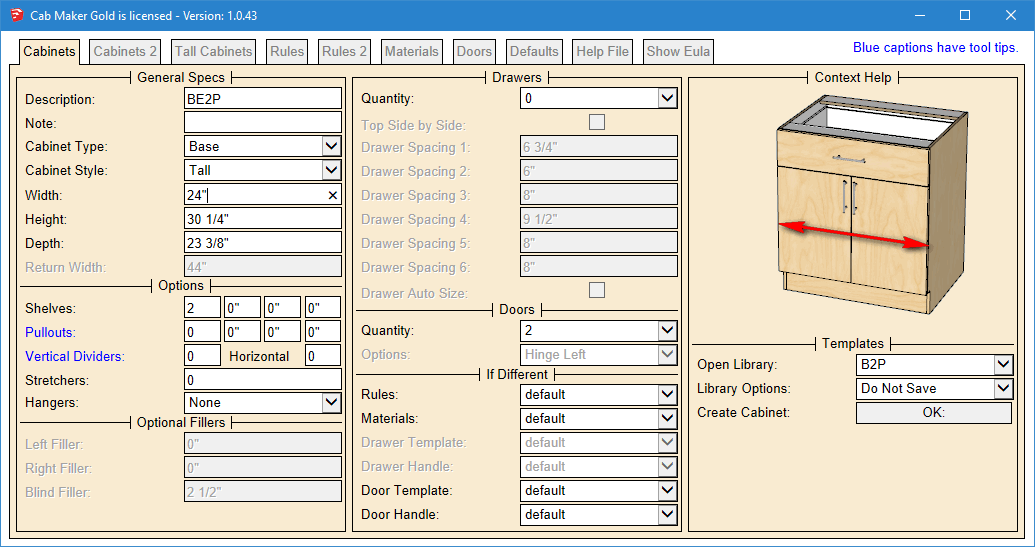
I see the interface to be similar in nature to my cab maker interface. You can pack a lot of parameters, group, disable enable, work with language translation files and most importantly have graphics showing the user what the parameter does. That along with a detailed manual.
Here is an example of the user interface for cab maker in English with Inches in fractions.
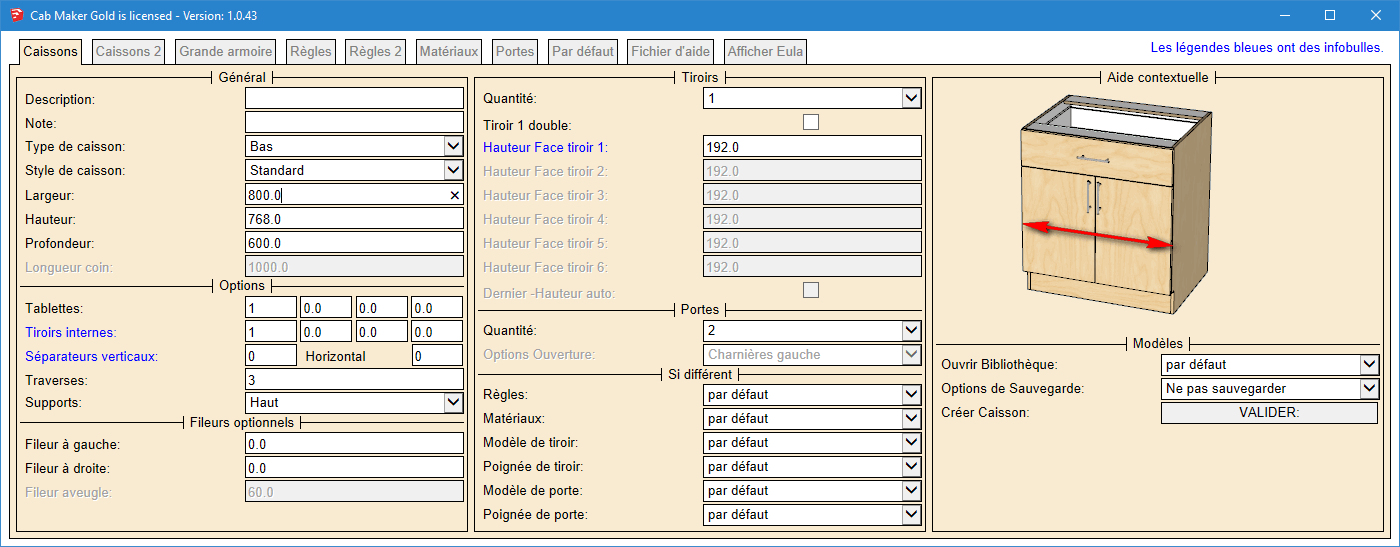
And here is the same user form but this one is in French and uses millimeters.
-
A good and simple solution for generating windows is greatly lacking, I'll keep a keen eye on this thread... hits subscribe topic
@pilou said:
Seems all that is yet made!
(for classical forms)
Must be soon released!This one seem interesting, but it has yet to be released.
@garry k said:
Yes - to be a fully featured plugin you need to have all of these types of windows and more. Also designers aren't just building square boxes. They need a lot of options.
A good window and door schedule that they can add to is also important.
[attachment=2:11c7xfsa]<!-- ia2 -->window styles.png<!-- ia2 -->[/attachment:11c7xfsa]
I see the interface to be similar in nature to my cab maker interface. You can pack a lot of parameters, group, disable enable, work with language translation files and most importantly have graphics showing the user what the parameter does. That along with a detailed manual.
Here is an example of the user interface for cab maker in English with Inches in fractions.
[attachment=1:11c7xfsa]<!-- ia1 -->__Cabinets Tab.png<!-- ia1 -->[/attachment:11c7xfsa]
And here is the same user form but this one is in French and uses millimeters.
[attachment=0:11c7xfsa]<!-- ia0 -->__Cabinets Tab French.png<!-- ia0 -->[/attachment:11c7xfsa]
It looks like you're putting it together Garry!
Window+
Who has any experience with this one? -
Of course you have Click-Kitchen!
-
-
I look at GKware Door Maker and it appears to only be for cabinet doors.
-
Door Maker Gold adds features for passage doors, bifolds and entry doors
And it will do cabinet doors as well.For thick passage doors the panel raising is on both sides and the handle is on both sides.
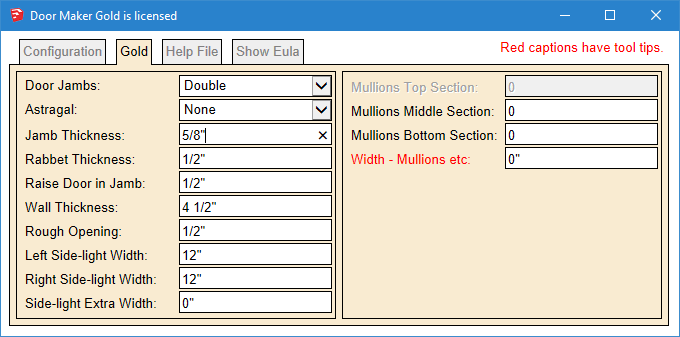
Here are some examples
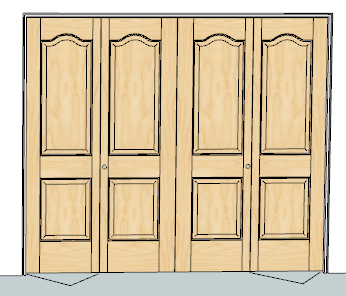
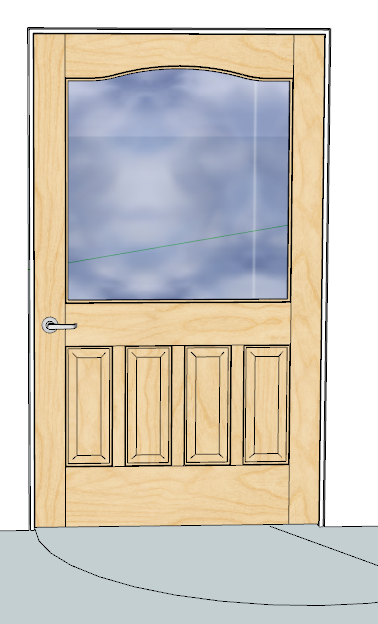
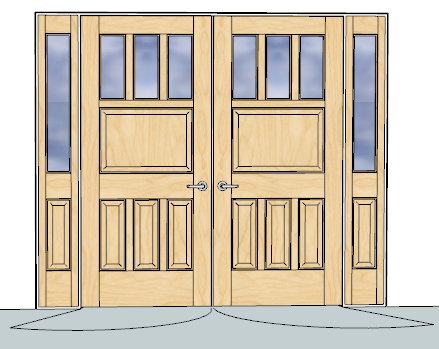
-
For extra wide doors you can set a pivot point and use pivot hinges.
Here's a double door with astragal and a 6" pivot pointAll doors open and close - you set the angle.
Bifolds have bifold action.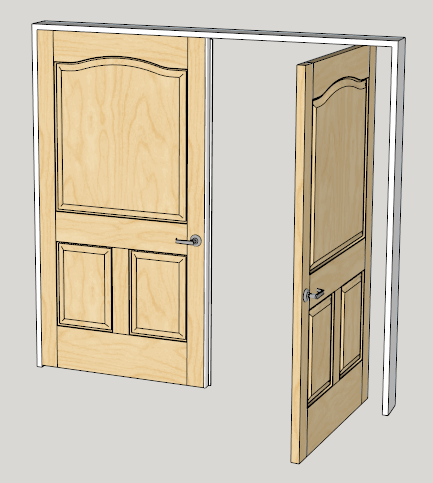
-
Door Maker : OK great. I didn't get that impression from looking at it. Thanks... I see you have hardware and door swings too.
-
How is the window maker plugin coming along Garry?
EDIT
I only saw your comment after posting this.
"I haven't got very far with the window plugin. I have been concentrating on a wall plugin - then I'll go back to the window plugin."
-
@garry k said:
There are a lot of architects that have very large models and need plugins that produce low poly counts, are really quick, and are very kind when it comes to memory usage.
...
Although my plugins are not DC's, they do work with interact, open, close etc.
Also batch editing is very powerful and quick. Change rules for how a window is constructed and change all the windows in the entire complex - if you wish....
For extra wide doors you can set a pivot point and use pivot hinges.
Here's a double door with astragal and a 6" pivot point...
A good window and door schedule that they can add to is also important.
...
As with door maker you will be able to provide your own profiles. That means vinyl, aluminum or wood profiles will be available.
Amen!
I had never seen this thread GK so thank you juju for reviving it.
I really like your aproach, it seems flawless to me.
The main questions I have probably relate to my lack of knowledge on doormaker and cabmaker (wich I will try asap):
Is the geometry editable visually in the model viewport or only through a table?
I mean, "click window", seems to only let us edit our window models through settings and I'd like to be able to use something like the scale tool (right now I use Fredo's Box Stretch to target). I like to make the window fit into place using sketchup viewport rather than typing some measurements. I like experimenting visually and that's the main reason I model in 3d.
-
What about curved glass or plexiglass?
-
It would make sense to me that the windows would be render ready without having to setup materials. Are you thinking on this or would you allow us to have a custom material library?
-
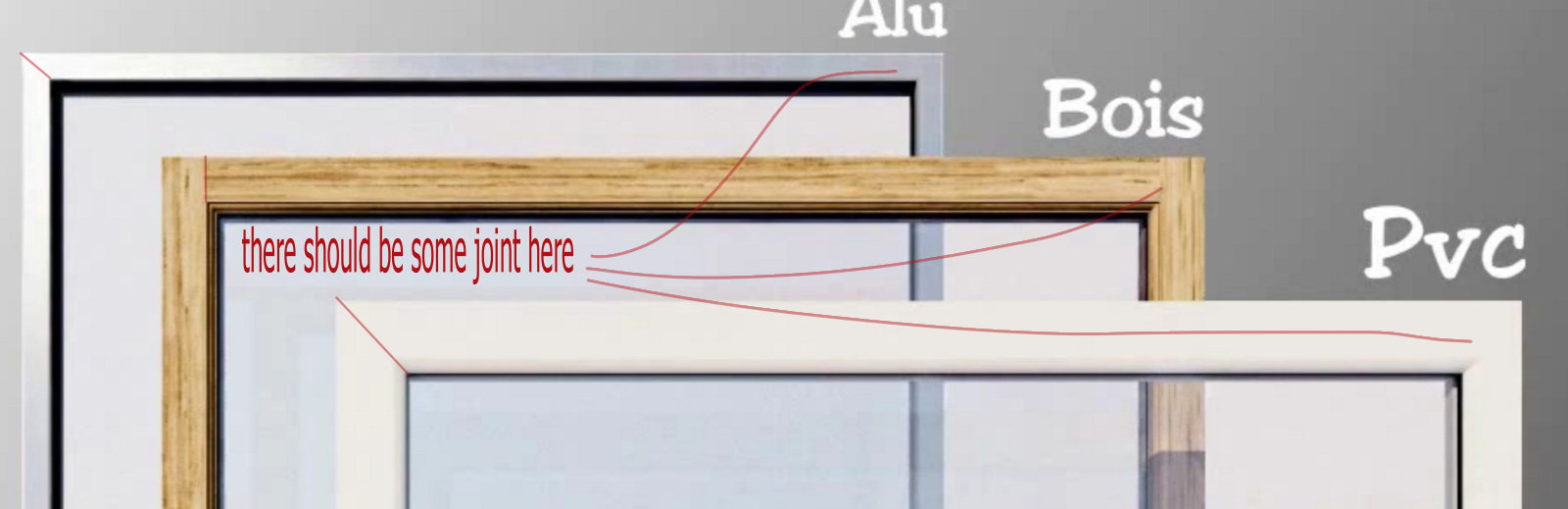
Still on the render side of things I see that "click window" has a lot of detail, but the rendered models seem unrealistic as there are no visible joints. The window models I use seem less detailed and render better simply because of carefully placed joints and chamfers. Could you consider this for your standard profiles too? (As you allow custom profiles, I will always be on the safe side with your plugin though).
-
For that schedulling, will you consider thinking on a clever way of using the new Layout API to auto generate a file with all windows as viewports? This is definetelly the part I hate the most on my work! (Probably it would be interesting to consider this for doors and cabinets too...)
-
Finally, (I know this one will be a longshot...) if you're into schedulling will you also consider, 2D section drawings for horizontal and vertical detail drawings of windows? Example: we would add a custom aluminium profile for extrusion, simplified for performance and render reasons, then we would add a custom 2D detail or a manufacturer .dxf detail to some sort of database associated to that profile (with all that complexity that we don't need on the model but sometimes is handy on a 1:5 to 1:1 scale detail) and the schedule would be generated with that profile in place?
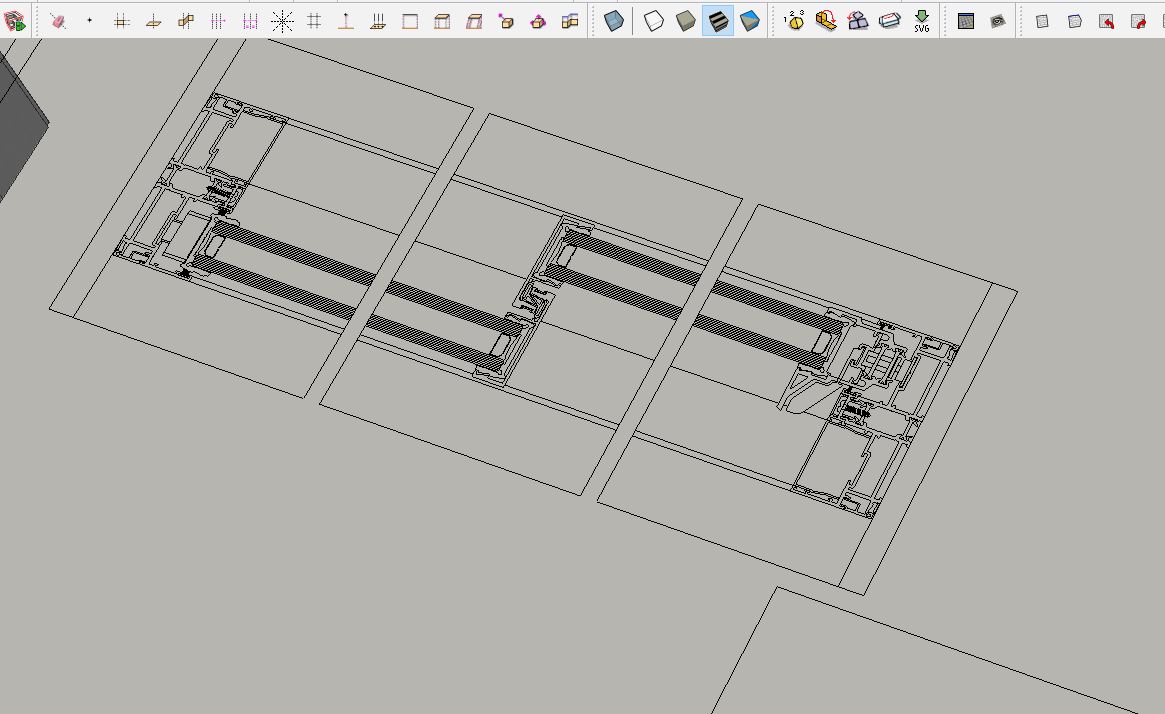
I'm sorry for some of the more detailed questions, but it's details like these that matter to some people.
-
-
-
Currently my cabmaker plugin gives you edit capabilities by selecting the cabinet and right click and choose edit cabinet from the menu. Then you get the same web dialog and you can edit almost anything. I will consider creating a scale tool observer, allowing you to edit width and height of windows, cabinets and doors.
-
I haven't considered curved glass at this time. Please provide me with examples of curved windows that you require.
-
You can add / edit jpg images and my plugin will add your choices into the model and will map the size of the image by reading an entry from textures.txt file. Please note that the grain direction for the images is always vertical. I always create parts of the door / window / cabinet vertically and then move and rotate them into position. This strategy eliminates the need to have horizontal textures which helps keep the size of the model down.
-
Here is an example of a mitered door from my door maker plugin. As you can see the joints are reasonably realistic.
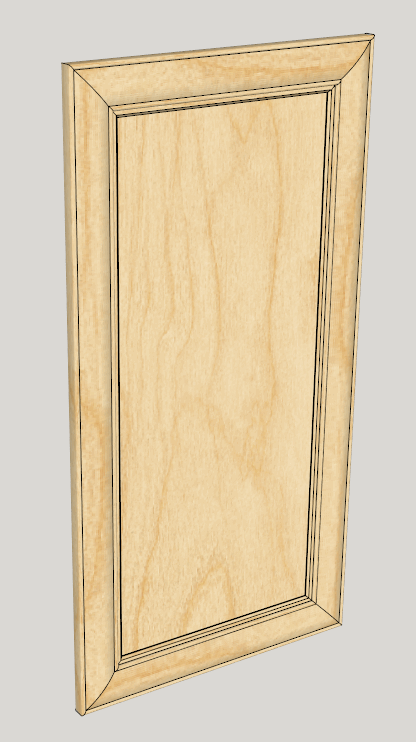
I made this profile - you can add your own.

-
Inserting schedules into layout is mostly a layout issue. From what I have read most users work with rtf files. Currently my reports are csv. If html works better then I may provide html reports, you would be able to edit the css file and have some control that way. I could be wrong but to my knowledge layout only allows rtf.
-
The architects that I have spoken with all use Scalp. I think that is an excellent way to obtain this type of detail.
-
-
-
That looks promising then.
-
Well, basically I was thinking regular windows but curved, as if shape bender plugin was applied (without breaking parametrics of course). Not urgent as it's very exceptional and probably curve bender could have to do the trick.


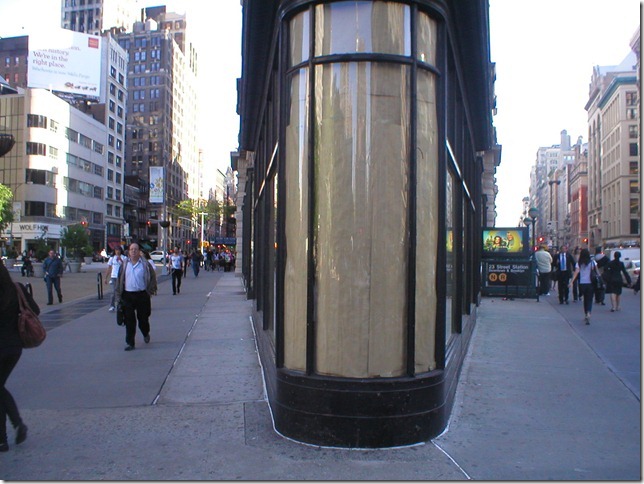

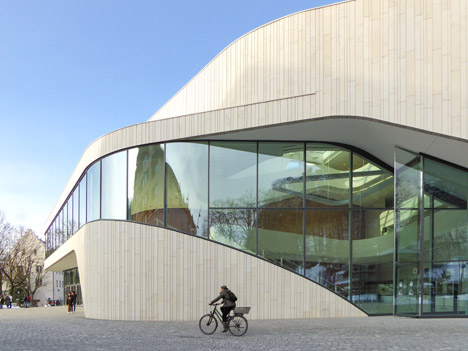
-
If I simply add a jpg, it won't come with Thea render meta data. Could I add a sketchup material instead, with a vertical texture?
-
Well they are realistically placed but don't seem to create a geometric recess wich would be needed to actually render it darker... The thing is that my window blocks have those recesses and though final rendering is not the main thing I do, it's a big plus to have perfect renderable windows.
-
Well, I probably explained myself wrong. Schedules by themselves are great, but what I was imagining the plugin could automatically create using the new LO API would be an elevation, vertical section, and horizontal section viewports of any window, door, or cabinet in the dawing. I have a method for that but it's a bit tedious.
-
Well, for what I know, Skalp only doest that level of detail if the 3D model has that level of detail. Fortunatelly your models are simple so that level of detail exists nowhere in the model for skalp to retrieve it. Maybe I'm not aware of some feature skalp has...
Anyway thanks for your attention and I hope you pull off something interesting!
Congratulations on your work so far (all of it of course)
-








Advertisement