Offset multiple lines
-
Hello
I'm using SketchUp Pro 2016
Does anyone know of a plug-in that can offset multiple "lines"? I have a need to be able to offset the centre line DXF drawings of a road network to create 3D images of an area.
I've hunted for such a plug-in but can only find "multiple face offset" which won't look at the lines.
Using the standard offset tool I have to select a whole line along its length and then offset it, say, 7 metres to one side and then 7 metres to the other side. I then have to do the same to all the other roads and then tidy up the the cross-overs (intersections).
If I could just have the basic offset on both sides of the road lines it would make the task very quick even if I have to tidy up all of the crossovers (intersections)myself.
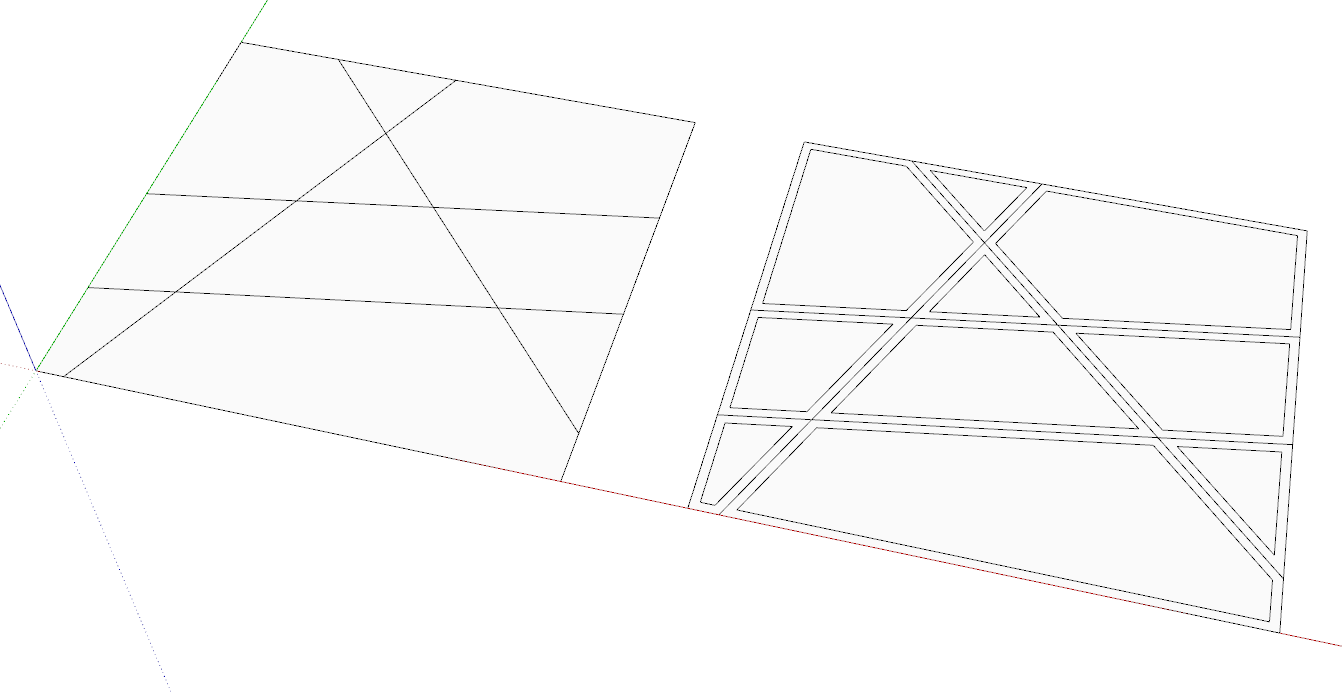
I have attached a sample image to show what I'm trying to do.
In anticipation,
Garth

-
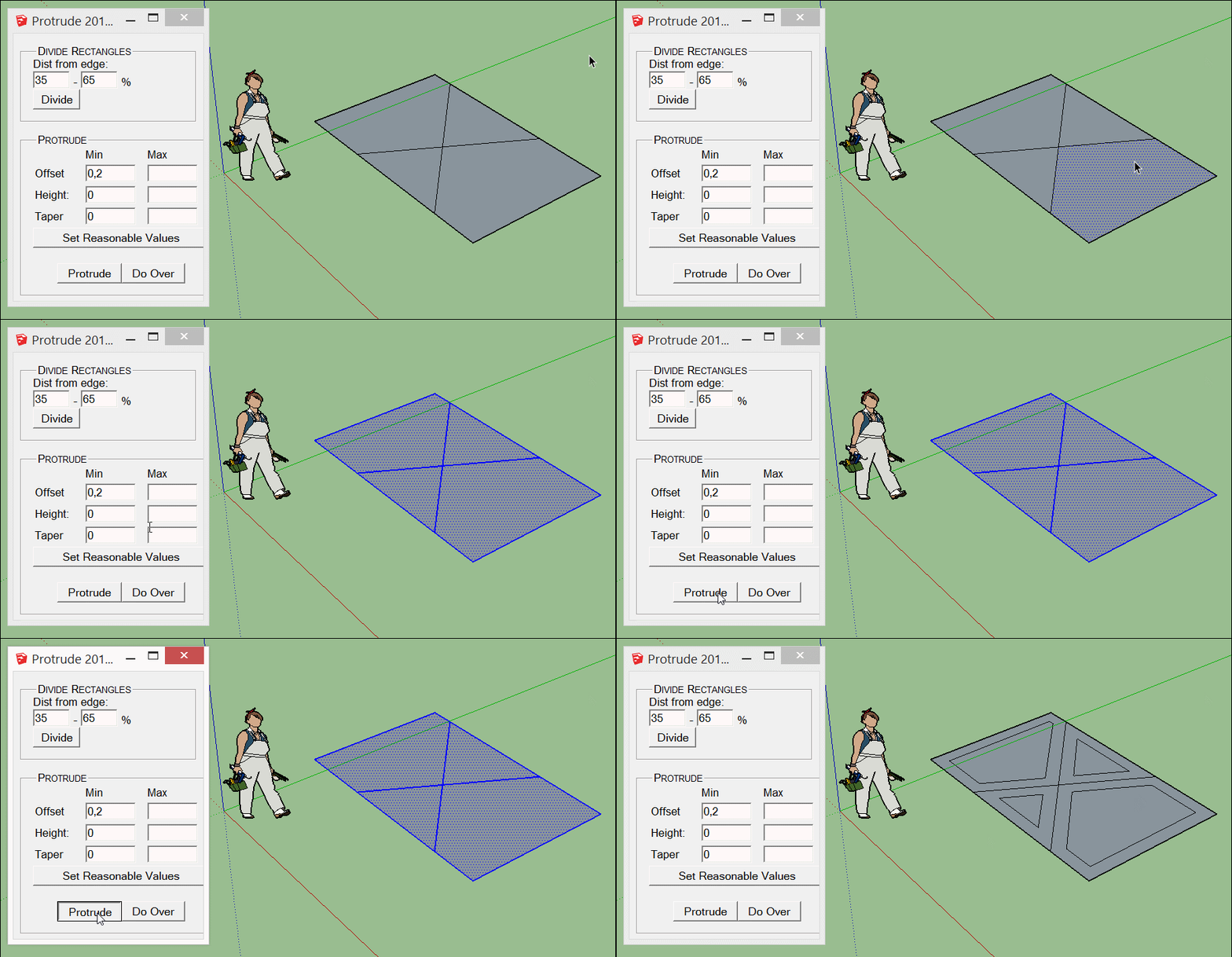
Chris Fullmer's Greeble extension could do it. Draw a temporary face around the outside borders of your lines. Set Max and Min heights to 0 and Max and Min offsets to half the street width with a negative value. Erase what you don't need.
-
CityGen Street Generator by Thomthom can maybe help you!

-
-
Thanks for the suggestions. I will try them out. The CityGen plugin looks great but I don't see updates since 2009. I wonder if the plugin will work with 2016.
-
Not sure
see this link and posts following!
I installed it in 2016 and obtain same messages!Waiting the Thomthom advices!

-
Hi All
I use Tig's Extrusion Tools/Extrude Edges by Offset.
Never could find anything better for curves and such.
Just create a path/select and enter the +/- distance for offset from centerline (two operations)
Plan B
Use TIG's Extrude Along Path
Width = Central(plan)
set very small Height and flatten.
You will have offset edges and center line to play with.
The End
dtr
-
Thom Thom's CityGen is exactly what I'm looking for but how do we get it to work?
What vers of SketchuUp will run the plugin and is there a link to the plugin(s) that are needed?
Is there a guide to getting the plugin(s) up and working?
Thanks
Garth -
Sems remember that V8 works with any problem with it!



Hello! It looks like you're interested in this conversation, but you don't have an account yet.
Getting fed up of having to scroll through the same posts each visit? When you register for an account, you'll always come back to exactly where you were before, and choose to be notified of new replies (either via email, or push notification). You'll also be able to save bookmarks and upvote posts to show your appreciation to other community members.
With your input, this post could be even better 💗
Register Login


Advertisement