[Plugin] [$] S4U Divide
-
S4u Divide v3.1.0
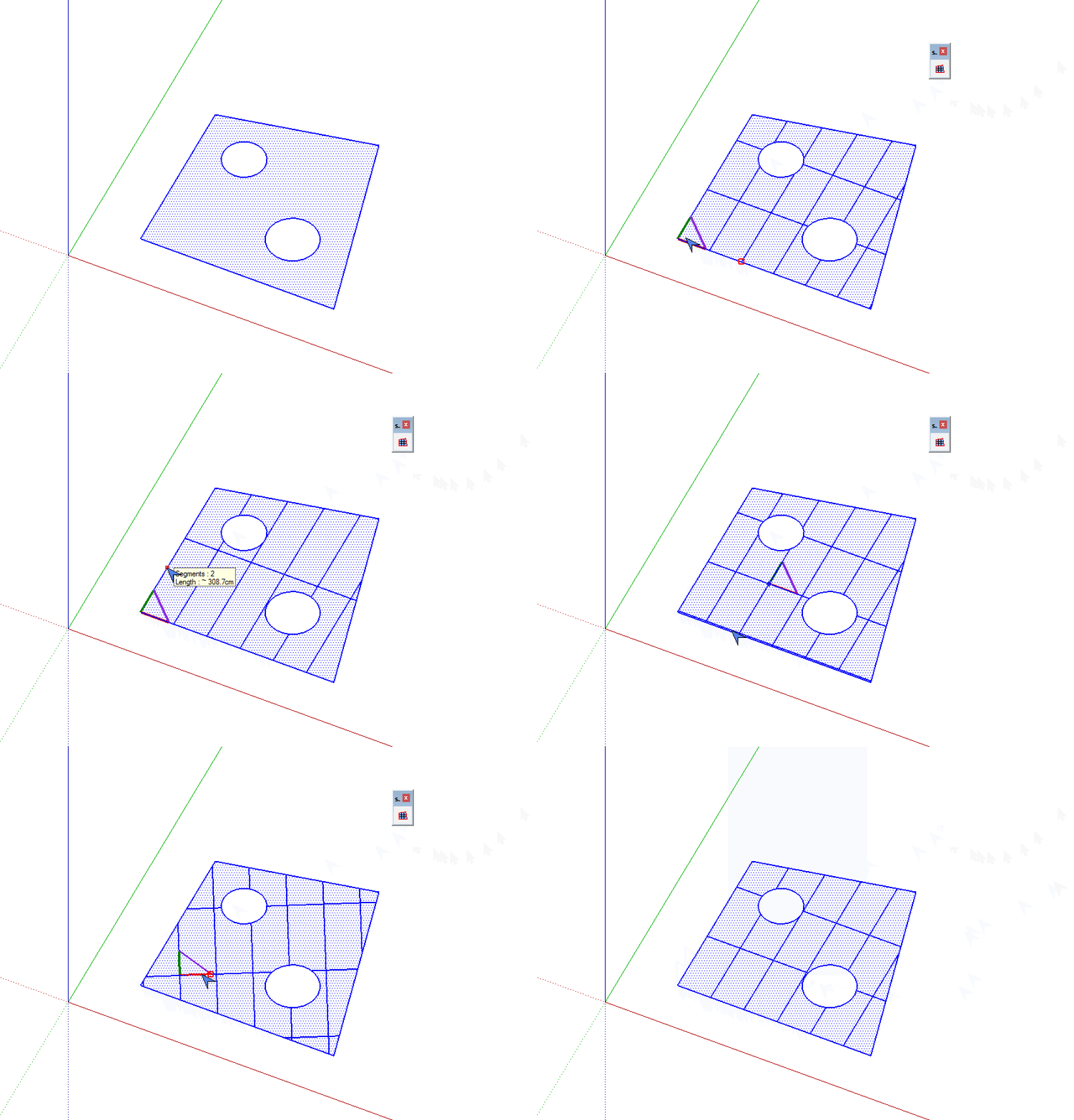
Divide Faces or Surfaces follows 2 directions
-Turn on/off Divide xaxis.
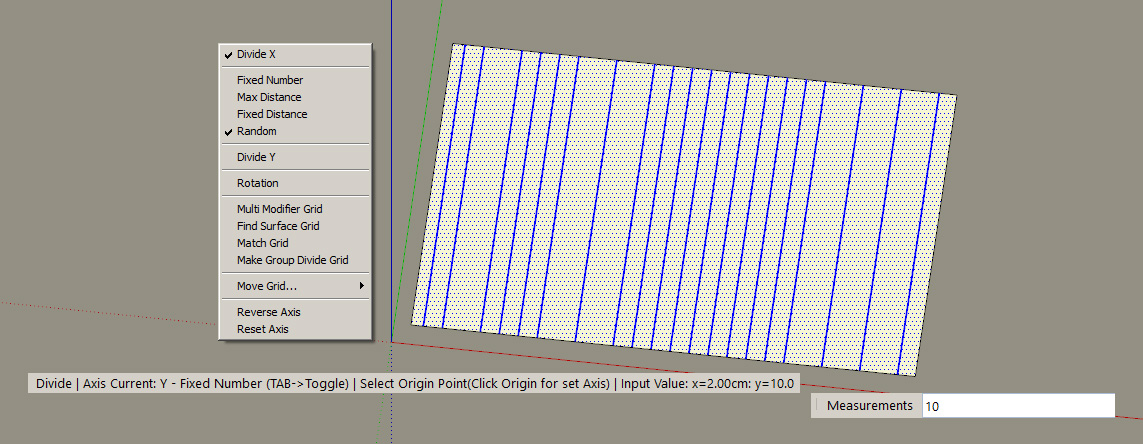
-Divide random.
S4u Divide v1.2.0
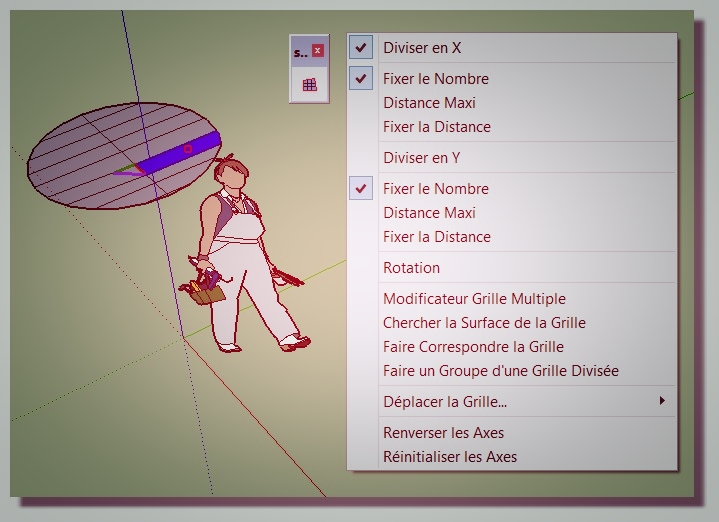
-Add French by Pilou
Divide faces follow 2 directions.
Shortcuts key:- Tab : Toggle X axis ,Y axis
- Ctrl+Click (on Win) OR Alt+Click (on Mac) : Set Origin
- Double Click : Reverse Axis
- After select Match Grid menu:
Ctrl+Click (on Win) OR Alt+Click (on Mac) : Select Source Grid
Click : Select Destination Grid
Trial and Purchase:
http://extensions.sketchup.com/en/content/s4u-divide
Or:
http://sketchucation.com/pluginstore?pln=s4u_divide
-
hello hdpv ...
it is not compatible with 2015 !!!
I just 2015 pro , I tried to copy its files from 2016(make) to pro ... but there were some errors about RBE file ... I could not understand what does it mean ...Just a simple request : please Make it compatible with 2015 ... ( or elder versions if possible )
Please !!

thanks a lot for your awesome tools ...
best regards -
OSOM
-
-
Merci Pilou!
-
great useful plugin to speed things up
-
@pejmantayebi said:
hello hdpv ...
it is not compatible with 2015 !!!
I just 2015 pro , I tried to copy its files from 2016(make) to pro ... but there were some errors about RBE file ... I could not understand what does it mean ...Just a simple request : please Make it compatible with 2015 ... ( or elder versions if possible )
Please !!
thanks a lot for your awesome tools ...
best regardsIt's support 2014 and later,now.
-
how does it look on a sphere? or a torus?
-
Why not?

It's strictly the same!
Faces are only more small so reduct the sizes! (Right Click/ Context Menu)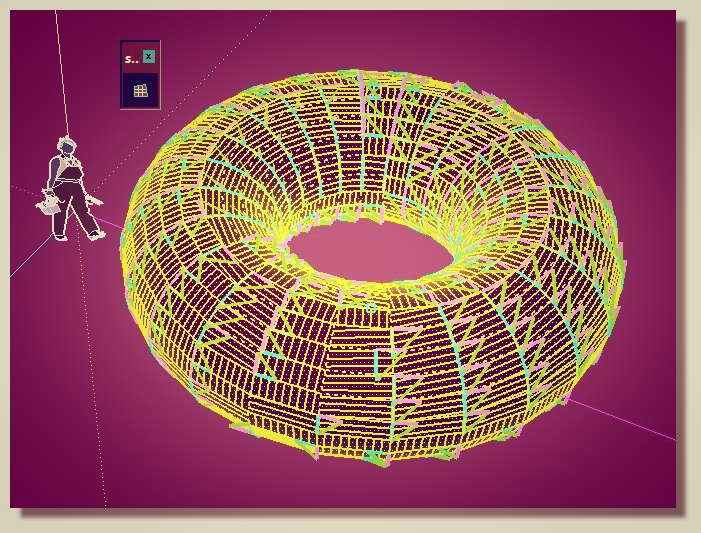
-
now,it's not support sphere and torus automatic.
You are just modifier by manual. -
Hi HD!
Great plugin, I have purchased it. Though it would have been brilliant if it could work on organic lofted surfaces as a single face (not multiple faces), so that panelization could be done. It would then be used in conjunction with edges to tubes and joint push pull plugins for generating building skins and facades, and models could be imported into Revit for construction drawings. Is it possible?
Great plugin !! No doubt.
Ar. Nitin Sharma
-
Thank Nitin Sharma!
I also want Divide can work on Surface(mesh,sphere,cylinder...)
I think about Revit's divide tool but it's complex.
Maybe I will add a function for surface(1 direction) as a single face.
Cheers
Vĩ -
if you make it working with surfaces - even limited in one direction or something like that - that would be super
 !!!
!!! -
is it possible to add random mode (with user defined min\max values)?

-
I updated the random divide.
Thanks -
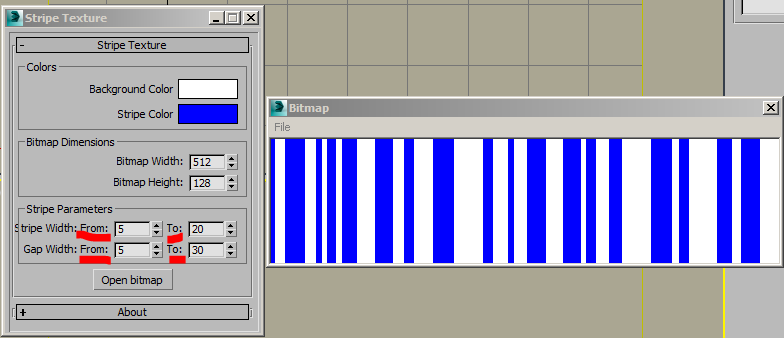
I unsuccessfully tried this new random mode. I couldn't get truly random gaps, all of them were exactly of min or max value (no floating values between min-max). Do I miss something or it's a current state?
P.S. I attached some print screen of some 3ds max script which depicts the basic idea
-
Now,It is random from 1 space to 3 spaces.
Maybe,I add input : "min-max" for set min and max space. -
Hi hdpv, i have recently purchased your plug-in.
Amazing!
But when (for example) i divide a rectangle into numerous small part (in every direction, x, y), the resulting small face have some error (bad polygon flow, miss polygon).
I think the cause is due to the application of the grid in both directions at the same time.
Perhaps the solution is to apply, in the algorithm, first the divisions in one direction, then the divisions in the other direction.
Thanks for your work! -
Thanks,
I will try it.





Hello! It looks like you're interested in this conversation, but you don't have an account yet.
Getting fed up of having to scroll through the same posts each visit? When you register for an account, you'll always come back to exactly where you were before, and choose to be notified of new replies (either via email, or push notification). You'll also be able to save bookmarks and upvote posts to show your appreciation to other community members.
With your input, this post could be even better 💗
Register Login


Advertisement