SU 2 LO
-
How does one send scenes to Layout? When I send the scenes, even separately, I get the same appearing in LO. Also, the ratio/perspective changes. Have to zoom out and lose the perspective that I designed in SU.
-
You don't send scenes to LO, you send a model to LO or you insert a model in LO.
IF the model has scenes they will be available on LO.
On LO "model tab" you get a scene that you can alter - it's called "Last Saved Sketchup View..."
Change that view for another you have in your model.
-
Another thing to keep in mind is that you shouldn't edit camera positions from the viewport in LO. In other words, do not double click on it to zoom, orbit, or pan the camera. Doing so unlinks the viewport from the original scene. Make any needed changes to the camera settings in SU and update the scene.
You can resize the viewport in LO without opening it, though.
-
JQL, thank you for your assistance.
@jql said:
You don't send scenes to LO, you send a model to LO or you insert a model in LO.
I understand.
IF the model has scenes they will be available on LO.
How does one make them available?
On LO "model tab" you get a scene that you can alter - it's called "Last Saved Sketchup View..."
My version of LO doesn't have a "model tab".Change that view for another you have in your model.

-
Sorry it's not "Model" Tab, it's "Sketchup Model" Tab
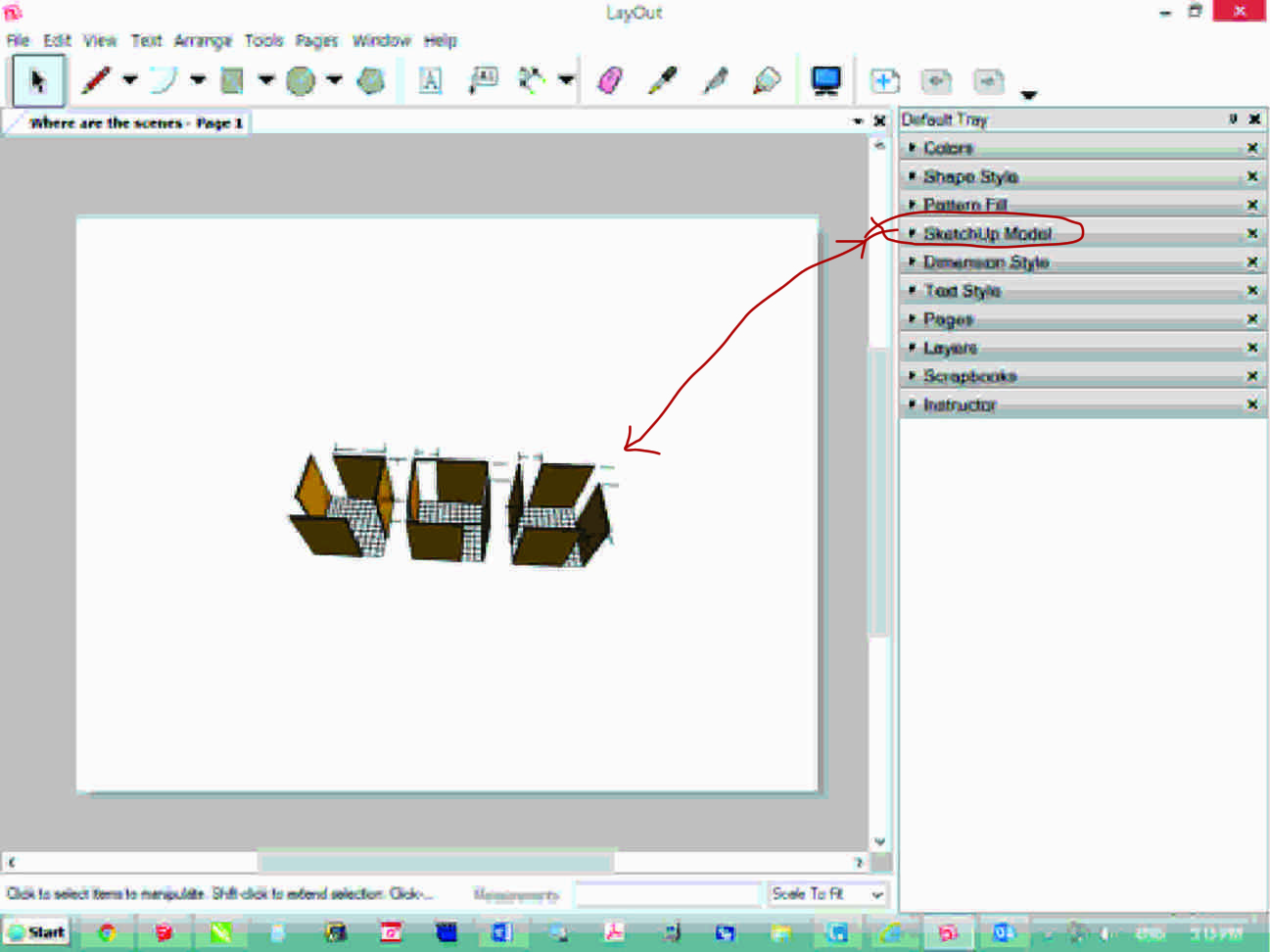
-
Thank you, JQL. I see how to view different scenes. But, I still can't figure out how to view Scene 1A without clicking inside the model.
-
Select the viewport, go to the Sketchup Model inspector and in the drop down list that shows "Last saved scene" choose the desired scene.
-
You can resize the viewport in LO without opening it, though.[/quote]
How is this done? Ortho?
-
Select the viewport then click and drag on an edge or corner.
Don't double click on it.
-
Dave R, wonderful.
-
there's a little more to the resizing thing. Try resizing with the top center handle while holding Alt. Try doing the same thing with a side center handle. Try using Ctrl while dragging a handle. Experiment with the different handles and different modifier keys. Also note there's a tick box in the SketchUp Model inspector window. Note what resizing does when that box is ticked and when it isn't.
-
Yes, one must tick in the tick box "Preserve Scale on Resize" to preserve the scale when dragging on an edge or corner.
-
Not necessarily. It depend upon what you want to change.


Hello! It looks like you're interested in this conversation, but you don't have an account yet.
Getting fed up of having to scroll through the same posts each visit? When you register for an account, you'll always come back to exactly where you were before, and choose to be notified of new replies (either via email, or push notification). You'll also be able to save bookmarks and upvote posts to show your appreciation to other community members.
With your input, this post could be even better 💗
Register Login


Advertisement