sketchucation logo sketchucation
    • Login
    Oops, your profile's looking a bit empty! To help us tailor your experience, please fill in key details like your SketchUp version, skill level, operating system, and more. Update and save your info on your profile page today!
    Mac User? | Join the Rayscaper Beta for Mac Learn More

    [Plugin] GKWare Cabinet Maker

    Scheduled Pinned Locked Moved Plugins
    627 Posts 69 Posters 646.8k Views 71 Watching
    Loading More Posts
    • Oldest to Newest
    • Newest to Oldest
    • Most Votes
    Reply
    • Reply as topic
    Log in to reply
    This topic has been deleted. Only users with topic management privileges can see it.
    • G
      Garry K
      last edited by

      Yes it should - I can talk to you over Skype.
      My Skype handle is:
      gkernan@telus.net

      1 Reply Last reply
      Reply Quote 0
      • A
        Antonis777
        last edited by

        After i click this the user id window disappears and Sketchup freezes as if it was somewhere a hidden window or task and needed to be closed first. I can't even close Sketchup I do it from task manager
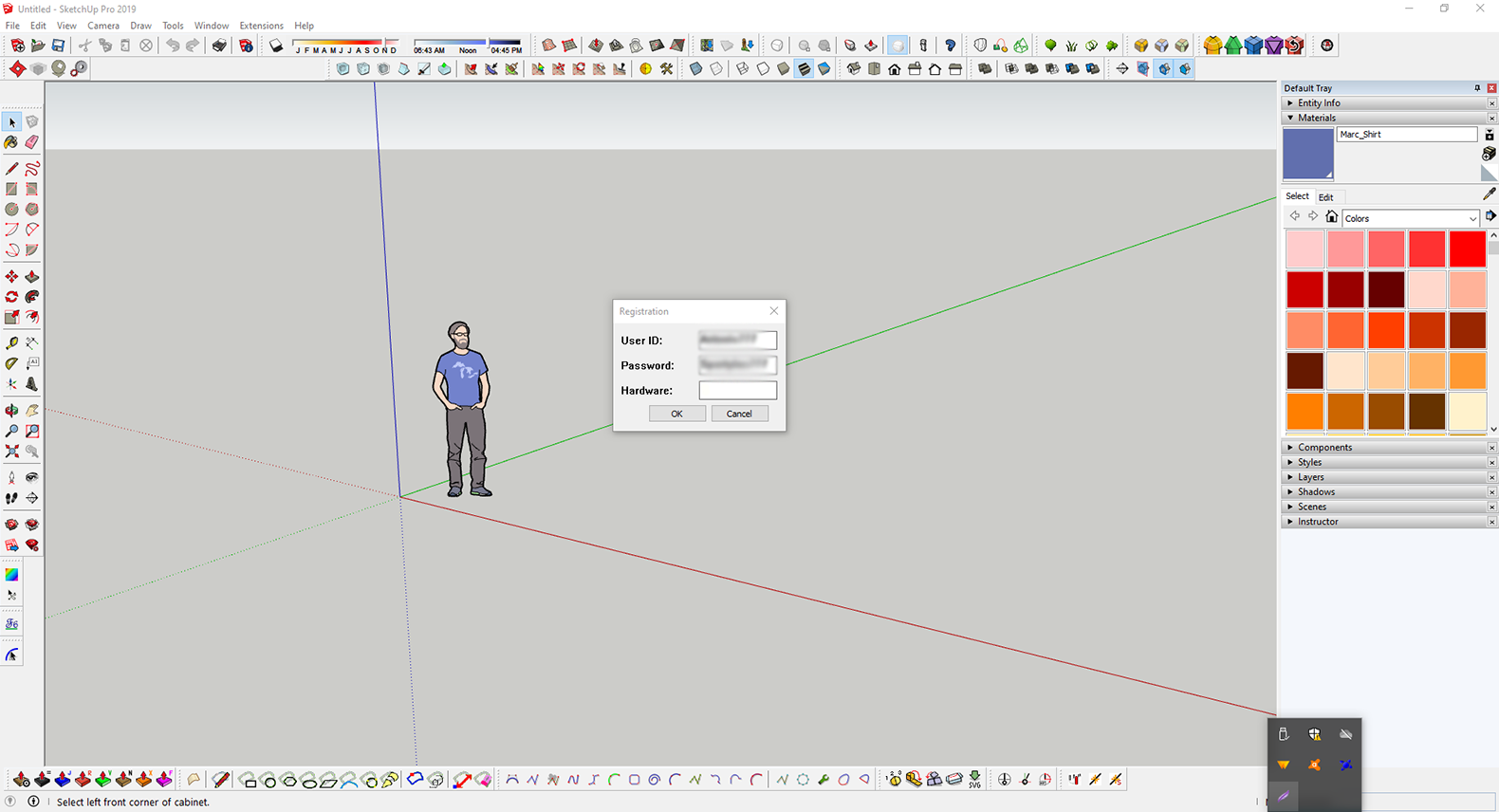

        Screenshot_1.png

        1 Reply Last reply
        Reply Quote 0
        • G
          Garry K
          last edited by

          Please email me from my website and provide me with your userid

          1 Reply Last reply
          Reply Quote 0
          • S
            shaunperkins
            last edited by

            hi
            im trying to make several cabinets that are tall open shelf cabinets (ends,tops, bottoms and backs) out of door material, so i can get it to come up as components on m export,
            is this at all possible?

            1 Reply Last reply
            Reply Quote 0
            • G
              Garry K
              last edited by

              CabMaker allows you to add finished panels to sides and back.
              You can configure the cabinet to have no bottom and then add another cabinet with depth of 0 so that you can have another door set up as a bottom. When you edit the main cabinet the new bottom door cabinet will NOT be edited - you will have to edit the bottom door (cabinet) indpendently.

              1 Reply Last reply
              Reply Quote 0
              • M
                mitch8628
                last edited by

                Hello Garry,

                I submitted a purchase for CabMaker Build I think 2 days ago, and emailed you my user name. Just checking to see what to expect for time frame for getting the plugin active with my user name.

                Thanks!

                Mitch

                1 Reply Last reply
                Reply Quote 0
                • M
                  mitch8628
                  last edited by

                  Thanks to Garry for getting back to me quickly through email! Looking forward to diving deeper into the plug-in for our kitchen design!

                  1 Reply Last reply
                  Reply Quote 0
                  • N
                    NancyL
                    last edited by

                    I've really enjoyed working with cabmaker and cutmaster and I'm getting close to wanting to take my DFX files to the local CNC place.

                    I'm hung up on the drawer and hinge systems and how to set them up in the two programs. It seems there are a few demo ones set up in the DB, but not what I want to use. further I'm not finding any useful information about adding the data for the system I DO want to use in either help file.

                    Has anyone else sorted out how to add a new drawer slide system? I'm specifically interested in the BLUM Tandem full slides.

                    1 Reply Last reply
                    Reply Quote 0
                    • C
                      cullisz
                      last edited by

                      I just purchased the plugin and was wondering if it's possible to make Farm Sink style sink cabinets. I searched this forum for previous posts relating to this and also checked YouTube but couldn't find anything.

                      Thanks.

                      1 Reply Last reply
                      Reply Quote 0
                      • G
                        Garry K
                        last edited by

                        Yes you can. You need to adjust the cabinet - set the top drawer so that it does not create a drawer and does not create the drawer front.

                        1 Reply Last reply
                        Reply Quote 0
                        • B
                          blah1234567890
                          last edited by

                          How can I get cabmaker to user my pullout slide adjust measurements. I only need a 1/2" on each side of the pull out for the drawer slide. No mater where I change the slide adj it always defaults to 1". I am on the trial and have adjusted no settings. Its confusing because its listed in multiple areas. Which on is it.

                          This is what's in the system and even if I make changes nothing happens).
                          Rules 2:
                          Pullout Slide Adj: Default - 2" (When changed nothing happens. Yet when I make it its 1" on each side, not 2".)

                          Drawers:
                          Pullout Options:
                          Pullout Row: 1
                          Slide Adj: Default 0" (When I change nothing happens.)

                          If I change both at the same time nothing also happens. Its always 1" on both sides of the pullout.

                          1 Reply Last reply
                          Reply Quote 0
                          • G
                            Garry K
                            last edited by

                            sounds like your tabs are locked.
                            Go to PROJECT tab and turn off locks

                            1 Reply Last reply
                            Reply Quote 0
                            • N
                              nakinaw
                              last edited by

                              Hey Gary.

                              Curious how you animate doors in Cabmaker? I turned the animation on, but how do you toggle the doors open/closed?

                              Steve

                              1 Reply Last reply
                              Reply Quote 0
                              • G
                                Garry K
                                last edited by

                                You must have Dynamic Components loaded
                                Then choose SU / tools / Interact

                                1 Reply Last reply
                                Reply Quote 0
                                • M
                                  MFC83
                                  last edited by

                                  Does anyone know how to edit the cabinet style to have a "Plant On" back? Meaning the cabinet back is the full width and height of the cabinet box and the sides and bottom are butt jointed to it. For example https://imgur.com/a/XnkNK39

                                  1 Reply Last reply
                                  Reply Quote 0
                                  • G
                                    Garry K
                                    last edited by

                                    Set the dado to be >= the thickness of the sides

                                    1 Reply Last reply
                                    Reply Quote 0
                                    • M
                                      MFC83
                                      last edited by

                                      Excellent! Thanks for the quick response and solution!

                                      1 Reply Last reply
                                      Reply Quote 0
                                      • D
                                        Distinctive Woodwork
                                        last edited by

                                        Hi Garry,

                                        I found your plugin on sketchup, and tried to use it. I have run into error -25. I got a couple hours into using the extension and like what i have seen. I am serious about purchasing this extension, as it would be to great help in my drafting for clients! I have sent you an email with all my information. Let me know how we can proceed!

                                        1 Reply Last reply
                                        Reply Quote 0
                                        • B
                                          barryj
                                          last edited by

                                          I have been trying to contact you through your website but suspect emails have not reached you.

                                          I presently have Sketchup 2022, Aspire 11 and have a Shopsabre Pro408. I also have Cutlist Plus fx.

                                          I am interested in possible purchase of your software for building cabinets. Being a hobby shop your software seems to fit my needs. So my question is basic. The workflow from cabmaker32 to Aspire so I can create tool paths to then move to my CNC.

                                          Questions such as do I need Cutmaster2d? There are two CabMaker32 prices so which would I need /want?

                                          cheers
                                          barry

                                          1 Reply Last reply
                                          Reply Quote 0
                                          • G
                                            Garry K
                                            last edited by

                                            You can reach me at
                                            gkernan@telus.net

                                            with email or Skype
                                            Garry

                                            1 Reply Last reply
                                            Reply Quote 0

                                            Hello! It looks like you're interested in this conversation, but you don't have an account yet.

                                            Getting fed up of having to scroll through the same posts each visit? When you register for an account, you'll always come back to exactly where you were before, and choose to be notified of new replies (either via email, or push notification). You'll also be able to save bookmarks and upvote posts to show your appreciation to other community members.

                                            With your input, this post could be even better šŸ’—

                                            Register Login
                                            • 1
                                            • 2
                                            • 28
                                            • 29
                                            • 30
                                            • 31
                                            • 32
                                            • 30 / 32
                                            • First post
                                              Last post
                                            Buy SketchPlus
                                            Buy SUbD
                                            Buy WrapR
                                            Buy eBook
                                            Buy Modelur
                                            Buy Vertex Tools
                                            Buy SketchCuisine
                                            Buy FormFonts

                                            Advertisement