Open and save window size
-
I have been organizing my components library and upon looking at files I stretched the window when opening a file. You know the grip at the bottom right of the window. When I went to save a file it was stretched to that size too. No problem. However I cannot shrink it smaller now. It only lets me stretch it larger. The open and save window is now my entire screen.
Everytime I grab it to resize nothing happens. Nor can I resize from any other edges of the windows. Right clicking in the top of the window does nothing either. The reset command does nothing.Meh
Is this a Windows 10 issue?
Running SU 2015.I restarted my computer without success. Same size.
-
Hi
I´m useing Win7 with Skup 2013 and I know this behavior as well.
This is a Windows behavior I think and appears sometimes also with
other applications...did you try double-clicking the title bar(?) ?
does this work? (in my case it does)
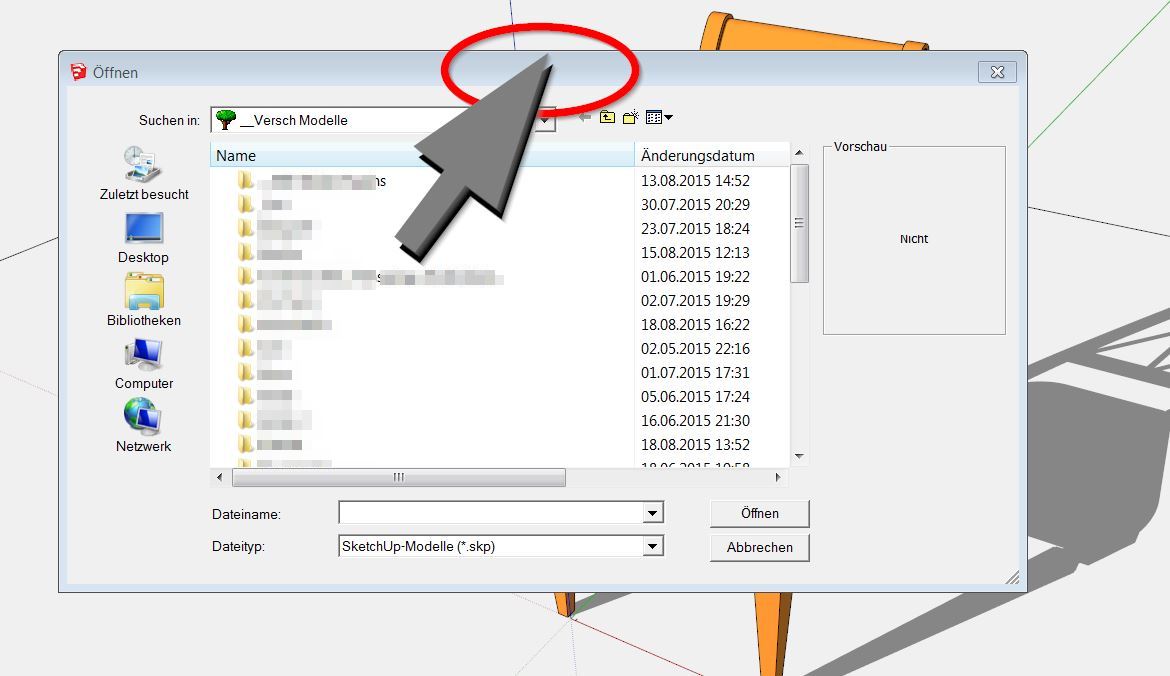
-
Thanks for the response HornOxx.
Unfortunately no. Doing that just switches it between "Maximize" and the full screen mode it is stuck in. I can move the window around but cannot resize it. I am not really sure how to fix this. -
hmm - "Maximize" and "full screen" of this particular "open" or "save as" window should be the same.
Perhaps the temporary change of your screen resolution solves this "fixed-sice-bug" and will give you
back access to this window resizing?
If you want to test this, don´t forget to save your SkUp-toolbars previously... -
I reduced the resolution and got a new open/save box size, the same as the resolution set. It worked but still won't let me stretch it smaller.
So I changed the resolution to 800x600. Then setting it back to 1980x1020 kept the open/save window at 800x600. This works for me now. Just have to remember not to stretch it again because it won't get any smaller. Maybe there will be a windows update to fix this in the future.
Thanks again for the help HornOxx.
-
Topic moved to Corner Bar as it has nothing to do with SU.


Hello! It looks like you're interested in this conversation, but you don't have an account yet.
Getting fed up of having to scroll through the same posts each visit? When you register for an account, you'll always come back to exactly where you were before, and choose to be notified of new replies (either via email, or push notification). You'll also be able to save bookmarks and upvote posts to show your appreciation to other community members.
With your input, this post could be even better 💗
Register Login


Advertisement