RCP and lighting plan
-
Oh so you never work with interior designers Rick?
-
I do both pbacot... Window/Door symbols and Lighting in SU. All the rest in LO.
-
@krisidious said:
I do both pbacot... Window/Door symbols and Lighting in SU. All the rest in LO.
Right, I was just referring to when the symbols are added. I sort of like the idea of them in SU.
-
Hi all,
having fun with lighting plans
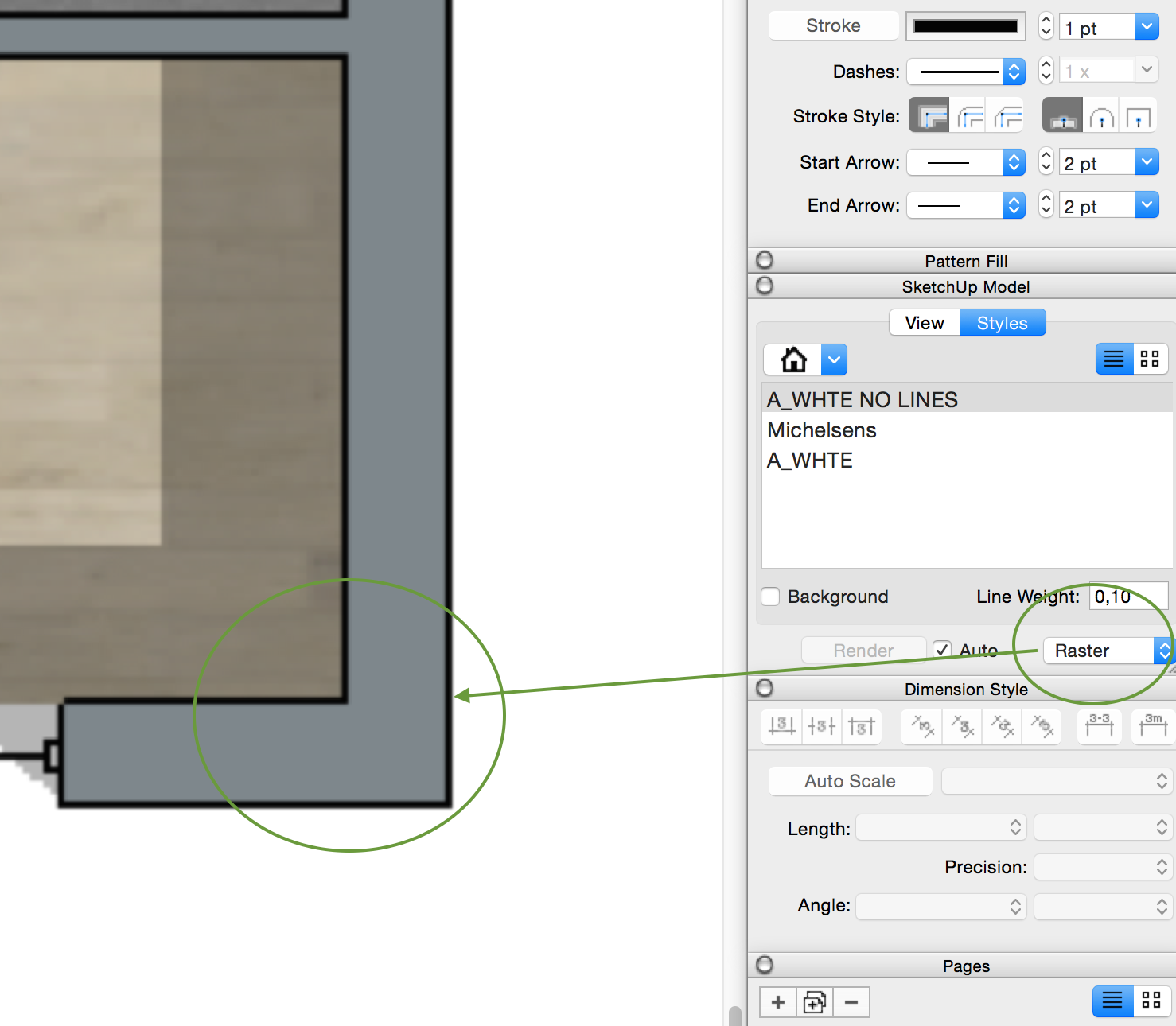
 starting understand how all works. Try to follow Nicks method by aligning SU color plan in Raster with SU Linework plan in Vector on top of it. However color raster lines are too thick and don't know how to make them thinner? Changing thickness in Styles - Linework to 0,1 doesn't help. Anyone knows any tips on that?
P.S. Hybrid solves that, but would like not to use hybrid at all.
-
Could these be Profile edges? Have you looked at the Profiles setting in your SketchUp file style for that scene?
-
The raster line thickness is actually the section cut line thickness. In the style, edit, then choose the section style symbol (the blue cube), set the section cut width to 1.
You can certainly set the symbols in SU, but I think it is faster to do so in LO. If you do them in SU, set them on a layer so you can shut them off for rendering or export to a rendering software, since they won't render correctly. You would also want to set them up on a scene of their own so you can vector render them in LO.
The reason I use symbols rather than actual model fixture is readablilty. If I am using a 4" square led can, you wouldn't be able to read it in Layout. The symbols I use would probably scale as 16" fixture.
-
Hi all,
quick questions about scrapbooks:
is it possible to copy some symbols that I've made in Layout and paste them into my scrapbook, or I need to redraw them separately in scrapbook. I'm trying to copy/paste from Layout, but it doesn't work. Any tips?
Thank you! -
Make sure you have the symbols in the upper left area of the page. The scrapbook may have a smaller sheet size than the one you are drawing in and you can't see the object you've pasted. Not right, but that seems to be how it is for now. (To do this you must press the "Edit" button for the scrapbook of course.)





Advertisement