sketchucation logo sketchucation
    • 登入
    Oops, your profile's looking a bit empty! To help us tailor your experience, please fill in key details like your SketchUp version, skill level, operating system, and more. Update and save your info on your profile page today!
    🔌 Smart Spline | Fluid way to handle splines for furniture design and complex structures. Download

    Always face center-line/ Magnetic tool

    已排程 已置頂 已鎖定 已移動 Plugins
    56 貼文 9 Posters 3.6k 瀏覽 9 Watching
    正在載入更多貼文
    • 從舊到新
    • 從新到舊
    • 最多點贊
    回覆
    • 在新貼文中回覆
    登入後回覆
    此主題已被刪除。只有擁有主題管理權限的使用者可以查看。
    • Flippie123F 離線
      Flippie123
      最後由 編輯

      Is there something like a magnetic tool for sketchup2015pro which can make components face towards a center-line or center-point? Similar to 'always face camera' but I'm looking for 'always face center-line'

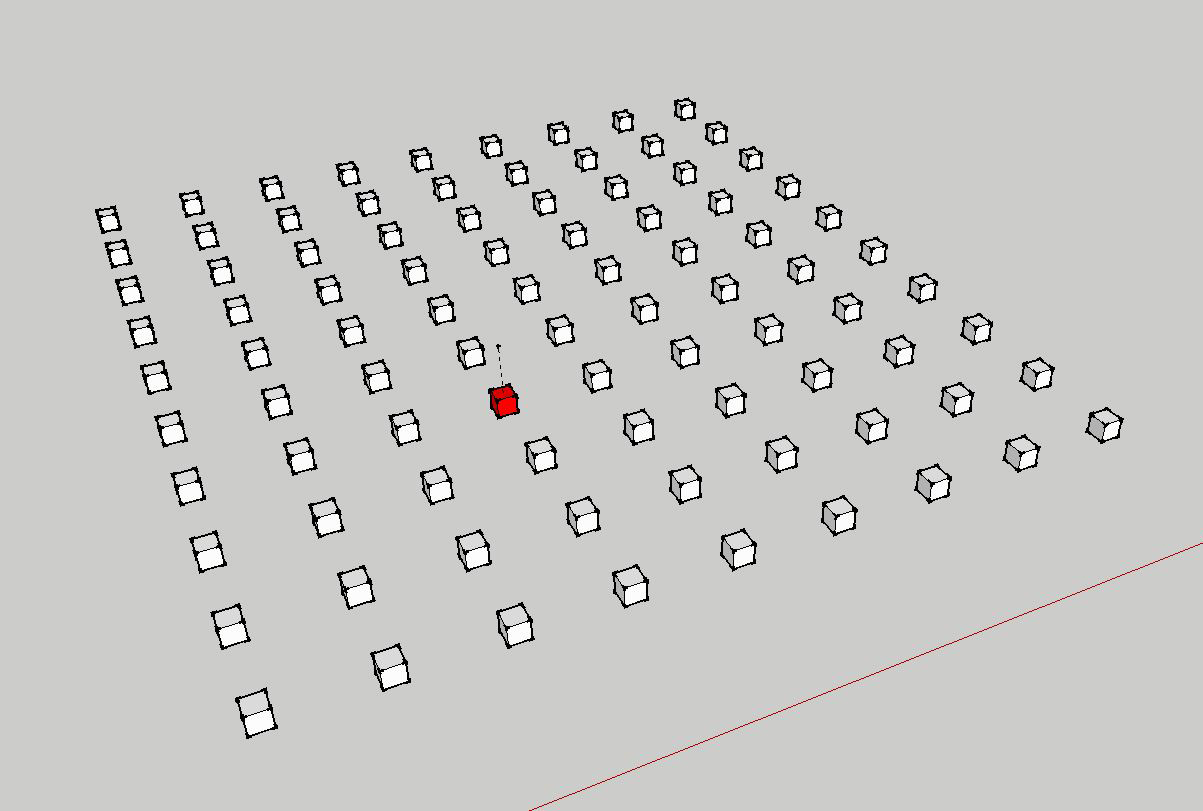
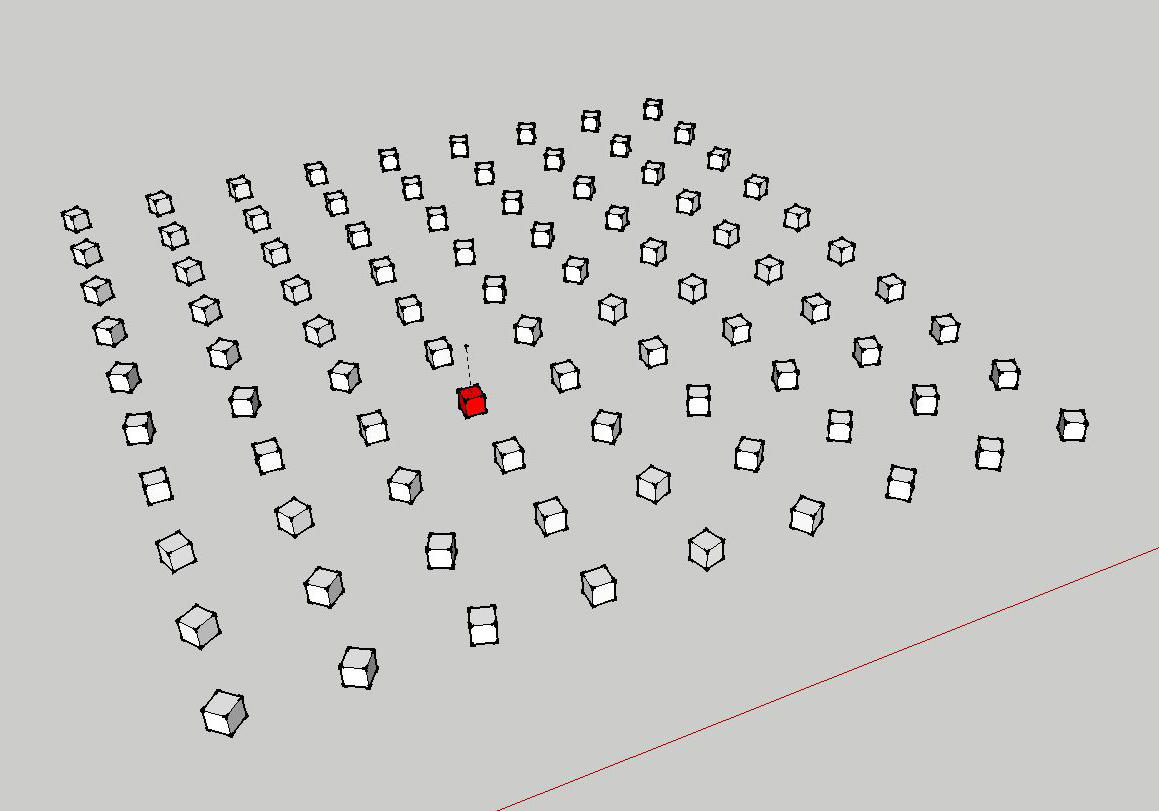
      This is what I want:

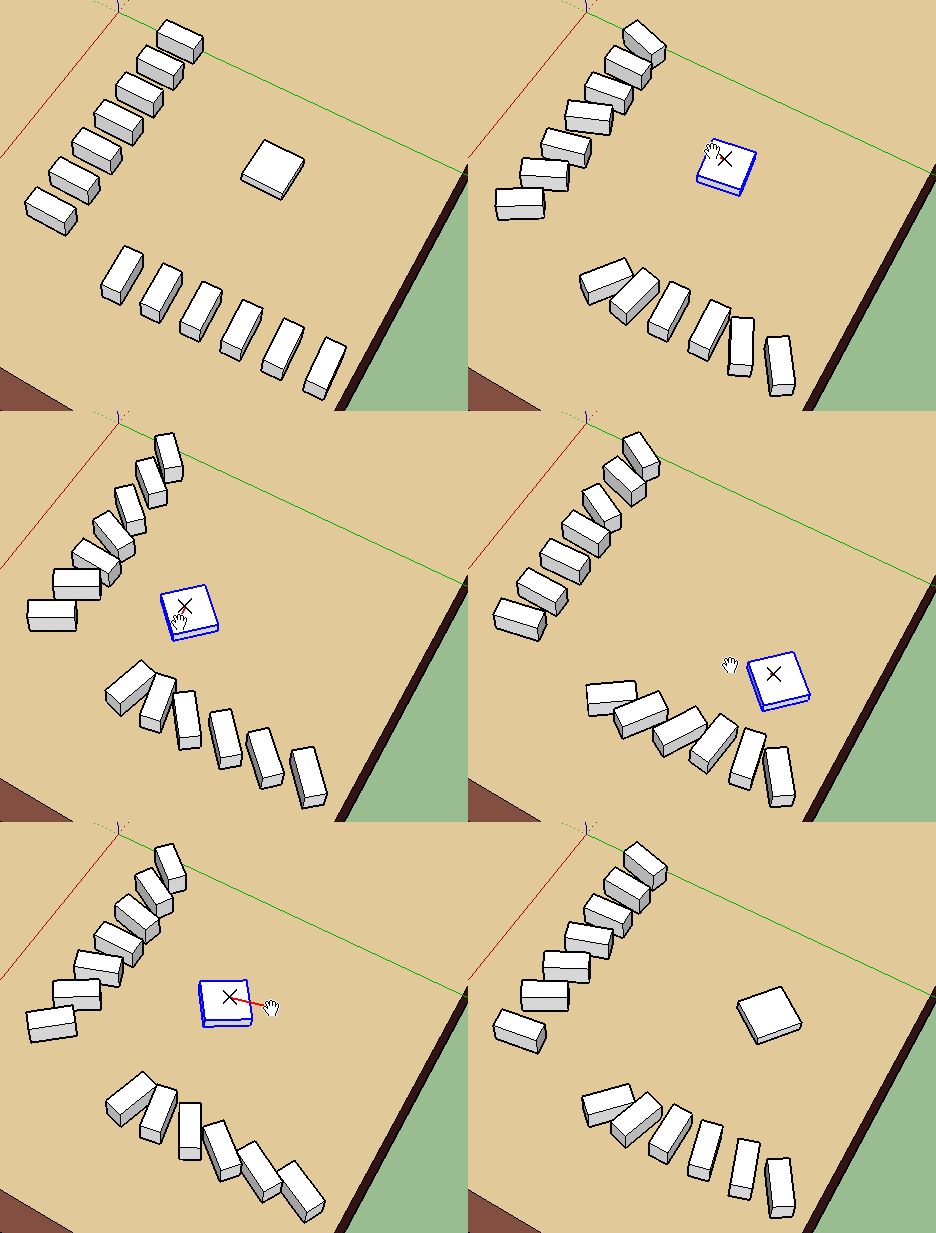
      **Image01:**One red cube in the center has a center-line. Red Cube is surrounded by white (component) cubes.

      **Image02:**All the white cubes turn and face towards the center-line of the red cube. I can move the red cube around and the white cubes will still always face the red cubes center-line, similar to the 'always face camera' option in the component screen.

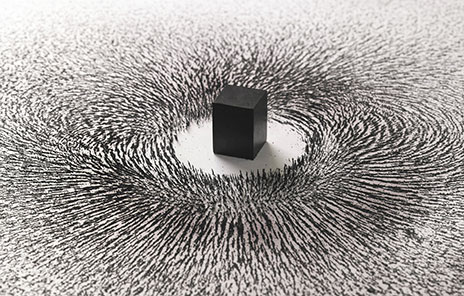
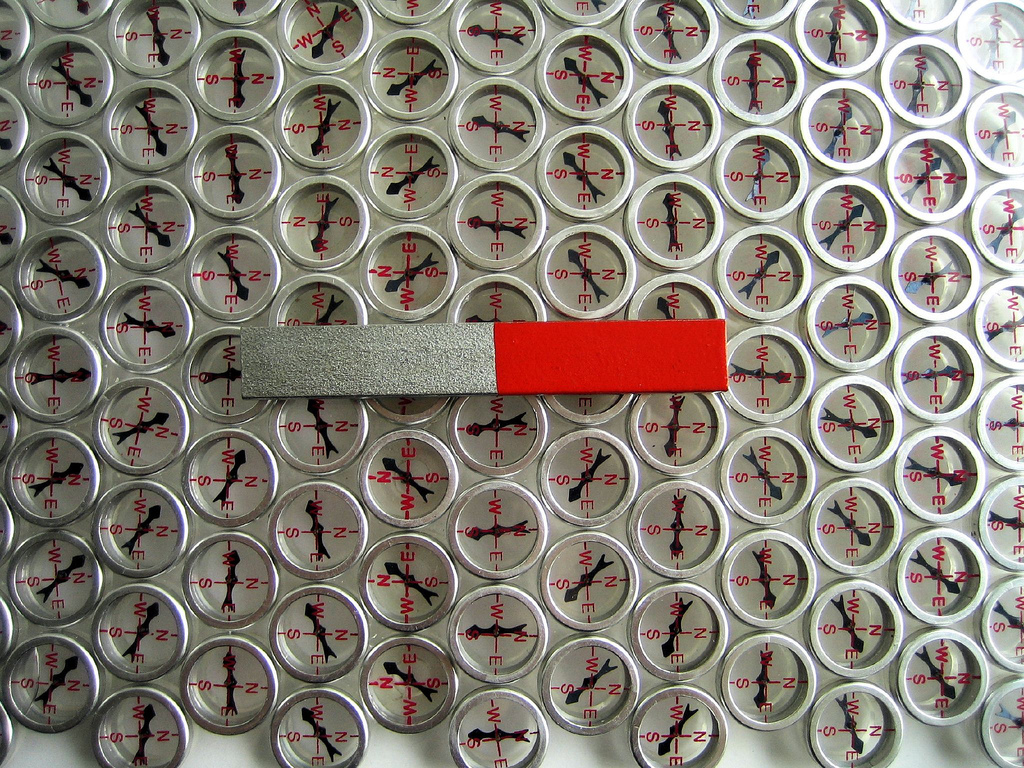
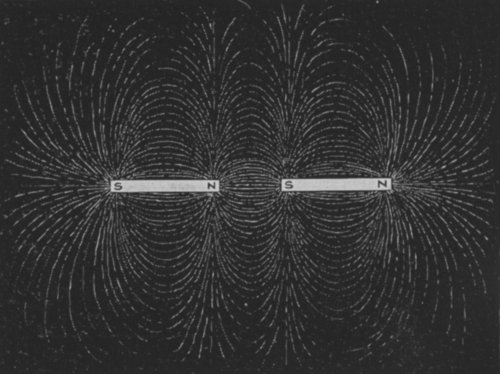
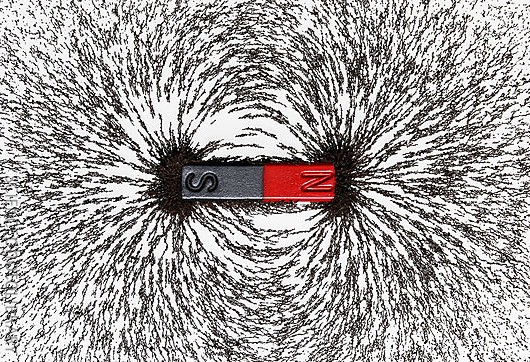
      Image03: Shows an iron-ore powder and magnet Physics experiment. I hope I can make these kinds of patterns with a Sketchup magnetic tool in the future. This will allow me to make organic patterns which I can use for architecture and urban planning.
      Capture01.JPG


      Capture02.JPG


      capture03.jpg

      1 條回覆 最後回覆 回覆 引用 0
      • Flippie123F 離線
        Flippie123
        最後由 編輯

        Is there anyone out there who can help me with this? 😲

        1 條回覆 最後回覆 回覆 引用 0
        • Flippie123F 離線
          Flippie123
          最後由 編輯

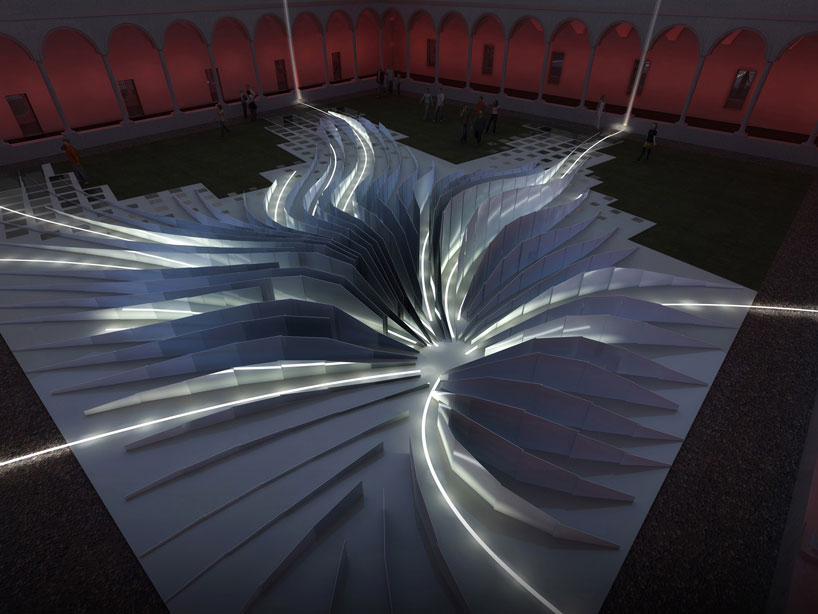
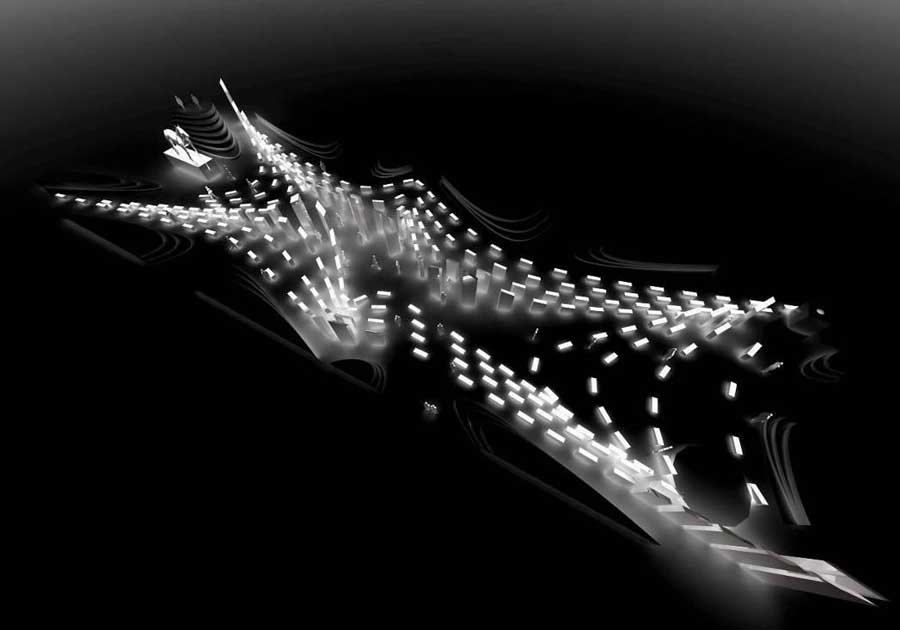
          I attached an image of an urban plan which illustrates what I want to make. It would also be nice if this thing works in 3D. 😕


          zaha urban plan.jpg

          1 條回覆 最後回覆 回覆 引用 0
          • jeff hammondJ 離線
            jeff hammond
            最後由 編輯

            @flippie123 said:

            I attached an image of an urban plan which illustrates what I want to make. It would also be nice if this thing works in 3D. 😕
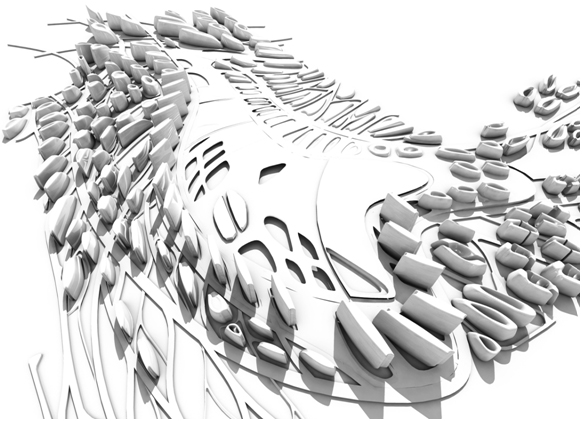
            seems it's doing something more like this (perp to curve) instead of going towards an attractor point
            ?
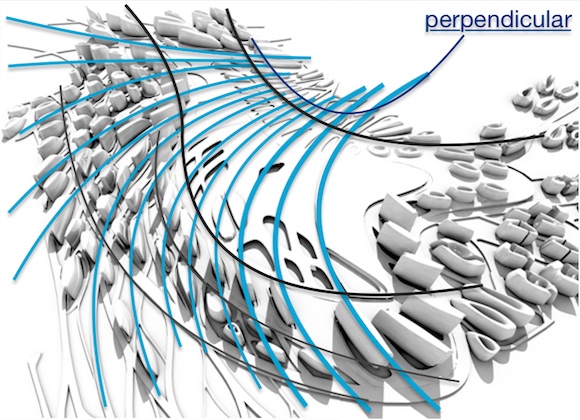
            zahaurbanplan.jpg

            [edit]
            i guess it's like the magnet image you posted.. thing with the magnet though is the bits at the outer edges are not all pointing towards the same spot.
            also, it makes those curves (purple) on the ends first..
            green shows the design's approximate boundary
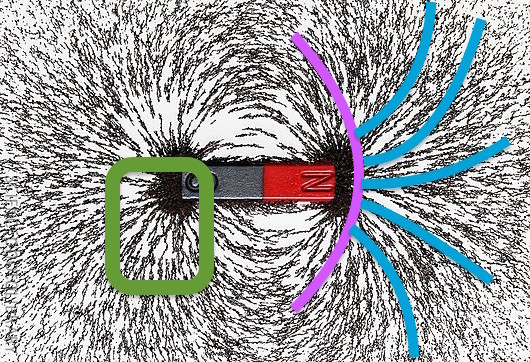
            capture03a.jpg

            dotdotdot

            1 條回覆 最後回覆 回覆 引用 0
            • Flippie123F 離線
              Flippie123
              最後由 編輯

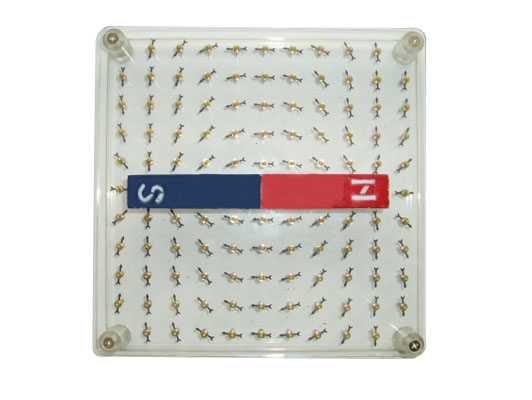
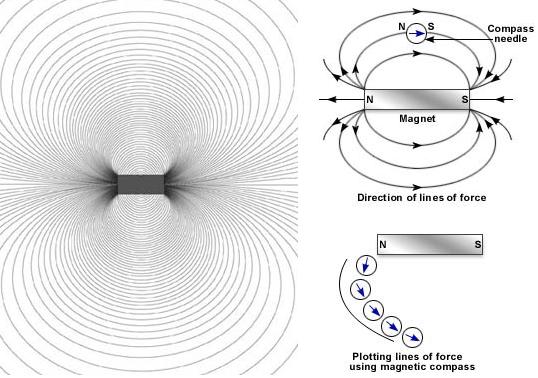
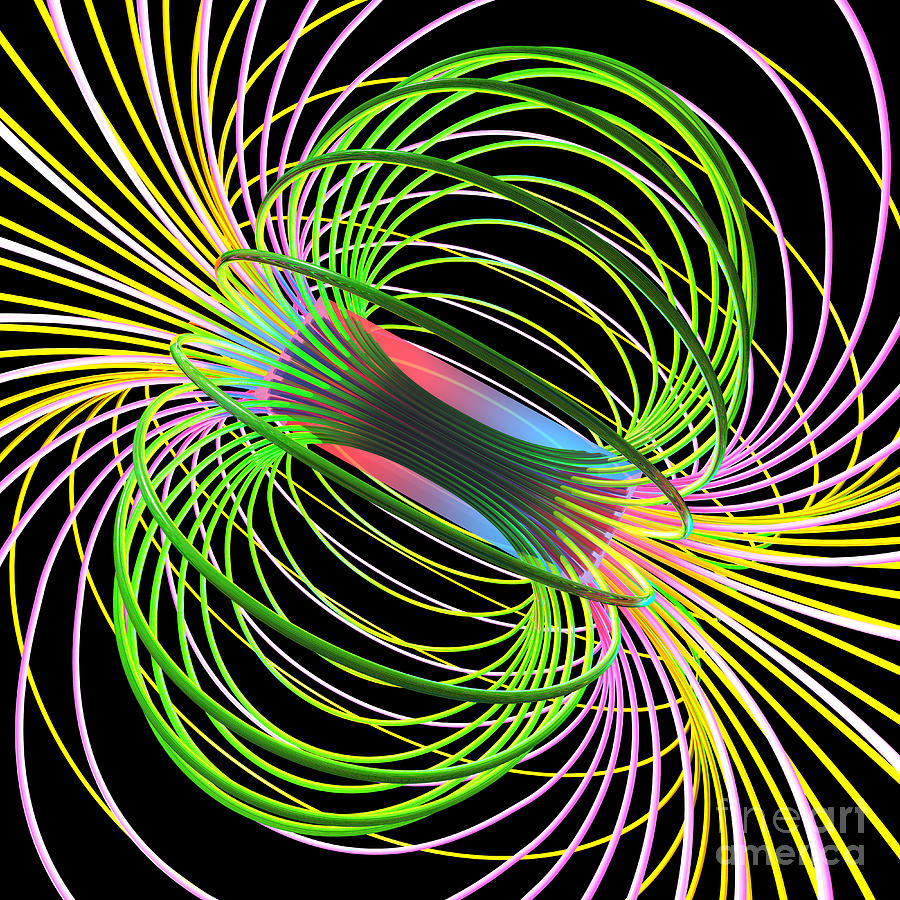
              I agree, with the magnet there are 2 center-points that attract all the iron dust. All the edges are not all pointing towards the same spot, but every objects center-point is pointing towards the object next to it. Please look at attached image01 and image02 to explain in words...

              Image01: shows a Magnetic needle board with a standard magnet.

              Image02: shows a Magnetic needle board with a U-shaped magnet.

              **Image03:**shows the plotting lines of force using a magnetic compass.

              Image04: shows how it works in 3D.

              Image06: shows a single point

              Image07: shows a magnet surrounded by many compasses

              Image08: shows 2 magnets interacting

              I find it really hard to draw these kinds of pattern in Sketchup without a tool.
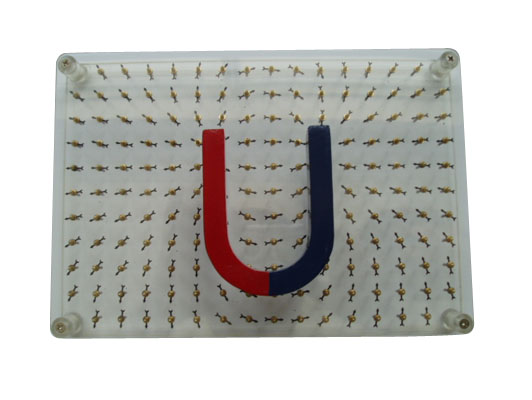

              Magnetic needle 01.jpg


              Magnetic needle 02.jpg


              Magnetic needle 03.jpg


              Magnetic needle 04.jpg


              Magnetic needle 06.jpg


              Magnetic needle 07.jpg


              Magnetic needle 08.jpg

              1 條回覆 最後回覆 回覆 引用 0
              • Flippie123F 離線
                Flippie123
                最後由 編輯

                I also added some cool architecture pics 🎉


                zaha01.jpg


                zaha02.jpg


                zaha03.jpg

                1 條回覆 最後回覆 回覆 引用 0
                • jolranJ 離線
                  jolran
                  最後由 編輯

                  Interesting!

                  I'm working on a parametric modeler that could hopefully(one day 😒 ) do this sort of things.

                  I can say from my own test-experiences you would REALLY want some kind of real-time preview setting these things up. Having a 1-shot plugin doing this is akward.


                  It does look more like distance based rotation/alignment on the first picture. Rather than some sort of magnetic 2 flow-direction.
                  edit: Looking again it does look like all the cubes are pointing at the point regardless of distance

                  The magnetic version is interesting though!

                  But that would be a totally different and more complex algorithm based on curve fitting. More in the way Jeff demonstrates.

                  Feel free to PM me ideas and suggestions. Looks like you have a few. 😄

                  1 條回覆 最後回覆 回覆 引用 0
                  • Flippie123F 離線
                    Flippie123
                    最後由 編輯

                    I did some experimenting with the pathcopy tool and some curved lines. I used 2 magnetic points here. But it will become really interesting if I can add 3,4 or 5 magnetic points.

                    I'm just a user...not a developer, but I can assure everyone that we are using sketchup to make the most awesome architecture here in our office.
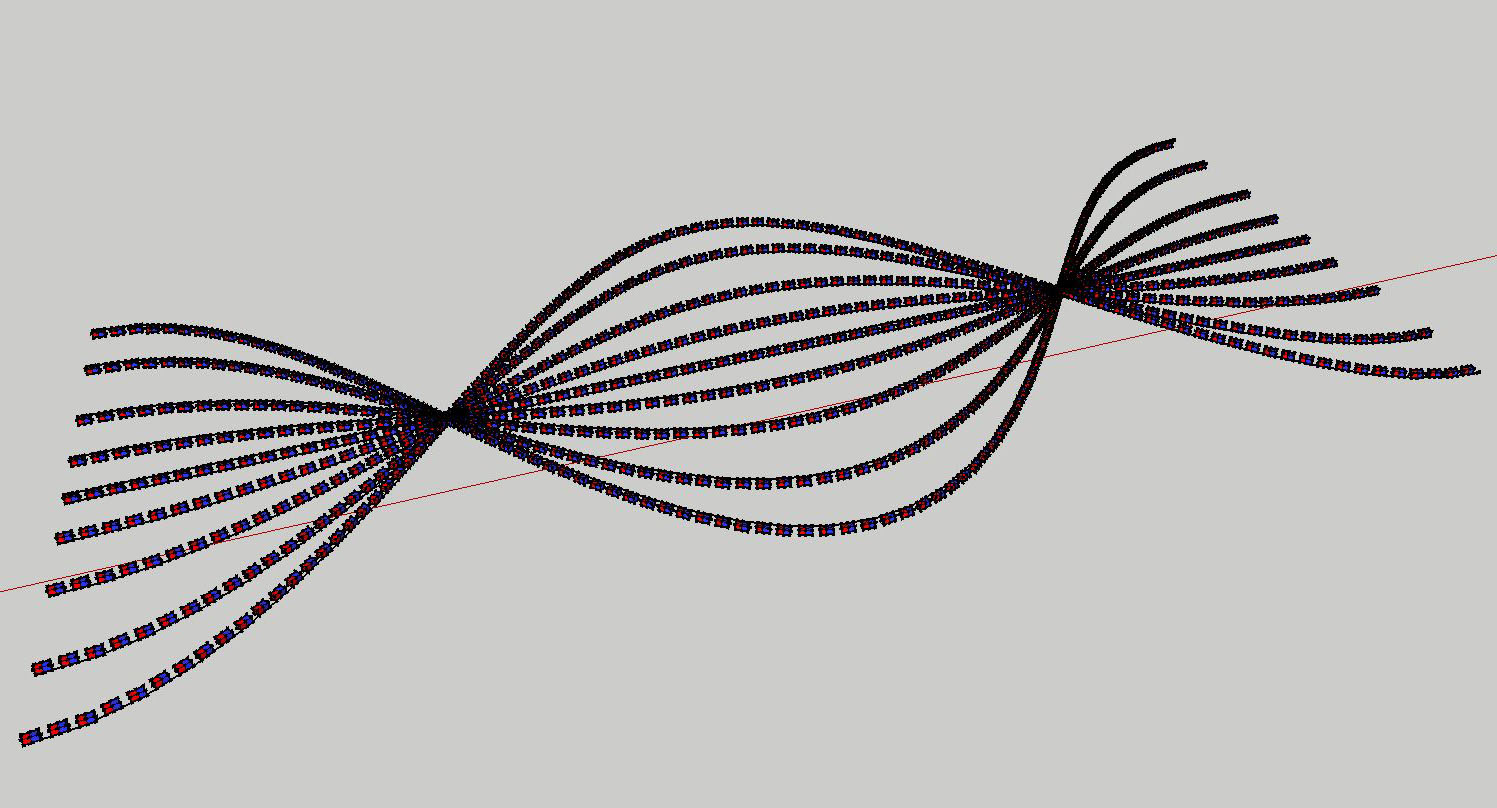
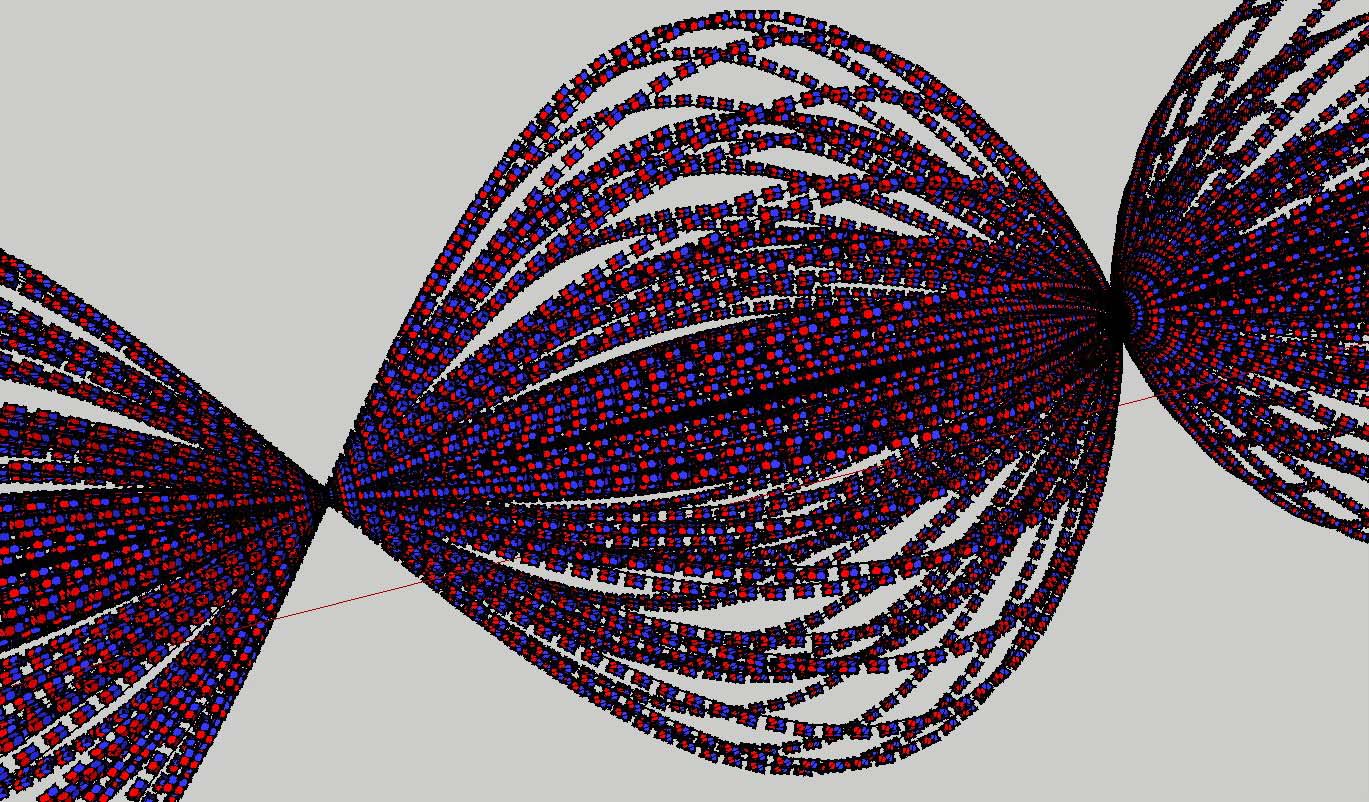
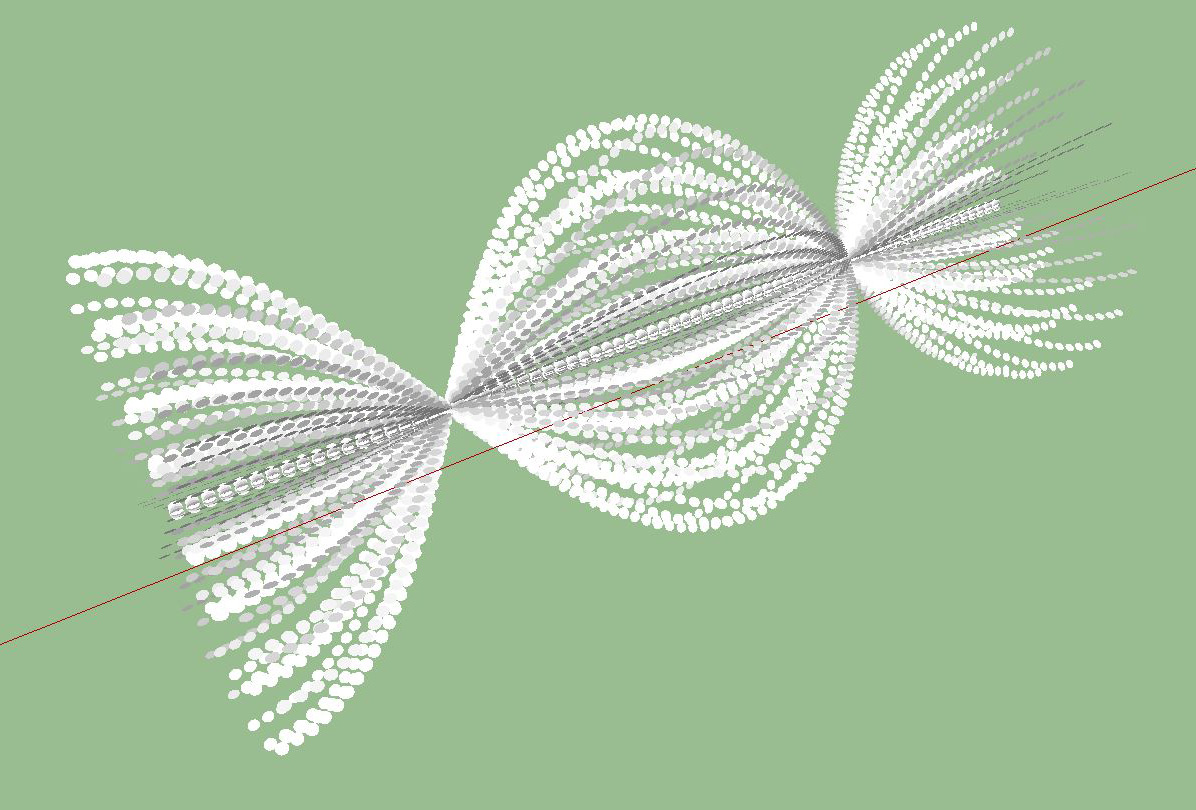
                    capture01.JPG


                    Capture02.JPG


                    Capture03.JPG

                    1 條回覆 最後回覆 回覆 引用 0
                    • D 離線
                      driven
                      最後由 編輯

                      Thinking out loud...
                      It may be possible for a plugin to take advantage of work done for scientific illustration...
                      Using a webdialog inside SU you would adjust the patterns...
                      the generated data could be use a insertion points for proxy component...
                      [web 100%,600:1ex6wll4]http://www.vizitsolutions.com/portfolio/efield/[/web:1ex6wll4]

                      learn from the mistakes of others, you may not live long enough to make them all yourself...

                      1 條回覆 最後回覆 回覆 引用 0
                      • jolranJ 離線
                        jolran
                        最後由 編輯

                        You mean generating the data from Javascript ? I'd imagine that would be rather slow..

                        My theory is to let HTML/Js do the Gui part and do the heavy calculations on Ruby and or C++ side..
                        That's just my opinion, but I'll stick to it.

                        I use d3.js as JS library and it's used quite often for scientific illustration.
                        It has Voronoi, projections etc. But to slow to use with Sketchup.

                        These kind of parametric geometries tend to get dense pretty quickly, so fast code is quite essential. But that library has some interesting code that's for sure.

                        1 條回覆 最後回覆 回覆 引用 0
                        • D 離線
                          driven
                          最後由 編輯

                          @jolran said:

                          You mean generating the data from Javascript ?...

                          use js as a visual menu, with some sliders...
                          then send the 'formula' to ruby or C to generate geometry positions...
                          i.e. the live interaction is in js, the 'result' is forwarded...
                          john

                          learn from the mistakes of others, you may not live long enough to make them all yourself...

                          1 條回覆 最後回覆 回覆 引用 0
                          • jolranJ 離線
                            jolran
                            最後由 編輯

                            @unknownuser said:

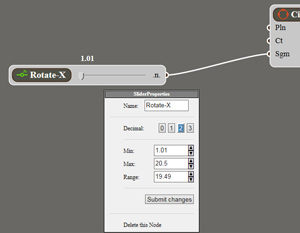
                            use js as a visual menu, with some sliders...

                            You mean like a node-editor ? 😄


                            slimenu.jpg

                            1 條回覆 最後回覆 回覆 引用 0
                            • BoxB 離線
                              Box
                              最後由 編輯

                              On a side note, there is always Sketchy Physics for using Magnetism. But I can't imagine how that could be translated into fixed positions not to mention the time it takes to set things up. Perhaps the inner workings of SUPhy can lend something to another plugin.
                              But it's a magnetic thread so I had to do something.

                              Magnet.gif

                              1 條回覆 最後回覆 回覆 引用 0
                              • jolranJ 離線
                                jolran
                                最後由 編輯

                                Rotate by distance looks a bit funky. Maybe if used normalized values...

                                The vectors are all setup, so I guess one could easily go for an angular approach instead...
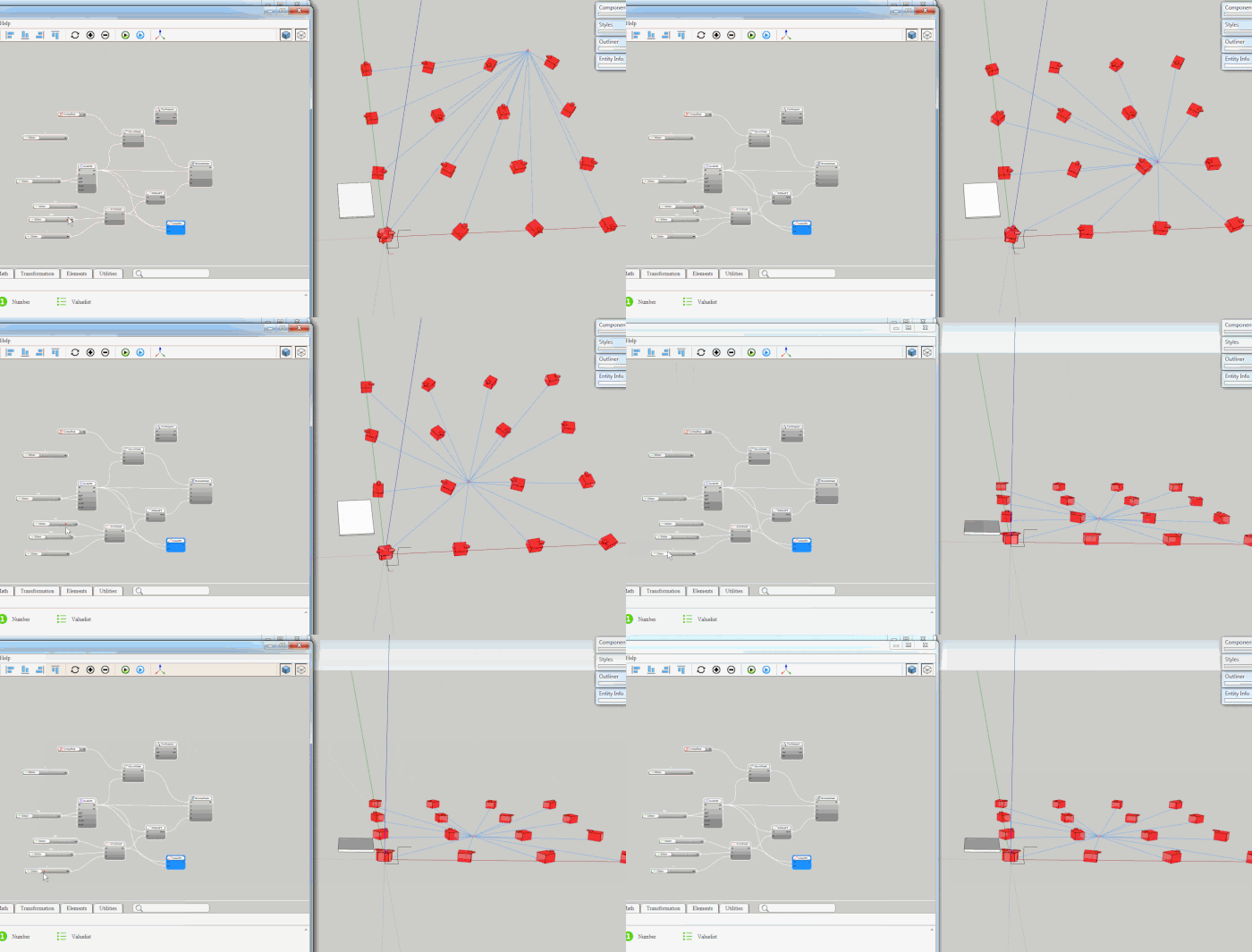

                                dist_rotate.gif

                                1 條回覆 最後回覆 回覆 引用 0
                                • jeff hammondJ 離線
                                  jeff hammond
                                  最後由 編輯

                                  @flippie123 said:

                                  I did some experimenting with the pathcopy tool and some curved lines. I used 2 magnetic points here. But it will become really interesting if I can add 3,4 or 5 magnetic points.

                                  I'm just a user...not a developer, but I can assure everyone that we are using sketchup to make the most awesome architecture here in our office.

                                  don't you guys have a copy of rhino in your office?
                                  i'm pretty sure zaha used paneling tools to create this.. possibly in conjunction with a custom script..
                                  it's super powerful for various types of attractors etc..
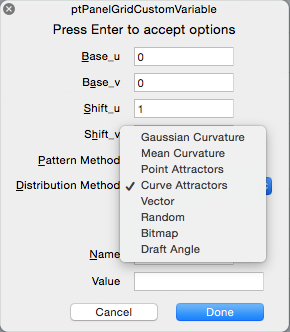
                                  example of distribution methods available for one of the PT commands.


                                  @box said:

                                  On a side note, there is always Sketchy Physics for using Magnetism.[...]
                                  But it's a magnetic thread so I had to do something.

                                  heh.. neat ☀

                                  dotdotdot

                                  1 條回覆 最後回覆 回覆 引用 0
                                  • jolranJ 離線
                                    jolran
                                    最後由 編輯

                                    Jeff hammond. Why do you often direct to Rhino as a solution to problems when modeling in Sketchup?

                                    Don't you want Sketchup to evolve ?

                                    1 條回覆 最後回覆 回覆 引用 0
                                    • jeff hammondJ 離線
                                      jeff hammond
                                      最後由 編輯

                                      @jolran said:

                                      Jeff hammond. Why do you often direct to Rhino as a solution to problems when modeling in Sketchup?

                                      Don't you want Sketchup to evolve ?

                                      well, when someone is trying to copy something, it seems the best way to do it would be to use the same tools that were used in the first place.

                                      do i want sketchup to evolve? yes, of course.. i wanted it to evolve 10years ago.. then 4-5 years ago, i realized it wasn't going to evolve so there you have it..
                                      sketchup is what it is 10 years ago and it will always be that way.. [edit]-- i mean, we stilldon't have arcs or circles in sketchup.. much less curves..

                                      dotdotdot

                                      1 條回覆 最後回覆 回覆 引用 0
                                      • jolranJ 離線
                                        jolran
                                        最後由 編輯

                                        Heh, well put. 😄

                                        I'll accept your answer.

                                        Although to give cred to the Guys at Trimble I do think they have made great changes recently that will permit further enhancements of Sketchup.

                                        Regarding arcs and circles. They will come 😉
                                        Knotvector-based, nonuniformed rational ones...

                                        1 條回覆 最後回覆 回覆 引用 0
                                        • D 離線
                                          driven
                                          最後由 編輯

                                          @jolran said:

                                          Regarding arcs and circles. They will come 😉 ...

                                          they are already there, SU just fails to use them with it's own tools...
                                          but exports them to AutoCad, go figure...

                                          john

                                          learn from the mistakes of others, you may not live long enough to make them all yourself...

                                          1 條回覆 最後回覆 回覆 引用 0
                                          • jeff hammondJ 離線
                                            jeff hammond
                                            最後由 編輯

                                            @jolran said:

                                            Although to give cred to the Guys at Trimble I do think they have made great changes recently that will permit further enhancements of Sketchup.

                                            oh.. i'm not trying to rag on those guys or anything like that.. and really, it looks to me like the trimble acquisition is going to be good for sketchup.. 2013 was sort of a dud but once the team got situated in the company, things are looking to be picking up well.. 2014 and now 2015 are both good releases imo..

                                            my _____ are nothing to do with the developer's abilities etc.. it's more to do with their vision and how it relates to my desires.. they want something and i want something else.. nobody is to fault in a situation like that.. if sketchup was what i want it to be, lots of people would probably hate it and start seeking out solutions which are more sketchup like 😄

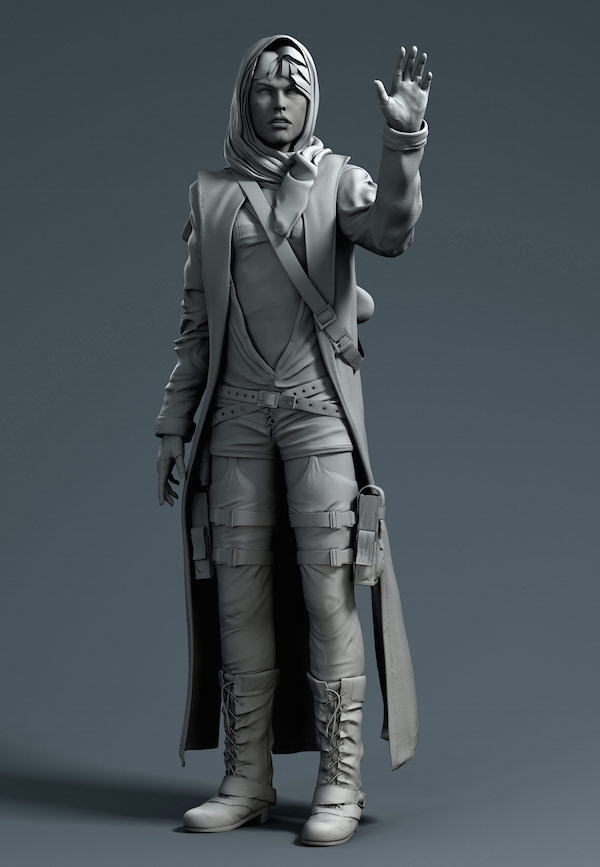
                                            but, when people start posting these designs they find on the web and saying 'how do you do this in sketchup?', often times, the answer is 'you don't'..

                                            ..in the same way if someone posted this model on a rhino forum asking "how do you do this in rhino?" ..the answer is "you don't.. try zbrush or smthng"
                                            Alice-Lowres.jpg


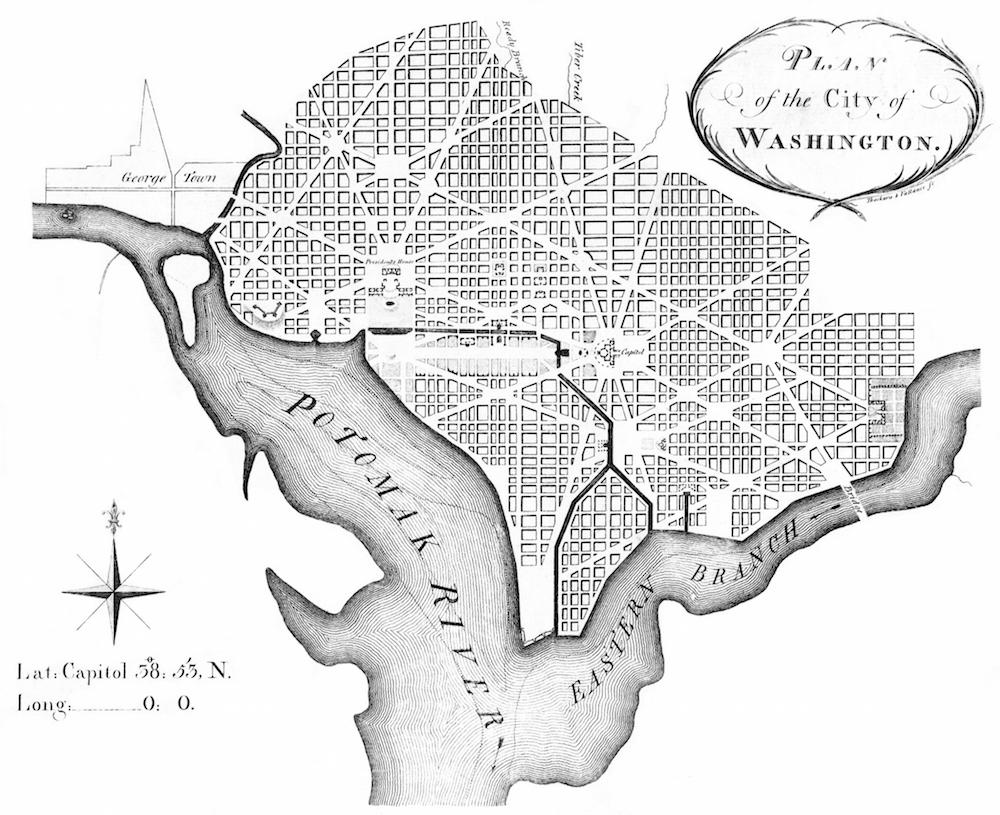
                                            anyway-- back to magnetics.. it seems a rigid point attractor would create a space more akin to washington d.c.
                                            L'Enfant_plan.jpg

                                            dotdotdot

                                            1 條回覆 最後回覆 回覆 引用 0
                                            • 1
                                            • 2
                                            • 3
                                            • 1 / 3
                                            • 第一個貼文
                                              最後的貼文
                                            Buy SketchPlus
                                            Buy SUbD
                                            Buy WrapR
                                            Buy eBook
                                            Buy Modelur
                                            Buy Vertex Tools
                                            Buy SketchCuisine
                                            Buy FormFonts

                                            Advertisement