sketchucation logo sketchucation
    • Login
    Oops, your profile's looking a bit empty! To help us tailor your experience, please fill in key details like your SketchUp version, skill level, operating system, and more. Update and save your info on your profile page today!
    ⚠️ Update | Sketchucation Tools 5.0.8 released with licensing improvements and bugfixes Download

    Sketchup icon does not shows in Mac finder.

    Scheduled Pinned Locked Moved Newbie Forum
    sketchup
    33 Posts 7 Posters 7.0k Views 7 Watching
    Loading More Posts
    • Oldest to Newest
    • Newest to Oldest
    • Most Votes
    Reply
    • Reply as topic
    Log in to reply
    This topic has been deleted. Only users with topic management privileges can see it.
    • A
      amarv91
      last edited by

      @driven said:

      @amarv91, can you see the icon from the zipped skp I posted?

      @jeff, cheers

      @steve. that is odd, it's certainly not a windows generated skp...

      what does

      xattr -l <path_to_file>
      

      show for that file...

      I'll see if I can find how I fixed it when I used Parallels, I did have that issue at some stage.

      john

      Hi John,

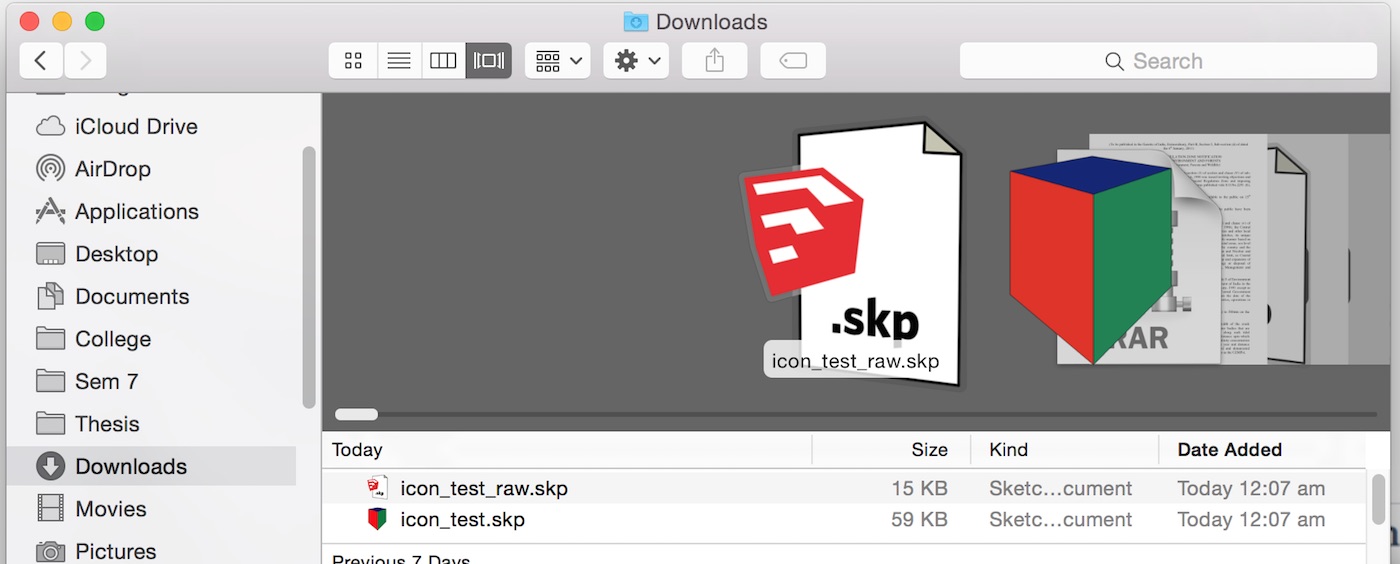
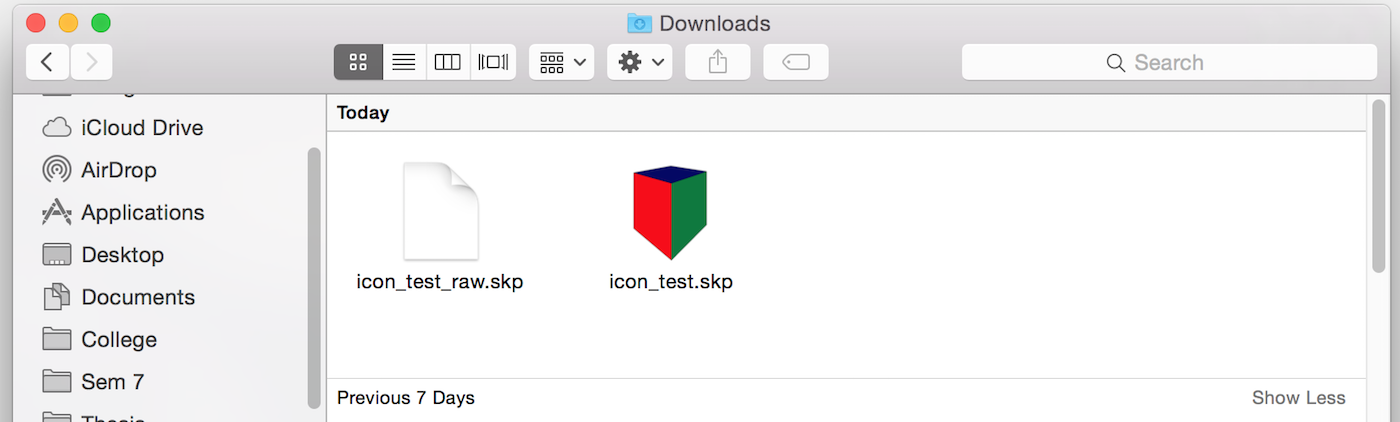
      Below are the icon preview in different views.
      v1
      v2
      v3
      v4

      It shows in all views except in thumbnail....! πŸ˜•

      Cant figure out why....

      Amar

      1 Reply Last reply
      Reply Quote 0
      • D
        driven
        last edited by

        the icon created by my plugin shows up in all views...
        I'll PM you a copy if you want...
        john

        learn from the mistakes of others, you may not live long enough to make them all yourself...

        1 Reply Last reply
        Reply Quote 0
        • jeff hammondJ
          jeff hammond
          last edited by

          @amarv91 said:

          It shows in all views except in thumbnail....! πŸ˜•

          Cant figure out why....

          Amar

          yeah, weird indeed. (I don't know why it's doing that nor have I seen the behavior before) πŸ˜•

          dotdotdot

          1 Reply Last reply
          Reply Quote 0
          • D
            driven
            last edited by

            @amarv91 said:

            ...Below are the icon preview in different views...

            do they show if you adjust icon size?

            @unknownuser said:

            Icon size: Use this slider to dynamically adjust the size of the icons in this folder. The larger the icon, the easier it is to see the thumbnail previews. Of course the larger they are, the more room they take up.

            and, did you reset Finder?
            john

            learn from the mistakes of others, you may not live long enough to make them all yourself...

            1 Reply Last reply
            Reply Quote 0
            • A
              amarv91
              last edited by

              @driven said:

              @amarv91 said:

              ...Below are the icon preview in different views...

              do they show if you adjust icon size?

              @unknownuser said:

              Icon size: Use this slider to dynamically adjust the size of the icons in this folder. The larger the icon, the easier it is to see the thumbnail previews. Of course the larger they are, the more room they take up.

              and, did you reset Finder?
              john

              Yes using slider shows the icon, but only if it is above 128px X 128px.

              I tried resetting the finder. (i.e relaunching the finder)

              And ya please share the plugin which u have...

              Thanks

              Amar

              1 Reply Last reply
              Reply Quote 0
              • D
                driven
                last edited by

                @Amar,
                I'll PM you a rbz...
                john

                learn from the mistakes of others, you may not live long enough to make them all yourself...

                1 Reply Last reply
                Reply Quote 0
                • J
                  joemed
                  last edited by

                  I wanted to see if there was an update on the Icon status for Mac’s
                  Many of my older files created with Sketchup 8 Pro have a custom icons.
                  Once opened in Sketchup 2015 Pro and saved as 2015 or Sketchup 8 they only have generic icons.
                  Is there a plugin or secondary solution?
                  Thanks in advance.
                  Joe
                  MBP i5 2.53 GHz 8GB Mavericks 10.9.5

                  1 Reply Last reply
                  Reply Quote 0
                  • jeff hammondJ
                    jeff hammond
                    last edited by

                    @joemed said:

                    they only have generic icons.

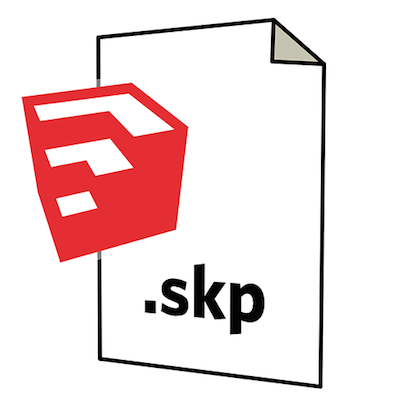
                    do you mean generic like the problem in the original post or generic like this:
                    Screen Shot 2015-01-05 at 6.55.59 PM.png

                    ?

                    one is a problem and one is just trimble not providing the proper programming πŸ˜‰


                    fwiw, i recently had a similar problem as the original post only with my webloc icons.. 'fixed' it like so:

                    go to
                    ~/Library and drag the Caches folder to the desktop (just in case.. move it to the trash eventually)
                    reboot computer

                    go to
                    Macintosh HD/Library and drag the Caches folder to the desktop.
                    reboot computer

                    after that, the webloc icons showed their stuff again instead of the blank white.

                    dotdotdot

                    1 Reply Last reply
                    Reply Quote 0
                    • G
                      grayartist
                      last edited by

                      I'm having the same trouble with the icons showing only a blank page. I just updated my system to Yosemite, and have regretted every second of it due to all the programing issues it seems to have with every program I use. I upgraded mainly because I use Podium and the newest version of Podium Walker only functioned for Yosemite.

                      I'm very illiterate when it comes to programing jargon. What ended up being the fix for this?

                      1 Reply Last reply
                      Reply Quote 0
                      • S
                        samtsham2 Newcomers
                        last edited by

                        This post is deleted!
                        1 Reply Last reply
                        Reply Quote 0

                        Hello! It looks like you're interested in this conversation, but you don't have an account yet.

                        Getting fed up of having to scroll through the same posts each visit? When you register for an account, you'll always come back to exactly where you were before, and choose to be notified of new replies (either via email, or push notification). You'll also be able to save bookmarks and upvote posts to show your appreciation to other community members.

                        With your input, this post could be even better πŸ’—

                        Register Login
                        • 1
                        • 2
                        • 2 / 2
                        • First post
                          Last post
                        Buy SketchPlus
                        Buy SUbD
                        Buy WrapR
                        Buy eBook
                        Buy Modelur
                        Buy Vertex Tools
                        Buy SketchCuisine
                        Buy FormFonts

                        Advertisement