Anatomy of sketchup model
-
Hi
I want to create interior and exterior renderings,
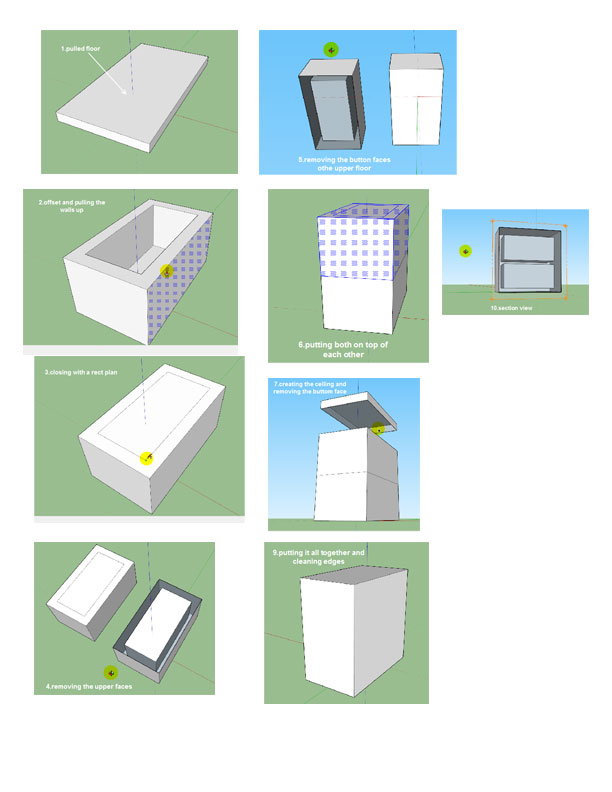
im trying to create my model anatomy correct,im modelling 2 story house, here is my workflow,
i would appreciate any comments,
do i do it right?the picture visualize it,
if you have time the limed video is all about 3 minutes.Thanks
Shay
-
are you serious?...
if you are, then you should really look up for some sketchup tutorials
do a search on youtube for tutorialsthere are some good ones, with files included, where they teach how to model a house
im sure you'll learn the architectural workflow in no time -
@jonfar said:
are you serious?...
if you are, then you should really look up for some sketchup tutorials
do a search on youtube for tutorialsthere are some good ones, with files included, where they teach how to model a house
im sure you'll learn the architectural workflow in no timei think i didnt explain myself,
i didnt model a house , i just show how ill model in order to avoid v-ray artifacts.
do you know any tutorial that show what is the right way to model 2 floor house for vray, i would be happy to get the link
Thanks
Shay -
you avoid artifacts by modeling everything to scale and avoid overlapping faces. Do you have an example of the artifacts you are trying to avoid?
-
@andybot said:
you avoid artifacts by modeling everything to scale and avoid overlapping faces. Do you have an example of the artifacts you are trying to avoid?
actually i just starting now, in some tutorials regarding vray sketchup i saw that there is some guidelines to follow in order to avoid artifacts, i have implemented all in the 3 min clip i posted.
im modeling the first floor plane, than i model the second floor plan, from the first and the second floor plans i remove faces so they wont overlap when attaching them both, i do attach them together, than i clean the edges, for my understanding i get the perfect model....but i must have the opinion of experienced users.
Thanks
Shay -
well...
all i can say is, i never delete faces from an extruded object like you do...
and i never seen anyone do that, thats why i was surprisedjust build the model like it would be built in real life and real scale
use groups and components, and avoid overlaping objects, and you wont get any artifacts...edit:
here you go, a nice youtube tutorial that teaches you an efficient workflow1st floor
http://www.youtube.com/watch?v=SmQIKcJjKUY2nd floor
http://www.youtube.com/watch?v=DQ0mn26shzshave fun
-
Also you can model as you normally would and then use ThomThom's CleanUp plugin to get rid of overlapping faces, orphaned lines etc.
-
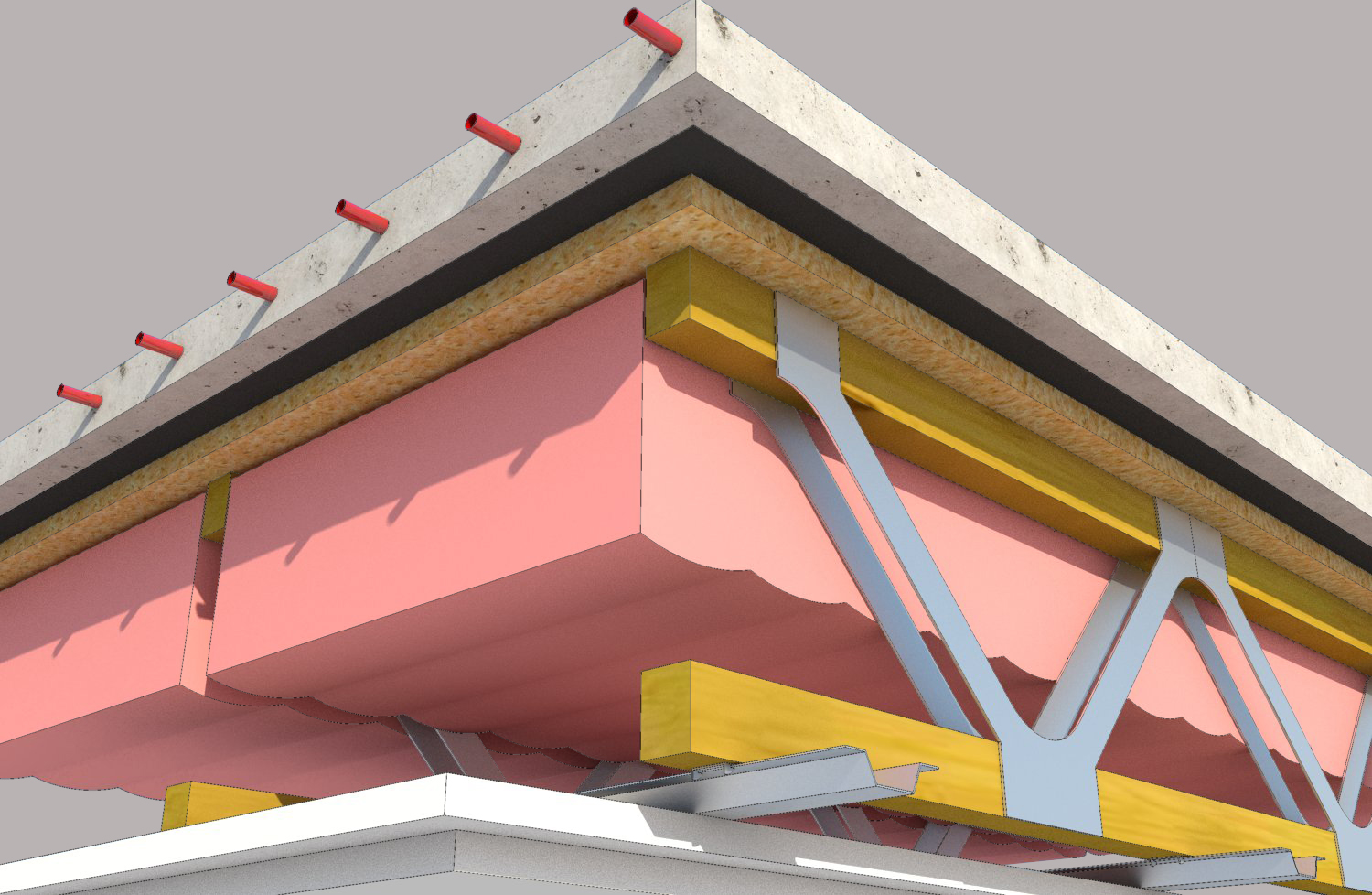
But to be honest, I've never had an issue with VRAY and overlapping faces (as long as they are grouped). Here is an example I did of a floor assembly. Everything is components and right up against each other. No artifacts.
Rob
-
Thanks for the tips guys!
this video is exactly what ive looked forThank you
Shay


Hello! It looks like you're interested in this conversation, but you don't have an account yet.
Getting fed up of having to scroll through the same posts each visit? When you register for an account, you'll always come back to exactly where you were before, and choose to be notified of new replies (either via email, or push notification). You'll also be able to save bookmarks and upvote posts to show your appreciation to other community members.
With your input, this post could be even better 💗
Register Login


Advertisement