sketchucation logo sketchucation
    • 登入
    Oops, your profile's looking a bit empty! To help us tailor your experience, please fill in key details like your SketchUp version, skill level, operating system, and more. Update and save your info on your profile page today!
    🔌 Smart Spline | Fluid way to handle splines for furniture design and complex structures. Download

    [Plugin] MoveAlong - v1.2b - 07 Jul 14

    已排程 已置頂 已鎖定 已移動 Plugins
    71 貼文 26 Posters 67.0k 瀏覽 26 Watching
    正在載入更多貼文
    • 從舊到新
    • 從新到舊
    • 最多點贊
    回覆
    • 在新貼文中回覆
    登入後回覆
    此主題已被刪除。只有擁有主題管理權限的使用者可以查看。
    • D 離線
      dedmin
      最後由 編輯

      :tada:
      
      1 條回覆 最後回覆 回覆 引用 0
      • PixeroP 離線
        Pixero
        最後由 編輯

        Thats very impressive. 👍

        1 條回覆 最後回覆 回覆 引用 0
        • R 離線
          rv1974
          最後由 編輯

          Is it possible to replicate (via Ruby) the Max'2015 Placement Tools?
          The moving object temporallygets the 'gluing' feature, all environment temporally
          looses it's group\component structure (and thus becomes a set of primitive surfaces-receivers).

          1 條回覆 最後回覆 回覆 引用 0
          • fredo6F 離線
            fredo6
            最後由 編輯

            @rv1974 said:

            Is it possible to replicate (via Ruby) the Max'2015 Placement Tools?
            The moving object temporallygets the 'gluing' feature, all environment temporally
            looses it's group\component structure (and thus becomes a set of primitive surfaces-receivers).

            I believe this is doable.

            However, I think this should be in another plugin. The reason is that with Move, you match the origin point picked with a target. If you pick a point of the Component on its top, then the component will be flipped because the picked point will be moved to the underlying surface. So you'll see now the bottom of the component.

            The Place function is different and has more to do with detection of collision. The issue is that the top of a component may well be different from its bottom, and thus the Place function will not be accurate for the placement.

            Anyway, this is an interesting problem and worth exploring as this is missing in Sketchup.

            For the time being, I intend to publish an evolution of MoveAlong with Alignment features, as illustrated in the video below (probably next week as I take a few days off the computer):

            Fredo

            1 條回覆 最後回覆 回覆 引用 0
            • pilouP 離線
              pilou
              最後由 編輯

              fredomax6 ! 😄

              Frenchy Pilou
              Is beautiful that please without concept!
              My Little site :)

              1 條回覆 最後回覆 回覆 引用 0
              • cottyC 離線
                cotty
                最後由 編輯

                it's hard to wait any longer... 👍

                my SketchUp gallery

                1 條回覆 最後回覆 回覆 引用 0
                • fredo6F 離線
                  fredo6
                  最後由 編輯

                  NEW RELEASE: MoveAlong v1.2a - 18 Jun 14

                  MoveAlong 1.2 is an update fixing bugs and including:

                  • Alignment mode (useful for preparing a Follow me or chaining curves)

                  It is published as part of FredTools 2.0a.

                  See main post of this thread and FredoTools for download.

                  Fredo

                  1 條回覆 最後回覆 回覆 引用 0
                  • D 離線
                    dedmin
                    最後由 編輯

                    See the animated gif:
                    selection_toys.gif

                    1 條回覆 最後回覆 回覆 引用 0
                    • fredo6F 離線
                      fredo6
                      最後由 編輯

                      @dedmin

                      2 questions:

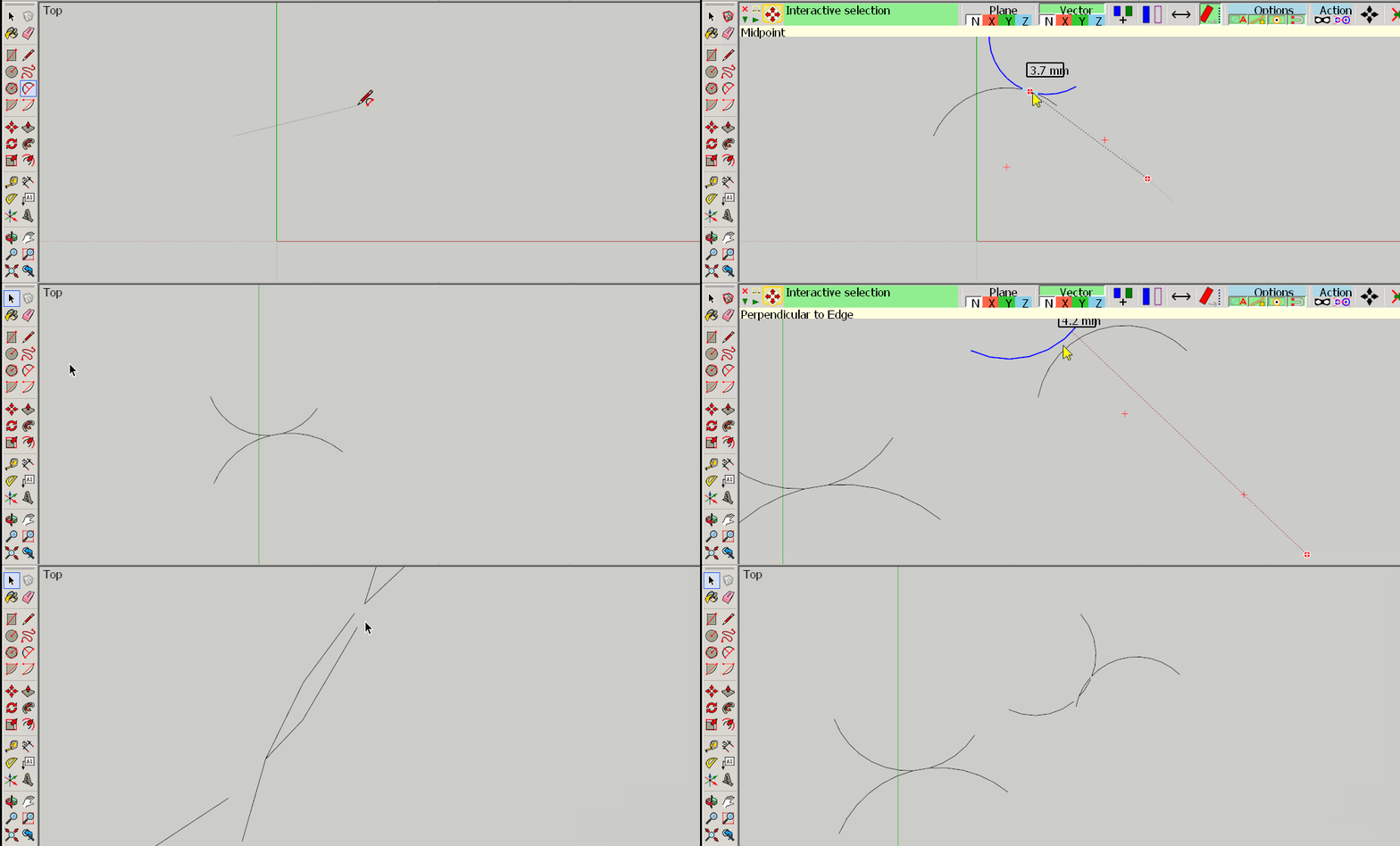
                      1. on the problem with MoveAlong, I am unable to reproduce it. Can you reproduce it. If so, do you mind to post or PM me the model with the 2 arcs. Can you also open the Ruby console while you perform the move. Thanks

                      2. your set up seems to have a larger font size for the text drawn in the viewport (this is visible in the button palette). Did you tweak anything in the configuration parameters?

                      Thanks

                      Fredo

                      1 條回覆 最後回覆 回覆 引用 0
                      • D 離線
                        dedmin
                        最後由 編輯

                        Here is the sample file with arcs, circle and freehand drawn curve. Nothing shows in the Ruby console when using the plugin. The large font size is due to the Windows 7 64 bit settings - Display - Set custom text size (DPI) - 125%.
                        Thanks.
                        move_along.skp
                        PP: I noticed something - when turning on Edge styles - Profiles the missing edges are visible!

                        1 條回覆 最後回覆 回覆 引用 0
                        • fredo6F 離線
                          fredo6
                          最後由 編輯

                          Thanks dedmin for signaling this problem.

                          I found the cause and fixed it. Edgges resulting from the intersection of the 2 arcs are set with smooth and soft properties. This is an (undesired) side effect of the autosmooth feature.

                          This will go in a next release

                          Fredo

                          1 條回覆 最後回覆 回覆 引用 0
                          • fredo6F 離線
                            fredo6
                            最後由 編輯

                            NEW RELEASE: MoveAlong v1.2b - 07 Jul 14

                            Movealong 1.2b is an update fixing a bug signaled by dedmin

                            It is published as part of FredTools 2.0b.

                            See main post of this thread and FredoTools for download.

                            Fredo

                            1 條回覆 最後回覆 回覆 引用 0
                            • pep75P 離線
                              pep75
                              最後由 編輯

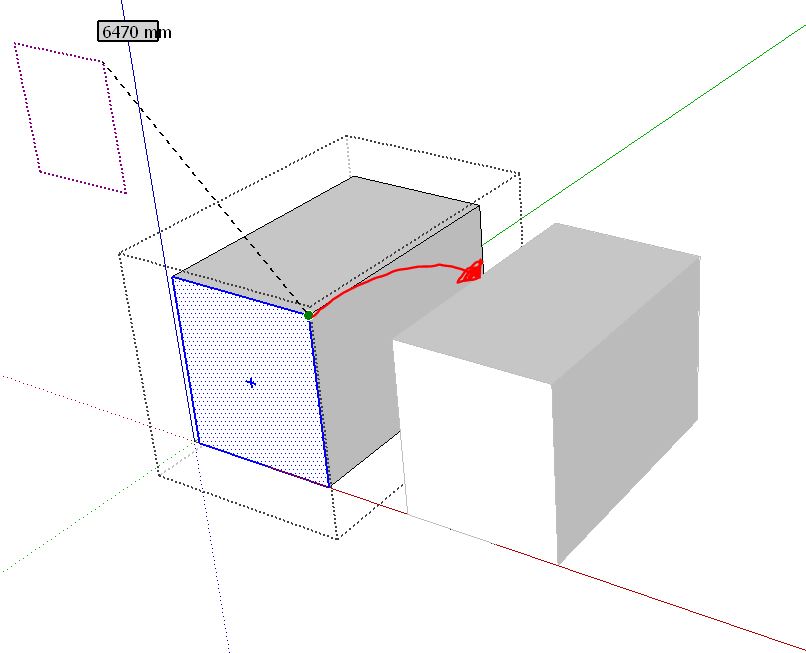
                              I've a problem...I checked all your instruction movies, but can't find a solution. When I want to move lines or faces in one active group I cannot snap or interfere with objects outside the active group. Am I missing something?? I installed the latest version...

                              Thanks in advance....

                              Capture.JPG

                              1 條回覆 最後回覆 回覆 引用 0
                              • pilouP 離線
                                pilou
                                最後由 編輯

                                Seems normal : you copy move something froma group 😉
                                Just don't you use the plug in this particular case!
                                and you will have a perfect allignement inferencing with any thing ! 😉

                                Generally a copy/move is the trick for have a direct inference with something! 🤓

                                Frenchy Pilou
                                Is beautiful that please without concept!
                                My Little site :)

                                1 條回覆 最後回覆 回覆 引用 0
                                • pep75P 離線
                                  pep75
                                  最後由 編輯

                                  Hi Pilou,

                                  You actually don't need the plugin anyway. But that's not the issue. I only noticed that snapping to other objects, while in a group, is not possible...while it is possible when you ungroup the object. I would like to know if it is me being stupid...or that I have to switch between the "original" move function and MoveAlong(which I prefer in MOST cases).

                                  1 條回覆 最後回覆 回覆 引用 0
                                  • fredo6F 離線
                                    fredo6
                                    最後由 編輯

                                    @pep75 said:

                                    I've a problem...I checked all your instruction movies, but can't find a solution. When I want to move lines or faces in one active group I cannot snap or interfere with objects outside the active group. Am I missing something?? I installed the latest version...

                                    Thanks in advance....

                                    This is a limitation of the Ruby API. When you are inside a group or component, it is not possible to see the outside model. The same happens for MoveAlong or DrawAlong

                                    As recommended by Pilou, you need to switch to the native Move tool to be able to use inferences outside the group context.

                                    Fredo

                                    1 條回覆 最後回覆 回覆 引用 0
                                    • pep75P 離線
                                      pep75
                                      最後由 編輯

                                      Thanks Fredo....it's a pity...But thanks nevertheless!

                                      1 條回覆 最後回覆 回覆 引用 0
                                      • fredo6F 離線
                                        fredo6
                                        最後由 編輯

                                        I may try to find a workaround, but this requires some thoughts first.

                                        Fredo

                                        1 條回覆 最後回覆 回覆 引用 0
                                        • pep75P 離線
                                          pep75
                                          最後由 編輯

                                          Hahaha! Okay! I'll wait patiently for a brilliant moment! 😉!

                                          1 條回覆 最後回覆 回覆 引用 0
                                          • M 離線
                                            Manuelrql
                                            最後由 編輯

                                            move along.gif

                                            I´m beginning to use the command move along instead of the normal move. But when I´m copying objects using ctrl and try to relocate them in my model using pan (mouse central button & shift) the move along command does a copy of the object at the first point that I pick in the model to grab with the pan hand.
                                            Has this happened to any one else?

                                            1 條回覆 最後回覆 回覆 引用 0
                                            • 1
                                            • 2
                                            • 3
                                            • 4
                                            • 2 / 4
                                            • 第一個貼文
                                              最後的貼文
                                            Buy SketchPlus
                                            Buy SUbD
                                            Buy WrapR
                                            Buy eBook
                                            Buy Modelur
                                            Buy Vertex Tools
                                            Buy SketchCuisine
                                            Buy FormFonts

                                            Advertisement