MSPhysics 1.0.3 (16 October 2017)
-
@anton_s said:
So, for a circle/arcs, you right click on them and select "Find Center".
So i kind of remodelled a bit, but can't seem to understand why the pipe continues to rotate even when the grippers are open. It kind of get momentum because of the rotation, how can i stop that. So when the cylinder moves back, the grippers open and let go of the pipe and it stands still.
Made the body static because it will be connected with the other wrench, so that only the gripper head rotates.
Did i do the pipe right by giving him a plane joint and only allow it to rotate???
I don't want it to move in any other direction then rotating caused by the grippers.
Should i accomplish this all by adding friction or is there a simple workaround?
I doesn't have to be Physics Law proof but only look right.A lot of questions but getting there

PS is ther a plugin for SU2016 to import 2017 files or a simple converter??? I cannot install 2017 at work due to lack of administrative rights

-
Hello, Bert,
@delchrys said:
So i kind of remodelled a bit, but can't seem to understand why the pipe continues to rotate even when the grippers are open. It kind of get momentum because of the rotation, how can i stop that. So when the cylinder moves back, the grippers open and let go of the pipe and it stands still.
To fix this, you need reduce linear friction of the Plane joint from 100 to 1. This will the pipe to require less force to move along the plane. Also, setting the angular friction of the Plane joint to 0.01 should prevent the backward rotation of the pipe.
@delchrys said:
Did i do the pipe right by giving him a plane joint and only allow it to rotate???
Either the tool should move or the pipe should move for the grippers to work properly, presumably even in real case scenario. Above, reducing plane linear friction, allows the pipe to move.@delchrys said:
PS is ther a plugin for SU2016 to import 2017 files or a simple converter??? I cannot install 2017 at work due to lack of administrative rights
Click onFile->Save As and in the Save As Type, choose the desired SU version.
Regards,
Anton -
-
The first impression is good, but for me it is still too difficult to understand some of the physical characteristics of the movement.
Thanks
-
Nice! If you change joint solver model to iterative 64 passes, the wobbling should be reduced by a bit.
-
Found this!

-
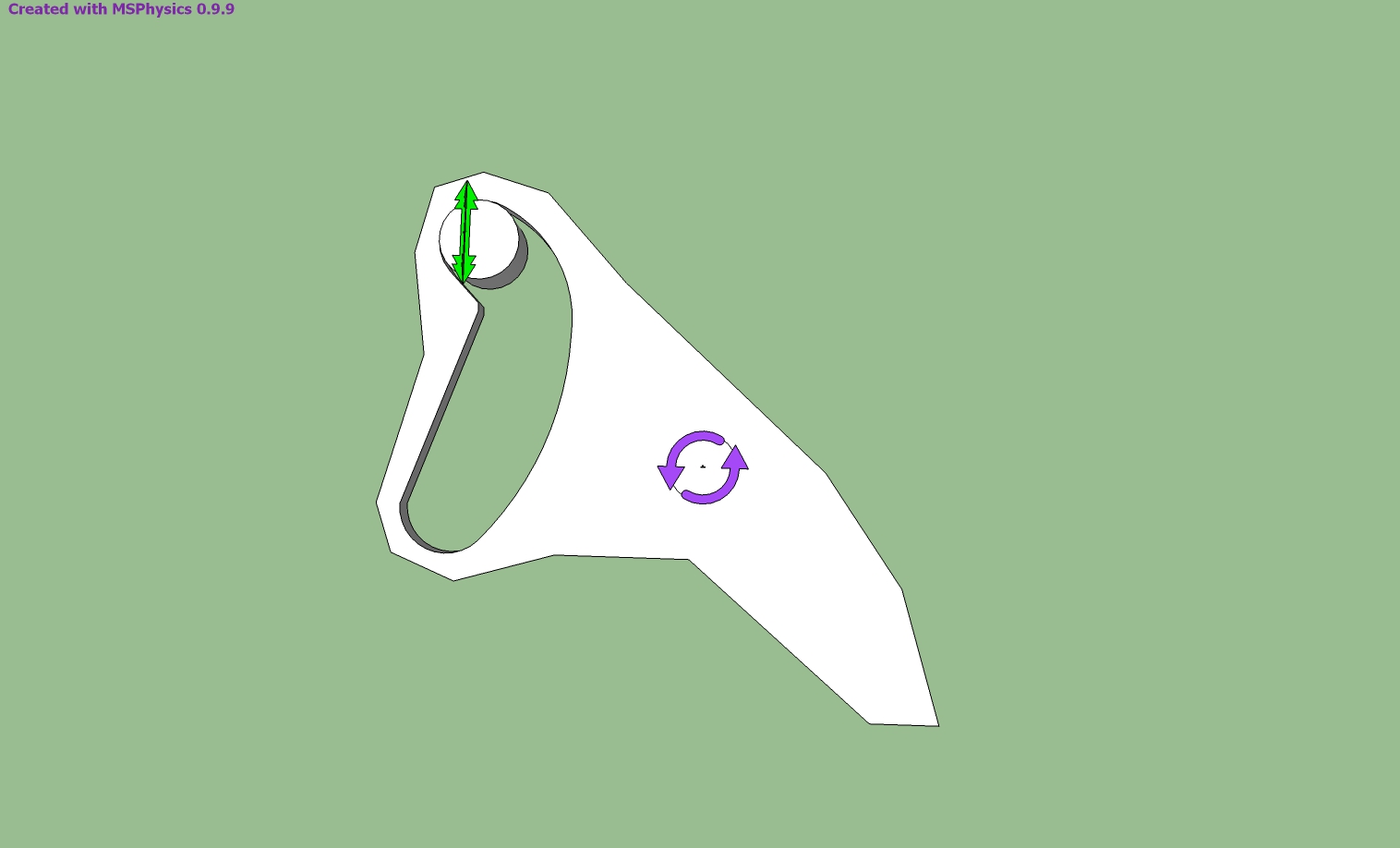
I modeled it as shown in the picture, but I could not move it as I wanted. Can you help me.
-
Ecati, the reason it doesn't work as expected is that the collision generated for the concave group is improper. You must divide the concave group into sub convex groups. Use convexify by fredo6 to do it for you. The link to the plugin is at the main post. Also, to see the actual collision generated for shapes, enable the Collision Wireframe in MSPhysics Simulation UI.
-
Testing traditional thing!

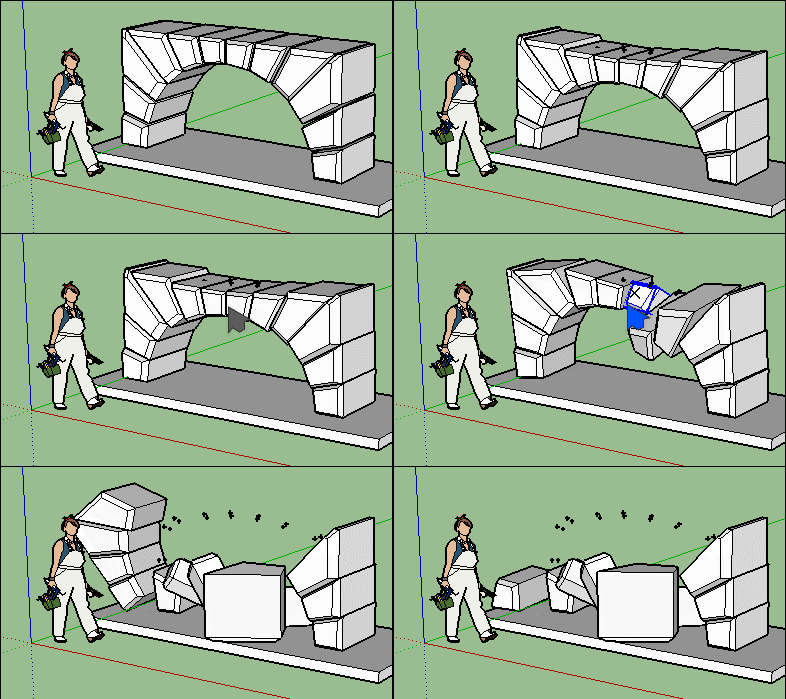
Arch was made with the crazzy Convexify by Fredo!
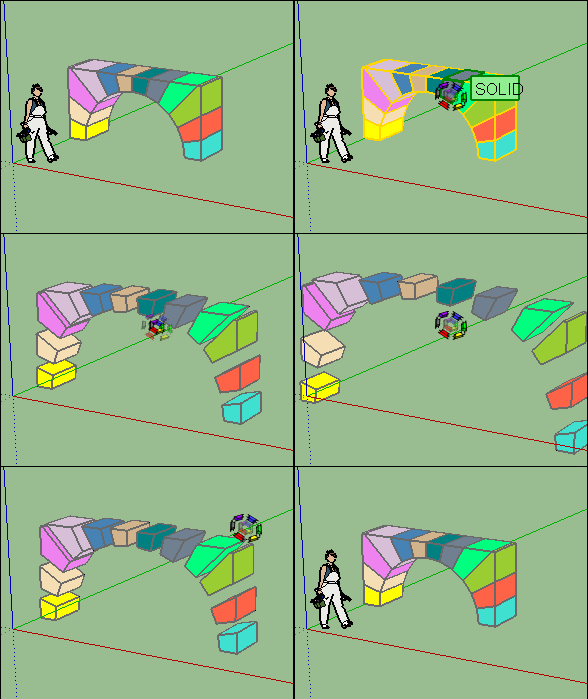
As convexify don't keep gaps you must use Exploded view ;by CPlassais and me!

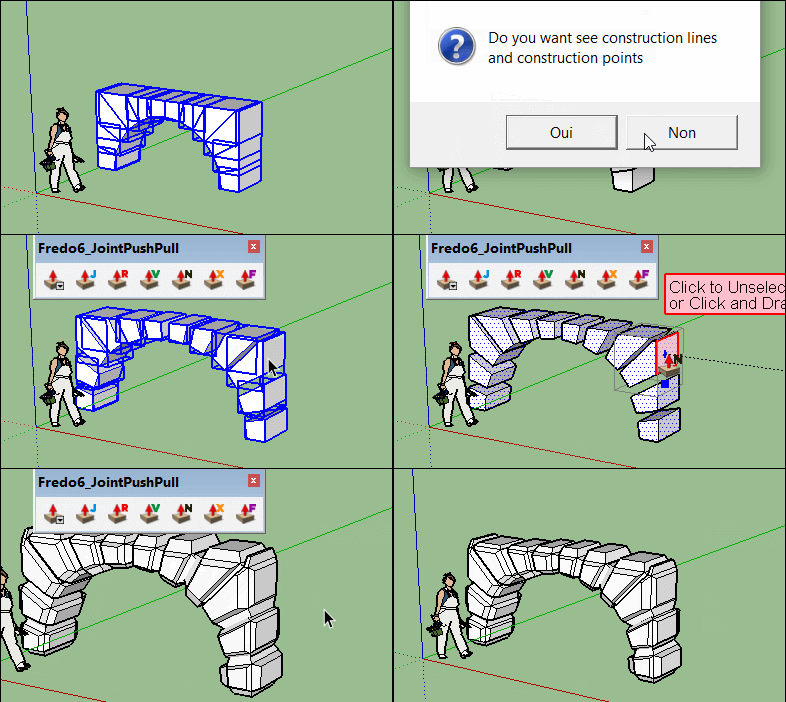
Carving by Joint Push Pull by Fredo
-
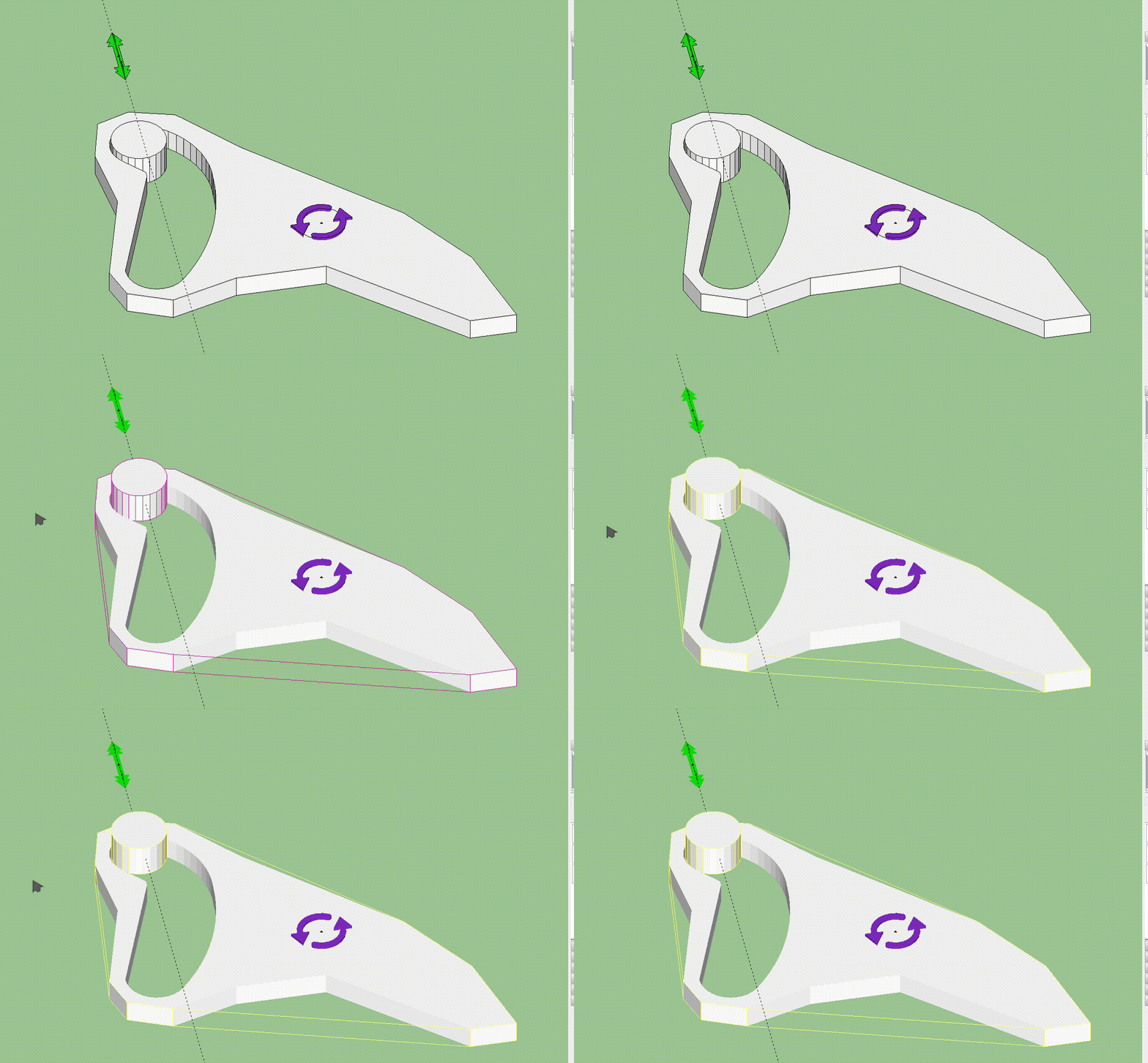
Thank you for your reply. The cylindrical piece moves up when I press play, what could be the reason?
-
-
Hi, Ecati,
@ecati said:
Thank you for your reply. The cylindrical piece moves up when I press play, what could be the reason?
I answered that in my prior post.
Generally there are two ways to do it.
- Divide the concave thingy into convex sub-groups. Using Convexify plugin by Fredo6 should do it for you. You must ensure that the group you divide is initially a solid group. You can use CleanUp along with Solid Inspector by ThomThom to help you fix it. Then once the group is divided, the collision should generate properly. I did it for you, so you can see what I mean: ruffler çizim - way1.skp
- A more advanced approach is to have the model rely on joints and have the collision be ignored. I'm not going to explain it in depth, but basically you utilize the curvy joint to have the cylinder move along the curve. If you enable the joints layer, you will see it. Here is the model: ruffler çizim - way2.skp
Regards,
Anton -
Hi, Anton,
I am thankful to you. Thank you so much. -
Hey, y'all,
I just made a tutorial on making collision based and joint based copy-able chains. It's in Russian, but a picture is worth a thousand words...
Here is the chain model basing on collision:
https://drive.google.com/open?id=0B3qg8f4WrNdHTWFYOWtkZ3g0RUkHere is the chain model basing on joint connections:
https://drive.google.com/open?id=0B3qg8f4WrNdHU2NxYnNWTXgxLWcSo, if you're interested in making chains, you should definitely check it out.
-- Anton
-
The tutorial is not only interesting for chains. I can imagine the use for other purposes. Everything that hangs and dangles ... Particularly interesting are the comments on the copiable joints. Thanks!
-
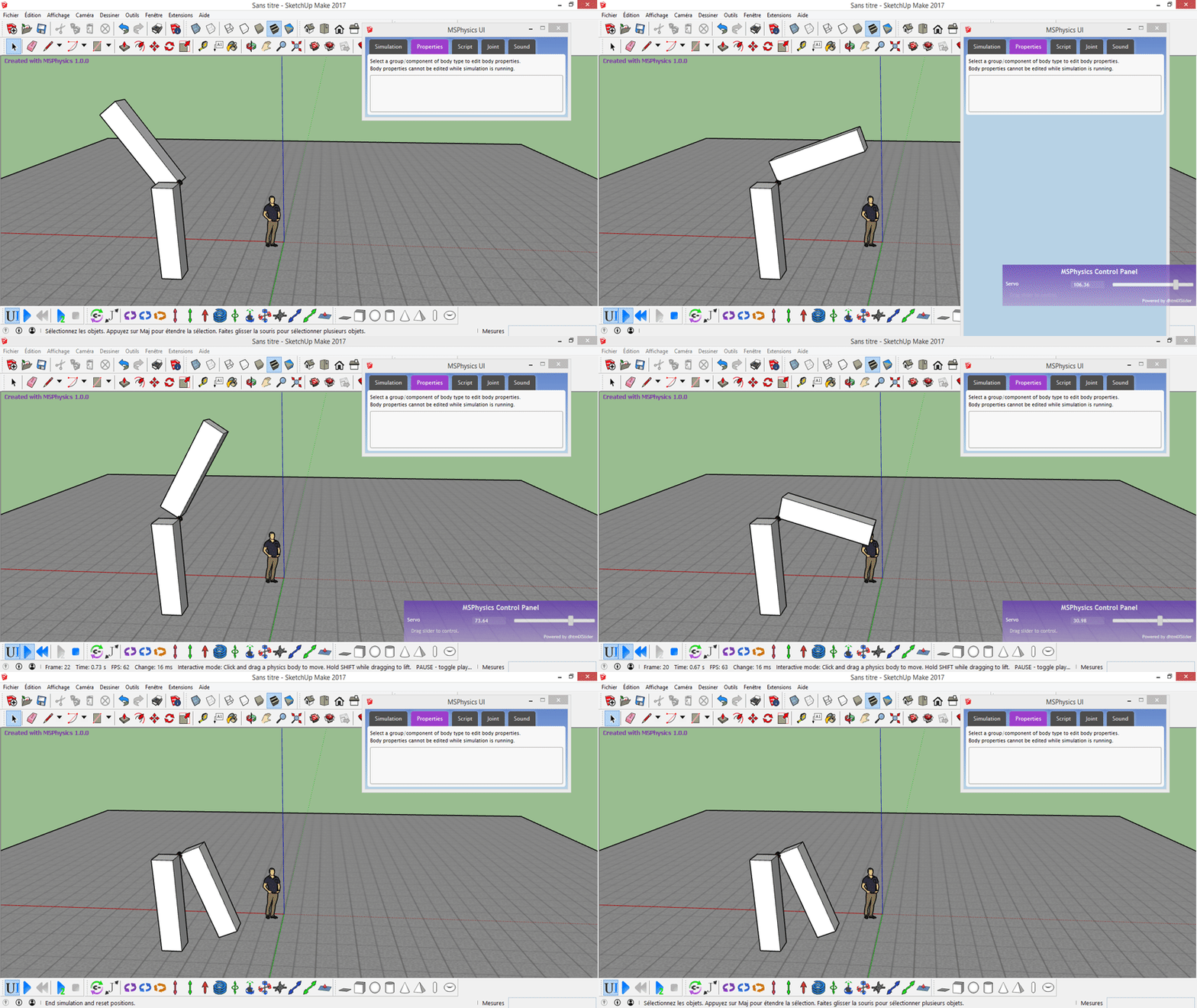
erreur Masse !!!! v1.0.0
no reset position ! big masse
-
@synsuka3d said:
erreur Masse !!!! v1.0.0
no reset position ! big masseThere are two types of buttons to end simulation: one is reset and the other one is stop. If you press the stop button, the group positions will not reset. If you press the reset button, group positions will reset. No I'm not sure if it was an error or you pressing the wrong button. A sample model that causes that error would be appreciated.
Edit: Oops, I didn't know it was an gif animation, not just an image. So, yes, assigning huge masses results in an error. I will ensure that this is fixed in the final release of 1.0.0. Thanks for the report.
-
Anton,
I have another question.
I made my animation by exporting to multiple jpg's with the msphysics plugin.
I also created some scenes for zooming in on the parts also exported them to jpg's.
With makeavi I then combined the two exported still sets to create a movie.
So that's working now.
Ultimately I want an overview of the instalation with a bit of walking around. Then fly in the gripper tool. See it attach to the pipe by closing the gripper and putting in the pin. Then rotating it with the msphysics animation. Then zooming out to overview.
So I was guessing to use a dynamic component in the scenes and activating it by clicking on the parts. But unfortunately the dynamic parts won't work in de scène builder.
So how am I going to accomplish this?Can I create some more hinges and actions in msphysics. For instance a slider to push the upper pin in and out and another hinge for turning the gripper around the bottom pin?
This way I must use some of the same hinges for different purposes. Is that even possible? Maybe I can use servo motors. And trigger them by button presses.
Hope you can help me out a bit. Really like to make a nice animation altogether.Kind regards Bert Broek.
-
Hello, Bert,
@delchrys said:
Ultimately I want an overview of the instalation with a bit of walking around. Then fly in the gripper tool. See it attach to the pipe by closing the gripper and putting in the pin. Then rotating it with the msphysics animation. Then zooming out to overview.
It can be done with MSPhysics, but it won't be simple. It will require adding scripts and other things... I would suggest you use Animator by Fredo6 for animations and camera transitions. It also allows rendering your animations with Thea Render and some other modern rendering programs, which is what you ultimately want.
@delchrys said:
Can I create some more hinges and actions in msphysics. For instance a slider to push the upper pin in and out and another hinge for turning the gripper around the bottom pin?
Yes!
@delchrys said:
This way I must use some of the same hinges for different purposes. Is that even possible? Maybe I can use servo motors. And trigger them by button presses.
And yes, that is possible. I will upload your model with such features tomorrow.
Regards,
Anton -
@anton_s said:
Hello, Bert,
And yes, that is possible. I will upload your model with such features tomorrow.
Regards,
AntonWow, that would be great. I'm still trying to inderstand which of the items should be placed within a group and which ones outside the group. Slowly getting there.





Advertisement