Label (png file) on a round cylinder surface
-
That link is no good. Click on Upload attachment just below the post window. Then select and upload the SKP.
-
i need the cylinder to be transparent , the logo to be png file, not 100% wrap around, just label on certain part.
any idea how can i do that with the e.g. ?
thanks Dave
-
I was just making this while waiting for your file. Draw an outline on the cylinder the size of the label and apply the material to that area only. You can then hide the edges around the label if you don't want them to show.
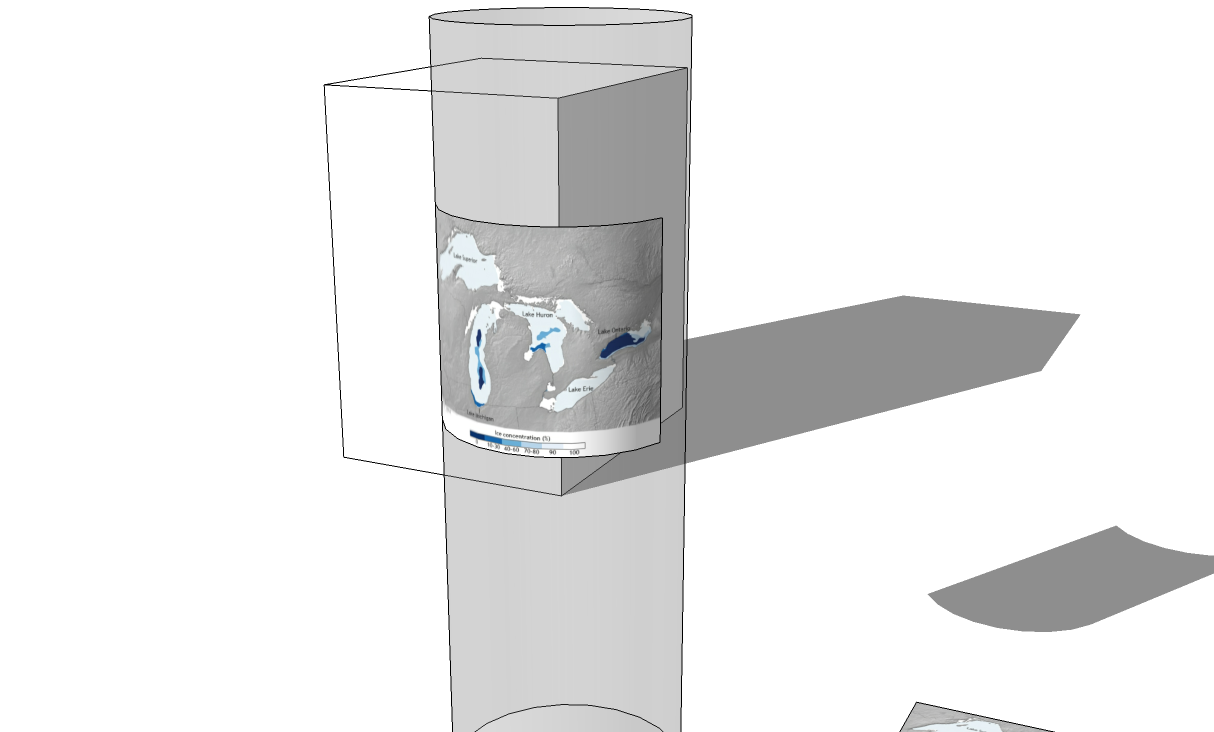
First you'll need to explode your label component so you get the image as a material.
-
-
@dave r said:
I was just making this while waiting for your file. Draw an outline on the cylinder the size of the label and apply the material to that area only. You can then hide the edges around the label if you don't want them to show.
[attachment=0:23cb5a9p]<!-- ia0 -->map.png<!-- ia0 -->[/attachment:23cb5a9p]
First you'll need to explode your label component so you get the image as a material.
Hi dave,
YES , this is what i need. do you think you can give detail, step by step on how to do that ?
drawing a rectangle on the cylinder surface ? can you explain how to do that ?thanks dave.
-
I just copied the top outside edge of the cylinder down with Move/Copy to make the top and bottom limits of the label. Then I drew vertical lines for the left and right edges of the label.
For the one with the map, I laid out the sides of the label on the cylinder first and determined the required width by selecting the bottom edge of the label and looking at Entity Info as I already described. Then I imported the image as texture (not an image like you did) and applied it to a rectangle also as I described above.
For yours I set the top and bottom limits of the label to match the height of your image. Then I exploded your image to make a texture. I applied the texture to the surface between the top and bottom edges. this makes the texture repeat a number of times around the cylinder. I drew vertical lines on either side of a single copy of it, deleted the edges I didn't need and hid the ones around the label. If you turn on Hidden Geometry, you'll be able to see the edges of the label.
-
@dave r said:
I just copied the top outside edge of the cylinder down with Move/Copy to make the top and bottom limits of the label. Then I drew vertical lines for the left and right edges of the label.
For the one with the map, I laid out the sides of the label on the cylinder first and determined the required width by selecting the bottom edge of the label and looking at Entity Info as I already described. Then I imported the image as texture (not an image like you did) and applied it to a rectangle also as I described above.
For yours I set the top and bottom limits of the label to match the height of your image. Then I exploded your image to make a texture. I applied the texture to the surface between the top and bottom edges. this makes the texture repeat a number of times around the cylinder. I drew vertical lines on either side of a single copy of it, deleted the edges I didn't need and hid the ones around the label. If you turn on Hidden Geometry, you'll be able to see the edges of the label.
hi dave, pardon me i still can't get it.
- set the top and bottom limits of the label to match the height of your image.
how to do that ?
2)Then I exploded your image to make a texture.
i got this.
3)applied the texture to the surface between the top and bottom edges.
to no1 ?
apprecial your help..
- set the top and bottom limits of the label to match the height of your image.
-
I measured the dimensions of your label component and found it is 7' 11" tall. Then I:
-Selected the top edge of the cylinder.
-Got the Move tool and hit Ctrl (or Option on the Mac) to invoke the copy function.
-Moved a copy of the selected edge down a bit.
-Made another copy 7' 11" below the first copy.This resulted in a band around the cylinder that matched the height of the label.
-
Hi dave, just want to say THANK YOU!
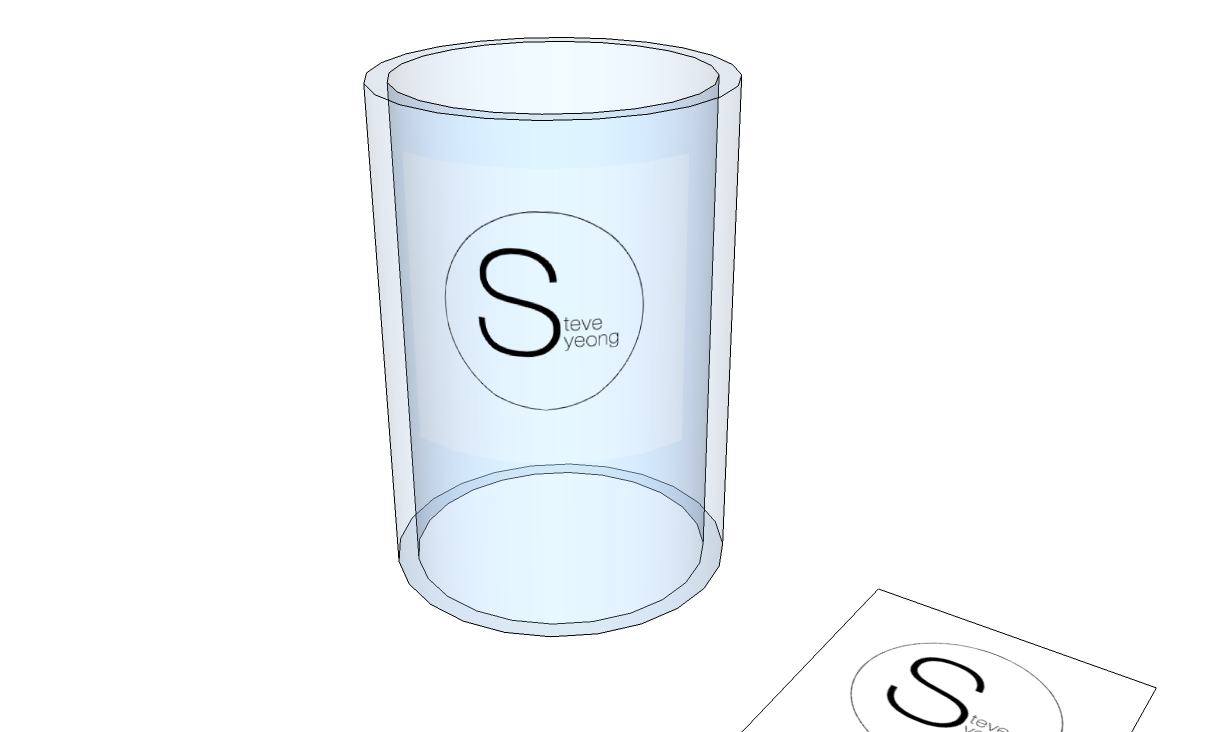
now i manage to get it work. the only set back i notice when apply texture image to a surface, even a png file, there is still rectangular line around the label which i can removed. it quite distracting after a render image.http://sketchucation.com/forums/download/file.php?id=116549%26amp;mode=view/rokbox.jpg
like you can see the rectangular line around the ''steve yeong".
is there a way to remove it ? i believed that is the face created.
-
That rectangle you see is because the trasparent material applied arround the label is a different color than the transparency of the label. Make them the same and you shouldn't see the edges.

Hello! It looks like you're interested in this conversation, but you don't have an account yet.
Getting fed up of having to scroll through the same posts each visit? When you register for an account, you'll always come back to exactly where you were before, and choose to be notified of new replies (either via email, or push notification). You'll also be able to save bookmarks and upvote posts to show your appreciation to other community members.
With your input, this post could be even better 💗
Register Login


Advertisement