@#$&% Toolbars. How to lock?
-
I eventually got my SU2013 set up just like my SU8. However, I recently had to uninstall and re-install and lost my toolbar layout. Before the uninstall I did a screenshot so I could remember how everything was arrayed. I've made my custom toolbars for placement to the side, but I can't remember how to lock them to the side. I also have several other plugin toolbars but I can't get them to go vertical and lock to the side. What am I doing wrong?
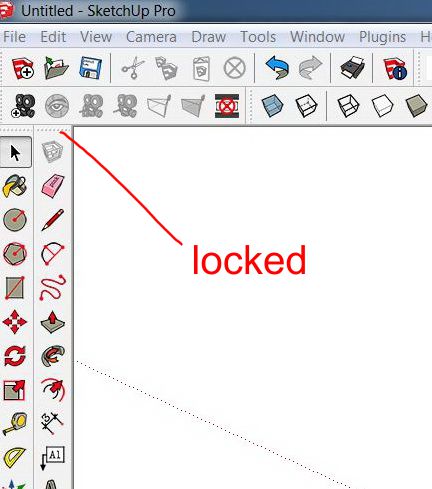
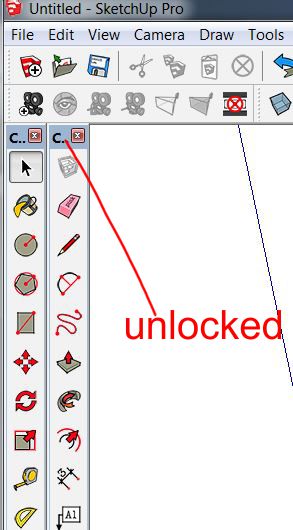
-
Mine don't do that but unless I have enough tools to fill the height of the toolbar space, they won't stay tucked up at the top.

-
You need to push them against the side of the screen and they will swap to vertical.
[screenr:2aoiqhpf]0cHN[/screenr:2aoiqhpf] -
Thanks. Pushing to the side did not work because I'm running two monitors and the toolbar just when to the other monitor. Switched it off and the toolbars locked to the side. Switched it back on and they held. Thanks again


Hello! It looks like you're interested in this conversation, but you don't have an account yet.
Getting fed up of having to scroll through the same posts each visit? When you register for an account, you'll always come back to exactly where you were before, and choose to be notified of new replies (either via email, or push notification). You'll also be able to save bookmarks and upvote posts to show your appreciation to other community members.
With your input, this post could be even better 💗
Register Login


Advertisement