Runtime Error
-
Hi. I been using Sketchup for a few years now and I never experienced this error before. Usually my Sketchup runs smooth, specially since I learned to use the openGL and purge regularly. I notice lately that it is running slower than usual. Like a lot of lag when moving the view around.
Then suddenly I got this and Sketchup shut down
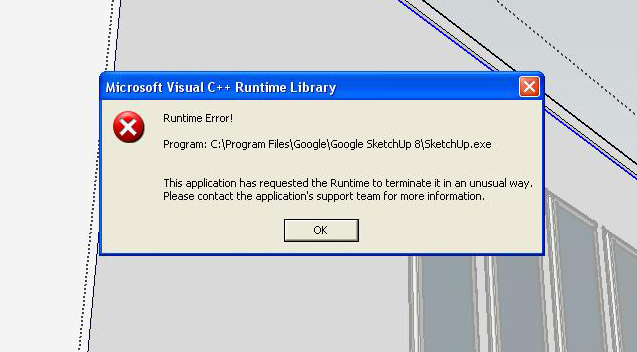
Does anyone know why this would happen?
-
Hi, Mistro:
I looked around and found an older thread in this link:
https://groups.google.com/forum/#!topic/sketchupissues/gN4yhIK3tGYIs it indeed your graphic card settings?
-
@mitcorb said:
Hi, Mistro:
I looked around and found an older thread in this link:
https://groups.google.com/forum/#!topic/sketchupissues/gN4yhIK3tGYIs it indeed your graphic card settings?
Thanks mitcorb! It's funny because I found that same thread earlier and remembered I never set my graphic card settings after my last reformat. But still not sure if that is the cause because I reformatted months ago and did many Sketchup projects since with no problem. But then again, I recently did a windows update so maybe something got reset? When I went in the Nvidia control panel it was on "let the 3D application decide". So I set it to high quality instead so applications will use the card settings and Sketchup is running more smoothly.
If it happens again, I will report it here.


Hello! It looks like you're interested in this conversation, but you don't have an account yet.
Getting fed up of having to scroll through the same posts each visit? When you register for an account, you'll always come back to exactly where you were before, and choose to be notified of new replies (either via email, or push notification). You'll also be able to save bookmarks and upvote posts to show your appreciation to other community members.
With your input, this post could be even better 💗
Register Login


Advertisement